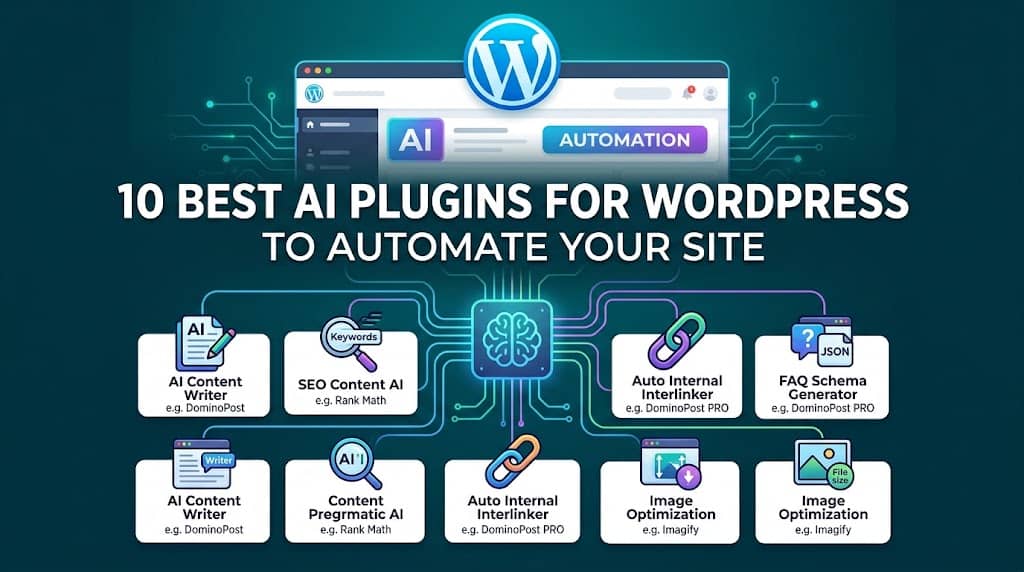
If you’re running a WordPress website in 2026, you already know that content creation, SEO optimization, and audience engagement are never-ending battles. The good news? AI plugins for WordPress have matured to a point where they can genuinely automate massive parts of your workflow — from writing complete, SEO-ready articles in minutes to automatically inserting internal links, generating FAQ schema, and even fixing broken links across your entire site.
In this guide, we’ve done the deep research for you. We installed, tested, and evaluated dozens of tools to compile the definitive list of the 10 best AI tools for WordPress right now. Whether you’re a solo blogger, a content agency, or an enterprise SEO team, there’s at least one plugin on this list that will transform the way you work.
We’ll walk you through each plugin’s standout features, pricing, who it’s best for, and — most importantly — how to actually set it up. Let’s get into it.
What Are AI Plugins for WordPress — And Why Do You Need One?
AI plugins for WordPress are tools that integrate artificial intelligence directly into your WordPress dashboard — typically connecting to large language models (LLMs) like GPT-4, Google Gemini, or Meta’s Llama to automate tasks that would otherwise take hours of manual effort.
Think about everything you do after deciding on a topic: keyword research, writing a draft, structuring headings, adding internal links, writing meta descriptions, checking for grammar errors, and building an FAQ section. A great AI WordPress plugin can collapse that entire workflow into a matter of minutes.
📊 By The Numbers
73%
of marketers say AI has increased content output speed (HubSpot, 2024)
60K+
WordPress sites actively use AI writing tools today
3–5x
faster content creation with an AI writing assistant
#1 Editor’s Choice — Best Overall
Advanced Post Editor & AI Writer
If you’re serious about WordPress content automation, DominoPost – Advanced Post Editor & AI Writer is the single most complete solution available in 2026. Built by DominoPress, this plugin is described as the “industry-leading AI-driven productivity suite for professional bloggers, SEO agencies, and content creators.” After testing it ourselves, we fully agree.
What sets DominoPost apart from every other AI WordPress plugin is that it doesn’t just add one AI feature on top of your existing editor — it completely transforms the WordPress Classic Editor into a high-performance content machine. You get everything from a full GPT-4/Gemini-powered AI Writer to automated internal linking, broken link checking, keyword research, and an advanced table of contents — all from a single, lightweight plugin.
🚀 Key Features That Make DominoPost Stand Out
🤖 Multi-Model AI Writer
Supports OpenAI GPT-4, Google Gemini 2.5 Flash & Pro, Groq (Meta Llama), Cerebras AI, and OpenRouter — all with real-time streaming and typewriter effects.
⚡ Auto Internal Linking (PRO)
The AI Smart Interlinker automatically scans your entire site and inserts high-relevance internal links with perfect anchor text — hands-free.
✨ AI Smart Rewrite (PRO)
Select any block of text and instantly paraphrase it in 4 professional tones: Friendly, Creative, Professional, or Concise.
❓ AI FAQ Schema (PRO)
Generate beautiful FAQ blocks with automated JSON-LD Schema to dominate Google’s “People Also Ask” section and earn rich snippets.
🔍 Google Keyword Research
Built-in Google Keyword Research tool inside the AI Writer modal for finding high-intent related keywords — without leaving WordPress.
🕵️ Broken Link Checker
Site-wide broken link detection built directly into the Tools Menu — find and fix dead links without installing a separate plugin.
📊 Visitor Intelligence Dashboard
Complete analytics: real-time visitors, session duration, device types, geographic location — all inside WordPress, no third-party setup needed.
📈 Google Search Console Integration
Monitor total clicks, impressions, CTR, and keyword rankings directly inside your WP admin with the SEO Analytics Dashboard.
📖 Step-by-Step: How to Set Up DominoPost
1
Install the Plugin
Go to your WordPress dashboard → Plugins → Add New Plugin. Search for “DominoPost Advanced Post Editor”. Click Install Now then Activate. Alternatively, download the zip from dominopress.com and upload it via Plugins → Upload Plugin.
2
Configure Your API Key
Navigate to DominoPost → Settings → AI Writer. By default, the plugin uses Google Gemini 2.5 Flash (which has a generous free tier). Enter your API key. You can also switch to OpenAI, OpenRouter, Groq, or Cerebras depending on your preference and budget.
3
Generate Your First AI Article
Go to DominoPost → AI Writer. Enter your target keyword, choose a word count (e.g., 1,500–3,000 words), select your content type (SEO, Blog, Product, etc.), and pick your post status. Hit Generate. Watch the real-time streaming terminal generate a complete, structured article in seconds.
4
Use the Editor Toolbar
Open any post. You’ll find a new DominoPost toolbar row above the editor with tools: Table of Contents, Emoji Picker, Table Builder, Case Converter, Find & Replace, Download Buttons, and more. Use the Content Assistant in the sidebar to generate blog post ideas, outlines, meta descriptions, or summaries instantly.
5
Upgrade to PRO for Full Automation
Unlock AI Smart Internal Linking, AI Smart Rewrite, AI FAQ Schema Generator, Grammar Fixer, Focus Keyword Optimization, Keyword Trend Intelligence, and the premium “Scroll & Review” link verification bar. Visit dominopress.com to upgrade.
💰 Pricing
Free
Forever Free Plan
✅ AI Writer (3/day)
✅ TOC + Toolbar
✅ Broken Link Checker
✅ Content Assistant
✅ Visitor Intelligence
MOST POPULAR
PRO
One-Time or Annual
✅ Everything in Free
✅ AI Smart Interlinker
✅ Magic Wand Rewrite
✅ FAQ Schema Generator
✅ Grammar Fixer
✅ Focus Keyword Opt.
✅ Our Verdict
DominoPost is our #1 recommended AI WordPress plugin in 2026 — and it’s not close. The combination of multi-model AI writing, automatic internal linking, Google Search Console integration, Visitor Intelligence analytics, and a rebuilt Classic Editor experience makes it the only tool most content sites will ever need. The free plan is genuinely useful, and the PRO upgrade is a no-brainer for serious publishers. Get DominoPost →
#2 — Best for Developers & Power Users
AI Engine – The WordPress AI Powerhouse
AI Engine (by Jordy Meow) is one of the most technically sophisticated ai engine wordpress plugin options available. It lets you build custom AI chatbots, add content generation directly in the Gutenberg editor, create image generation tools, and even deploy AI-powered search on your site.
The plugin connects to the OpenAI API and gives developers extensive control through hooks and filters. It’s excellent if you’re comfortable with code and want to deeply customize AI behavior on your site. The free version is surprisingly capable, and the PRO tier unlocks AI-powered forms, WooCommerce product descriptions, and fine-tuning support.
Key Features:
- GPT-4 powered chatbot with full customization
- AI content generation inside Gutenberg and Classic Editor
- AI image generation (DALL-E integration)
- WooCommerce product description generator
- AI-powered image alt text generator
- Supports multiple AI models including fine-tuned models
⚙️ Quick Setup Guide:
1. Install AI Engine from the WordPress plugin repository and activate it.
2. Go to Meow Apps → AI Engine → Settings and paste your OpenAI API key.
3. Use the Chatbot module to deploy an AI assistant on any page with a shortcode.
4. Use the Content Generator section to generate and bulk-insert posts from keywords.
✅ Highly customizable
✅ Developer-friendly
⚠️ Steeper learning curve
⚠️ Requires OpenAI API key
#3 — Best for SEO-First Bloggers
Rank Math SEO with Content AI
Rank Math SEO is already the most installed SEO plugin on WordPress — and their Content AI feature takes it a step further, bringing AI-powered content writing, keyword optimization, and competitor analysis directly into the editor sidebar. It’s a great all-rounder for bloggers who want SEO and AI writing in a single tool.
Content AI credits are bought separately, and while the UI is polished, the AI writing quality lags behind dedicated tools like DominoPost for long-form content. It shines brightest for quick paragraph generation, meta suggestions, and real-time SEO scoring.
Key Features:
- Content AI writing assistant inside Gutenberg
- Real-time on-page SEO score with 40+ checks
- AI-powered meta title and description generator
- Schema markup automation (FAQ, HowTo, Article)
- Keyword position tracking and rank monitoring
- Local SEO and WooCommerce SEO modules
✅ Best-in-class SEO tools
✅ Gutenberg-native
⚠️ AI credits cost extra
#4 — Best for Copywriters & Marketing Teams
Bertha AI – Smart Copywriting Assistant
Bertha AI is designed for copywriters and marketing teams who need professionally toned copy fast. Unlike general-purpose ai tools for wordpress, Bertha focuses on marketing-specific copy: landing page headlines, product descriptions, email subject lines, ad copy, and more.
It integrates with both Gutenberg and the Classic Editor, as well as popular page builders like Elementor and Divi. The AI outputs are shorter and more punchy than long-form tools — ideal for conversion-focused copy rather than deep editorial articles.
Key Features:
- 80+ AI copywriting templates
- Works inside Elementor, Divi, and WPBakery
- AI image generation built-in
- Multiple tone and language options
- Team workspace for agencies
✅ Page builder support
✅ Marketing-focused
⚠️ Not ideal for long articles
#5 — Best for Established Yoast Switchers
All in One SEO – AI Title & Meta Generator
All in One SEO (AIOSEO) is the original WordPress SEO plugin — and its recent AI integration makes it one of the most complete ai wordpress plugins for on-page optimization. The AI Title and Meta Description Generator can dramatically improve your click-through rates from Google with minimal effort.
AIOSEO’s AI features analyze your post content and generate click-worthy titles and meta descriptions tailored to match search intent. It’s tightly integrated with the editor sidebar for a seamless experience, and its schema markup module is one of the most comprehensive available.
Key Features:
- AI-powered meta title and description generator
- TruSEO on-page optimization score
- Advanced schema markup (20+ types)
- Link Assistant for internal linking suggestions
- Sitemap, robots.txt, and redirect management
- Local SEO and WooCommerce SEO integration
✅ All-in-one SEO solution
✅ Excellent schema markup
⚠️ AI features limited to titles/meta
#6 — Best for Customer Engagement
WPBot – AI Chatbot for WordPress
WPBot is the most popular AI chatbot plugin for WordPress, with over 10,000 active installations. It connects to OpenAI’s ChatGPT API to power a conversational assistant that can answer visitor questions, capture leads, and even handle WooCommerce support queries 24/7 — without any human intervention.
The plugin is especially valuable for small business websites, SaaS landing pages, and eCommerce stores where customer questions can be handled automatically. You can train the bot with your own FAQs, knowledge base, or uploaded documents.
Key Features:
- ChatGPT-powered conversational chatbot
- Custom FAQ training and knowledge base upload
- Lead capture forms and email integration
- WooCommerce order tracking support
- Multi-language support
✅ Easy to train
✅ 24/7 lead capture
⚠️ Content creation not included
#7 — Best for Affiliate Sites
Content Egg – AI-Powered Affiliate Content
Content Egg is purpose-built for affiliate marketers who need to publish large volumes of product-comparison content, roundup reviews, and price-comparison pages. Its AI integration allows you to auto-generate product descriptions, pros/cons lists, and comparison tables by simply entering product ASINs or URLs.
If your WordPress site earns revenue through Amazon Associates, ShareASale, or similar affiliate programs, Content Egg can dramatically accelerate your content production while keeping product data fresh and accurate through automatic price syncing.
✅ Amazon API integration
✅ Auto price updates
⚠️ Niche use case only
#8 — Best for Gutenberg Page Builders
Spectra – AI Page Builder Blocks
Spectra (by BrainstormForce) is a free Gutenberg block plugin that recently introduced AI content generation capabilities. It allows you to write, rephrase, and expand content directly inside Gutenberg block editing, and comes with 40+ advanced blocks for layouts, forms, and interactive elements.
While Spectra isn’t a dedicated AI writing tool, its AI writing assistance inside the native block editor is a valuable addition for site builders who use Gutenberg as their primary design tool.
✅ Free with 40+ blocks
✅ Gutenberg-native
⚠️ AI features still limited
#9 — Best for Multilingual Sites
WPML with DeepL AI Translation
WPML paired with DeepL’s AI translation engine is the gold standard for multilingual WordPress sites. If your content strategy targets multiple countries or languages, WPML’s DeepL integration can automatically translate your entire site’s content at near-human quality, dramatically cutting localization costs and timelines.
WPML integrates with every major WordPress theme and plugin, and its translation management workflow allows you to review, edit, and approve AI translations before they go live.
✅ Near-human translation quality
✅ 100+ languages
⚠️ WPML + DeepL costs add up
#10 — Best for Image Performance
Imagify – AI Image Optimization
Imagify is the leading AI image compression and optimization plugin for WordPress. While it doesn’t write content, it’s an essential tool in any AI-powered WordPress stack because page speed is a direct Google ranking factor — and large, unoptimized images are the #1 culprit of slow WordPress sites.
Imagify uses AI-driven compression algorithms to reduce image file sizes by up to 70% with virtually no visible quality loss, and it automatically converts images to next-gen WebP and AVIF formats that Google Core Web Vitals loves.
✅ Up to 70% file size reduction
✅ WebP + AVIF conversion
⚠️ Image-only, not a writing tool
Quick Comparison: All 10 AI Plugins at a Glance
Not sure which of these ai wordpress plugins is right for you? Here’s a quick side-by-side comparison of the most important factors:
| Plugin |
AI Writing |
Internal Linking |
SEO Tools |
Analytics |
Free Plan |
Score |
| 🥇 DominoPost |
✅ Full |
✅ AI-Auto |
✅ Full |
✅ Built-in |
✅ Yes |
4.9/5 |
| AI Engine |
✅ Yes |
❌ No |
❌ No |
❌ No |
✅ Yes |
4.7/5 |
| Rank Math SEO |
⚠️ Limited |
⚠️ Suggest |
✅ Full |
⚠️ Basic |
✅ Yes |
4.6/5 |
| Bertha AI |
✅ Yes |
❌ No |
❌ No |
❌ No |
⚠️ Trial |
4.4/5 |
| AIOSEO |
⚠️ Meta only |
⚠️ Suggest |
✅ Full |
⚠️ Basic |
✅ Yes |
4.5/5 |
| WPBot |
❌ No |
❌ No |
❌ No |
⚠️ Chat only |
✅ Yes |
4.3/5 |
| Content Egg |
⚠️ Product |
❌ No |
❌ No |
❌ No |
❌ No |
4.2/5 |
| Spectra |
⚠️ Basic |
❌ No |
❌ No |
❌ No |
✅ Yes |
4.3/5 |
| WPML + DeepL |
✅ Translation |
❌ No |
⚠️ Basic |
❌ No |
❌ No |
4.4/5 |
| Imagify |
❌ No |
❌ No |
⚠️ Speed |
❌ No |
✅ Yes |
4.5/5 |
How to Choose the Right AI Plugin for Your WordPress Site
With so many ai tools for wordpress now available, the right choice depends entirely on your specific goals and workflow. Here’s a framework for deciding:
✍️
For Bloggers & Content Sites
Start with DominoPost. It covers AI writing, internal linking, SEO analysis, and analytics in one plugin. Use Rank Math alongside it for on-page SEO scoring.
🛒
For WooCommerce Stores
Use DominoPost for product page content and blogging, WPBot for customer support automation, and Imagify for product image optimization.
🌍
For Multilingual Sites
Use DominoPost to create original English content, then WPML + DeepL to translate it at scale. This is the most cost-effective multilingual content strategy in 2026.
🏢
For Agencies & Teams
DominoPost PRO is ideal for agencies managing multiple sites. The AI Smart Interlinker alone saves dozens of hours per month across client sites.
💻
For Developers
AI Engine offers the most extensive developer APIs and hooks. Pair it with DominoPost for a complete content and customization stack.
🔗
For Affiliate Marketers
Content Egg for product data, DominoPost for editorial SEO content and internal linking, and Imagify for image performance.
Frequently Asked Questions About AI Plugins for WordPress
Are AI plugins for WordPress safe to use?
Yes, reputable AI plugins for WordPress like DominoPost are built with security best practices — nonce verification, sanitized inputs, and secure API communication. The AI-generated content is sent through encrypted API calls to providers like Google or OpenAI, and nothing is stored on third-party servers without your consent. Always install plugins from trusted sources like the official WordPress.org repository or verified developer websites.
Will Google penalize AI-generated content?
Google’s official stance is that they reward helpful, high-quality content regardless of how it’s produced. AI-generated content is not penalized as long as it genuinely serves users. The risk lies in publishing unedited, low-quality, or factually inaccurate AI output at scale. Using ai wordpress plugins like DominoPost that produce structured, keyword-optimized, and human-readable content — and then reviewing it before publishing — is the correct approach.
What’s the difference between DominoPost Free and PRO?
The free version of DominoPost includes the AI Content Writer (with a 3 generations/day limit), the full editor toolbar (TOC, Emoji, Table, Find & Replace, etc.), Broken Link Checker, Content Assistant, and Visitor Intelligence analytics. The PRO version adds unlimited AI generation, the AI Smart Internal Interlinker, Magic Wand Rewrite, FAQ Schema Generator, Grammar Fixer, Focus Keyword Optimization, and Keyword Trend Intelligence in the GSC dashboard.
Do AI WordPress plugins work with the Gutenberg block editor?
It depends on the plugin. DominoPost works natively with both the Classic Editor and Gutenberg, making it one of the most flexible options. Rank Math’s Content AI and Spectra are primarily Gutenberg-focused. Bertha AI supports both editors as well as page builders like Elementor. Always check compatibility with your preferred editor before installing.
Can I use AI WordPress plugins without a coding background?
Absolutely. The best ai tools for wordpress are designed to be completely no-code. DominoPost, for instance, can be installed in under 5 minutes and starts working immediately once you add an API key. Even the advanced features like AI Smart Linking and FAQ Schema generation are done with a single button click — no programming knowledge required.
Final Verdict: Which AI Plugin Should You Install Today?
After testing all 10 options, the answer for most WordPress users is simple: start with DominoPost. There is no other AI plugin for WordPress that bundles multi-model AI writing (supporting Google Gemini, GPT-4, Llama, Groq, and Cerebras), automated internal linking, keyword research, broken link checking, Google Search Console integration, and visitor analytics into a single, lightweight, and genuinely free plugin.
For most bloggers, content teams, and SEO agencies, DominoPost alone can replace 4–6 separate tools — dramatically simplifying your WordPress stack and reducing plugin overhead. The PRO upgrade, which unlocks the AI Smart Interlinker and FAQ Schema Generator, delivers immediate, measurable ROI for any site that publishes content regularly.
The other tools on this list each serve specific niches well: AI Engine for developers who want customization, Rank Math for deep SEO scoring, WPBot for customer support automation, and Imagify for page speed. Most serious publishers will end up with a combination — but DominoPost should always be the foundation.
Get Started Free — No Credit Card Required
Ready to Automate Your WordPress Content Workflow?
Install DominoPost for free today and generate your first SEO-optimized AI article in under 5 minutes. Then upgrade to PRO when you’re ready to unlock full automation.