

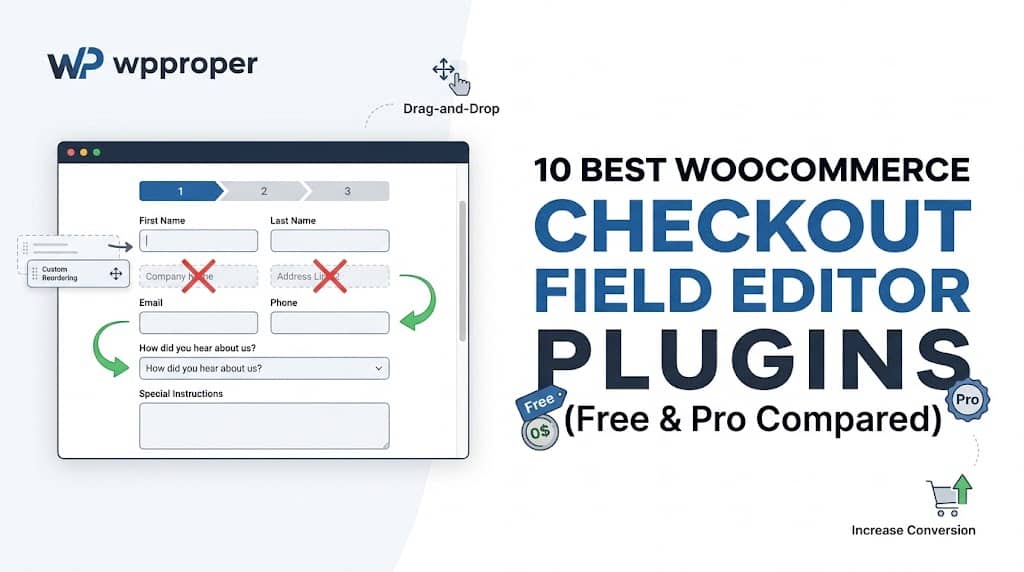
Here’s a number that should make every WooCommerce store owner stop and think: 70.19% of online shopping carts are abandoned before the customer completes their purchase. That’s nearly three out of every four shoppers who showed enough intent to add products to their cart — only to leave without buying. And the #1 cited reason? A long, complicated, or irrelevant checkout process.
WooCommerce ships with a default checkout form that was designed to fit every possible store type — physical goods, digital products, B2B wholesale, local pickup, international shipping, and everything in between. The result is a form that’s bloated and generic by default. A customer buying a digital PDF download has zero reason to fill in a “Shipping Address Line 2” field. A B2B buyer, on the other hand, absolutely needs a “VAT Number” field that simply doesn’t exist out of the box.
The solution is a WooCommerce checkout page editor plugin. These tools give you complete, code-free control over every field on your checkout form — letting you add, remove, reorder, rename, hide, or conditionally show fields based on exactly what your business and customers need.
Finding the best WooCommerce checkout field editor is arguably the highest-ROI optimization you can make to your store. By removing irrelevant friction fields and adding the exact information you need to process orders correctly, you can meaningfully increase your checkout completion rate — without spending a single dollar more on traffic. In this guide, we’ve reviewed and ranked the 10 best options available in 2026, covering both free and premium tools, so you can make the right decision for your store.
of shopping carts are abandoned before checkout completes
A streamlined, customized checkout page is one of the most impactful changes you can make to recover this lost revenue. A good checkout editor for WooCommerce is where that transformation starts.
2. Why You Need a Checkout Editor for WooCommerce
WooCommerce’s default checkout is functional, but “functional” and “optimized” are very different things. Here’s exactly what a dedicated WooCommerce checkout field editor plugin enables you to do:
Reduce Friction & Abandonment
Remove unnecessary default fields that have zero relevance to your product type. A digital download store doesn’t need “Address Line 2” or “Company Name.” Fewer required fields = fewer reasons to abandon. Studies show removing even two irrelevant fields can increase conversion by up to 11%.
Collect Exactly the Data You Need
Add custom fields that WooCommerce simply doesn’t include: delivery date pickers, gift message textareas, “How did you hear about us?” dropdowns, file uploads for custom orders, engraving text fields, or special delivery instruction boxes. Get the right data at the right moment without any back-and-forth after purchase.
Unlock Full B2B Capabilities
B2B and wholesale stores need fields that WooCommerce doesn’t provide: VAT numbers, Tax IDs, purchase order references, or company registration numbers. A top-tier checkout field editor for WooCommerce Pro lets you add these and — crucially — restrict them to appear only for business customers, hiding them from regular consumers using role-based display rules.
Improve Logical Flow & UX
WooCommerce’s default field order doesn’t always follow the most intuitive sequence for your specific customer base. Drag-and-drop reordering lets you arrange fields in an order that matches how your customers think — resulting in a checkout that feels effortless rather than confusing.
Dynamic Conditional Logic
Show or hide fields dynamically based on what the customer selects. For example: only show the “VAT Number” field if the customer checks “Purchasing as a Business.” Only show “Gift Message” if they choose a gift-wrapping option. This keeps the checkout clean while still collecting all necessary conditional data.
Control Data Visibility Everywhere
Custom field data should flow through your entire order workflow. The best plugins let you control whether a custom field appears on the Thank You page, in customer confirmation emails, in admin order views, or all of the above — ensuring your fulfillment team sees exactly what they need without manually checking the database.
3. Key Features of a Top-Tier WooCommerce Checkout Field Editor
Not every plugin marketed as a checkout editor WooCommerce solution is built equally. Before you commit, here’s the feature matrix to evaluate any candidate against:
✔ Multiple Field Types
At minimum, look for: Text, Email, Number, Phone, Textarea, Dropdown/Select, Radio, Checkbox, Date Picker, File Upload, and Hidden fields. More types mean more flexibility to collect any kind of data your business needs.
✔ Drag-and-Drop Reordering
Visual field reordering is a non-negotiable. Anything requiring you to manually set priority numbers is a dated UX that adds unnecessary friction to your workflow.
✔ Conditional Logic
Show/hide fields based on other field values. This is the single most powerful feature for keeping checkout clean while collecting situational data. “Equals” and “Not Equals” operators are the baseline; look for plugins that support more complex conditions.
✔ Role-Based Visibility
Critical for B2B/B2C hybrid stores. Fields should be restricatable to specific user roles (e.g., only show “Wholesale Account Number” to users with the “Wholesale Customer” role).
✔ Control Over Default WooCommerce Fields
The ability to rename, disable, reorder, or change the “required” status of WooCommerce’s built-in fields (Company, Address 2, Phone, etc.) is essential. Adding custom fields is only half the job.
✔ Data Display Rules
Custom field data should flow to: the Thank You page, customer confirmation emails, admin order views, and checkout. Granular toggle control over each destination is a mark of a mature, well-engineered plugin.
✔ File Upload Support
Stores selling custom-printed goods, engraving services, or tailored products need file uploads at checkout. This requires proper multipart form handling and secure server-side file processing — check that the plugin handles this correctly.
✔ Width Control & Layout Options
Full-width and half-width field options let you create a professional two-column layout (e.g., First Name | Last Name side by side) rather than stacking everything vertically. Placeholders and help text complete the UX toolkit.
4. Top 10 Best WooCommerce Checkout Field Editor Plugins in 2026
Each plugin has been evaluated for feature depth, ease of use, pricing, and real-world suitability for WooCommerce stores of all sizes.
#2
Checkout Field Editor for WooCommerce (ThemeHigh)
By ThemeHigh | Free + Pro | ⭐⭐⭐⭐½
Free / $49/yr
ThemeHigh’s offering is one of the most widely installed checkout field editor for WooCommerce free options on WordPress.org, with over 200,000+ active installations. The free tier covers adding, editing, and reordering billing, shipping, and additional fields. The Pro version adds conditional logic, additional field types (like date pickers and file uploads), and priority support. It’s a solid, proven option for store owners who need a reliable workhorse without much fuss.
The main limitation is that the interface, while functional, is considerably more dated compared to modern options like CheckoutCrafter. Conditional logic is locked behind the paid plan, whereas CheckoutCrafter provides it free of charge. For most use cases, ThemeHigh is a dependable second choice — but if you want the best UI and the most features without paying, CheckoutCrafter wins.
#3
Checkout Field Editor (Official WooCommerce Extension)
By WooCommerce | Premium Only | ⭐⭐⭐⭐
$6.25/mo
The official checkout field editor and manager for WooCommerce Pro from Automattic is the “safe” enterprise choice — deeply integrated with the WooCommerce ecosystem and supported by the same team that builds WooCommerce itself. It provides all the basics: add, edit, remove, and reorder fields across billing, shipping, and additional sections. It integrates cleanly with all official WooCommerce extensions.
That said, it’s a subscription product now, and its feature set — while reliable — is relatively sparse compared to what free alternatives like CheckoutCrafter offer. You’re essentially paying for the Automattic brand guarantee. For most store owners, that’s not worth the ongoing cost when free tools match or exceed the feature set.
#4
Flexible Checkout Fields for WooCommerce (WP Desk)
By WP Desk | Free + Pro | ⭐⭐⭐⭐
Free / $59/yr
WP Desk’s Flexible Checkout Fields is a well-regarded WooCommerce checkout page editor plugin with a clean UI and strong documentation. The free version supports the core field types and basic customization. The Pro version adds conditional logic, additional field types (date picker, color picker, WYSIWYG editor), and the ability to charge extra fees for custom field selections — making it the go-to choice for stores that want to monetize custom options (e.g., “Add gift wrapping for $3.99”).
The extra-fee capability is genuinely unique among field editor plugins and makes Flexible Checkout Fields the best option specifically for that use case. For everything else, CheckoutCrafter’s free tier is more capable.
#5
YITH WooCommerce Checkout Manager
By YITH | Free + Pro | ⭐⭐⭐⭐
Free / $79.99/yr
YITH is one of the most established plugin houses in the WooCommerce ecosystem, and their checkout manager is a solid, well-supported option. The free version handles basic field management well. The Pro version adds conditional display rules, file upload support, multi-step checkout layouts, and multi-column field arrangements. The YITH ecosystem integration is a draw for stores already using multiple YITH plugins.
At $79.99/year, it’s the priciest option for a feature set that CheckoutCrafter matches for free. Unless you’re deeply invested in the YITH plugin stack, it’s hard to justify the cost differential.
#6
WooCommerce Checkout Field Manager (Acowebs)
By Acowebs | Free + Pro | ⭐⭐⭐½
Free / $39/yr
Acowebs offers one of the most affordable Pro options on this list. It covers the essential field types, conditional logic (Pro), and basic display rules. The interface is clean and straightforward, making it accessible for beginners. The free tier is a reasonable starting point for a checkout field editor for WooCommerce free download search. Support quality is generally good, though response times can vary.
#7
Woo Extra Fields – Checkout Fields Manager
By Zorem | Free + Pro | ⭐⭐⭐½
Free / $59/yr
Woo Extra Fields focuses on product-level custom fields — letting you attach extra input fields to individual products rather than globally to the entire checkout. This is a fundamentally different approach suited for stores where different products require different checkout data (e.g., a t-shirt needing a print text field, and a mug needing an engraving field). It’s less of a checkout editor and more of a product-specific field injector.
#8
Checkout Manager for WooCommerce (QuadLayers)
By QuadLayers | Free + Pro | ⭐⭐⭐
Free / $49/yr
QuadLayers’ Checkout Manager is a straightforward, no-frills WooCommerce checkout field editor plugin that covers the basics competently. The free version handles field add/edit/remove across all three checkout sections. The Pro adds conditional logic and extra field types. It’s a reasonable budget option, though its UI feels noticeably dated and its documentation is less thorough than top-tier options.
#9
WooCommerce Checkout Add-Ons (Barn2)
By Barn2 Plugins | Premium Only | ⭐⭐⭐½
$79/yr
Barn2’s WooCommerce Checkout Add-Ons focuses on a specific niche: adding paid add-ons to the checkout page. Think optional gift wrapping, rush processing fees, personalization text boxes, or insurance options — each with their own price that gets added to the order total. It’s not a traditional field editor but a revenue-generating checkout add-on builder. If charging extra for custom options is your primary goal, Barn2 and WP Desk (Flexible Checkout Fields) are your two best options.
#10
WC Fields Factory
By Ramoonus | 100% Free | ⭐⭐⭐
Completely Free
WC Fields Factory is one of the oldest free checkout field editor for WooCommerce free options on WordPress.org. It’s purely free with no premium tier, making it a fallback option for stores with absolute zero budget. It covers field add/edit/remove basics and a handful of field types. However, it hasn’t been updated as frequently as other options, and its interface is significantly more dated than modern alternatives. No conditional logic, no role-based rules, no display rule controls.
5. Summary Comparison Table
Use this at-a-glance table to compare all 10 checkout editor WooCommerce options across the features that matter most:
| Plugin | Free? | Field Types | Cond. Logic | Role Rules | File Upload | Display Rules | Extra Fees | Pro Price |
|---|---|---|---|---|---|---|---|---|
| 🏆 CheckoutCrafter | ✅ | 11+ | ✅ Free | ✅ Free | ✅ Free | ✅ Free | ❌ | Free |
| ThemeHigh CFE | ✅ | 8+ | ⚠️ Pro | ⚠️ Pro | ⚠️ Pro | ⚠️ Pro | ❌ | $49/yr |
| WooCommerce (Official) | ❌ | 6 | ❌ | ❌ | ❌ | ⚠️ | ❌ | $6.25/mo |
| Flexible CF (WP Desk) | ✅ | 10+ | ⚠️ Pro | ⚠️ Pro | ⚠️ Pro | ✅ Pro | ✅ Pro | $59/yr |
| YITH Checkout Manager | ✅ | 9+ | ⚠️ Pro | ⚠️ Pro | ⚠️ Pro | ⚠️ Pro | ❌ | $79.99/yr |
| Acowebs CFM | ✅ | 8 | ⚠️ Pro | ⚠️ Pro | ⚠️ Pro | ⚠️ Pro | ❌ | $39/yr |
| Woo Extra Fields (Zorem) | ✅ | 6 | ⚠️ Pro | ❌ | ❌ | ❌ | ❌ | $59/yr |
| QuadLayers CM | ✅ | 7 | ⚠️ Pro | ❌ | ❌ | ⚠️ Pro | ❌ | $49/yr |
| Checkout Add-Ons (Barn2) | ❌ | 8 | ✅ | ❌ | ❌ | ✅ | ✅ | $79/yr |
| WC Fields Factory | ✅ | 5 | ❌ | ❌ | ❌ | ❌ | ❌ | Free only |
⚠️ Pro = feature requires paid upgrade | ✅ = available free | ❌ = not available at any tier
6. How to Choose the Right WooCommerce Checkout Field Editor Plugin
The right plugin depends entirely on your specific store situation. Here’s a practical decision guide based on the most common scenarios:
🔰 For Basic Field Changes & Simplification
→ CheckoutCrafter (Free) gives you everything you need: remove/rename default fields, add custom text and dropdown fields, reorder everything via drag-and-drop. Zero cost, maximum flexibility for straightforward optimization.
🧠 For Complex B2B/B2C Conditional Logic
→ CheckoutCrafter again — it’s the only free plugin that provides both conditional logic (if/then rules) AND role-based visibility simultaneously. The checkout field editor for WooCommerce pro equivalents from ThemeHigh or YITH charge $49–$80/year for what CheckoutCrafter delivers at no cost.
💰 For Charging Extra Fees on Custom Fields
→ Flexible Checkout Fields (WP Desk Pro) or Checkout Add-Ons (Barn2). These are the only plugins that add field values to the order total. CheckoutCrafter does not currently support this use case.
📁 For File Upload at Checkout
→ CheckoutCrafter (Free) handles this natively, including automatic multipart/form-data form encoding when file fields are present. No extra configuration needed.
🏢 For Enterprise / Official WooCommerce Stack
→ WooCommerce Checkout Field Editor (Official). If your store runs a heavily customized WooCommerce configuration with subscriptions, memberships, and other official extensions, the official extension is the lowest-risk option despite its cost.
🆓 For Absolutely Zero Budget
→ CheckoutCrafter (Free) is the clear best value. WC Fields Factory is the backup if you need something ultra-lightweight, though it lacks conditional logic and file uploads.
💡 The Bottom Line
For 90% of WooCommerce stores, CheckoutCrafter is the definitive answer. It delivers what every other plugin either charges for or doesn’t offer at all — 11+ field types, conditional logic, role-based visibility, file uploads, and granular display rules — completely free of charge. The interface is genuinely beautiful, the engineering is solid (priority 9999 hooks, REST API, proper file handling), and it’s actively maintained by the Dominopress team.
7. Frequently Asked Questions
8. Conclusion & Final Verdict
Your WooCommerce checkout page is not a formality — it’s the single highest-stakes page on your entire store. Every unnecessary field is a potential reason for a customer to abandon. Every missing field is a piece of order information your team has to chase down after the fact. Getting the checkout right is the most direct path to higher conversion rates, better customer experience, and smoother order fulfillment.
The best WooCommerce checkout field editor doesn’t just let you add and remove fields — it gives you surgical precision over what every customer sees, when they see it, what data flows into your order management, and how that data is presented to your fulfillment team. That’s exactly what the right plugin delivers.
After evaluating all ten plugins across every dimension that matters — feature depth, ease of use, pricing, engineering quality, and real-world suitability — our recommendations are clear:
🥇 Best Overall (Free)
CheckoutCrafter
11+ field types, conditional logic, role rules, file uploads, display controls — all free. The most powerful free WooCommerce checkout page editor plugin available in 2026.
🥈 Best for Paid Add-On Fields
Flexible Checkout Fields (WP Desk)
The only plugin (alongside Barn2) that lets you charge extra fees for custom field selections — the ideal choice for gift wrapping, rush processing, and personalization upsells.
🥉 Best for Large WooCommerce Ecosystems
ThemeHigh CFE
200,000+ active installs, well-tested, solid documentation. The safest established option for stores that prioritize community-proven reliability over cutting-edge UI.
Stop Losing Sales to Checkout Friction
Install your chosen plugin today, run a test transaction, and see the difference a streamlined checkout makes to your conversion rate. With CheckoutCrafter, you can go from installation to a fully optimized checkout in under 15 minutes — no code required.
Disclaimer: Plugin pricing and features are subject to change. Always verify current details on each plugin’s official page before purchasing.
