

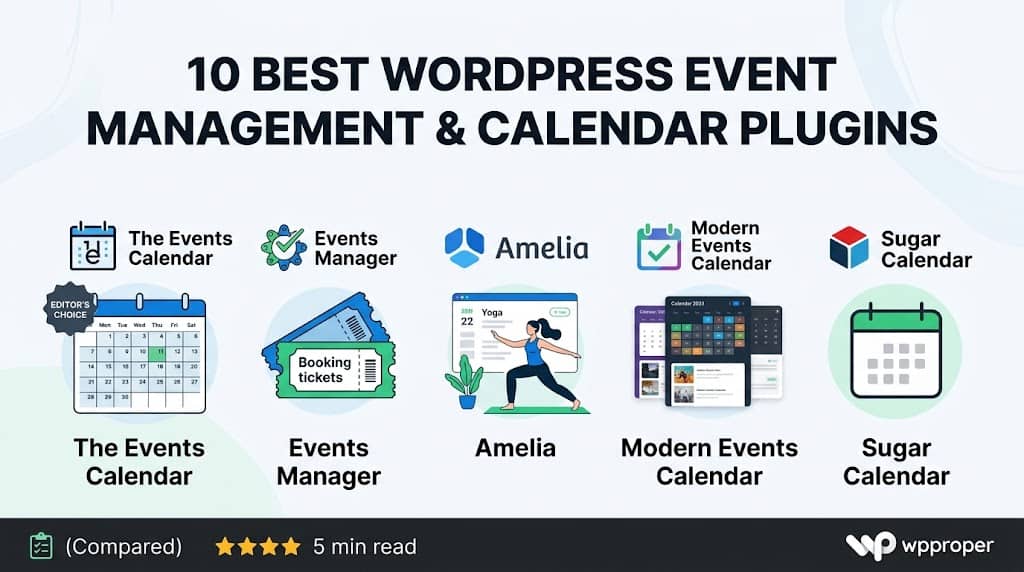
Why Your Event Strategy Depends on the Right Plugin
Running events on a WordPress site without a dedicated plugin means manually crafting event pages, chasing RSVPs through contact forms, and building calendar views from scratch with custom code. For the occasional one-off event, that’s manageable. For anyone running recurring workshops, community meetups, ticketed conferences, fitness classes, or multi-day festivals, it’s a recipe for missed bookings and administrative chaos.
The good news is that event management for WordPress is one of the best-served categories in the entire plugin ecosystem. Whether you need a simple visual calendar that displays upcoming dates, a fully featured events manager for WordPress that handles ticketing, seating, check-in, and post-event follow-up, or anything in between — a purpose-built plugin exists for your exact situation.
This guide evaluates ten of the most capable wordpress event calendar plugins available in 2026. We cover their genuine strengths, honest limitations, ideal use cases, and pricing — so you can make a decision based on your actual requirements rather than marketing copy. Each plugin has been selected because it occupies a distinct position in the market: one might excel at recurring events, another at ticketing, another at seamless calendar display. There’s no single winner — only the right fit.
📋 Key Features to Evaluate Before You Choose
📅 Calendar display views (month, list, grid, map)
🎟️ Ticket sales and RSVP management
🔄 Recurring event support
📍 Venue and organiser management
🔗 Google Calendar / iCal integration
📧 Automated attendee email notifications
📊 Attendee reporting and export
🛒 WooCommerce or Stripe payment integration
Jump to a Plugin
The 10 Best Event Management & Calendar Plugins for WordPress
Each plugin reviewed below covers a distinct use case. Read the “Best For” label on each card to quickly identify whether a plugin matches your specific scenario.
Plugin #1 — Editor’s Choice
The Events Calendar
Best Overall
The Events Calendar by Modern Tribe is the most widely used event plugin for WordPress in the world, with over 900,000 active installs on WordPress.org. Its longevity in the market — backed by a professional development team with an unusually strong public roadmap — makes it the safest long-term foundation for any organisation that takes event publishing seriously.
The free version delivers a genuinely capable event listing experience: month-view calendar, list view, single event pages with structured data markup for Google’s rich results, venue management, organiser profiles, and Google Maps integration. For many small businesses, nonprofits, and community organisations, the free version handles everything they need.
The Events Calendar Pro adds recurring events, custom fields, additional calendar views (day, week, photo, map), widget support, and shortcode display options. The companion plugin Event Tickets handles RSVP and ticketed attendance, and connects to Stripe for paid ticket sales — making this the most complete wordpress calendar and event ticketing stack available from a single vendor.
What the Free Version Covers
- Unlimited events with start/end dates and times
- Month-view and list-view calendar display
- Venue and organiser management with dedicated archive pages
- Google Maps embed on event pages
- Schema.org structured data for enhanced Google search results
- Google Calendar and iCal export for attendee convenience
- Block editor (Gutenberg) support with dedicated event blocks
Active Installs
900K+
Free Version
✅ Full-Featured
Ticketing
✅ (Event Tickets)
Pro From
$199/yr
Practical Note: The Events Calendar’s ecosystem is broad enough that you can add ticketing, virtual events, community event submissions, and automations incrementally — without switching plugins as your needs grow. This scalability is its defining advantage over more narrowly focused alternatives.
Plugin #2
Events Manager
Best Free Full-Stack
The plugin simply called “Events Manager” is a fully featured, free events manager for WordPress that impressively includes booking and RSVP management without requiring a paid upgrade. For organisations that need robust booking workflows but don’t have a budget for premium plugins, this is one of the most underrated tools in the category.
Its booking system allows attendees to register for events directly from the calendar, with confirmation emails sent automatically. Organisers can manage bookings from the WordPress admin, approve or reject registrations manually if needed, and export attendee lists to CSV. PayPal and offline payment options are available in the free version; Stripe and other gateways require Events Manager Pro.
The calendar display is highly configurable through a template tag and shortcode system. Rather than enforcing a fixed visual output, Events Manager lets developers build the exact display they need using template tags that can be composed like a templating language. This gives agencies and technically capable users a degree of front-end control that most GUI-based plugins simply don’t offer.
Notable Free Features
- Built-in booking and RSVP system with email confirmations — free
- Recurring events (daily, weekly, monthly, custom intervals)
- Multi-location venue management with Google Maps
- Multiple event spaces/rooms within a single venue
- iCal feed for calendar application subscriptions
- BuddyPress integration for community event management
- Customisable email templates for booking confirmations
Active Installs
100K+
Booking (Free)
✅ Yes
Recurring Events
✅ Free
Pro From
$75/yr
Plugin #3
Amelia
Best for Service Businesses
Amelia takes a different approach from most event calendar plugin for wordpress tools — it’s built primarily around appointment and event booking for service-based businesses rather than community event publishing. Think yoga studios, fitness gyms, tutoring centres, beauty salons, and professional consultants who need a customer-facing booking interface integrated directly into their WordPress site.
Its event booking module handles group sessions with a defined capacity, multiple date/time slots, ticketed attendance, and payment processing via Stripe, PayPal, or Mollie. The customer-facing booking flow is one of the most polished in this category — clean, mobile-optimised, and fast enough to not introduce friction before a customer completes their booking.
Amelia also manages the staff and resource side of the equation: multiple employees, their individual schedules, buffer times between appointments, and per-employee notification preferences. For fitness instructors, therapists, and coaches running class-style events alongside individual appointments, this dual capability in one plugin is a genuine operational advantage.
Standout Capabilities
- Group events with capacity limits and waitlisting
- Customisable booking forms with conditional field logic
- Google Calendar and Outlook two-way synchronisation
- SMS and WhatsApp notifications via Twilio (Pro)
- Custom branding within the booking widget
- Zoom and Google Meet integration for virtual events
- Customer panel for managing and rescheduling bookings
Pricing
From $79/yr
Free Lite
✅ Available
Virtual Events
✅ Zoom/Meet
Best For
Fitness, Salons, Tutors
Important Distinction: Amelia excels at booking-centric event management but isn’t designed for publishing-style event calendars where community discovery is the goal. If you need a browsable public event calendar with category filtering, The Events Calendar or Modern Events Calendar will serve that use case better.
Plugin #4
Modern Events Calendar (MEC)
Best Calendar Views
Modern Events Calendar punches above its price point — particularly given that a lifetime licence option exists — by offering an unusually rich set of calendar display skins and views. MEC includes over 25 different layout templates spanning monthly grids, timeline views, countdown displays, masonry photo grids, map-based views, and story-format listings. For sites where the visual presentation of events is as important as the functional management of them, MEC’s design variety is unmatched.
As a wordpress plugin for event calendar display with integrated ticketing, MEC competes directly with The Events Calendar Pro at a significantly lower price point. Its built-in ticketing module handles sold tickets, attendee registration, WooCommerce checkout integration, PDF ticket generation, and QR code check-in scanning via a companion mobile app.
MEC supports multi-organiser setups — useful for festivals, conference platforms, or marketplaces where multiple promoters manage their own events within a shared calendar. Frontend event submission allows community members to submit events for approval, which the admin can review and publish without leaving WordPress.
Visual & Display Features
- 25+ calendar skins — month, week, day, agenda, timeline, masonry, and more
- Elementor, Divi, and WPBakery widgets for drag-and-drop calendar placement
- Event countdown widget for featured upcoming events
- Multilingua ready with WPML and Polylang support
- SEO-optimised event pages with schema markup
- QR code ticket generation and mobile check-in app
Pricing
$69/yr or $189 lifetime
Calendar Skins
25+
QR Check-in
✅ App Included
Best For
Visual-First Sites
Plugin #5
Sugar Calendar
Best Lightweight Option
Sugar Calendar earns its place in this list by being the best lightweight calendar plugin for WordPress — a tool built with a clear philosophy of doing one thing well rather than trying to compete with the sprawling feature sets of category leaders. Developed by the team behind Easy Digital Downloads and Restrict Content Pro, it reflects the same code-quality ethos: clean, fast, and maintainable.
Event creation in Sugar Calendar is refreshingly simple. You define a start and end date/time, optionally associate a timezone for multi-location event series, add a description, and publish. The calendar renders cleanly with good default styling that integrates naturally with most themes. Recurring events are supported with daily, weekly, monthly, and yearly intervals — including “nth weekday of the month” rules useful for regular meetups.
Sugar Calendar is not a ticketing platform by default, but its add-on for WooCommerce transforms it into a product-based event booking system — a smart approach for stores already running WooCommerce who want to add event-based products without installing an entirely separate event management stack. Simple Payments via Stripe is available as a lightweight alternative for non-WooCommerce sites.
Pricing
From $49/yr
Code Quality
⭐ Excellent
Performance Impact
⚡ Minimal
Best For
Simple Calendar Needs
Ideal Use Case: A business or membership site that needs a reliable, fast-loading event calendar without the overhead of a full event management platform. If your primary need is “show upcoming events cleanly,” Sugar Calendar is the most elegant solution at its price point.
Plugin #6
Event Organiser
Best for Recurring Events
Event Organiser is one of the most developer-respected free events plugin for wordpress options available. Its recurring event implementation is the most thorough of any free plugin in this comparison — supporting daily, weekly, monthly, and yearly schedules with sophisticated rules for excluding specific dates, setting occurrence limits, and defining end conditions by date or occurrence count.
Unlike some recurring event implementations that create separate database entries for each occurrence, Event Organiser stores recurring schedules as rules and generates occurrences dynamically. This keeps the database clean and makes global changes to a series (reschedule, cancel, modify details) straightforward — a technical advantage that becomes significant for organisations running hundreds of scheduled events.
The plugin uses WordPress’s native taxonomy system for event categories and tags, integrates cleanly with custom post type frameworks, and provides template tags that give developers precise control over calendar and event display output. Its iCal feed implementation is one of the most RFC-compliant in the category, ensuring reliable subscription synchronisation with Google Calendar, Apple Calendar, and Outlook.
Pricing
Free Core
Recurring Events
✅ Advanced
Dev-Friendly
✅ Excellent
Best For
Recurring Schedules
Plugin #7
Eventin
Best for Conferences
Eventin is purpose-built for conference and multi-session event management — a use case that most general-purpose calendar plugins handle awkwardly. It introduces concepts like event schedules (sessions within a day), speaker profiles with dedicated pages, and a conference agenda builder that displays a day-by-day programme for multi-day events.
As a complete event calendar for wordpress with a conference focus, Eventin’s speaker management module stands out. Each speaker gets a profile page with bio, social links, and a list of their assigned sessions. Attendees can browse speakers, filter by topic or track, and add sessions to their personal schedule — a feature set that typically requires expensive dedicated conference platforms.
The plugin integrates with WooCommerce for ticket sales, supports Zoom for virtual and hybrid sessions, and generates PDF ticket and certificate documents. An Elementor widget library includes speaker grids, schedule timelines, countdown banners, and event archive displays — making it possible to build a complete conference microsite without additional development.
Conference-Specific Features
- Multi-track conference schedule builder with session-level details
- Speaker profile pages with session assignments
- Attendee personal schedule builder (star/save sessions)
- Zoom integration for hybrid and virtual sessions
- PDF certificate generation post-event
- Elementor widgets for all event display types
Pricing
Free + From $79/yr
Speaker Mgmt
✅ Full
Zoom Ready
✅ Yes
Best For
Conferences, Summits
Plugin #8
WP Event Manager
Best for Event Listings
WP Event Manager takes structural inspiration from job listing plugins — particularly WP Job Manager — applying the same front-end submission and listing model to event management. This makes it ideal for event directory sites and community platforms where the primary goal is allowing third-party organisers to submit their events for publication on a shared calendar.
As a community-oriented wordpress event plugin, WP Event Manager includes a front-end event submission form that non-admin users can complete without accessing the WordPress dashboard. Submitted events can be automatically approved or placed in a moderation queue. Organisers can log in via the front end to manage, update, or delete their own listings.
The plugin’s core is free, with paid add-ons extending functionality to include event registration and ticketing, calendar display views, Google Maps integration, notifications, and WooCommerce payments. The modular add-on model means a community events directory site can start at zero cost and add paid features progressively as the directory grows.
Pricing
Free + Add-ons
Frontend Submit
✅ Free
Multi-Organiser
✅ Yes
Best For
Event Directories
Plugin #9
All-in-One Event Calendar by Timely
Best Cloud-Sync Calendar
The All-in-One Event Calendar by Timely takes a hybrid approach: the WordPress plugin is a front-end display layer connected to Timely’s cloud-based event management platform. This architecture makes it a strong choice for organisations that manage events across multiple channels — a Timely account lets you publish to your WordPress site, Facebook Events, Apple Maps, and other platforms simultaneously from one management interface.
The calendar display is genuinely attractive, with a clean, modern design that looks premium without requiring custom CSS. Multiple view options are available (month, week, day, agenda, stream), and the calendar is responsive across all devices with smooth touch interactions on mobile. The plugin supports event imports via iCal and CSV, making it easy to populate from an existing scheduling system.
For organisations that need their event data to live in a managed cloud environment rather than solely in a WordPress database — government bodies, educational institutions, and large nonprofits, for example — Timely’s hybrid model offers a resilience and multi-channel publishing advantage that purely self-hosted plugins cannot match.
Pricing
Free + SaaS Plans
Multi-Channel
✅ Yes
Cloud Backup
✅ Yes
Best For
Multi-Channel Publishers
Trade-off to Consider: Because data is partially stored in Timely’s cloud, migrating away from this platform requires exporting event data manually. Review the data portability terms before committing to any cloud-connected calendar solution.
Plugin #10
EventOn
Best Premium Design
EventOn is a premium CodeCanyon plugin that has built a loyal following on the strength of its accordion-style calendar display — a design where clicking a date on the month view expands an inline panel showing that day’s events, rather than navigating away to a separate listing page. This interaction model keeps visitors on the calendar while browsing event details, resulting in a genuinely smooth user experience.
As a visually focused event management for wordpress solution, EventOn’s design system is highly configurable — colour schemes, card layouts, typography, and event tile appearance are all adjustable without code through the plugin’s settings panel. Multiple calendars can coexist on the same site, each with independent styling and event sets, useful for multi-department organisations or multi-venue event spaces.
Ticketing, virtual event links, RSVP forms, and Google Maps are available either in the core plugin or via affordable add-ons. The plugin’s ecosystem is mature and the developer maintains active update cycles, which is particularly important for CodeCanyon purchases where update frequency can be variable across vendors.
Pricing
~$25 one-time
UX Style
Accordion Tiles
Multiple Calendars
✅ Yes
Best For
Design-Focused Sites
Side-by-Side Feature Comparison
| Plugin | Free Tier | Ticketing | Recurring | WooCommerce | Best For |
|---|---|---|---|---|---|
| The Events Calendar | ✅ Full | ✅ (add-on) | ✅ (Pro) | ✅ | All-round use |
| Events Manager | ✅ Full | ✅ Free | ✅ Free | ❌ (Pro) | Free full-stack |
| Amelia | Lite Only | ✅ Full | ✅ | ❌ | Service bookings |
| Modern Events Calendar | ❌ | ✅ Full | ✅ | ✅ | Visual-first sites |
| Sugar Calendar | ❌ | ✅ (Stripe add-on) | ✅ | ✅ (add-on) | Simple calendars |
| Event Organiser | ✅ Full | ❌ (add-on) | ✅ Advanced | ❌ (add-on) | Recurring schedules |
| Eventin | ✅ Partial | ✅ | ✅ | ✅ | Conferences |
| WP Event Manager | ✅ Core | ✅ (add-on) | ❌ (add-on) | ✅ (add-on) | Event directories |
| All-in-One (Timely) | ✅ Limited | ✅ (SaaS) | ✅ | ❌ | Multi-channel publish |
| EventOn | ❌ | ✅ (add-on) | ✅ | ✅ (add-on) | Design-forward sites |
Understanding Event Calendar Display Types
Not all calendar display formats suit every use case. Choosing a wordpress event calendar plugins package that offers the right display type for your audience is as important as any backend feature comparison.
Month Grid View
The traditional calendar layout showing a full month at a glance. Best for organisations with frequent events where visitors need to see availability at a specific date. Can feel cluttered with many events per day.
List / Agenda View
Events displayed chronologically as a scrollable list. Highly readable on mobile, easy to scan for the next event. The best default view for sites with moderate event frequency and detail-rich event descriptions.
Map View
Events plotted as markers on a geographic map. Ideal for hyper-local event directories, city guides, or multi-venue event series where location is the primary discovery mechanism.
Photo / Masonry Grid
Events displayed as visual cards with featured images. Effective for entertainment, arts, and lifestyle events where visual appeal is part of the discovery experience. Less practical for text-heavy professional events.
Timeline View
Events on a horizontal or vertical time axis. Excellent for conference programmes and festival schedules where session start times and parallel tracks need to be visualised simultaneously.
Accordion View
Clicking a date expands an inline detail panel rather than navigating away. Reduces page loads and keeps context. EventOn’s signature style — particularly effective for sites where the calendar is the primary page feature.
Frequently Asked Questions
Matching Your Use Case to the Right Plugin
The ten plugins in this guide don’t all compete for the same audience. Understanding where each one excels makes the selection process far more straightforward:
Community & Nonprofit Events
Needs: Public-facing calendar, free registration, venue management, iCal export.
→ The Events Calendar (free) or Events Manager
Fitness Studios & Wellness
Needs: Class booking, staff scheduling, capacity limits, recurring sessions, SMS reminders.
→ Amelia
Conferences & Summits
Needs: Session scheduling, speaker profiles, multi-track agenda, attendee certificates.
→ Eventin
Visual / Entertainment Sites
Needs: Beautiful design, photo grids, multiple calendar skins, branded display.
→ Modern Events Calendar or EventOn
Community Event Directory
Needs: Frontend submission, multi-organiser, moderation queue, searchable listings.
→ WP Event Manager
Blog or Portfolio Sites
Needs: Lightweight, fast-loading calendar showing upcoming events or speaking dates.
→ Sugar Calendar
Which Events Manager for WordPress Is Right for You?
After reviewing all ten options, one conclusion is clear: the best events manager for WordPress is not a single plugin — it’s the one that matches your event format, your audience’s discovery behaviour, and your operational workflow.
Best All-Rounder
The Events Calendar
Free core, massive ecosystem, Google SEO-friendly event schema, trusted by 900K+ sites.
Best Free Full-Stack
Events Manager
Free booking, free recurring events, free venue management — no premium required for core workflows.
Best for Conferences
Eventin
Speaker profiles, multi-track schedules, and certificates make it the conference specialist.
Best for Bookings
Amelia
The definitive choice for service businesses needing appointment + event booking in one tool.
Best Visual Design
Modern Events Calendar
25+ display skins, Elementor widgets, QR check-in — and a one-time lifetime licence option.
Best Lightweight
Sugar Calendar
Clean code, minimal overhead, and exceptional developer trust — perfect for simple calendar needs.
The diversity of the event calendar plugin for wordpress landscape is ultimately a strength for site owners. You’re not forced into a one-size-fits-all tool — the market has developed specialised solutions for nearly every event publishing and management scenario.
Start with the free version of your top candidate, test it with your actual event data and workflows, and only invest in premium features once you’ve confirmed the plugin’s approach aligns with how your team will realistically use it. The best event plugin for wordpress is the one your team will actually configure fully — not the one with the longest feature list.
Pricing and feature information are based on publicly available details at the time of writing. Plugin capabilities and pricing structures change frequently. Always confirm current specifications with each plugin’s official website before purchasing.
