

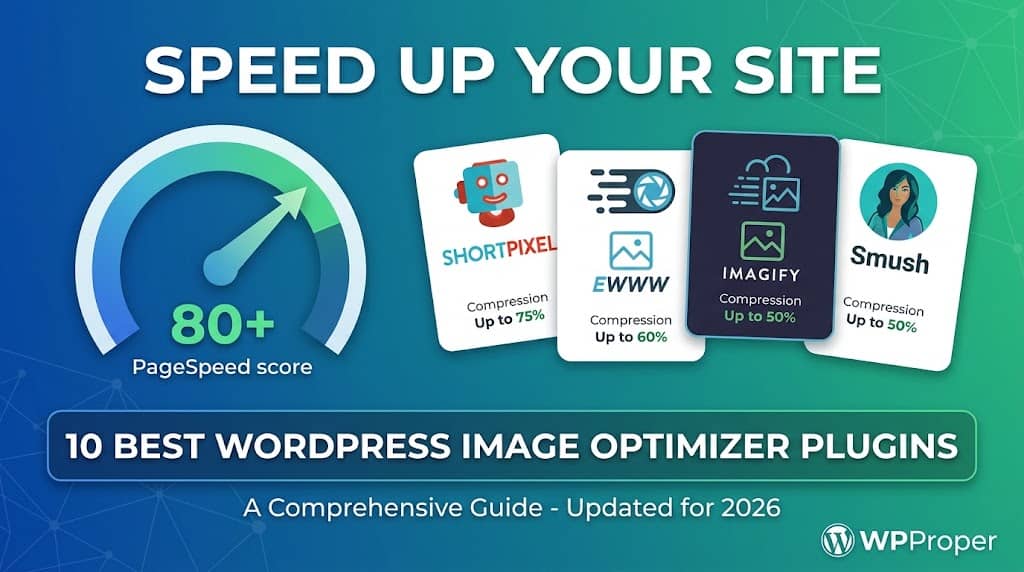
Images are consistently the largest contributor to web page weight, and unoptimized images are the single most common cause of failing Core Web Vitals scores on WordPress sites. Installing the right best image optimizer for wordpress can reduce your page weight by 40–70% without any visible quality loss, translating directly into faster load times, better Google PageSpeed scores, and improved search rankings.
Modern image optimization involves several distinct processes that a good plugin should handle automatically: lossy and lossless compression of JPEG and PNG files, conversion to next-generation formats like WebP and AVIF, correct image dimensions (serving 300px images at 300px rather than scaling down a 2000px original in CSS), lazy loading, and responsive image implementation via the srcset attribute. An image optimization plugin for wordpress that covers all of these meaningfully outperforms one that only does one or two.
This guide reviews the 10 best options in 2026, with honest assessments of compression quality, pricing transparency, and the trade-offs between cloud-based and local (server-side) optimization approaches.
Cloud vs. Local Image Optimization: Key Differences
Cloud-Based Optimization
Images are sent to the plugin provider’s servers, compressed there, and returned. Generally produces better compression results as cloud servers use more aggressive algorithms. May have per-image or monthly image limits on free plans.
Examples: ShortPixel, Imagify, Optimole
Local (Server-Side) Optimization
Compression runs on your web server using installed binaries. No image limits or cloud dependency. Compression quality depends on server software versions. Your images never leave your server.
Examples: EWWW Image Optimizer, Imsanity
10 Best WordPress Image Optimizer Plugins in 2026
Compared by compression quality, format support, pricing, and real-world performance impact.
Editor’s Pick
#1. ShortPixel
Best Overall Image Optimizer for WordPress — Exceptional Compression
ShortPixel is the most highly regarded cloud-based wordpress image optimizer for the quality of its compression algorithms. It offers three compression modes — Lossy, Glossy (a proprietary middle ground between lossy and lossless), and Lossless — and consistently produces smaller file sizes than competitors at equivalent visual quality, particularly in Glossy mode which is ideal for photography-heavy sites.
ShortPixel supports JPEG, PNG, GIF, WebP, and AVIF output, handles thumbnail variants generated by WordPress and plugins automatically, and includes a bulk optimization tool for existing media libraries. The free plan covers 100 images per month, which is useful for testing. One-time image credits (purchased rather than subscribed) make ShortPixel economically attractive for sites with established libraries that need a one-time bulk optimization rather than ongoing monthly optimization.
Key Features
- Three compression modes: Lossy, Glossy, Lossless
- WebP and AVIF conversion
- Optimizes all WordPress thumbnail variants
- Bulk optimization for existing media library
- One-time credit purchase (no forced subscription)
- PDF compression
- Next-gen format serving via <picture> element
Pros
- Best compression quality in the category
- One-time credit option avoids monthly fees
- AVIF support (cutting-edge format)
Cons
- Free plan is limited to 100 images/month
- Cloud-based: images sent to ShortPixel servers
Price: Free (100 images) / One-time credits from $9.99 for 10,000 images. Best for: Photography-heavy sites where compression quality is the primary concern.
#2. Imagify
Best Image Optimizer by WP Rocket’s Team — Seamless WP Rocket Integration
Imagify is developed by WP Rocket’s parent company (WP Media) and is the default image optimization recommendation for WP Rocket users, integrating directly with the caching plugin’s performance settings. As an image optimizer wp plugin, Imagify offers three compression levels (Normal, Aggressive, Ultra), WebP conversion, automatic optimization on upload, and a straightforward bulk optimization process for existing images.
The free plan covers 20MB of images per month (roughly 200-500 images depending on size), which is generous for small sites. Imagify’s standout feature for WP Rocket users is the seamless, single-plugin workflow: WP Rocket handles caching and delivery; Imagify handles the source image optimization. Both are managed from the WP Media account dashboard, eliminating the friction of managing two separate service accounts.
Key Features
- Three compression levels: Normal, Aggressive, Ultra
- WebP conversion with automatic serving
- Automatic optimization on upload
- Bulk optimization with progress indicator
- Seamless WP Rocket integration
- Original image backup before compression
Price: Free (20MB/month) / Paid from $4.99/month. Best for: WP Rocket users and sites that want a straightforward cloud optimizer with easy setup.
No Limits
#3. EWWW Image Optimizer
Best Local Image Optimizer — No Image Limits, No Cloud Required
EWWW Image Optimizer is the most popular local image optimization plugin for WordPress, with over 1 million active installs. It runs compression using server-installed binaries (jpegtran, optipng, pngout, cwebp), which means there are no image limits, no monthly quotas, no API calls, and no images leaving your server. For data-sensitive environments or sites with very high image volumes, this local approach is a significant advantage.
The free version handles lossless compression effectively. The paid Easy IO service (cloud CDN + optimization) adds lossy compression and WebP/AVIF delivery through a global CDN with automatic serving. As a best wordpress image optimizer for privacy and data control, EWWW free is the default recommendation for hosting environments where sending images to third-party servers is not acceptable.
Key Features
- Local optimization: no cloud API, no image limits
- Lossless compression for JPEG, PNG, GIF
- WebP conversion (local or via Easy IO CDN)
- Lazy loading implementation
- Bulk optimization with memory-efficient processing
- Multisite compatible
Price: Free / Easy IO CDN from $7/month. Best for: Sites with data privacy requirements, unlimited image volumes, or hosting environments that restrict outbound API calls.
#4. Smush (WP Smush)
Best Beginner-Friendly Image Optimization Plugin
WP Smush from WPMU DEV is the most installed image optimization wordpress plugin on WordPress.org, and its popularity is driven by an exceptionally clean, beginner-friendly interface. The free version handles lossless compression on upload, bulk smush for existing images, lazy loading, and incorrect size detection (flagging images that are being displayed at dimensions smaller than their actual file size). Each of these features is surfaced clearly in a guided setup flow that makes it hard to miss.
Smush Pro adds lossy compression, WebP conversion, a CDN for images, automated image resizing, and advanced lazy loading with custom offsets. For beginner users who want a guided, reassuring optimization experience without making technical decisions, Smush is the easiest entry point in the category.
Key Features
- Guided setup wizard
- Bulk compression of existing library
- Incorrect size detection and reporting
- Lazy loading built in
- WebP conversion and CDN (Pro)
Price: Free / Pro from $5/month (with WPMU DEV membership). Best for: Beginners who want clear guidance through image optimization without technical configuration.
#5. Optimole
Best CDN-Based Real-Time Image Optimization
Optimole takes a fundamentally different approach to the image optimizer plugin for wordpress problem: rather than modifying images in your media library, it intercepts image requests in real-time and delivers them through its own CDN, optimizing, resizing, and format-converting on the fly based on the requesting device’s screen size, pixel density, and browser capabilities. A retina iPhone receives a different image than a standard desktop browser, automatically and without any manual configuration.
This real-time, device-aware approach means your original images in WordPress remain untouched, and optimization is applied dynamically at delivery. WebP is served to browsers that support it, AVIF to those that do, and JPEG fallbacks to older browsers — all transparently. The free plan covers 5,000 visitors per month, which suits small to medium sites.
Key Features
- Real-time optimization at delivery (images untouched in WP)
- Device-aware resizing: correct dimensions per device
- Automatic WebP and AVIF serving
- Global CDN delivery
- Lazy loading built in
Price: Free (5,000 visitors) / Paid from $19/month. Best for: Sites that want device-aware, real-time CDN-based optimization without modifying the media library.
#6. TinyPNG (TinyIMG)
Best for Predictable, High-Quality JPEG and PNG Compression
TinyIMG brings TinyPNG’s well-respected compression engine (widely used directly by designers via the TinyPNG web tool) into WordPress as a plugin. TinyPNG’s algorithm is particularly good at compressing PNG files with transparent backgrounds without introducing visual artifacts, which is a common problem with other optimization tools. For sites with logo files, icon sets, and UI assets in PNG format, TinyIMG often produces better results than general-purpose optimizers.
Key Features
- TinyPNG compression engine for JPEG and PNG
- WebP conversion
- 500 free compressions per month
- SEO optimization tools included (meta, alt, schema)
- Lazy loading implementation
Price: Free (500/month) / Paid from $9.99/month. Best for: Sites with heavy PNG usage (logos, UI assets, transparency) where PNG compression quality matters most.
#7. Robin Image Optimizer
Best Free Cloud Optimizer with Unlimited Images
Robin Image Optimizer occupies an unusual position: it is a cloud-based optimizer with no image limits on the free plan. It processes images through cloud algorithms to produce lossy or lossless compression, handles WebP conversion, and includes a bulk optimization tool — all at no cost. The trade-off is that optimization runs asynchronously in batches rather than immediately on upload, which means a newly uploaded image may not be optimized instantly.
Key Features
- Unlimited free cloud optimization
- Lossy and lossless modes
- WebP conversion
- Asynchronous batch processing
- No credit limits or monthly quotas
Price: Free. Best for: Budget-conscious sites that need cloud-quality optimization without any cost or image limits.
#8. Squoosh (Manual) + WP Offload Media
Best Manual Optimization Workflow for High-Control Environments
This is a workflow rather than a single plugin, but it deserves inclusion because it is the approach preferred by developers who want maximum control over image quality. Google’s Squoosh tool (squoosh.app) produces exceptional compression results with visual quality comparison, letting you see exactly the quality trade-off at each compression level before saving. Images optimized manually with Squoosh and uploaded to WordPress will consistently outperform any automatic optimizer.
Paired with WP Offload Media (which serves WordPress media from Amazon S3 or Google Cloud Storage) and a CDN, this approach delivers maximum performance for high-traffic sites where every kilobyte of page weight matters. It requires more editorial discipline but produces the best possible results.
Price: Squoosh is free / WP Offload Media from $99/year. Best for: Developer teams and high-traffic sites where manual control over image quality is worth the workflow overhead.
#9. Imsanity
Best Plugin for Automatically Resizing Oversized Uploaded Images
Imsanity addresses a specific and common problem: contributors and clients uploading 8MB, 24-megapixel images directly from their cameras when the site needs nothing larger than 1920px wide. Imsanity automatically scales down images to a configurable maximum dimension on upload, before WordPress even processes thumbnails, eliminating the storage and processing burden of unnecessarily large originals. It is not a compression tool — it is an upload size sanity enforcer.
As a wordpress plugin for image optimization complementary tool, Imsanity is most effective when combined with a compression plugin: Imsanity controls upload dimensions and source file size; ShortPixel or EWWW handles compression. Together they address both the dimensional and the compression aspects of image optimization comprehensively.
Key Features
- Automatic image dimension capping on upload
- Configurable maximum width and height
- Bulk resize for existing oversized images
- Per-role upload size limits
- 100% free, lightweight
Price: Free. Best for: Multi-author sites and client sites where contributors upload camera-resolution images that are far larger than needed.
#10. Kraken.io for WordPress
Best API-Based Image Optimizer for Custom Integration
Kraken.io is a professional image optimization API used by developers and agencies who need reliable, consistent compression quality across multiple projects. The WordPress plugin connects your media library to the Kraken API, providing lossy and lossless optimization, WebP conversion, and EXIF metadata stripping. Kraken’s pay-as-you-go pricing model (based on data volume rather than image count) is economical for sites where most images are small but a few are very large.
Key Features
- API-based optimization via Kraken.io
- Lossy and lossless modes
- WebP conversion
- EXIF metadata stripping
- Pay-as-you-go pricing by data volume
Price: Free (100MB lifetime) / Paid from $5/month. Best for: Developers and agencies integrating image optimization across multiple WordPress projects.
Image Optimization Checklist for WordPress
A complete image optimization strategy combines plugin tools with sensible content practices:
- Install Imsanity or equivalent to enforce maximum upload dimensions. Camera-resolution images should never reach WordPress’s media processing pipeline.
- Install ShortPixel or EWWW to compress and convert new uploads on save. Configure WebP output and ensure your server is set to serve WebP where supported.
- Bulk optimize your existing media library. Every plugin on this list includes a bulk processing tool. Run it once after installation to address existing unoptimized images.
- Ensure lazy loading is active. WordPress has native lazy loading for images since 5.5, but confirm your plugin and theme are not overriding it.
- Test with PageSpeed Insights before and after optimization to quantify the impact on your specific site.
Final Verdict: Best Image Optimizer for WordPress
The best image optimizer for wordpress for most sites is ShortPixel — its compression quality, AVIF support, and one-time credit pricing make it the most cost-effective premium option. For sites with data sovereignty requirements or unlimited image volumes, EWWW Image Optimizer free is the responsible choice with no limits and no cloud dependency. For beginners, Smush provides the most guided, accessible experience.
QUALITY
ShortPixel — Best compression quality. The best wordpress image optimizer for photography-heavy sites.
FREE
EWWW Image Optimizer — Best free option. No image limits, no cloud, complete privacy.
CDN
Optimole — Best for device-aware, real-time CDN delivery. Leaves your WordPress media library untouched.
