

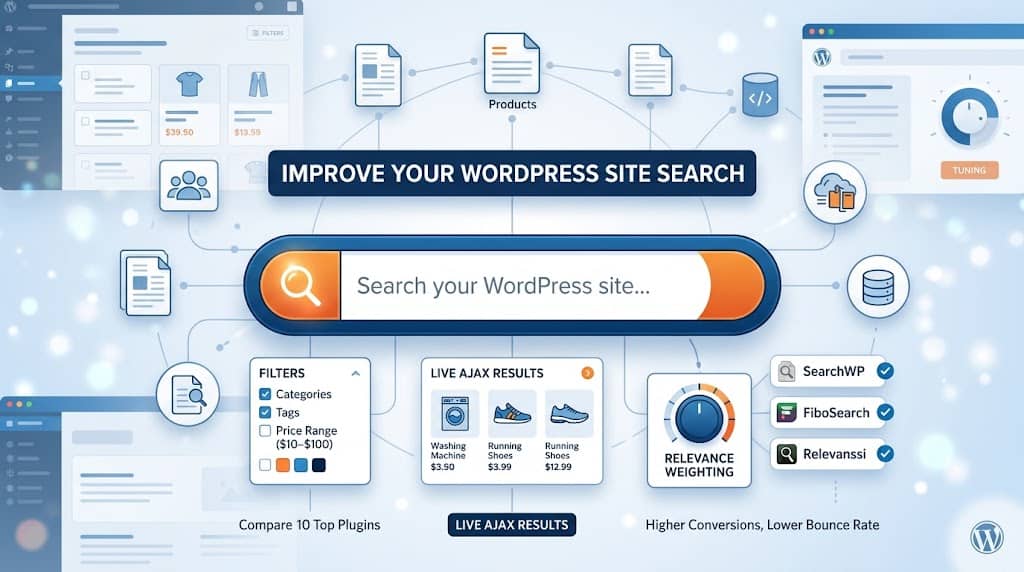
WordPress ships with a built-in search bar, but anyone who has spent five minutes using it knows the experience leaves a lot to be desired. It searches post titles and content, ignores custom fields, provides no filtering capabilities, and returns results in a simple chronological list that rarely matches what the user actually wants. For most websites — particularly those with large content libraries, WooCommerce stores, or directory-style portals — the native search is simply not good enough.
That’s where a dedicated search plugin for WordPress becomes essential. A good plugin replaces the default search with relevance-ranked results, adds faceted filtering by category, tag, price, or custom taxonomy, and can dramatically improve how quickly visitors find what they need. The direct result is lower bounce rates, longer sessions, and more conversions.
This guide covers the ten best WordPress search and filter plugins of 2026 — evaluated on result quality, filtering depth, performance, ease of configuration, and value.
Why the Default WordPress Search Falls Short
Before diving into plugin options, it helps to understand specifically what the native WordPress search cannot do:
- It does not search custom fields or post meta data by default
- It cannot rank results by relevance — everything is returned chronologically
- It offers no faceted filtering (by category, price range, attribute, etc.)
- It does not support fuzzy matching or typo correction (“headphones” won’t find “headphone”)
- It has no AJAX-powered live search — users must submit the form and wait for a full page reload
- It cannot be tuned to weight product titles more heavily than body content
Each of these limitations is addressed by one or more of the plugins below. Choosing the right search and filter plugin for WordPress depends on your specific content structure and what your visitors need to find.
1. SearchWP — Best Overall Search Replacement
Best for: Content-rich sites that need precise relevance tuning across posts, pages, WooCommerce products, custom post types, and custom fields.
SearchWP is widely regarded as the most capable search replacement engine for WordPress. It builds a custom search index from your entire content library — including custom fields, taxonomies, WooCommerce product data, PDF attachments, and user-defined metadata — and returns results ranked by a relevance algorithm you can tune yourself.
The relevance tuning interface lets you assign different weights to different content sources. For example, you might tell SearchWP to weight product SKUs at 10 and product descriptions at 2, ensuring that exact SKU matches always surface first. This level of control is unmatched in any free plugin.
Key Features
- Full custom-field and post-meta indexing
- Adjustable relevance weighting per content source
- WooCommerce product search with SKU and attribute indexing
- PDF and document content indexing via extension
- Live AJAX search widget (typeahead)
- Search statistics — see what visitors are looking for
- Fuzzy matching for typo tolerance
- Stemming for pluralised and derived word forms
Pricing: Starts at $99/year for a single site licence. No free version in the repository, but a 30-day money-back guarantee is available. For teams that need the best search plugin for WordPress with maximum configurability, the investment is justified.
2. FiboSearch — Best AJAX Live Search for WooCommerce
FiboSearch (formerly Ajax Search for WooCommerce) is purpose-built for online stores. It replaces the default WooCommerce search bar with a fast AJAX-powered live search that shows product images, prices, and category labels directly in the dropdown as the user types — no page reload required.
The plugin indexes product titles, SKUs, short descriptions, categories, and attributes. It handles typos gracefully through fuzzy search matching, and you can configure it to show featured products when the search bar is empty (a popular conversion tactic on e-commerce sites).
Best for: WooCommerce stores wanting the fastest, most visually rich product search experience available in the WordPress ecosystem.
3. Relevanssi — Best Free Search Engine Replacement
Relevanssi has been a trusted WordPress search replacement since 2009. The free version alone is substantially better than native WordPress search: it indexes all post content, performs full-text relevance ranking, handles partial word matching, and can be configured to search custom fields and user profiles.
The premium version adds WooCommerce support, PDF indexing, AND/OR query operators, indexing of custom taxonomies, and detailed search analytics showing which queries returned no results.
If you need a capable wordpress search and filter plugin option that doesn’t cost anything to start with, Relevanssi Free is the strongest place to begin.
4. WP Search & Filter Pro — Best Faceted Filtering for Archives
While most search plugins focus on relevance ranking, WP Search & Filter Pro focuses on filtering. It lets you build sidebar or inline filter widgets where visitors can narrow results by any taxonomy, custom field, date range, or post attribute — all updating the results in real time via AJAX without a page reload.
This is the plugin of choice for news archives, property listings, job boards, recipe sites, and any content library where visitors need to slice results along multiple dimensions. You can combine it with WooCommerce to build product filter widgets with checkboxes, sliders, and colour swatches.
Key Features
- Checkbox, radio, dropdown, range slider, and colour swatch filter widgets
- Filter by any taxonomy, custom field, or post attribute
- Real-time AJAX result updates (no page reloads)
- Shareable filtered URLs (bookmarkable filter states)
- Works with custom post types and WooCommerce
- Sort controls (by date, price, title, or custom field)
Best for: Any site that needs robust faceted filtering on archives, product lists, or directory-style content collections.
5. Ivory Search — Best Free AJAX Search Upgrade
Ivory Search is one of the most downloaded free search plugins in the WordPress repository. It extends the native search to include custom fields, custom post types, WooCommerce products, taxonomies, and media attachments. Crucially, it adds AJAX live search support on the free plan — something most competitors lock behind a paywall.
You can create unlimited custom search forms — each with different indexing settings — and deploy them in different locations across your site. A search bar on your WooCommerce shop page can be tuned differently from a search on your blog archive.
Best for: Sites that want a meaningful AJAX search upgrade without spending anything, while retaining control over which content types are searchable.
6. Ajax Search Lite — Best Visual Search Widget
Ajax Search Lite is one of the most visually configurable live search widgets available. It offers an extensive styling panel where you can control fonts, colours, thumbnail sizes, result layouts (horizontal card vs. list vs. grid), and loading animations — all without touching CSS.
The free version is genuinely capable, handling posts, pages, and WooCommerce products with image thumbnails in the search dropdown. The Pro version adds phrase matching, custom field indexing, and multiple search engine instances per site.
7. ElasticPress — Best for High-Traffic Enterprise Sites
ElasticPress connects your WordPress site to an Elasticsearch backend, replacing the default MySQL-based search with one of the most powerful search technologies available anywhere. If your site has hundreds of thousands of posts or serves millions of monthly visitors, MySQL simply cannot handle search queries at scale — ElasticPress solves that.
The plugin is free and open-source, but you’ll need either a self-managed Elasticsearch cluster or a managed service like ElasticPress.io (paid). For enterprise news organisations, large e-commerce platforms, or multisite networks, this is the most scalable search filter wordpress plugin solution available.
Best for: Large-scale WordPress installations where performance and search quality at high concurrency are non-negotiable.
8. WooCommerce Product Search — Best Native WooCommerce Integration
Developed by the team that builds WooCommerce, this premium plugin provides the deepest possible integration with store data. It indexes every product attribute, variation, SKU, tag, category, and custom field, and returns results with precision that third-party plugins struggle to match.
The built-in analytics dashboard shows which product searches convert and which return no results, helping you identify catalogue gaps and merchandising opportunities. For dedicated WooCommerce stores, this is arguably the most complete solution available.
9. Jetpack Search — Best Cloud-Powered Search
Jetpack Search offloads your entire search index to Automattic’s cloud infrastructure. Results are returned almost instantaneously, the index updates in real time as you publish, and the filtering interface (filters by tag, category, date, and custom taxonomy) works out of the box with a clean UI that matches your theme.
The trade-off is cost: Jetpack Search is priced per-record (based on the number of posts in your index) and requires an active Jetpack connection. For sites already using other Jetpack features, it’s a natural and powerful addition.
10. Cognitive SEO Autocomplete & Search — Best for Keyword Discovery
This plugin takes an unusual approach: it uses visitor search queries as an SEO data source. By logging what visitors search for, site owners can identify content gaps, high-intent keywords, and underperforming pages that need to be updated or created.
The autocomplete functionality suggests popular queries as users type, improving both the search experience and site engagement. It’s a useful tool for content-driven sites looking to close the loop between internal search data and editorial strategy.
Comparison: Key Features at a Glance
| Plugin | Free Tier | AJAX Live | Faceted Filter | WooCommerce | Analytics |
|---|---|---|---|---|---|
| SearchWP | ❌ | ✅ | Add-on | ✅ | ✅ |
| FiboSearch | ⚠️ Limited | ✅ | ❌ | ✅ | ✅ |
| Relevanssi | ✅ | ❌ | ❌ | Pro only | Pro only |
| WP Search & Filter Pro | ⚠️ Basic | ✅ | ✅ | ✅ | ❌ |
| Ivory Search | ✅ | ✅ | ❌ | ✅ | ❌ |
| Ajax Search Lite | ✅ | ✅ | ❌ | ✅ | ❌ |
| ElasticPress | ✅ (needs ES) | ✅ | ✅ | ✅ | ✅ |
| WooCommerce Product Search | ❌ | ✅ | ❌ | ✅ | ✅ |
| Jetpack Search | ❌ | ✅ | ✅ | ✅ | ✅ |
How to Choose the Right WordPress Search Plugin
Content blog or news site
→ Relevanssi Free improves relevance immediately at zero cost. Upgrade to Premium for detailed analytics and WooCommerce support.
WooCommerce store
→ FiboSearch for the best live search UX, or SearchWP for deep product attribute indexing and relevance control.
Property, job board, or directory
→ WP Search & Filter Pro for real-time faceted filtering across multiple taxonomy and custom field dimensions.
High-traffic enterprise site
→ ElasticPress or Jetpack Search for cloud-powered, infinitely scalable search infrastructure.
Final Verdict: The Best Search Plugin for WordPress in 2026
For the majority of WordPress sites, the best search plugin for WordPress will be SearchWP — it offers the deepest relevance tuning, the broadest content indexing, and the most flexibility in how results are ranked and displayed. If you run a WooCommerce store and want the best visual live-search experience, FiboSearch is the clear winner. For free options, Relevanssi is the strongest choice, and Ivory Search offers a free AJAX live search that most competitors charge for.
The key principle to remember: site search is a conversion tool. Visitors who find what they’re looking for stay longer, buy more, and come back. Investing in a quality best wordpress search plugin solution pays dividends in engagement and revenue that typically far outweigh the licence cost.
Review the comparison table above, match it to your site type, and you’ll find the right search upgrade for your needs in 2026.
