

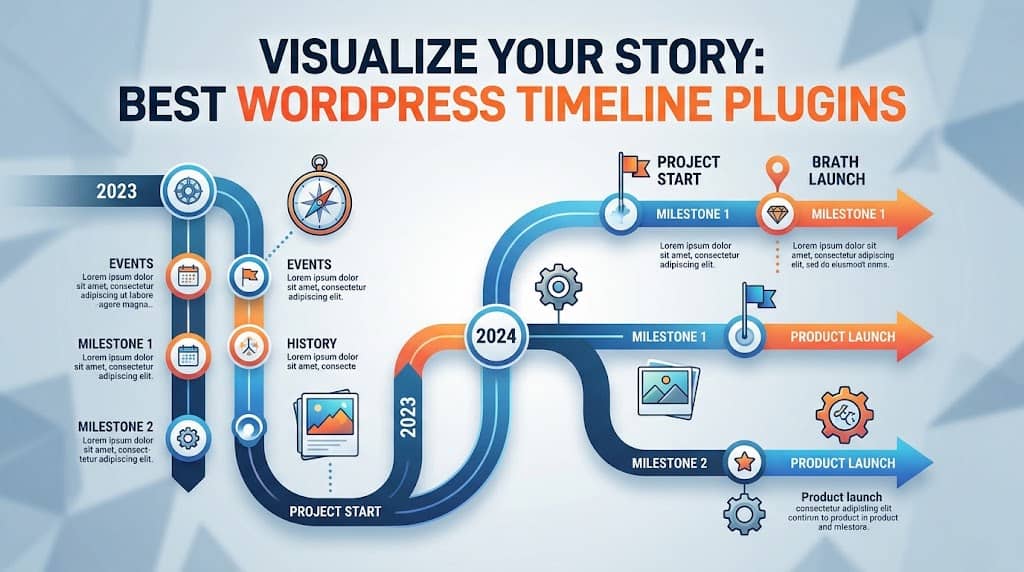
Whether you’re showcasing your company’s history, mapping out a project roadmap, or presenting a sequence of events, a timeline plugin for WordPress can transform a wall of text into a visually compelling story. The right plugin makes it easy to display dates, milestones, and media in a structured layout that readers actually engage with.
In this guide, we’ve tested and reviewed the top WordPress timeline plugins available in 2026, covering both free and premium options. You’ll find horizontal and vertical layouts, post-based timelines, event timelines, and everything in between—so you can choose the one that fits your exact use case.
What Is a WordPress Timeline Plugin?
A WordPress timeline plugin lets you display chronological content in a structured, visual format directly on your website. Instead of a flat list of dates, you get an interactive or static layout where events, milestones, or posts are arranged along a horizontal or vertical axis.
These plugins are commonly used for:
- Company history and founding stories
- Project milestones and product roadmaps
- Event timelines for conferences or campaigns
- Blog post timelines sorted by date
- Personal biography or portfolio pages
- Educational course outlines and lesson sequences
Most modern timeline plugins integrate with the Gutenberg block editor or Elementor, though many also offer shortcodes for use in the Classic Editor.
What to Look For Before Choosing a Timeline Plugin
Not every timeline plugin is built the same. Before installing one, consider these key factors:
- Layout options: Does it support both horizontal and vertical orientations?
- Post integration: Can it pull content from your WordPress posts automatically?
- Customization: Can you control colors, fonts, icons, and spacing?
- Responsiveness: Does it display correctly on mobile and tablet devices?
- Builder compatibility: Does it work with Elementor, Gutenberg, or Divi?
- Free vs. Pro: Is the free version sufficient, or do you need premium features?
- Performance: Does it load scripts only when the timeline is present on a page?
The 10 Best WordPress Timeline Plugins in 2026
Here’s our curated list of the best wordpress timeline plugins, ranked by features, ease of use, and value:
1. WP Timeline – Vertical and Horizontal Timeline Plugin
WP Timeline is one of the most flexible wordpress timeline plugin options available today. It supports both vertical and horizontal layouts out of the box and allows you to build timelines using custom post types, standard posts, or manually entered data.
The plugin offers a drag-and-drop interface and over 20 customizable styles. You can add icons, images, date labels, and descriptions to each timeline entry. The shortcode system makes it compatible with the Classic Editor, while a Gutenberg block is also available.
Key Features:
- Horizontal and vertical layout modes
- Custom post type support
- Icon library with 500+ icons
- Animation effects on scroll
- Responsive and mobile-friendly
- Works with Elementor as a widget
Pricing: Free version available; Pro starts at $29/year
Best For: Beginners and intermediate users who want flexibility without complexity
2. Cool Timeline – Post Timeline WordPress
Cool Timeline is a popular post timeline wordpress plugin that automatically generates a timeline from your WordPress posts. It reads existing post data—title, date, featured image, and excerpt—and renders it in a sleek timeline layout. No manual data entry required.
The plugin includes a dedicated “Story” custom post type, so you can create timeline entries independently from your main blog posts. It supports full-width and compact layouts, horizontal scrolling, and single-column or alternating designs.
Key Features:
- Automatic timeline from existing posts
- Horizontal and vertical display modes
- Custom “Story” post type
- Elementor widget available
- Shortcode and block support
- 10+ pre-built layout skins
Pricing: Free; Pro at $39/year for advanced features
Best For: Bloggers and content creators who want automatic post timelines
3. Timeline & History Slider
Timeline & History Slider focuses specifically on company history and milestone storytelling. It’s particularly well-suited for About pages, anniversary campaigns, and educational narratives. Each timeline entry can include custom images, headings, descriptions, and even video embeds.
The horizontal slider format gives users a swipeable experience on mobile, making it excellent for touch-screen navigation. The plugin is built with performance in mind—scripts load only on pages where the shortcode is present.
Key Features:
- Horizontal slider with touch support
- Video embed in timeline entries
- Clean, minimal design aesthetic
- Custom background and accent colors
- Lightweight and performance-optimized
Pricing: Free with a premium Pro upgrade
Best For: Company history pages and milestone showcases
4. EventOn – Event Timeline WordPress
EventOn is primarily an event calendar plugin, but it includes a powerful event timeline wordpress feature that displays upcoming and past events in a clean list or timeline format. It’s perfect for concert venues, conference organizers, and community event planners.
Each event entry can include custom images, location data, ticket links, and guest information. The plugin integrates with Google Maps and supports recurring event scheduling. A dedicated timeline view shows events in chronological order with expandable details.
Key Features:
- Event timeline with location support
- Google Maps integration
- Recurring events and RSVP functionality
- Color-coded event categories
- Frontend event submission
- WooCommerce ticketing support
Pricing: $89 one-time (CodeCanyon)
Best For: Event organizers needing a calendar + timeline combination
5. Elementor Timeline Widget (JetElements)
If you already use Elementor, JetElements by Crocoblock adds a powerful timeline widget directly to the Elementor interface. No shortcodes required—everything is configured through Elementor’s live drag-and-drop editor with full styling control.
The widget supports horizontal and vertical layouts, animated entry effects, and custom content types. You can pull data from custom fields, standard posts, or manual entries. JetElements also bundles over 40 other widgets, making it an all-in-one extension pack.
Key Features:
- Native Elementor widget interface
- Horizontal and vertical orientations
- Custom field data support (JetEngine)
- Scroll-triggered animations
- 40+ additional Elementor widgets included
Pricing: Included in JetElements at $23/year
Best For: Elementor users who want deep design control
6. Horizontal Timeline by 10Web
This plugin is built exclusively for horizontal timelines, making it the go-to choice if you specifically need a horizontal timeline wordpress plugin. The entries scroll left to right, and on mobile they automatically switch to a vertical layout for better readability.
10Web’s plugin includes a clean admin UI where you can manage timeline entries with a drag-and-drop sorter. Each entry supports a headline, body text, image, and custom date label. The design is minimal but elegant, with a thin connecting line and circular milestone markers.
Key Features:
- Dedicated horizontal scroll layout
- Automatic vertical fallback on mobile
- Drag-and-drop entry management
- Multiple timeline instances per page
- CSS customization options
Pricing: Free version available; Pro at $49/year
Best For: Sites that need a pure horizontal scrolling timeline experience
7. Timeline Block for Gutenberg
If you work primarily in the WordPress block editor, Timeline Block is a lightweight native Gutenberg solution. It adds a timeline block to the editor with support for unlimited entries, custom icons, date labels, and color schemes—all configured through the block’s sidebar panel.
The plugin is code-minimal and outputs clean HTML without excess JavaScript. It follows WordPress coding standards closely and plays nicely with full-site editing (FSE) themes. An ideal choice for developers and speed-conscious site owners.
Key Features:
- Native Gutenberg block
- Minimal JavaScript footprint
- Color and icon customization in block panel
- Full-site editing compatible
- Clean, semantic HTML output
Pricing: Free
Best For: Block editor users who value performance and simplicity
8. Visual Portfolio, Posts & Image Gallery
Visual Portfolio doubles as both a gallery and timeline display plugin. Its timeline layout pulls posts or portfolio items into a vertical feed sorted by publication date, with visual dividers marking each year or month. It’s a creative alternative to standard timeline plugins for portfolio sites and creative agencies.
The plugin integrates tightly with the Gutenberg block editor and supports AJAX pagination, filters, and lightbox galleries. The timeline view is just one of seven available layout types, making this a versatile investment.
Key Features:
- Timeline view for portfolio/posts
- AJAX-powered filtering and pagination
- Built-in lightbox gallery
- 7 layout types in one plugin
- Custom post type support
Pricing: Free core; Pro at $49/year
Best For: Creative portfolios and agency websites
9. Stachethemes Event Calendar
Stachethemes Event Calendar is a premium plugin that blends event management with a sleek timeline interface. Its timeline view lists upcoming events in a scrollable vertical stream, with rich media support including YouTube embeds, image galleries, and custom fields for event-specific data.
The plugin is built with React for a smooth, app-like browsing experience. Frontend filtering by category, location, and date makes it one of the most interactive timeline solutions for event-heavy websites.
Key Features:
- React-powered frontend for smooth UX
- Multiple calendar and timeline views
- Frontend filtering and search
- YouTube and video support in events
- Import from Google Calendar and iCal
Pricing: $69 (CodeCanyon)
Best For: High-traffic event sites needing a polished user experience
10. Chronopress Timeline
Chronopress is a straightforward yet capable timeline plugin designed specifically for storytelling. It generates clean, readable vertical timelines using a custom post type. The admin interface is intuitive, and each entry supports images, text, tags, and custom date formats (not limited to standard calendar dates).
The plugin is particularly popular for historical timelines, educational sites, and research projects where dates like “circa 1850” or “mid-20th century” need to appear. It’s a niche but well-built tool for that specific audience.
Key Features:
- Custom post type for timeline entries
- Flexible date formats (including approximate dates)
- Clean vertical storytelling layout
- Tag and category filtering
- Lightweight and dependency-free
Pricing: Free
Best For: Historical, educational, and research timelines
Best Free WordPress Timeline Plugin Options
If budget is a concern, several strong wordpress timeline plugin free options exist. Based on our testing, these stand out:
- Cool Timeline (Free): Best overall free option with automatic post integration
- Timeline Block for Gutenberg: Best for block editor users
- Chronopress Timeline: Best for educational and historical content
- WP Timeline (Free tier): Best for general-purpose use with moderate customization
Most free versions are genuinely useful for basic timelines. You’ll typically need a premium upgrade only if you want multiple horizontal layouts, advanced animations, or deep page-builder integration.
Quick Comparison Table
| Plugin | Horizontal | Vertical | Free Tier | Best For |
|---|---|---|---|---|
| WP Timeline | ✅ | ✅ | ✅ | General use |
| Cool Timeline | ✅ | ✅ | ✅ | Post timelines |
| EventOn | ❌ | ✅ | ❌ | Events |
| Horizontal Timeline by 10Web | ✅ | ❌ | ✅ | Horizontal focus |
| JetElements | ✅ | ✅ | ❌ | Elementor sites |
| Timeline Block | ❌ | ✅ | ✅ | Block editor |
| Chronopress | ❌ | ✅ | ✅ | Historical content |
Tips for Getting the Most from Your Timeline
Once you’ve chosen your plugin, a few best practices will help your timeline content perform better:
- Keep entries concise: Each timeline item should communicate one key idea. Long paragraphs kill the visual flow.
- Use high-quality images: Timelines are visual by nature. Blurry or low-res images undermine the design.
- Limit the number of entries: For horizontal timelines especially, more than 12–15 entries can feel overwhelming.
- Match your brand colors: Customize the accent colors to align with your site’s design system.
- Test on mobile first: Horizontal timelines in particular can break on smaller screens if not properly configured.
Final Recommendation: Which Timeline Plugin for WordPress Should You Choose?
After reviewing all ten options, our top recommendations break down like this:
- For most users: Cool Timeline — solid free tier, automatic post integration, and both layout orientations
- For Elementor users: JetElements Timeline Widget — unmatched design control within Elementor
- For event sites: EventOn — purpose-built for event timelines with rich metadata
- For block editor users: Timeline Block for Gutenberg — clean, fast, and native
- For horizontal layouts: Horizontal Timeline by 10Web — the dedicated horizontal option
Ultimately, the best timeline plugin for WordPress depends on your specific content goals, page builder preference, and budget. Start with a free option, test it on a staging site, and upgrade only if you hit limitations that genuinely affect your users’ experience.
If you need more help choosing the right tools for your WordPress site, explore our other plugin roundups covering gallery plugins, social sharing, and more.
