

Table of Contents
If you want your WordPress site to rank higher, earn rich snippets in Google’s search results, and stand out from competitors, installing the right best schema plugin for WordPress is one of the highest-ROI decisions you can make. Structured data tells search engines exactly what your content is about — whether it’s a recipe, product, review, FAQ, event, or local business — and when implemented correctly, it can unlock star ratings, breadcrumbs, product prices, FAQ dropdowns, and other visually rich SERP features that significantly boost click-through rates.
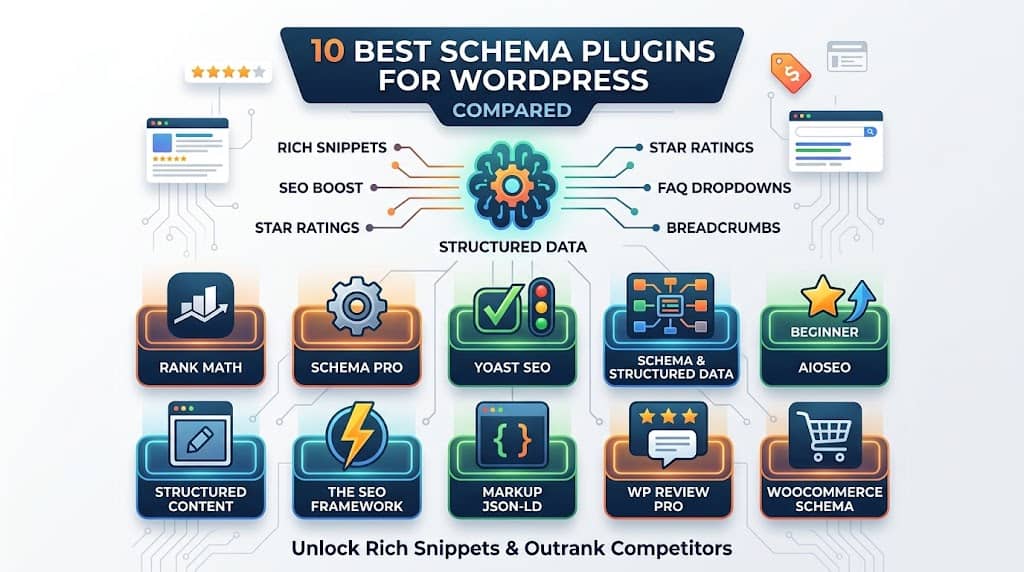
This guide breaks down the 10 most capable schema plugin for WordPress solutions available right now, comparing their features, pros, cons, pricing, and best use cases. Whether you run a news blog, WooCommerce store, service website, or recipe site, there’s a solution here that fits your needs and budget.
Quick Tip: Adding structured data through a wordpress schema markup plugin is one of the fastest technical SEO wins available — no developer required. The right plugin generates valid schema json generator output automatically from your existing content fields.
Why Schema Markup Matters for WordPress Sites
Schema markup is a standardized vocabulary (defined at Schema.org) that search engines use to understand the meaning behind your content. Without it, Google reads your page as plain text. With it, Google understands that a number represents a star rating, a date represents an event, and a bulleted list is an FAQ accordion.
The practical SEO benefits of wordpress schema markup include:
- Rich Snippets: Star ratings, review counts, prices directly in search results
- Featured Snippets: FAQ dropdowns and How-To steps in SERPs
- Knowledge Graph: Local business information panels
- Video Carousels: Video thumbnails indexed and displayed prominently
- Breadcrumb Navigation: Clean URL trails in search results
Using a schema wordpress plugin automates the process of generating and inserting JSON-LD structured data into your page source without touching code. A good plugin also integrates with Google’s Rich Results Test so you can validate your output using the built-in schema markup validator link before your pages get indexed.
Quick Comparison Table — Best WordPress Schema Markup Plugins
| Plugin | Schema Types | Free? | Best For |
|---|---|---|---|
| Rank Math SEO | 20+ types | ✓ Yes | All-in-one SEO users |
| Schema Pro | 20+ types | ✗ Premium | Agencies & devs |
| Yoast SEO | 15+ types | ✓ Basic | Existing Yoast users |
| Schema & Structured Data | 35+ types | ✓ Yes | Advanced needs |
| AIOSEO | 10+ types | ✓ Yes | Beginners |
| Structured Content | Block-based | ✓ Yes | Gutenberg users |
| The SEO Framework | Auto-detect | ✓ Yes | Performance-focused |
| Markup JSON-LD | 8+ types | ✓ Yes | Simple setups |
| WP Review Pro | Review focused | ✗ Premium | Affiliate blogs |
| WooCommerce Schema | Product focused | ✓ Yes | WooCommerce stores |
10 Best Schema Plugin for WordPress — Detailed Reviews
1
Rank Math SEO
Rank Math has become one of the most popular SEO plugins in the WordPress ecosystem, and its schema module is a major reason why. It ships with a dedicated Schema Generator that supports over 20 schema types including Article, Product, Recipe, Event, FAQ, HowTo, JobPosting, Review, Course, Book, and more. The visual schema builder maps post fields, custom fields, and ACF data directly to schema properties without writing a single line of JSON-LD.
What sets Rank Math apart as a wp schema plugin is its smart schema suggestions — it automatically detects page type and recommends the most appropriate schema. The plugin also includes a built-in content analysis panel that flags missing required fields before you publish.
Key Features
- 20+ schema types including Article, Recipe, Product, FAQ, HowTo, Event, Review, Course
- Visual drag-and-drop schema builder with field mapping
- Smart schema auto-detection based on page type
- WooCommerce Product schema with pricing and review aggregation
- Multiple schema per page (Pro)
- Compatible with ACF, Pods, and other custom field plugins
- Built-in rich snippet preview in the editor
✓ PROS
- Most complete free schema solution available
- No need to switch existing SEO plugin
- Schema validation alerts in-editor
- Regular updates and excellent documentation
- Rich snippet preview before publishing
✗ CONS
- Can feel overwhelming for beginners
- Multiple schemas per page requires Pro
- Heavier than lightweight dedicated plugins
Best for: All WordPress sites wanting a powerful, free schema solution combined with full SEO | Pricing: Free + Pro from $59/year
2
Schema Pro
Schema Pro by Brainstorm Force is a dedicated wordpress schema markup plugin built entirely around structured data — no bloat from SEO features you might not need. It focuses on getting your schema precise, which is why it’s a favourite among developers and agencies managing multiple client sites. A setup wizard maps your existing content fields (title, author, date, image, rating) to schema properties automatically.
You can configure global schema defaults and override them on individual posts or pages. Schema Pro outputs clean JSON-LD code — the recommended format by Google — and is compatible with Yoast, AIOSEO, and other SEO plugins.
Key Features
- 20+ schema types: Article, Review, Recipe, Event, Product, Service, Local Business, Person
- Global schema defaults with per-page overrides
- Guided setup wizard for quick field mapping
- Compatible with all major SEO plugins (no conflicts)
- Automatic schema output via JSON-LD (Google’s preferred format)
- White-label option for agencies
- Import/export schema configurations across sites
✓ PROS
- Purpose-built for schema — highly precise output
- Works alongside any existing SEO plugin
- Excellent for multi-site agency setups
- Clean, conflict-free JSON-LD output
- One-time lifetime pricing available
✗ CONS
- Premium only — no free version
- No built-in SEO features (schema only)
- Higher upfront cost than some alternatives
Best for: Agencies and developers who want precision schema without switching SEO plugins | Pricing: From $79/year
3
Yoast SEO
Yoast SEO has been the go-to SEO plugin for WordPress for over a decade, and its schema implementation is robust and well-maintained. Yoast outputs a structured data graph — a connected network of schema types — that Google particularly appreciates for understanding site-wide entity relationships. For most websites, Yoast’s automatic schema output is sufficient without additional configuration.
Key Features
- Automatic schema graph output for every page
- Article, WebPage, BreadcrumbList, Organization, Person schema (free)
- Recipe, Video, Local Business schema via premium add-ons
- Schema graph system connects all entities site-wide
- Integrates with Woo, News, Video SEO modules
- Real-time schema preview in Google SERP simulator
✓ PROS
- Zero configuration required for basic schema
- Connected schema graph impresses Google’s entity understanding
- Trusted by millions of sites globally
- SERP snippet preview included
✗ CONS
- Advanced schema types locked behind paid add-ons
- Less granular control vs. dedicated schema plugins
- Premium add-ons sold separately (adds up fast)
Best for: Existing Yoast SEO users who want schema without installing a separate plugin | Pricing: Free + Premium from $99/year
4
Schema & Structured Data for WP & AMP
This plugin from Magazine3 supports over 35 schema types — more than any other plugin on this list. It covers niche types that competing plugins skip: SoftwareApplication, MedicalCondition, EducationalOrganization, SportsTeam, and ClaimReview, among others. It also integrates directly with Google AMP pages, making it ideal if your site serves accelerated mobile pages alongside regular HTML.
Key Features
- 35+ schema types including rare niche types (Medical, Sports, Software)
- Conditional display rules per post type, taxonomy, and page
- Native AMP page compatibility
- Schema review and preview before publishing
- Custom schema via JSON-LD editor (advanced users)
- WooCommerce Product schema support
✓ PROS
- Widest schema type coverage of any free plugin
- AMP compatibility is a unique differentiator
- Granular conditional logic per page/post
- Impressive free version capabilities
✗ CONS
- Interface feels dated compared to modern alternatives
- Steeper learning curve for new users
- Support response times can be slow on free plan
Best for: Sites needing niche schema types or AMP compatibility | Pricing: Free + Pro from $69/year
5
All in One SEO (AIOSEO)
All in One SEO is one of the oldest and most trusted SEO plugins in the WordPress.org repository. Its Schema Generator (Pro) provides a visual interface where you can layer multiple schema types on a single page. AIOSEO automatically applies WebPage, Article, and BreadcrumbList schema sitewide, and lets you add custom schema templates for different post types. It validates schema output before saving, reducing the chance of sending malformed structured data.
Key Features
- Schema Generator with visual interface (Pro)
- Automatic sitewide Article, WebPage, BreadcrumbList schema
- Multiple schema types per page layering
- WooCommerce Product schema with offer aggregation
- Schema validation before saving
- Smart schema templates per post type
- Local Business schema with location details
✓ PROS
- Very beginner-friendly setup wizard
- Built-in schema validation prevents errors
- Strong WooCommerce integration
- Comprehensive free version available
✗ CONS
- Schema Generator requires Pro plan
- Can conflict with other SEO plugins
- Renewal pricing higher than first-year pricing
Best for: Beginners and small businesses who want guided, error-free schema setup | Pricing: Free + Pro from $49/year
6
Structured Content (JSON-LD) — Block-Based Schema
If you’re fully committed to the WordPress block editor, Structured Content is a refreshing take on schema implementation. Rather than a separate meta box, it adds schema-aware Gutenberg blocks directly to the editor. Insert an FAQ block and it automatically outputs FAQPage schema. Add a HowTo block and HowTo structured data is generated behind the scenes — keeping your structured data tightly coupled to your visible content.
Key Features
- Schema-aware Gutenberg blocks (FAQ, HowTo, Recipe, Review)
- Content and schema update simultaneously when editing
- Clean, valid JSON-LD output
- No separate meta box — schema lives with your content
- Fully free, no premium tier required
- Lightweight with minimal performance impact
✓ PROS
- Completely free with no limitations
- Schema is always in sync with visible content
- Perfect for recipe, FAQ, and tutorial content
- Very lightweight — no performance penalty
✗ CONS
- Only works with Gutenberg block editor
- Limited schema types compared to full-featured plugins
- No global sitewide schema configuration
Best for: Gutenberg-first publishers who want schema embedded directly in their block content | Pricing: Free
7
The SEO Framework
The SEO Framework takes a fundamentally different approach: it works automatically, applying sensible schema defaults without requiring any configuration. Out of the box it detects page type, author, publication date, and site branding to generate accurate structured data. There’s no setup wizard — just clean, accurate schema from day one. It’s also notably faster and lighter than most alternatives, making it popular with performance-conscious publishers.
Key Features
- Fully automatic schema — zero configuration needed
- Page type auto-detection (Article, WebPage, SearchResultsPage, etc.)
- Extension Manager adds Local SEO, Article, and Software schema
- Privacy-focused: no tracking, no telemetry
- One of the lightest SEO plugins in its class
- Headless / REST API compatible
✓ PROS
- Zero setup — schema works from activation
- Extremely fast and lightweight
- Privacy-first with no phone-home tracking
- Excellent for developers building headless WP
✗ CONS
- Less granular per-page schema control
- Smaller community and plugin ecosystem
- Extension Manager pricing adds up for full features
Best for: Performance-conscious sites wanting automatic schema without any setup | Pricing: Free + Extension Manager from $84/year
8
Markup (JSON-LD) Structured in Schema.org
For sites that don’t need a full SEO suite but do need reliable structured data output, this lightweight, purpose-built solution handles the most commonly needed schema types with a simple form-based interface that anyone can fill in. The output is valid JSON-LD code injected into the page head, compatible with Google’s rich result validation. It works well alongside any SEO plugin, supplementing their output with additional schema types.
Key Features
- Supports Article, Recipe, Review, Event, Product, Person, Local Business
- Simple form-based interface — no coding needed
- Clean JSON-LD injected into page head
- Fully compatible alongside Yoast, Rank Math, AIOSEO
- Lightweight and fast — no database overhead
✓ PROS
- Extremely simple to use
- Works alongside other SEO plugins without conflict
- Completely free
- Minimal resource usage
✗ CONS
- Limited schema types vs. full-featured plugins
- No global/automated schema — manual per-page input required
- No bulk editing or templates
Best for: Simple sites needing quick schema for a handful of page types | Pricing: Free
9
WP Review Pro
WP Review Pro is a specialist review and rating plugin that generates rich Review and AggregateRating schema automatically. Built for affiliate marketers, comparison sites, and review blogs, it supports multiple rating systems (stars, percentages, circles, points) and automatically outputs the correct schema regardless of which display format you choose. The structured data integrates cleanly with Google’s Rich Results requirements and passes validation with no warnings.
Key Features
- Automatic Review and AggregateRating schema output
- Multiple rating formats: stars, percentages, points, circles
- Schema-enabled comparison table widget
- Multi-criteria scoring (e.g., design, speed, support rated separately)
- Pro/con display with schema integration
- Compatible with WooCommerce and affiliate plugins
✓ PROS
- Purpose-built for review-heavy affiliate content
- Multiple rating display styles
- Comparison tables with built-in schema
- Helps unlock star ratings in Google SERPs
✗ CONS
- Premium only — no free version
- Only covers Review/Rating schema
- Overkill for sites without heavy review content
Best for: Review sites, affiliate blogs, and comparison content | Pricing: From $67/year
10
WooCommerce Product Schema
For WooCommerce store owners, having correct Product schema is essential for appearing in Google Shopping results and rich product listings. This dedicated plugin ensures every WooCommerce product page outputs fully compliant Product schema including name, description, SKU, brand, GTIN, offers (price, currency, availability), and AggregateRating from customer reviews. Unlike general-purpose SEO plugins, it understands variable products, product variations, and price ranges natively.
Key Features
- Full WooCommerce Product schema: SKU, GTIN, brand, availability
- Price, currency, and offer data automatically extracted
- Variable product and product variation schema support
- AggregateRating from WooCommerce customer reviews
- Passes Google Rich Results validation for product pages
- Works alongside any SEO plugin without conflicts
✓ PROS
- Free and purpose-built for WooCommerce
- Handles complex variable product schema correctly
- Boosts Google Shopping visibility
- No conflicts with existing SEO plugins
✗ CONS
- Only covers Product schema — no other types
- Requires WooCommerce to function
- Limited settings and customization options
Best for: WooCommerce stores focused on product rich results and Google Shopping visibility | Pricing: Free
How to Add Schema in WordPress (Step-by-Step)
If you’re new to structured data, here’s a practical walkthrough of how to add schema in WordPress using any of the plugins above:
- Choose a plugin from the list above that matches your site type and technical comfort level.
- Install and activate it from the WordPress plugin repository or upload the premium zip file.
- Run the setup wizard (if available) to configure your site’s Organization/Person details, social profiles, and logo.
- Assign schema types to your post types — for example, set all blog posts to Article schema and all product pages to Product schema.
- Customize individual pages where needed — add specific FAQ, HowTo, or Review schema to individual posts via the meta box.
- Validate your output using Google’s Rich Results Test or the Schema.org schema markup validator to confirm the structured data is error-free.
- Monitor Search Console for rich result eligibility notifications in the weeks following implementation.
Frequently Asked Questions
What is the best schema plugin for WordPress?
Rank Math SEO is widely considered the best schema plugin for WordPress due to its comprehensive free schema generator, 20+ schema types, and seamless integration with the editor. Schema Pro is the top choice for agencies wanting a dedicated, precision-focused schema tool without switching their existing SEO plugin.
Is schema markup necessary for WordPress?
Schema markup isn’t technically required, but it gives your content a significant advantage in search results. Pages with valid structured data are eligible for rich snippets, FAQ dropdowns, star ratings, and other SERP enhancements that can dramatically increase click-through rates.
Can I use multiple schema plugins at the same time?
You can, but it’s generally not recommended as it can lead to duplicate schema output. If you need additional schema types beyond your main SEO plugin, use a dedicated lightweight plugin configured to not output types your primary plugin already handles.
How do I validate my WordPress schema markup?
Use Google’s Rich Results Test (search.google.com/test/rich-results) or the Schema Markup Validator at validator.schema.org. Enter your page URL or paste your page source code and the tool will identify any errors, warnings, or missing recommended fields.
Does Yoast SEO include schema markup?
Yes. Yoast SEO automatically outputs a schema graph for every page, including WebPage, Article, BreadcrumbList, Organization, and Person schema. Yoast Premium and its add-ons (Local SEO, Video SEO, Recipe SEO) unlock additional schema types for specific content categories.
What schema format should WordPress use — JSON-LD or microdata?
Google officially recommends JSON-LD as the preferred structured data format. All major WordPress schema plugins output JSON-LD by default, injecting it into the page head. Microdata is still valid but significantly harder to manage and maintain across a large site.
Final Verdict — Which Schema Plugin for WordPress Should You Choose?
The right best schema plugin for WordPress depends entirely on your site’s goals and your existing toolset. Here’s a quick decision guide:
- Starting fresh or switching SEO plugins? → Go with Rank Math for the most feature-complete free schema solution.
- Managing multiple client sites? → Schema Pro is the dedicated professional’s choice with white-label options.
- Already using Yoast or AIOSEO? → Leverage your existing plugin’s built-in schema and extend with a lightweight add-on if needed.
- Full-time Gutenberg editor user? → Structured Content keeps schema tightly coupled to your block content.
- Running a WooCommerce store? → Combine your main SEO plugin with a dedicated WooCommerce Product Schema plugin for complete coverage.
Whatever your choice, implementing wordpress schema markup through a dedicated plugin is one of the most impactful technical SEO actions you can take. The investment of a single setup session can yield measurable improvements in rich snippet visibility for months and years ahead.
Ready to Add Schema Markup to Your WordPress Site?
Pick your plugin and start earning rich snippets today.
