

Table of Contents
Comment spam, contact form spam, registration spam, and fake order spam are persistent threats to any WordPress site that accepts user input. Left unmanaged, spam floods comment queues, fills inboxes with junk form submissions, clogs databases with fake user accounts, and — in the case of WooCommerce stores — generates fraudulent orders that waste staff time and trigger payment gateway reviews. The best wordpress anti spam plugin options defend against all of these attack vectors simultaneously, stopping automated bots before they submit while allowing genuine human users to proceed without friction.
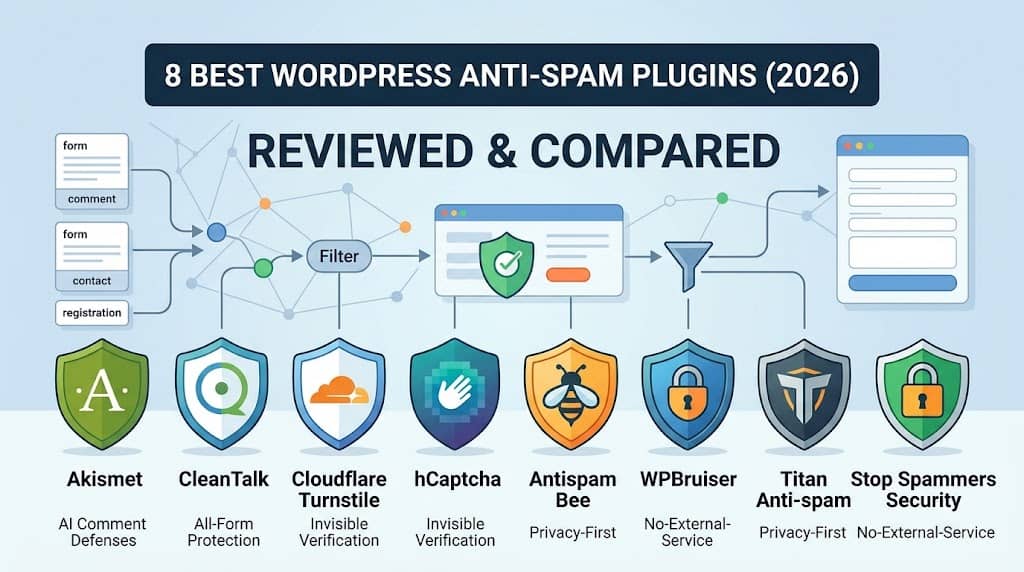
This guide reviews the 8 best wordpress spam plugins available in 2026, covering comment spam protection, contact form spam blocking, registration anti-spam measures, and CAPTCHA-free bot detection — so you can choose the right solution based on your site’s specific spam exposure points and acceptable friction level for genuine users.
Key Insight: Akismet is the default choice for most WordPress sites and handles comment spam well. For zero-friction bot protection across all forms, CleanTalk or hCaptcha / Cloudflare Turnstile cover the widest surface area. For WooCommerce fraud prevention, dedicated fraud detection tools complement rather than replace general spam protection.
Why WordPress Spam Is a Serious Problem
WordPress spam operates on multiple levels that extend well beyond the familiar nuisance of comment section spam. Automated bots target WordPress registration forms to create fake user accounts that are later used for credential stuffing attacks or for posting spam content to open community areas. WooCommerce checkout forms are targeted to test stolen credit card numbers at low transaction values. Contact forms are harvested for email addresses or flooded with junk submissions to overwhelm support teams. Login pages are subjected to brute force dictionary attacks that place excessive server load and eventually compromise weak passwords.
The cumulative effect of unmitigated spam is not just an annoyance — it damages site performance through database bloat, risks account security through brute force exposure, wastes administrative time that could be spent on content and business activities, and can result in hosting account suspension on shared hosting plans that place resource limits. A comprehensive anti spam wordpress strategy requires protecting all user-facing forms, not just the comment section.
📊 Quick Comparison Table
| Plugin | Free Version | Comment Spam | Form Spam | Registration | CAPTCHA-Free | AI/ML Detection | Best For |
|---|---|---|---|---|---|---|---|
| 🏆 Akismet | ✔ | ✔ | ✔ | ✗ | ✔ | ✔ | Most WordPress sites |
| CleanTalk | ✗ | ✔ | ✔ | ✔ | ✔ | ✔ | Zero-friction, all-form protection |
| Cloudflare Turnstile | ✔ | ~ | ✔ | ✔ | ✔ | ✔ | CAPTCHA replacement |
| hCaptcha | ✔ | ~ | ✔ | ✔ | ✗ | ✔ | Privacy-respecting CAPTCHA |
| Antispam Bee | ✔ | ✔ | ✗ | ✗ | ✔ | ~ | Privacy-first comment spam |
| WPBruiser | ✔ | ✔ | ✔ | ✔ | ✔ | ✗ | No-CAPTCHA honeypot blocking |
| Titan Anti-spam & Security | ✔ | ✔ | ✔ | ✔ | ✔ | ~ | Spam + security firewall combo |
| Stop Spammers Security | ✔ | ✔ | ✔ | ✔ | ✔ | ~ | High-volume spam protection |
✔ = Supported ✗ = Not Supported ~ = Partial / Limited Support
8 Best WordPress Anti-Spam Plugins Reviewed
1
Akismet — Best Overall WordPress Anti-Spam Plugin
Akismet is the most widely deployed anti-spam solution in the WordPress ecosystem, developed by Automattic (the company behind WordPress.com) and pre-installed on every new WordPress installation. It works by submitting each comment or contact form submission to Akismet’s cloud-based AI classification engine, which evaluates the content against a database of hundreds of millions of known spam patterns accumulated across millions of WordPress sites. Submissions identified as spam are automatically moved to a spam queue rather than rejected outright, allowing manual review of edge cases where legitimate comments might be miscategorised.
The classification accuracy that comes from training on this volume of real-world data makes Akismet the most reliable comment spam filter available. Its CAPTCHA-free approach — spam is detected by content analysis rather than user challenge — preserves a frictionless experience for genuine commenters. Integration with all major contact form plugins (Contact Form 7, Gravity Forms, WPForms, Ninja Forms) extends protection to form submissions. For personal and non-commercial WordPress sites, Akismet is completely free. For commercial sites, the paid tier remains affordable and adds a spam protection guarantee.
Key Features
- AI comment and form spam classification
- Cloud-based detection trained on billions of submissions
- Spam queue for review rather than automatic deletion
- Contact form plugin integration
- CAPTCHA-free — invisible to genuine users
- Per-comment spam status disclosure
- Free for personal and non-commercial use
✓ PROS
- Highest comment spam detection accuracy available
- CAPTCHA-free for zero user friction
- Free for personal sites
- Pre-installed on every WordPress site
✗ CONS
- Requires API key and sends data to Akismet servers (GDPR consideration)
- Commercial sites require paid plan
- Does not block registration spam by default
Best for: Most WordPress sites needing reliable, CAPTCHA-free comment and form spam protection | Pricing: Free (personal) + from $10/month (commercial)
2
CleanTalk — Best Zero-Friction Anti-Spam for All WordPress Forms
CleanTalk is a cloud-based spam filtering service with a WordPress plugin that protects every form type on a WordPress site simultaneously: comment forms, contact forms, registration forms, WooCommerce checkout, subscription forms, and login forms are all covered through a single CleanTalk subscription. The detection method is entirely invisible to users — no CAPTCHA, no checkbox, no puzzle — relying on behavioural analysis and IP reputation data from CleanTalk’s global database of known spam sources. Spam submissions are blocked silently at the server side before they reach the WordPress database.
The CleanTalk dashboard provides a detailed log of every blocked submission with the specific spam signals that triggered the block — IP reputation score, email validity check, domain blacklist match, and behavioural timing analysis. For sites running heavy comment volumes or receiving frequent form spam, this visibility into why specific submissions were blocked is operationally valuable. CleanTalk’s email address validation also catches common obfuscation tactics like temporary email addresses and invalid domains. At approximately $8–$9 per year per site, it is among the most cost-effective comprehensive spam solutions available.
Key Features
- Protects all form types: comments, contact, registration, checkout
- Zero-friction — completely invisible to users
- IP reputation database from global spam network
- Email address and domain validity checking
- Detailed block log with spam signal explanation
- WooCommerce checkout spam protection
- Disposable email address detection
✓ PROS
- Covers all form types in one low-cost subscription
- Completely invisible to genuine users
- Detailed block logs for admin visibility
- Disposable email detection is unique and valuable
✗ CONS
- No free version — requires subscription from day one
- Cloud dependency — sends submission data to CleanTalk servers
- Occasional false positive on unusual but legitimate IPs
Best for: Sites needing comprehensive zero-friction spam protection across every form type for a very low annual cost | Pricing: From $8/year per site
3
Cloudflare Turnstile — Best CAPTCHA-Free Bot Protection
Cloudflare Turnstile is Cloudflare’s response to the user experience problems of traditional CAPTCHA systems. Where Google’s reCAPTCHA v2 requires users to identify traffic lights and crosswalks, and reCAPTCHA v3 operates as an opaque scoring system that can incorrectly block legitimate users, Turnstile verifies users as human through passive behavioural analysis without presenting any visual puzzle. Users see a simple “Verifying…” indicator that completes automatically within seconds — or, in most cases, before they have even finished filling in the form field above it.
Turnstile’s WordPress plugin integrates with login forms, registration, comments, and WooCommerce checkout — covering the same surface area as hCaptcha or reCAPTCHA but without the visual challenge friction. Privacy-wise, Turnstile does not build advertising profiles from user data, making it the most appropriate CAPTCHA replacement for sites with GDPR or privacy compliance requirements. Cloudflare’s infrastructure scale means the challenge analysis is performed extremely quickly, adding minimal latency to form submission processing.
Key Features
- Passive human verification without visual CAPTCHA puzzles
- Login, registration, comment, and WooCommerce integration
- Privacy-respecting — no advertising profile building
- Backed by Cloudflare’s global threat intelligence
- Fast verification with minimal latency
- GDPR-appropriate alternative to reCAPTCHA
- Completely free for any volume
✓ PROS
- Best user experience of any bot protection method
- Completely free with no volume limits
- GDPR-friendly privacy approach
- Cloudflare’s threat intelligence is extremely current
✗ CONS
- Requires a free Cloudflare account and API key setup
- Not a comment spam classifier — works at form submission point only
- Dependent on Cloudflare’s external service availability
Best for: Sites replacing reCAPTCHA with a privacy-respecting, frictionless CAPTCHA alternative across login, registration, and forms | Pricing: Free
4
hCaptcha — Best Privacy-Respecting CAPTCHA for WordPress
hCaptcha is the most widely adopted privacy-respecting CAPTCHA alternative to Google’s reCAPTCHA, used by Cloudflare itself for its own challenge pages and by thousands of sites that require a user-visible challenge without the privacy implications of reCAPTCHA’s data collection practices. The hCaptcha WordPress plugin integrates the challenge widget with WordPress login, registration, comment, WooCommerce checkout, and major contact form plugins — displaying a simple visual challenge that is harder for bots to solve than reCAPTCHA while avoiding the advertising data collection that reCAPTCHA performs.
hCaptcha’s Accessibility mode (available on request) allows users with visual impairments to complete an audio challenge rather than a visual one, addressing the accessibility criticism often levelled at CAPTCHA systems. For organisations with GDPR compliance requirements who cannot use Google services for user verification — a common requirement in healthcare, financial services, and public sector sites — hCaptcha is the most appropriate visible CAPTCHA replacement. Sites that have committed to removing Google Analytics (in favour of alternatives) are often also removing reCAPTCHA, making hCaptcha or Turnstile the natural replacement.
Key Features
- Privacy-respecting CAPTCHA without Google data collection
- WordPress login, registration, and comment integration
- WooCommerce and major form plugin integration
- Accessibility mode with audio challenge option
- Free tier for most use cases
- Invisible mode for low-risk users
- GDPR-appropriate reCAPTCHA replacement
✓ PROS
- Best GDPR-compliant reCAPTCHA replacement
- Accessibility audio challenge for visually impaired users
- Trusted by Cloudflare and major enterprise sites
- Free for standard volumes
✗ CONS
- Still a visible CAPTCHA — adds friction for all users
- Not a content spam classifier — challenge only
- Turnstile provides the same protection with less friction
Best for: Sites requiring a visible, privacy-respecting CAPTCHA for GDPR compliance without relying on Google services | Pricing: Free + enterprise pricing for high volume
5
Antispam Bee — Best Privacy-First Free Comment Spam Plugin
Antispam Bee is the most popular GDPR-compliant comment spam plugin for European WordPress sites, developed by the German plugin studio Pluginkollektiv. Unlike Akismet, which sends comment data to Automattic’s servers for cloud-based analysis, Antispam Bee performs all spam detection locally on the WordPress server without transmitting visitor data to any external service. This data sovereignty approach is the plugin’s primary competitive advantage for sites operating under strict EU data protection rules where third-party data processing without explicit consent is a compliance concern.
The local detection uses a combination of methods: time-on-page analysis (bots submit forms faster than humans), honeypot fields invisible to users but visible to bots, BBCode detection (a common spam technique), language filtering (block comments in languages not expected for your audience), and IP blacklist checking. Detected spam can be deleted immediately or moved to a spam queue. The plugin is completely free with no premium tier, making it the appropriate Akismet alternative for privacy-conscious European sites that cannot accept Akismet’s data processing agreement.
Key Features
- GDPR-compliant — no external data transmission
- Local spam detection without cloud API dependency
- Time-on-page, honeypot, and BBCode detection
- Language filtering for non-target-audience languages
- IP blacklist checking
- Immediate spam deletion or spam queue option
- Completely free
✓ PROS
- Best GDPR-compliant Akismet alternative
- No data sent to external servers
- Completely free with no premium tier
- Language filtering is unique and useful
✗ CONS
- Comment-only — does not protect other form types
- Local detection less accurate than Akismet’s cloud database
- No registration or login spam protection
Best for: European sites needing GDPR-compliant comment spam protection without sending data to external services | Pricing: Free
6
WPBruiser — Best No-CAPTCHA Honeypot Spam Blocker
WPBruiser (formerly GoodBye Captcha) takes a honeypot-and-behaviour approach to spam blocking that requires no external API, no user challenge, and no data transmission to external servers. It adds invisible honeypot fields to WordPress forms that bots fill in automatically (because they cannot distinguish visible from invisible fields) while humans leave them blank, providing a reliable bot signal without any user friction. Timing analysis supplements the honeypot: submissions completed faster than humanly possible are flagged as bots and silently blocked before reaching the database.
The plugin protects WordPress comment forms, login, registration, WooCommerce checkout, and major contact form plugins without configuration beyond installation and activation. No API keys, no external service accounts, and no data processing agreements are required — making compliance and setup trivially simple. For sites that want completely autonomous, privacy-preserving spam blocking that works from the moment of activation without any external dependencies, WPBruiser is the most straightforward option available.
Key Features
- Invisible honeypot fields for all WordPress forms
- Timing analysis to detect inhuman-speed submissions
- No API key or external service required
- Comment, login, registration, and WooCommerce protection
- Contact form plugin integration
- CAPTCHA-free and data-sovereignty compliant
- Free version covers most use cases
✓ PROS
- Zero external dependencies
- Works immediately on activation with no setup
- Completely invisible to genuine users
- Covers multiple form types in free version
✗ CONS
- Honeypot method can be defeated by sophisticated bots
- No cloud intelligence to catch evolving spam patterns
- Less effective against human-operated spam accounts
Best for: Sites wanting zero-configuration, no-external-service spam blocking with no user friction and no data compliance concerns | Pricing: Free + Pro from $29/year
7
Titan Anti-spam & Security — Best Spam + Security Firewall Combination
Titan Anti-spam & Security combines comment spam filtering with a broader WordPress security firewall in a single plugin, covering both spam protection and malware scanning, brute force login protection, real-time IP blacklisting, and security audit logging. For sites that want to consolidate their spam protection and basic security hardening into one plugin rather than managing separate tools, Titan provides a reasonable coverage combination without the resource overhead of running a full security suite like Wordfence alongside a dedicated spam plugin.
The anti-spam component uses a rules engine that evaluates comment content and submitter reputation against Titan’s cloud blacklist database. The firewall component blocks malicious requests at the application level before they reach WordPress core or plugin code. Brute force protection limits login attempts and blocks repeated failures from the same IP. Security audit logs record all admin-level changes and file modifications. For small to medium WordPress sites that need both spam protection and basic security monitoring without the complexity of enterprise security plugins, Titan delivers a practical all-in-one solution.
Key Features
- Comment and form spam filtering
- WordPress application firewall
- Brute force login protection
- Real-time IP blacklisting
- Malware scanning
- Security audit logging
- Free version covers core spam and firewall features
✓ PROS
- Spam + security in one plugin
- Brute force protection covers login spam
- Security audit logging for admin accountability
- Good free tier coverage
✗ CONS
- Neither spam nor security is best-in-class individually
- Can conflict with dedicated security plugins if running both
- Malware scanner less thorough than Wordfence
Best for: Small sites wanting spam protection and basic security monitoring from a single lightweight plugin | Pricing: Free + Pro from $55/year
8
Stop Spammers Security — Best for High-Volume Spam Environments
Stop Spammers Security is built for WordPress sites under persistent, high-volume spam attack where lighter-touch solutions have already proven insufficient. The plugin combines multiple simultaneous detection layers — IP blacklisting, email blacklisting, country blocking, disposable email detection, content pattern matching, and honeypot fields — into an aggressive multi-layer defence that makes it very difficult for spam operations to find an unblocked submission pathway. The configurability of the detection stack allows tuning the aggressiveness of each layer independently based on the site’s specific spam attack patterns.
Country-level blocking is a blunt but effective tool for sites that receive no legitimate traffic from specific regions and want to eliminate the high bot traffic those regions generate. The disposable email detection database is comprehensive and updated regularly. Stop Spammers integrates with login, registration, comment, and contact form submission points. For community sites, WooCommerce stores, and high-traffic blogs that have already exhausted gentler spam protection approaches and need an aggressive, highly configurable multi-layer solution, Stop Spammers provides the most comprehensive available defence.
Key Features
- Multi-layer spam detection: IP, email, content, honeypot
- Country-level traffic blocking
- Disposable email detection
- Configurable detection layer aggressiveness
- Login, registration, and comment protection
- Contact form and WooCommerce integration
- Allowlist for trusted IPs and emails
✓ PROS
- Most aggressive multi-layer spam defence
- Country blocking is effective for geographically concentrated attacks
- Highly configurable for tuning to specific attack patterns
- Covers all form types from one plugin
✗ CONS
- Country blocking may affect legitimate users from blocked regions
- More configuration required than simpler alternatives
- Aggressive settings risk false positives on legitimate submissions
Best for: High-traffic sites under persistent spam attack needing a multi-layer, highly configurable spam defence | Pricing: Free + Pro from $29/year
How to Choose the Right Plugin
- Most WordPress sites: Akismet covers comment and form spam accurately for free on personal sites, or for a modest fee on commercial sites.
- All-form zero-friction protection: CleanTalk covers every form type — comments, contact, registration, WooCommerce — at a very low annual cost.
- GDPR-compliant, no external data: Antispam Bee (comments) or WPBruiser (all forms) work entirely locally without sending data to external servers.
- CAPTCHA replacement: Cloudflare Turnstile for zero-friction passive verification; hCaptcha for visible CAPTCHA without Google privacy concerns.
- High-volume spam environments: Stop Spammers Security with country blocking and multi-layer detection for sites under persistent attack.
Frequently Asked Questions
Is Akismet free for WordPress?
Akismet is free for personal, non-commercial WordPress sites. For commercial sites — any site that generates revenue, has advertising, or promotes a business or product — a paid Akismet plan is required, starting at around $10/month.
Can I use multiple anti-spam plugins simultaneously?
Yes, and for high-risk sites it is advisable. Combining Akismet (content analysis) with Cloudflare Turnstile or WPBruiser (bot detection at submission) provides layered protection that is harder to defeat than either approach alone. Avoid running two cloud-based spam classifiers simultaneously as they may conflict.
Do anti-spam plugins protect WooCommerce from fraud?
General spam plugins protect WooCommerce checkout from fake account creation and bot-submitted orders. However, credit card fraud and carding attacks require dedicated WooCommerce fraud prevention tools (such as WooCommerce Fraud Prevention or integration with payment gateway fraud tools) in addition to general spam protection.
Which anti-spam plugin is best for GDPR compliance?
Antispam Bee performs all detection locally without transmitting any visitor data to external servers, making it the most straightforward GDPR-compliant option for comment spam. WPBruiser covers multiple form types with the same local-only approach. Cloudflare Turnstile and hCaptcha have GDPR-appropriate privacy policies but do involve external service data processing.
Final Recommendation
For most WordPress sites, Akismet remains the most reliable starting point for comment and form spam — its database accuracy from billions of real submissions outperforms local detection methods for the majority of spam patterns encountered. For sites needing comprehensive all-form protection without CAPTCHA friction, CleanTalk delivers the widest coverage at the lowest annual cost. For European sites with GDPR concerns about external data processing, Antispam Bee paired with WPBruiser provides complete local-only protection for all form types.
The best anti spam plugin for wordpress is the one that blocks the specific attack vectors your site faces — which means correctly identifying whether your primary problem is comment spam, form spam, registration spam, or login brute force, and choosing the plugin whose detection approach best addresses your actual threat.
Stop Spam on Your WordPress Site Today
Akismet and CleanTalk are the two most effective, lowest-friction options for most sites.
