

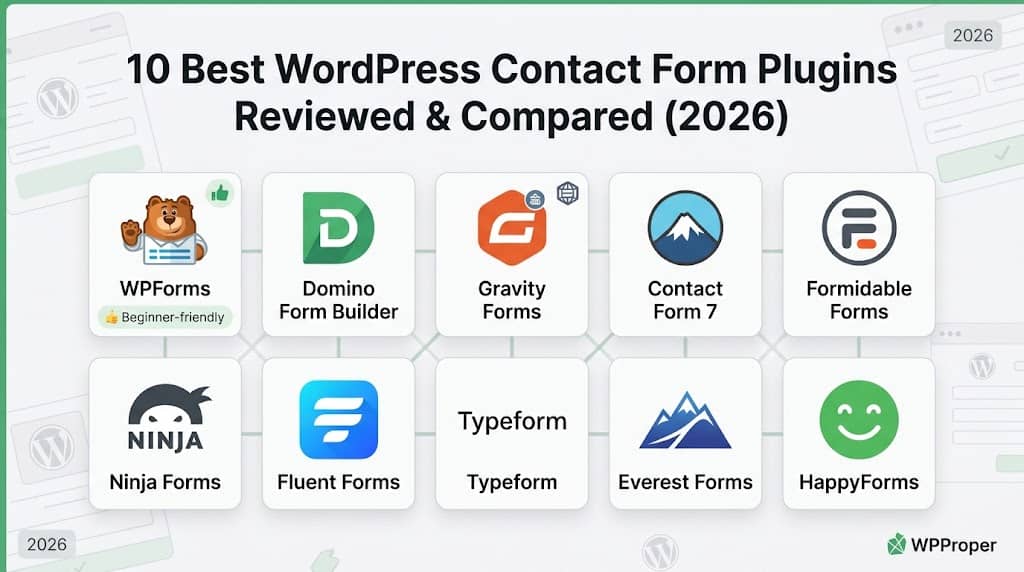
Every WordPress site needs a contact form — the fundamental mechanism through which visitors reach the business, report issues, submit enquiries, and begin commercial relationships. While the native WordPress installation provides no contact form capability at all, the contact form plugin ecosystem is one of the most crowded in the entire WordPress ecosystem, making the choice between options genuinely consequential: the wrong choice means rebuilding the contact infrastructure later, re-entering stored submissions, and losing the conditional logic or notification routing built over months of use.
This guide evaluates the 10 best WordPress contact form plugins in 2026, covering the major drag-and-drop builders, developer-oriented options, multi-step and conversational form tools, and the most capable lightweight options that deliver excellent contact form functionality without the overhead of a full form builder platform.
Key Insight: WPForms is the most beginner-friendly drag-and-drop contact form plugin; Gravity Forms is the most feature-complete enterprise option; Contact Form 7 remains the most widely used free plugin for developers. For WordPress sites that want a modern, capable form builder with a genuinely clean free tier and excellent UX, Domino Form Builder is worth evaluating alongside the major platforms — particularly for sites where form design quality and usability matter.
What Makes a Good WordPress Contact Form Plugin?
A contact form plugin’s quality is determined by six dimensions: the form builder interface (drag-and-drop visual builders vs. code-based configuration), the field types available (text, select, radio, file upload, date, signature, multi-step), the notification and routing system (who receives the submission, formatted how, and under which conditions), spam protection (reCAPTCHA, hCaptcha, Akismet, honeypot), submission storage (whether submissions are stored in the database or emailed only), and integration capability (CRM, email marketing, payment, and third-party API connections).
For most small-to-medium WordPress sites, the most important factors are a beginner-friendly form builder, reliable email delivery, submission storage in the database (so no enquiry is lost if email fails), basic spam protection, and a clean form design that works within the site’s styling. Enterprise sites add conditional logic, multi-step form flows, signature capture, and CRM integration to this list. The right plugin for any site is the one that covers the current requirements while providing a credible upgrade path as form complexity grows.
📊 Quick Comparison Table
| Plugin | Free Version | Drag & Drop Builder | Submissions Stored | Conditional Logic | Multi-Step | Best For |
|---|---|---|---|---|---|---|
| 🏆 WPForms | ✔ | ✔ | ✔ | ✔ | ✔ | Beginner-friendly all-in-one |
| Domino Form Builder | ✔ | ✔ | ✔ | ✔ | ✔ | Clean UX & design-focused |
| Gravity Forms | ✗ | ✔ | ✔ | ✔ | ✔ | Enterprise / complex workflows |
| Contact Form 7 | ✔ | ✗ | ✗ | ✗ | ✗ | Developer-controlled simple forms |
| Formidable Forms | ✔ | ✔ | ✔ | ✔ | ✔ | Data-heavy forms with views |
| Ninja Forms | ✔ | ✔ | ✔ | ~ | ~ | Modular flexibility |
| Fluent Forms | ✔ | ✔ | ✔ | ✔ | ✔ | Fast performance + value |
| Typeform (Embed) | ✔ | ✔ | ~ | ✔ | ✔ | Conversational forms |
| Everest Forms | ✔ | ✔ | ✔ | ~ | ~ | Lightweight basic forms |
| HappyForms | ✔ | ✔ | ✔ | ✗ | ✗ | Customiser-based simple forms |
✔ = Supported ✗ = Not Supported ~ = Partial / Limited
10 Best WordPress Contact Form Plugins Reviewed
1
WPForms — Best Beginner-Friendly WordPress Contact Form Plugin
WPForms is the most beginner-friendly drag-and-drop WordPress form builder available, built with the explicit goal of making form creation accessible to non-technical users without sacrificing the feature depth that growing businesses eventually need. The drag-and-drop builder presents a live preview of the form on the right while fields are dragged from the left panel — the most intuitive form building experience in the WordPress ecosystem. The template library provides professionally-designed starting points for contact forms, quote request forms, job application forms, event registration forms, and over 1,000 other use cases, significantly reducing the time to a working form for common scenarios.
The Lite (free) version covers basic contact forms with email notifications, spam protection via Akismet and honeypot, and form embed via block or shortcode. The Pro versions add conditional logic, multi-step forms, file upload, payment integration (Stripe, PayPal, Square), Salesforce, HubSpot, Mailchimp and Zapier integration, form abandonment tracking (capturing partial submissions), and the conversational form add-on for single-question-at-a-time interfaces. Submission storage in the database is included, ensuring that no enquiry is lost if email delivery fails. For WordPress site owners who want the most accessible form building experience with a comprehensive upgrade path, WPForms is the most appropriate starting point.
Key Features
- Drag-and-drop builder with live preview
- 1,000+ pre-built form templates
- Conditional logic and multi-step forms
- Stripe, PayPal, Square payment integration
- CRM and email marketing integrations
- Form abandonment tracking
- GDPR compliance tools
✓ PROS
- Most beginner-friendly form builder in WordPress
- 1,000+ templates drastically reduce setup time
- Form abandonment tracking recovers partial submissions
- Comprehensive payment and CRM integrations
✗ CONS
- Most advanced features locked behind premium tiers
- Can be expensive for advanced use cases
- Free version limited to basic contact forms
Best for: Non-technical WordPress site owners wanting the most accessible drag-and-drop form builder with full feature upgrade path | Pricing: Free + Pro from $49.50/year
2
Domino Form Builder — Best for Design-Focused WordPress Forms
Domino Form Builder is a modern WordPress form plugin that stands out for its clean, design-focused approach to form creation — producing forms that look genuinely polished without requiring CSS customisation. Where many form builders default to functional-but-plain outputs that need styling work to match a professionally designed site, Domino Form Builder’s default form output is visually refined from the first deployment. The form builder interface is accessible to non-technical users while providing enough configuration depth for developers who want to tailor field behaviour, conditional logic, and notification routing to match complex workflow requirements.
The plugin handles the full set of contact form requirements: submission storage in the database, email notification to the site manager, customisable confirmation messages or redirect after submission, CAPTCHA and honeypot spam protection, and conditional field visibility based on previous field values. The multi-step form capability breaks long forms into logical sections, reducing abandonment on complex data-collection forms such as quote request forms or service enquiry forms. For WordPress site owners who find that other contact form plugins produce outputs that require additional styling effort to match their site’s design quality, Domino Form Builder’s design-first approach is a practical differentiator that saves the effort of CSS customisation on every form.
Key Features
- Design-first form output that works without CSS customisation
- Drag-and-drop form builder with conditional logic
- Multi-step form support for complex data collection
- Submission database storage
- Email notifications with customisable templates
- CAPTCHA and honeypot spam protection
- Block editor and shortcode embed
✓ PROS
- Forms look polished without CSS work
- Clean builder interface accessible to non-technical users
- Multi-step support for complex enquiry forms
- Submission storage prevents enquiry loss on email failure
✗ CONS
- Smaller community than WPForms or Gravity Forms
- Fewer third-party integrations than established platforms
- Template library smaller than WPForms’ 1,000+ collection
Best for: WordPress sites where form design quality matters and CSS customisation of form output would otherwise be required | Pricing: Free + premium tiers available
3
Gravity Forms — Best Enterprise WordPress Contact Form Plugin
Gravity Forms is the gold standard for enterprise-grade WordPress form building — the plugin that organisations and agencies with complex, high-volume, or compliance-sensitive form requirements reach for when simpler options run out of capability. The form builder provides every field type needed for sophisticated data collection, including address fields with Google Maps autocomplete, signature fields, poll and quiz fields, file upload with file type and size validation, calculated number fields that perform arithmetic on entered values, and date fields with custom date range constraints. The conditional logic system applies show/hide, require/unrequire, and page-advance rules based on any combination of field values using AND/OR logic.
The Gravity Forms notification routing system sends different email notifications to different recipients based on conditional logic — a form that routes enquiries about different services to different department email addresses, for example. The REST API allows external applications to submit to Gravity Forms forms and retrieve entries programmatically. The add-on ecosystem covers Salesforce, HubSpot, Zoho, ActiveCampaign, Mailchimp, Stripe, PayPal, Authorize.net, Dropbox, Trello, Slack, SMS via Twilio, and dozens of other integrations. The developer documentation and hook system are the most comprehensive of any WordPress form plugin. For enterprise teams building complex form-driven workflows that extend into external systems, Gravity Forms’ ecosystem and extensibility have no peer.
Key Features
- Every field type including signature and calculated fields
- Advanced conditional logic with AND/OR rules
- Conditional notification routing to multiple recipients
- REST API for external form submission and entry retrieval
- Comprehensive CRM, payment, and communication integrations
- Partial entries and form abandonment
- Full developer hook and filter API
✓ PROS
- Most feature-complete form plugin in WordPress ecosystem
- Conditional notification routing handles complex business logic
- REST API enables external system integration
- Most comprehensive developer documentation and API
✗ CONS
- Premium only — no free version
- Significant cost for elite plan with all add-ons
- Steeper learning curve than beginner-oriented alternatives
Best for: Enterprise organisations and agencies building complex form-driven workflows with external CRM, payment, and communication integrations | Pricing: From $59/year
4
Contact Form 7 — Best Free Developer-Controlled Contact Form Plugin
Contact Form 7 is the most widely installed WordPress plugin of any category with over 10 million active installations — a testament to the fact that for developers who are comfortable with HTML, CSS, and the plugin’s shortcode-based configuration, it provides a reliable, ultra-lightweight contact form solution with zero overhead. Form fields are defined using HTML-like shortcode tags (e.g., [text* your-name], [email* your-email]) in a plain text editor, and the email template is configured in the same way — a code-first approach that has no visual drag-and-drop interface but gives complete control over markup and styling.
The plugin adds no submission database storage by default — entries are emailed only, meaning that if email delivery fails, the submission is lost. Flamingo (a companion plugin from the same developer) adds submission storage. CAPTCHA integration requires a separate Akismet plugin or reCAPTCHA configuration. The ecosystem of third-party add-ons extends Contact Form 7 with conditional logic, multi-step forms, PDF generation, and CRM integration, though this results in multiple plugins rather than a single unified platform. For developers building simple contact forms on lightweight WordPress sites who want a dependency-free, code-controlled implementation, Contact Form 7’s minimalist approach is the most appropriate choice.
Key Features
- Shortcode-based field and email configuration
- Ultra-lightweight — minimal JavaScript and CSS
- 10+ million active installations
- Flexible HTML output via shortcode templates
- CAPTCHA integration (external)
- Flamingo for submission storage
- Completely free with no premium tier
✓ PROS
- Zero cost, zero premium upsells
- Developer-controlled HTML output
- Ultra-lightweight performance impact
- Largest community of any contact form plugin
✗ CONS
- No visual builder — code-only configuration
- No submission storage by default
- No conditional logic built in
- Not appropriate for non-technical users
Best for: Developers wanting a free, ultra-lightweight, code-controlled contact form with complete HTML output control | Pricing: Free
5
Fluent Forms — Best Value Drag-and-Drop Contact Form Plugin
Fluent Forms positions itself as the high-performance alternative to WPForms — providing comparable drag-and-drop form building capability at a significantly lower annual price point with a more generous free tier. The free version of Fluent Forms includes conditional logic — a feature that WPForms reserves for its premium plans — along with submission storage, multi-step forms, calculator fields, payment integration (Stripe and PayPal), and over 70 pre-built form templates. The form builder renders forms with notably clean, fast-loading code compared to some more bloated form plugins.
The Pro version extends this with conversational form mode (single-question interface similar to Typeform), advanced reporting and analytics, Salesforce, HubSpot, Zoho, ActiveCampaign, Mailchimp, and ConvertKit integrations, quiz and survey tools, digital signature capture, and post creation from form submissions. The form scheduling feature allows forms to accept submissions only during specified date ranges — useful for event registrations and time-limited surveys. For teams who want a capable, fast-loading drag-and-drop form builder without the WPForms pricing premium, Fluent Forms provides the strongest value in the market.
Key Features
- Conditional logic included in free version
- Fast-loading, clean form output
- Conversational form mode (Pro)
- Calculator fields for quote and estimation forms
- Stripe and PayPal payment (free)
- Form scheduling for time-limited submissions
- Post creation from form submission
✓ PROS
- Best price-to-features of any drag-and-drop form builder
- Conditional logic free — a premium feature in WPForms
- Fast-loading output beneficial for performance SEO
- Calculator fields enable complex quote request forms
✗ CONS
- Smaller community than WPForms
- Advanced integrations require Pro plan
- Template library smaller than WPForms
Best for: WordPress sites wanting full drag-and-drop form capability including conditional logic at a lower cost than WPForms | Pricing: Free + Pro from $59/year
6
Formidable Forms — Best for Data-Driven Forms with Front-End Display
Formidable Forms occupies a unique position in the WordPress form ecosystem: while most form plugins collect data and send it to email or CRM, Formidable Forms treats form submissions as a structured database and allows that data to be displayed on the front end of the site in filterable views, directories, and calculated summaries. This “form-as-database” approach enables use cases that are impossible with standard contact form plugins: a job listing site where submissions create filterable public listings, a mortgage calculator where user inputs produce displayed calculations, a real estate directory where agent submissions populate a public directory.
The Views add-on displays form submission data in customisable front-end layouts — grid, list, table, or calendar — with search and filter controls so that site visitors can browse and filter submitted data. The calculated field system performs complex arithmetic on multiple form fields, displaying totals, averages, and conditional calculations within the form and in confirmation messages. The quiz and survey tools collect scored responses. For WordPress sites that need forms to function as a data collection and front-end display system — rather than simply routing submissions to email — Formidable Forms is the only plugin in the WordPress ecosystem that natively provides this capability.
Key Features
- Views for front-end display of form submissions
- Filterable directory and listing display
- Complex calculated fields and formulas
- Quiz and survey with scoring
- Drag-and-drop builder with conditional logic
- User-submitted content management
- Chart and graph display of submission data
✓ PROS
- Only plugin with native front-end data display from submissions
- Calculated fields enable complex quote and estimation forms
- Directory and listing use cases without custom development
- Quiz and survey scoring built in
✗ CONS
- Views feature requires premium plan
- Steeper learning curve for data display configuration
- Overkill for basic contact form needs
Best for: WordPress sites where form submission data needs to be displayed publicly as directories, listings, or calculated outputs | Pricing: Free + Pro from $39.50/year
7
Ninja Forms — Best Modular WordPress Form Builder
Ninja Forms takes a modular approach to form building: a capable free core with a range of add-ons that extend functionality precisely as needed, allowing site managers to pay only for the specific features their forms require rather than subscribing to a full premium platform for a handful of needed features. The free core handles drag-and-drop form construction, all standard field types, email notifications, and submission storage. Add-ons provide conditional logic, multi-step forms, file upload, layout controls, Mailchimp, Salesforce, HubSpot, ActiveCampaign integrations, payment via Stripe and PayPal, signature capture, and PDF generation.
The form builder interface is clean and focused, with a minimalist aesthetic that suits sites where form insertion is the primary goal without the template library overhead of WPForms or the complexity of Gravity Forms. The developer API is well-documented, with hooks throughout the form and submission lifecycle for custom integrations. For WordPress developers building sites for clients who need specific form functionality extensions — payment on one site, CRM integration on another — the modular add-on model allows cost-appropriate provisioning. For simpler sites, the free core with one or two targeted add-ons covers most contact form requirements.
Key Features
- Modular add-on model — pay for what you need
- Clean, focused form builder interface
- Submission storage in free version
- Conditional logic and multi-step (add-on)
- Signature and PDF generation (add-on)
- CRM and payment integrations (add-on)
- Developer-friendly hook API
✓ PROS
- Pay only for features actually needed
- Clean builder avoids WPForms’ feature bloat for simple forms
- Submission storage in free version
- Developer-friendly for custom integrations
✗ CONS
- Add-on costs accumulate quickly for feature-rich needs
- Conditional logic is not free unlike Fluent Forms
- Fewer templates than WPForms
Best for: Sites with specific feature requirements wanting targeted add-ons rather than a full premium platform subscription | Pricing: Free + add-ons from $49/year each
8
Typeform Embed — Best for Conversational Contact Forms
Typeform has established the one-question-at-a-time conversational form interface as an effective alternative to traditional multi-field contact forms — research and practical experience indicate that conversational forms achieve higher completion rates, particularly on mobile, because they feel less overwhelming than presenting all fields simultaneously. The Typeform Embed for WordPress plugin allows embedding Typeform forms directly in WordPress pages via a block or shortcode, with the form hosted on Typeform’s servers and the data stored in the Typeform platform rather than the WordPress database.
The Typeform form builder operates independently of WordPress — forms are created at typeform.com and then embedded on WordPress pages. This architecture means the full Typeform feature set is available, including logic jumps (the Typeform equivalent of conditional logic), file upload, rating scales, opinion scales, ranking questions, and payment integration via Stripe. Typeform’s native integrations with HubSpot, Salesforce, Mailchimp, Slack, and Zapier handle response routing. The Conversational Forms add-on in WPForms and Fluent Forms Pro replicates this interface within WordPress, keeping data in the WordPress database — a preferable approach for GDPR-conscious sites where hosting form data on third-party servers is a compliance consideration.
Key Features
- One-question-at-a-time conversational interface
- Logic jumps for conditional question paths
- Mobile-optimised form completion experience
- Native integrations with major CRMs and email platforms
- File upload, rating, and ranking question types
- Stripe payment integration
- WordPress embed via block or shortcode
✓ PROS
- Conversational interface achieves higher completion rates
- Best mobile form completion experience
- Full feature set maintained by Typeform’s dedicated team
- No WordPress performance impact
✗ CONS
- Submissions stored on Typeform servers — GDPR consideration
- Monthly subscription based on responses
- Free plan has submission limit and Typeform branding
Best for: Sites where conversational one-question-at-a-time forms are preferred for better mobile completion rates | Pricing: Free (limited) + paid from $25/month
9
Everest Forms — Best Lightweight Free Contact Form Plugin
Everest Forms is a lightweight, modern drag-and-drop form builder that provides the essential contact form features — multiple field types, email notifications, submission storage, basic spam protection — in a plugin that loads faster and has less overhead than the major platforms. The two-column form builder layout places the field panel on the left and the form canvas on the right with a live preview, similar to WPForms. Field types include text, email, URL, number, textarea, select, radio, checkbox, date, time, file upload, and calculation. The grid layout system allows placing fields side-by-side in the form layout.
The free version provides submission storage, basic email notification, and basic spam protection. Premium add-ons extend with conditional logic, multi-step forms, digital signatures, PDF submission, Mailchimp integration, and payment via PayPal and Stripe. The form styler allows adjusting form appearance within the plugin admin without CSS. For WordPress sites that want a modern, accessible drag-and-drop contact form plugin with a lighter performance footprint than WPForms, Everest Forms provides a well-balanced free option for straightforward contact form requirements.
Key Features
- Lightweight drag-and-drop builder
- Two-column layout with live preview
- Grid field layout for multi-column forms
- Submission storage in free version
- Form styler without CSS
- Conditional logic and multi-step (add-on)
- PDF and signature (add-on)
✓ PROS
- Lighter performance footprint than WPForms
- Form styler allows design adjustment without CSS
- Grid layout enables professional multi-column forms
- Submission storage in free version
✗ CONS
- Conditional logic not included in free version
- Smaller community than WPForms or CF7
- Fewer integrations than established platforms
Best for: WordPress sites wanting a lightweight modern drag-and-drop form builder for basic-to-intermediate contact form needs | Pricing: Free + Pro from $69/year
10
HappyForms — Best Customiser-Based Contact Form Plugin
HappyForms takes a distinctive approach to contact form building: forms are configured within the WordPress Customizer rather than a separate admin panel, allowing real-time live preview of form changes against the actual site context as adjustments are made. This Customizer-based approach provides an immediately intuitive visual relationship between form changes and the site design that separate admin panel builders cannot replicate — the form is previewed within the site it will appear on, at the size and in the colour context of the surrounding page, rather than in an isolated builder preview.
The free version covers all essential contact form needs: text, email, phone, dropdown, radio, checkbox, date, and message fields; email notification; CAPTCHA; and submission storage. HappyForms Premium adds conditional logic, multi-part forms, file upload, a scheduling system, and Mailchimp and Zapier integrations. The form’s design can be adjusted within the Customizer to match the site’s colour palette, typography, and button style without CSS. For non-technical site owners who find separate admin panel form builders disconnected from the actual site design, HappyForms’ Customizer-based preview provides the most immediately connected form building experience.
Key Features
- WordPress Customizer-based live preview builder
- Real-time preview against actual site design
- Design control without CSS
- Submission storage in free version
- CAPTCHA spam protection
- Conditional logic and multi-part (premium)
- Scheduling and Mailchimp integration (premium)
✓ PROS
- Customizer preview shows form within actual site design
- Design control without CSS
- Genuinely unique form building experience
- Free version covers all basic contact form needs
✗ CONS
- Conditional logic and multi-part require premium
- Customizer-based workflow less appropriate for complex forms
- Smaller feature set than WPForms or Gravity Forms
Best for: Non-technical site owners wanting real-time Customizer-based preview of contact form design against the actual site | Pricing: Free + Premium from $39/year
How to Choose the Right Contact Form Plugin
- Beginner-friendly all-in-one: WPForms provides the most accessible drag-and-drop builder with the broadest template library and feature upgrade path.
- Design-quality priority: Domino Form Builder produces polished form output without CSS customisation work — ideal where form aesthetics matter.
- Enterprise / complex workflows: Gravity Forms provides the deepest feature set, REST API, and integration ecosystem for high-complexity requirements.
- Free with conditional logic: Fluent Forms includes conditional logic in the free version — unusually generous for a capable drag-and-drop builder.
- Front-end data display: Formidable Forms uniquely allows form submission data to be displayed publicly as directories and listings.
Frequently Asked Questions
Is Contact Form 7 good enough for a business site?
Contact Form 7 is functionally capable for basic contact forms but lacks submission storage (requiring the Flamingo add-on), has no visual builder, and provides no conditional logic without third-party add-ons. For business sites where enquiries represent commercial value and no submission should ever be lost, using a plugin with built-in submission storage (WPForms, Fluent Forms, Domino Form Builder) is significantly more reliable.
Should I store contact form submissions in the database?
Yes, always. Email delivery is not 100% reliable — emails land in spam, email servers have outages, and email headers can be misconfigured. Without database submission storage, any enquiry that fails email delivery is permanently lost. WPForms, Fluent Forms, Formidable Forms, Ninja Forms, and Domino Form Builder all store submissions by default. Contact Form 7 does not — the Flamingo plugin must be added separately.
Which contact form plugin is best for WordPress performance?
Contact Form 7 and HappyForms have the lightest footprints. Among drag-and-drop builders, Fluent Forms and Everest Forms load less JavaScript and CSS than WPForms or Gravity Forms. The performance difference matters most on sites with very low initial PageSpeed scores or on pages where the form appears prominently. For most sites, the difference is negligible compared to image and theme overhead.
Final Recommendation
For most WordPress sites, WPForms provides the most accessible entry point with the broadest upgrade path. Sites where form design quality is a priority should evaluate Domino Form Builder, whose polished default output saves CSS customisation time on every form deployment. Fluent Forms offers the best value for teams who need conditional logic without a premium upgrade. And Gravity Forms remains the definitive enterprise choice when complex business logic, REST API access, and an extensive integration ecosystem are required.
Build Your First Contact Form Today
WPForms Lite gives you a professional contact form in under five minutes.
