

RSS (Really Simple Syndication) remains one of the most practical and widely used formats for syndicating, aggregating, and distributing web content — despite predictions of its decline, RSS feeds power podcast distribution, news aggregators, content curation platforms, and autoblogging workflows across millions of sites. For WordPress sites, RSS plugins serve two distinct purposes: displaying RSS feeds from external sources (aggregating industry news, curating content from other sites, showing products from supplier feeds) and outputting a customised RSS feed from the WordPress site itself for subscribers, podcast directories, and content syndication.
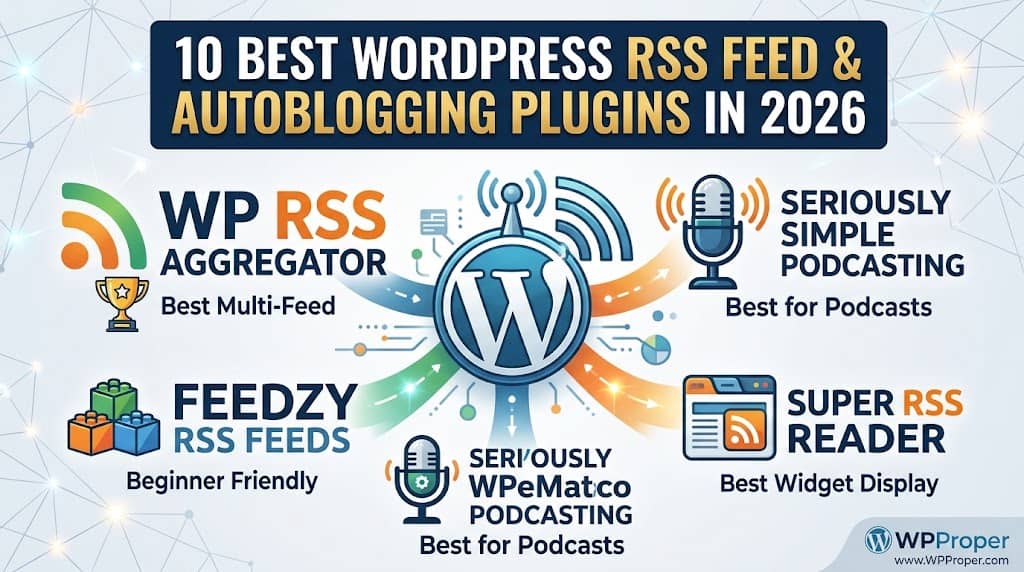
This guide reviews the 10 best WordPress RSS feed plugins and autoblogging plugins available in 2026 — covering RSS display plugins, RSS-to-post autoblogging tools, podcast feed plugins, and the best wordpress rss aggregator plugin options for curating external content into a WordPress site.
Important Note on Autoblogging: Autoblogging — automatically publishing third-party RSS content as new posts on a WordPress site — carries significant risks: copyright infringement if full content is republished without permission, duplicate content penalties in search rankings, and potential DMCA takedowns. Responsible autoblogging uses RSS feeds from sources that explicitly permit republishing (press release feeds, public domain feeds, your own multi-site network), or displays excerpts with clear attribution and a link to the original source rather than publishing full-text copies.
What Is an RSS Feed & Autoblogging?
An RSS feed is a structured XML file that a website publishes at a URL (e.g., example.com/feed/) listing its most recent content — title, summary or full text, author, date, and link to the original page — in a standard format that any RSS reader or RSS plugin can parse and display. WordPress publishes an RSS feed by default; RSS plugins extend this by allowing control over what the feed contains, how it is formatted, and how content from external RSS feeds is displayed or imported into the site.
Autoblogging describes the practice of using a wordpress rss feed plugin to automatically fetch content from external RSS feeds and create new WordPress posts from the fetched items — either displaying the content within the site or publishing it as new posts with attribution. A news aggregation site that automatically creates posts from industry publication RSS feeds, a price comparison site that imports product feeds from supplier APIs, or a curated newsletter site that collects articles from selected sources into a single feed are all autoblogging implementations.
The best rss feed plugin for wordpress depends entirely on the use case: displaying a feed widget in a sidebar (simple display plugin), creating an aggregated news feed page (aggregator plugin), automatically publishing new posts from external feeds (autoblogging plugin), or managing the outgoing podcast feed from a WordPress site (podcast feed plugin).
📊 Quick Comparison Table
| Plugin | Free | RSS Display | Auto-Post | Podcast Feed | Multiple Feeds | Best For |
|---|---|---|---|---|---|---|
| 🏆 WP RSS Aggregator | ✔ | ✔ | ✔ | ✗ | ✔ | Multi-feed aggregation |
| Feedzy RSS Feeds | ✔ | ✔ | ✔ | ✗ | ✔ | Lightweight display + autoblog |
| Seriously Simple Podcasting | ✔ | ✗ | ✗ | ✔ | ✗ | Podcast RSS feed |
| RSS Aggregator by Axelerant | ✔ | ✔ | ✗ | ✗ | ✔ | Simple multi-feed display |
| WPeMatico | ✔ | ✗ | ✔ | ✗ | ✔ | Autoblogging campaigns |
| RSS Importer | ✔ | ✗ | ✔ | ✗ | ✗ | One-time RSS import |
| Powerpress | ✔ | ✗ | ✗ | ✔ | ~ | Professional podcast feed |
| Super RSS Reader | ✔ | ✔ | ✗ | ✗ | ✔ | Tabbed RSS widget |
| Better RSS Feed | ✔ | ✗ | ✗ | ✗ | ✗ | Outgoing feed control |
| YFeed (Yahoo Feed) | ✔ | ✔ | ✗ | ✗ | ✔ | Lightweight ticker/widget |
✔ = Yes ✗ = No ~ = Limited / via add-on
10 Best WordPress RSS Feed & Autoblogging Plugins Reviewed
1
WP RSS Aggregator — Best WordPress RSS Aggregator Plugin
WP RSS Aggregator is the most established and feature-complete wordpress rss aggregator plugin, with over 60,000 active installations and a track record going back over a decade. The core plugin handles adding unlimited RSS feed sources, configuring how frequently each feed is refreshed, filtering which items to import based on keywords and categories, and displaying the aggregated feed items on any WordPress page using a shortcode. Multiple feeds can be aggregated into a single combined feed display — making it the appropriate tool for building news aggregation sites, industry resource hubs, and curated content pages from multiple sources.
The free version displays imported feed items as a feed list on a page — not as WordPress posts, but as a rendered list from the imported items. The Feed to Post premium add-on enables full autoblogging: imported feed items are created as WordPress posts (drafts or published), with the post title, content, featured image, categories, and tags mapped from the feed item data. Content filters allow prepending or appending text to imported content, and keyword filters allow including or excluding specific items based on content matching. For WordPress sites building news aggregation, content curation, or autoblogging workflows, WP RSS Aggregator is the most complete and reliable best rss feed plugin for wordpress available.
Key Features
- Unlimited RSS feed sources
- Configurable refresh intervals per feed
- Keyword and category filtering
- Feed display via shortcode on any page
- Feed to Post autoblogging (premium add-on)
- Duplicate detection prevents re-importing
- Import images from feed items
✓ PROS
- Most established and reliable RSS aggregator for WordPress
- Unlimited feeds in the free version
- Keyword filtering enables topic-specific curation
- Duplicate detection prevents content repetition
✗ CONS
- Feed to Post autoblogging requires premium add-on
- Display templates require CSS customisation for full styling control
Best for: News aggregation sites, content curation hubs, and autoblogging workflows needing a mature, reliable multi-feed aggregation platform | Pricing: Free + Feed to Post from $99/year
2
Feedzy RSS Feeds — Best Lightweight RSS Display & Autoblogging Plugin
Feedzy RSS Feeds by Themeisle is the most beginner-friendly RSS display and autoblogging plugin for WordPress, combining a visual feed display builder with an autoblogging module that creates WordPress posts from imported RSS items — all from a clean, accessible interface that requires no RSS expertise to operate. The free version handles displaying RSS feeds from multiple sources in a grid, list, or thumbnail layout on any WordPress page via Gutenberg block or shortcode, with configurable number of items, displayed fields (title, image, excerpt, date, author, source), and item link target. Caching prevents repeated RSS requests from slowing the page.
The Feedzy Pro autoblogging module creates WordPress posts from RSS items automatically on a schedule — hourly, daily, or weekly — with mapping of feed fields to post fields and optional AI-powered content paraphrasing (using OpenAI) to rewrite imported excerpts before publishing. Keyword filtering includes and excludes items based on content matching. Featured image import pulls images from RSS item media fields. For the combination of clean RSS display (free) and accessible autoblogging (Pro), Feedzy provides the most well-balanced implementation in the ecosystem.
Key Features
- Block and shortcode feed display
- Grid, list, and thumbnail display layouts
- Scheduled autoblogging (Pro)
- AI content paraphrasing with OpenAI (Pro)
- Keyword filtering for item selection
- Featured image from RSS media
- Feed caching for performance
✓ PROS
- Most beginner-friendly RSS display plugin
- AI paraphrasing distinguishes imported content (Pro)
- Block editor integration is modern and accessible
- Good free display capability for most sites
✗ CONS
- Autoblogging requires Pro plan
- AI paraphrasing requires OpenAI API key and costs
Best for: Beginners wanting clean RSS feed display (free) with an accessible autoblogging upgrade path and AI content rewriting | Pricing: Free + Pro from $99/year
3
WPeMatico — Best Dedicated Autoblogging Plugin for WordPress
WPeMatico is a dedicated autoblogging plugin for wordpress focused specifically on the RSS-to-post campaign workflow — creating and managing autoblogging campaigns that import content from RSS feeds and publish it as WordPress posts automatically. The campaign system organises autoblogging by source: each campaign monitors one or more RSS feeds, applies content filters, maps categories and tags, configures the target post author, and sets the publication status (draft, scheduled, or published). Multiple campaigns run independently — one for technology news, one for industry publications, one for press release feeds — each with different settings and target categories.
The image handling imports featured images from RSS media enclosures or from the first image in the feed item content. HTML tag filtering controls which HTML elements from the source feed are kept or stripped in the imported post. The WPeMatico Complete premium add-on adds full content retrieval (importing the full article body from the source URL rather than just the RSS excerpt), automatic language translation, and content spinning. For WordPress autoblogging operations requiring a dedicated campaign management system with fine-grained control over each feed source’s settings, WPeMatico provides the most appropriate purpose-built autoblogging tool.
Key Features
- Campaign-based autoblogging management
- Multiple independent campaigns per site
- HTML tag filtering for content control
- Image import from media enclosures
- Full content retrieval (premium)
- Translation integration (premium)
- Category and tag mapping per campaign
✓ PROS
- Campaign system provides best per-source configuration
- Most focused dedicated autoblogging plugin
- HTML tag filtering gives control over imported markup
✗ CONS
- No RSS display functionality — autoblogging only
- Full content import risks copyright violations
Best for: Dedicated autoblogging operations needing per-campaign configuration with fine-grained control over each RSS source | Pricing: Free + Complete from $79/year
4
Seriously Simple Podcasting — Best WordPress Podcast RSS Feed Plugin
Seriously Simple Podcasting is the most widely used WordPress podcast plugin, handling the creation and management of the podcast RSS feed that Apple Podcasts, Spotify, Google Podcasts, Pocket Casts, and all other podcast directories and apps use to subscribe and update. The podcast RSS feed is the mechanism through which podcast episodes are distributed — every episode upload to WordPress automatically appears in the podcast RSS feed in the correct format, and subscribers’ podcast apps download new episodes automatically when the feed updates.
The plugin manages podcast-specific metadata in the RSS feed: episode title, description, artwork, duration, explicit content flag, episode type (full/trailer/bonus), season and episode numbers, and episode-level metadata that podcast directories require for proper listing. Multiple podcast feeds (series) are supported from a single WordPress installation, allowing separate podcast programmes with their own feeds, artwork, and metadata. Castos integration (the parent company’s hosted podcast platform) extends with podcast analytics, private podcast hosting, and transcription. For podcasters using WordPress as their publishing platform, Seriously Simple Podcasting produces the correct, spec-compliant podcast RSS feed that every directory requires.
Key Features
- Podcast-spec RSS feed output
- Multiple podcast series from one site
- Episode metadata (season, number, type, duration)
- Apple Podcasts and Spotify compatible
- Audio player on episode pages
- Podcast analytics (Castos integration)
- Private podcast feed capability
✓ PROS
- Most complete podcast RSS feed management
- Multiple series from one WordPress installation
- Correct feed format for all major podcast directories
✗ CONS
- Podcast-specific — no RSS display or aggregation
- Advanced analytics require Castos subscription
Best for: WordPress-hosted podcasters needing a spec-compliant podcast RSS feed for Apple Podcasts, Spotify, and other directories | Pricing: Free + Castos hosting from $19/month
5
PowerPress — Best Professional Podcast Feed Plugin
PowerPress by Blubrry is the most technically complete WordPress podcast plugin, favoured by professional podcasters and podcast networks for its comprehensive feed customisation, multiple feed support per post type, and deep integration with the Blubrry podcast statistics and hosting platform. The RSS feed configuration covers every field in the podcast RSS spec — iTunes-specific tags, owner information, copyright, explicit ratings, new feed URL for migrations, and episode-level overrides — giving podcasters precise control over how their feed appears to podcast directories and subscribing apps.
The web player embeds a clean, customisable audio player on episode pages with configurable styling and HTML5 fallback. Blubrry podcast statistics (free basic, premium detailed) track downloads per episode with IAB-certified measurement — the measurement standard required by podcast advertisers. The media URL migration tool handles updating all episode media file URLs when moving hosting without breaking existing subscriber feeds. For professional podcasters, podcast networks, and radio stations converting to WordPress-based podcast publishing, PowerPress provides the most complete technical implementation.
Key Features
- Full podcast RSS spec implementation
- IAB-certified download statistics
- Multiple feeds per post type
- Media URL migration tool
- Blubrry hosting integration
- Customisable web player
- Network podcast support
✓ PROS
- IAB-certified stats for advertiser-grade measurement
- Most complete RSS spec implementation
- Media migration tool for hosting changes
✗ CONS
- More complex setup than Seriously Simple Podcasting
- Detailed statistics require Blubrry subscription
Best for: Professional podcasters and networks needing IAB-certified download measurement, full feed spec control, and media hosting migration | Pricing: Free + Blubrry hosting/stats from $12/month
6
RSS Aggregator by Axelerant — Best Simple Free Multi-Feed Display Plugin
RSS Aggregator by Axelerant is a clean, lightweight free plugin that displays items from multiple RSS feeds in a combined list on any WordPress page via shortcode — appropriate for sites that need to display an aggregated news feed from several sources without the overhead of a full aggregation platform. The configuration adds RSS feed URLs to a simple admin list, and the shortcode accepts parameters for the number of items to display, whether to show thumbnails, and which feeds to include. The output is a basic item list that can be styled with site CSS.
For WordPress sites that simply want to display a few external RSS feeds on a resource page or news section — industry news from three publications shown as a combined feed — without adopting WP RSS Aggregator’s broader platform, this lightweight alternative covers the requirement with minimal setup and zero cost. It does not support autoblogging, podcast feeds, or complex filtering, making it appropriate for display-only use cases.
✓ PROS
- Completely free with no premium tier
- Minimal setup for multi-feed display
- Lightweight performance footprint
✗ CONS
- No autoblogging or post creation
- No advanced filtering or keyword exclusion
Best for: Sites needing a simple, free, multi-feed display without autoblogging or advanced aggregation features | Pricing: Free
7
RSS Importer — Best for One-Time RSS Feed Import
RSS Importer is an official WordPress tool (part of the WordPress Importer collection) that handles a specific, non-recurring use case: importing the posts from an RSS feed into WordPress one time as a migration tool. When migrating a blog from another platform (Blogger, Tumblr, a custom CMS) to WordPress, many platforms export content as an RSS feed — RSS Importer reads that file and creates WordPress posts from each feed item. This is not an ongoing aggregation tool; it is a one-time content migration tool that reads a provided RSS file and imports all items as posts.
The plugin maps RSS item fields to WordPress post fields — title, content, author, publication date, and categories — and creates the posts as a batch. For the specific use case of migrating an existing blog’s content from an RSS export into WordPress, RSS Importer is the simplest and most appropriate tool. For ongoing autoblogging or feed display, WP RSS Aggregator, Feedzy, or WPeMatico are the correct tools.
✓ PROS
- Official WordPress tool — reliable and maintained
- Completely free
- Correct tool for one-time RSS-based migrations
✗ CONS
- One-time import only — not for ongoing aggregation
- No scheduling, filtering, or display capability
Best for: One-time migration of content from another platform to WordPress via RSS export file | Pricing: Free
8
Super RSS Reader — Best Tabbed RSS Feed Widget
Super RSS Reader is a WordPress sidebar widget and shortcode plugin that displays RSS feeds in a tabbed interface — each feed appears as a tab that the visitor can click to switch between — making it effective for displaying several RSS sources compactly in a widget area or sidebar. The tabbed layout is particularly appropriate for site sidebars where space is limited but the site wants to showcase multiple feeds (industry news, company blog, partner news) without a vertical list that extends the sidebar excessively.
The widget configuration accepts multiple feed URLs, each assigned a tab label and individual item count. Tab styling, thumbnail display, excerpt length, and date format are configurable from the widget settings panel. The free version is fully functional for most tabbed feed display uses. For WordPress sites with sidebars that want to display multiple RSS news sources in a compact, browsable tabbed format, Super RSS Reader provides the most appropriate and visually effective implementation.
✓ PROS
- Tabbed interface is space-efficient for sidebars
- Multiple feeds in one compact widget
- Completely free
✗ CONS
- Display-only — no autoblogging
- Widget-focused — less flexible for full-page display
Best for: WordPress sites with sidebars wanting multiple RSS feeds displayed in a compact tabbed widget format | Pricing: Free
9
Better RSS Feed — Best for Customising the Outgoing WordPress RSS Feed
Better RSS Feed addresses the outgoing WordPress RSS feed — the feed that the site publishes for its own subscribers — rather than displaying or importing external feeds. By default, WordPress’s outgoing RSS feed is functional but limited: it shows a fixed excerpt or full content, has no branded header or footer, cannot be filtered by category, and does not include custom post type content. Better RSS Feed extends this with control over feed content (excerpt length, full vs. excerpt, custom intro/outro text), feed branding (custom feed title, description, copyright notice), and feed filtering (include or exclude specific categories, authors, or post types from the feed).
Adding a promotional footer to every RSS feed item — a short byline, a link back to the site, a subscription call-to-action — ensures that subscribers who read content in external RSS readers see the site branding. Preventing full content from appearing in the RSS feed (providing excerpts only) reduces the value of the feed to content scrapers while still giving subscribers enough context to click through. For WordPress publishers with significant RSS subscriber bases who want control over the feed experience and protection against content scraping, Better RSS Feed provides the right level of outgoing feed customisation.
✓ PROS
- Controls the site’s own outgoing RSS feed
- Branding and copyright notice in feed output
- Category and author filtering of outgoing feed
✗ CONS
- Outgoing feed only — no display or import capability
- Less necessary for sites with small RSS subscriber bases
Best for: WordPress publishers wanting control over their outgoing RSS feed content, branding, and filtering | Pricing: Free
10
RSSImport — Best Simple Free RSS Reader Widget
RSSImport is a simple, free, lightweight wordpress rss reader plugin that displays items from a single RSS feed via shortcode or widget with minimal configuration — add the feed URL, set the number of items, choose which fields to display (title, description, date, author), and embed in a page or sidebar. The plugin has no display templates to configure, no aggregation of multiple feeds, and no autoblogging — it is a straightforward RSS feed reader embed for sites that need to display one external feed in one location without adopting a broader RSS platform.
The shortcode format allows placing the feed display anywhere in post or page content, and the widget allows placing it in any widget area. For WordPress sites that simply want to show their company’s Twitter/X RSS feed, a supplier’s news feed, or an industry publication’s feed in a specific location, RSSImport provides the simplest implementation with no overhead. It has been maintained in the WordPress plugin directory for over a decade, indicating reliable compatibility through WordPress version updates.
✓ PROS
- Completely free and very lightweight
- Simplest single-feed display implementation
- Long maintenance history — reliable compatibility
✗ CONS
- Single feed only — no aggregation
- No autoblogging or post creation
Best for: Sites needing the simplest free RSS reader embed for a single feed in a page or widget area | Pricing: Free
How to Choose the Right WordPress RSS Plugin
- Multi-feed aggregation and display: WP RSS Aggregator for the most complete and established platform; Feedzy for the most beginner-friendly experience with block editor integration.
- Autoblogging (RSS to WordPress posts): WPeMatico for dedicated campaign-based autoblogging; WP RSS Aggregator Feed to Post or Feedzy Pro for autoblogging within broader aggregation platforms.
- Podcast RSS feed: Seriously Simple Podcasting for most podcasters; PowerPress for professionals needing IAB-certified analytics and full feed spec control.
- Simple display widget: Super RSS Reader for tabbed sidebar display; RSSImport or RSS Aggregator by Axelerant for the lightest-weight single or multi-feed display.
- Outgoing feed customisation: Better RSS Feed to add branding, excerpts, and category filtering to the site’s own outgoing RSS feed.
Frequently Asked Questions
Is autoblogging legal and safe for SEO?
Autoblogging is legal if the RSS feed’s content is used with the source’s permission, or if the content is in the public domain. Republishing full articles without permission from the copyright holder is a copyright infringement. For SEO, duplicate content — publishing the same text that exists on the source site — carries search ranking penalties since search engines identify the original source as the canonical version. Responsible autoblogging uses excerpts with attribution links, content from explicitly permissive sources (press releases, Creative Commons), or paraphrased rewrites.
What is the best WordPress RSS aggregator plugin?
WP RSS Aggregator is the best established wordpress rss aggregator plugin for multi-feed aggregation with keyword filtering, display on any page, and a premium autoblogging add-on. Feedzy RSS Feeds is the best option for beginners who want block editor integration and an AI-assisted autoblogging upgrade path. RSS Aggregator by Axelerant is the best free-only option for simple multi-feed display without autoblogging.
How do I add a podcast RSS feed to WordPress?
Install Seriously Simple Podcasting or PowerPress, configure the podcast metadata (title, description, artwork, author, copyright), and set up each episode as a podcast post type with the audio file attached. The plugin generates the podcast RSS feed URL automatically (e.g., yoursite.com/feed/podcast). Submit this URL to Apple Podcasts, Spotify, and other directories to have the podcast indexed and available for subscription. Both plugins handle the feed format requirements for all major podcast directories.
Final Recommendation
For most WordPress sites needing RSS feed display or aggregation, WP RSS Aggregator is the most complete and reliable platform with a mature autoblogging add-on for post creation workflows. For beginners, Feedzy RSS Feeds provides the most accessible block editor integration with a strong Pro upgrade path including AI content rewriting. Podcasters should use Seriously Simple Podcasting for a straightforward podcast RSS feed, or PowerPress for professional IAB-certified measurement. For the simplest possible RSS feed display at no cost, RSS Aggregator by Axelerant or Super RSS Reader cover basic display requirements with zero overhead.
Start Aggregating RSS Feeds on WordPress Today
WP RSS Aggregator’s free version supports unlimited feed sources and display on any page.
