

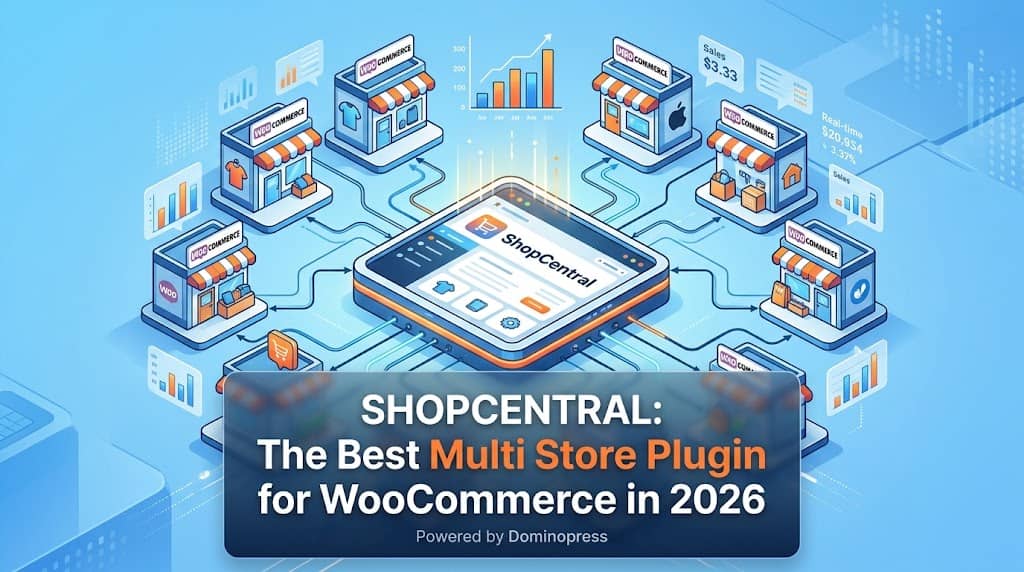
Running a single WooCommerce store is manageable. Running two, three, five, or ten WooCommerce stores simultaneously — each with its own WordPress admin, its own orders queue, its own product catalogue, and its own customer database — quickly becomes an operational nightmare. Logging in and out of multiple sites, reconciling fragmented revenue data, and managing inventory across separate dashboards consumes hours of time every week that could be spent growing the business.
ShopCentral is the best multi store plugin for WooCommerce that solves this problem completely — providing a single, unified “Command Center” from which store owners, agencies, and high-volume merchants manage every WooCommerce store in their network without switching tabs or re-entering credentials. This review covers everything you need to know about ShopCentral’s capabilities in 2026.
What Is ShopCentral?
ShopCentral is an advanced multi store WooCommerce plugin and analytics suite built by Dominopress. It installs on a single WordPress “hub” site — the Command Center — and connects to any number of external WooCommerce stores via the WooCommerce REST API. Once connected, every connected store’s orders, products, customers, and analytics are accessible and manageable from one beautiful, modern dashboard interface without ever leaving the hub site.
ShopCentral version 2.7.1 is compatible with WordPress 6.8+ and WooCommerce’s High-Performance Order Storage (HPOS), making it production-ready for sites running the latest WooCommerce versions. The architecture uses a smart remote proxy system: data is fetched on-demand from connected stores rather than stored in the hub’s database, preventing database bloat while delivering real-time information.
Key Fact: ShopCentral’s Version 2.6.0+ transforms the plugin into a full Order & Customer Sync platform — child site orders are imported as real WooCommerce orders on the hub, complete with customers, line items, metadata, and ACF fields, enabling full compatibility with Xero, warehouse management tools, and any WooCommerce order-based integration.
Why You Need a Multi Store Manager for WooCommerce
WooCommerce’s default installation is designed for a single store. There is no native mechanism to connect multiple WooCommerce sites, view aggregated revenue across sites, synchronise products between stores, or route orders to a central fulfilment system. As businesses grow to operate multiple stores — for different product lines, different geographic markets, different brands, or different customer segments — they face:
- Operational fragmentation: Each store requires separate logins, separate order processing, and separate inventory management
- Data blindness: No consolidated revenue view across stores means decisions are made without the full picture
- Product inconsistency: Prices, stock levels, and product details can drift out of sync between stores
- Customer data silos: The same customer may exist in multiple store databases without any cross-store insight
- Accounting complexity: Orders from multiple sites must be manually reconciled for bookkeeping
A WooCommerce multi store manager like ShopCentral eliminates all of these problems simultaneously by creating a unified operational layer above all connected stores.
Core Features Overview
Unified Analytics Dashboard
Aggregated revenue, order counts, top products, and sales trends across all connected stores in a single view.
Multi-Store Order Management
Central order timeline, advanced filters, pagination, and background order import & sync across all stores.
Product & Inventory Sync
Bidirectional inventory sync, bulk clone, and global price adjustments pushed to every store simultaneously.
Customer Intelligence
Cross-store customer profiles, purchase behavior analysis, VIP segmentation, and customer sync by email.
Global Coupon Broadcasting
Create and distribute discount codes across all connected stores simultaneously from one interface.
Automation Engine
Cart abandonment, post-purchase follow-ups, VIP tagging automation rules across the entire store network.
Data Export Suite
Export products, orders, reviews, categories, tags, customers, and coupons from all stores with time-period filters.
Smart Product Creator (Pro)
3-step wizard to create simple & variable products across multiple stores simultaneously, with per-store pricing.
How ShopCentral Works: The Architecture
ShopCentral operates on a hub-and-spoke model:
- Hub Site: ShopCentral is installed on one “Command Center” WordPress site. This is where all management happens.
- Child Stores: External WooCommerce stores are connected via WooCommerce REST API keys (Consumer Key & Secret). No plugin installation is required on child stores.
- On-Demand Proxy Fetching: When viewing data (orders, products, analytics), ShopCentral fetches it live from the child stores’ APIs — nothing is permanently stored in the hub’s database during normal browsing, preventing database bloat.
- Order Import (Optional): For accounting and warehouse integration, orders can be imported as real WooCommerce orders into the hub’s database via background queue processing.
Performance Note: The proxy architecture means adding 10 connected stores does not add 10x database overhead to the hub site. Data is fetched and displayed on-demand, keeping the command center site fast regardless of network scale.
Free vs Pro: Feature Comparison
| Feature | Free | Pro |
|---|---|---|
| Centralized Dashboard & Analytics | ✔ | ✔ |
| Order Timeline & Advanced Filters | ✔ | ✔ |
| Order Import & Sync (Background) | ✔ | ✔ |
| Product & Stock Overview | ✔ | ✔ |
| Customer Intelligence | ✔ | ✔ |
| Export Tools (All Data Types) | ✔ | ✔ |
| Activity Logs & Firewall Bypass | ✔ | ✔ |
| Connect Multiple Stores (up to limit) | 1 store | 3–Unlimited |
| Smart Product Creator | ✗ | ✔ |
| Global Product Editor | ✗ | ✔ |
| Product & Inventory Sync | ✗ | ✔ |
| Bulk Clone Products | ✗ | ✔ |
| Global Price Adjustments | ✗ | ✔ |
| Global Coupon Broadcasting | ✗ | ✔ |
| Advanced Automation Engine | ✗ | ✔ |
How to Set Up ShopCentral in 5 Steps
- Install & Activate: Install ShopCentral from the WordPress plugin directory or upload the ZIP via Plugins → Add New. Activate the plugin — you’ll be redirected to the dashboard automatically.
- Your Current Site is Added: The site you installed ShopCentral on is automatically added as the first store. No configuration needed for the hub site.
- Generate REST API Keys on Child Sites: On each external WooCommerce store, navigate to WooCommerce → Settings → Advanced → REST API. Create a key with Read/Write permissions and copy the Consumer Key and Consumer Secret.
- Add External Stores: In ShopCentral → Stores, click “Add Store,” enter the store URL and the API keys from step 3. ShopCentral will verify the connection immediately.
- Switch & Manage: Use the store selector in the top navigation to switch between connected stores. All dashboard sections (orders, products, analytics) update to show the selected store’s data.
Frequently Asked Questions
Is ShopCentral the best multi store plugin for WooCommerce?
ShopCentral is the most complete WooCommerce multi store management plugin available in 2026, combining a unified analytics dashboard, background order import and sync, product and inventory synchronisation, customer intelligence, global coupon broadcasting, and a full automation engine in a single plugin. Its HPOS compatibility, smart firewall bypass system, and ACF meta sync capabilities make it enterprise-grade. For most multi-store WooCommerce operators — from agencies managing client stores to merchants running multiple brands — ShopCentral covers every operational requirement.
Does ShopCentral require installation on every connected store?
No. ShopCentral is installed only on the hub (Command Center) site. Child stores connect via standard WooCommerce REST API keys — no plugin installation required on child sites. This makes it easy to connect stores you manage for clients without requiring access to install plugins on their sites.
How many stores can I connect?
The free version manages 1 store (the hub site itself). The Pro Personal plan connects up to 3 stores, Professional up to 5 stores, and the Business/Unlimited plan connects an unlimited number of WooCommerce stores.
Is ShopCentral compatible with WooCommerce HPOS?
Yes. ShopCentral is fully compatible with WooCommerce High-Performance Order Storage (HPOS), which uses dedicated order tables instead of post meta. All order management, import, and sync features work correctly with HPOS-enabled WooCommerce installations.
Manage All Your WooCommerce Stores From One Place
ShopCentral is the multi store manager WooCommerce merchants trust for centralized control, analytics, and automation.
