

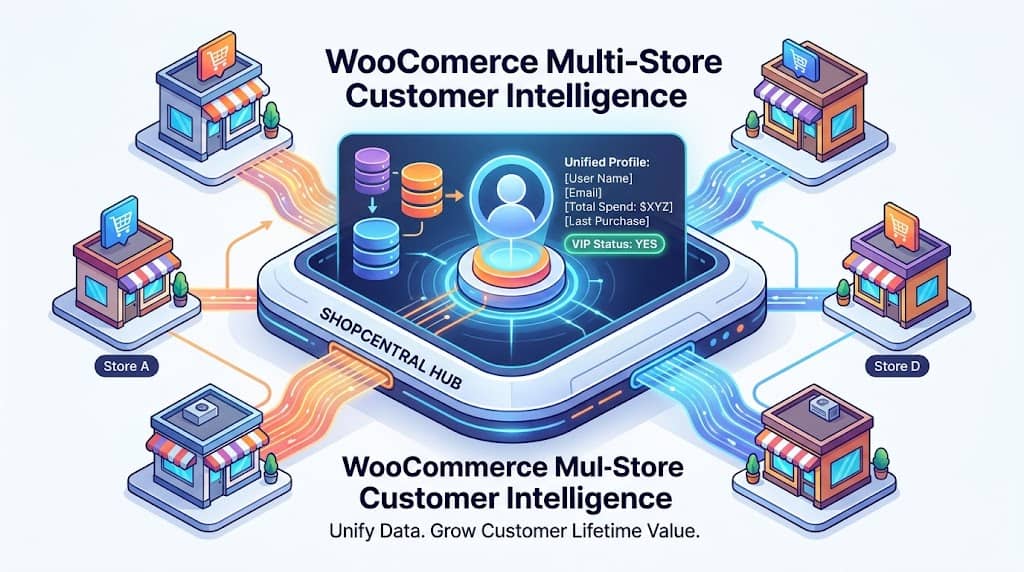
In a multi-store WooCommerce network, the same customer may purchase from multiple stores without the business ever knowing — because each store’s customer database is isolated. A high-value customer who buys premium products from Store A, discount items from Store B, and seasonal gifts from Store C represents three separate “customers” in three separate databases, with no way to understand their combined lifetime value, cross-store purchase patterns, or total spend relationship with the business.
ShopCentral’s Customer Intelligence module — part of this comprehensive multi store manager WooCommerce plugin — breaks down these silos by providing a centralized customer view, behavior analytics, VIP identification, and cross-store customer sync. This article covers all customer-focused features in ShopCentral.
The Value of Cross-Store Customer Intelligence
Understanding customer behavior is the foundation of effective marketing, retention, and personalization. For businesses operating a multi store WooCommerce network, the inability to see customers holistically across stores creates:
- Hidden high-value customers: A customer with moderate spend on each of 5 stores may be the network’s most valuable customer by total spend — but appears ordinary in every individual store’s analytics
- Duplicate marketing: Email campaigns from each store may reach the same customer independently, overwhelming them with messaging
- Missed retention opportunities: A customer whose overall purchase frequency is declining across stores cannot be identified and re-engaged without a cross-store view
- Incomplete customer profiles: Support teams see only the orders from one store when resolving customer issues, missing the broader relationship context
ShopCentral’s Customer Intelligence module (powered by the ShopCentral_Customer_Intelligence API class) addresses all of these challenges by aggregating customer data from all connected stores into actionable intelligence.
Unified Customer View
The Customers section in ShopCentral provides a unified list of customers from the selected store, with key metrics visible at a glance. For each customer, ShopCentral displays:
👤 Customer Profile
Name, email address, registration date, and billing/shipping address information from the connected store
💰 Total Spend
Lifetime total spend for the customer on the selected store — the primary value indicator for VIP identification
📦 Order Count
Number of orders placed by the customer, enabling purchase frequency analysis and repeat-buyer identification
📅 Last Order Date
Date of the customer’s most recent order — used for identifying at-risk customers who haven’t purchased recently
The customer list supports filtering by date range (using ShopCentral’s standardized date picker: Today, Yesterday, This Month, This Year, All Time) to identify customers acquired or active in a specific period. This is directly useful for evaluating the customer acquisition impact of marketing campaigns run in a specific time window.
VIP Customer Identification & Segmentation
The Customer Intelligence module is designed to surface the most valuable customers from the network for targeted marketing, loyalty programs, and personalized outreach. The interface identifies customers by:
- Total spend ranking: Sort customers by lifetime spend to identify the top revenue contributors — VIP customers who deserve priority treatment
- Order frequency: Identify the most frequent buyers who represent loyal, engaged customers with high lifetime value potential
- Recent activity: Flag customers who have not purchased recently for re-engagement campaigns — “at-risk” customers who are showing signs of churn
- New customer identification: Filter to customers acquired in a specific period to evaluate marketing campaign acquisition performance
This segmentation data feeds directly into ShopCentral’s Automation Engine — VIP customers identified in the Customer Intelligence view can be targeted with automated VIP tagging rules and post-purchase workflows. The combination of Customer Intelligence + Automation Engine creates a basic customer relationship management (CRM) capability within a multi store plugin for WooCommerce, without requiring a separate CRM tool.
Customer Intelligence Insight Example: Sorting customers by total spend on a store reveals that the top 5% of customers account for 35% of revenue. These customers can be targeted with an exclusive loyalty offer via ShopCentral’s Global Coupon Broadcasting — pushing a VIP coupon code to all connected stores simultaneously so the high-value customer receives preferential treatment regardless of which store they shop from next.
Customer Sync by Email
Customer Sync by Email (introduced in version 2.6.0) is the feature that bridges the gap between a customer’s presence across multiple stores and their consolidated profile on the hub site. When orders from child stores are imported to the hub via ShopCentral’s background order import system, customer accounts are handled as follows:
| Scenario | ShopCentral Action |
|---|---|
| Customer email exists on hub site | Imported order is linked to the existing WordPress user account automatically |
| Customer email is new (no existing user) | A new WordPress customer account is created from the imported order’s billing information |
| Same customer on multiple child stores | All orders from the same email address are linked to one hub account — unified customer profile |
| Large batch import (10,000+ orders) | Static caching of email lookups reduces DB queries during batch processing for reliable performance |
| Customer toggle per store | Customer Sync toggle (purple) is configurable per child store in the Connected Stores panel |
The result is that after Order Import and Customer Sync are enabled, the hub site’s WooCommerce customer database contains a consolidated record for every customer across all child stores — enabling hub-installed tools (CRM plugins, email marketing integrations, loyalty programs) to work with the complete customer relationship, not just per-store fragments.
Customer Retention Insights
Beyond identification, ShopCentral’s customer data enables actionable retention workflows:
- Export customer data: The Export Tools section allows exporting the full customer list (with order count and total spend) from any connected store for external CRM upload, email list import, or analysis in spreadsheet tools
- Automation Engine integration: Customer segments identified in the intelligence view feed into ShopCentral’s automation rules for cart abandonment follow-ups, post-purchase sequences, and VIP tagging
- Coupon targeting: High-value customers identified via spend ranking can be targeted with exclusive coupon codes via ShopCentral’s Global Coupon Broadcasting
- Re-engagement identification: Filtering by “last order before [date]” surfaces customers who were previously active but have not purchased recently — prime targets for win-back campaigns
Frequently Asked Questions
Does Customer Intelligence require Order Import to be enabled?
No. The Customer Intelligence view (customer list, spend, order count) works in live proxy mode — fetching customer data on-demand from connected stores’ REST APIs. Order Import is only required for Customer Sync — the feature that creates unified customer accounts on the hub site. You can use Customer Intelligence for analysis without importing orders.
Can I export customer data from connected stores?
Yes. ShopCentral’s Export Tools section includes a Customers export that outputs customer data including name, email, order count, and total spend. Exports can be filtered by time period (This Month, This Year, or All Time) and work for any connected store.
Understand Your Customers Across All WooCommerce Stores
ShopCentral’s Customer Intelligence and Customer Sync reveal VIP customers and cross-store buying patterns hidden in siloed store databases.
