

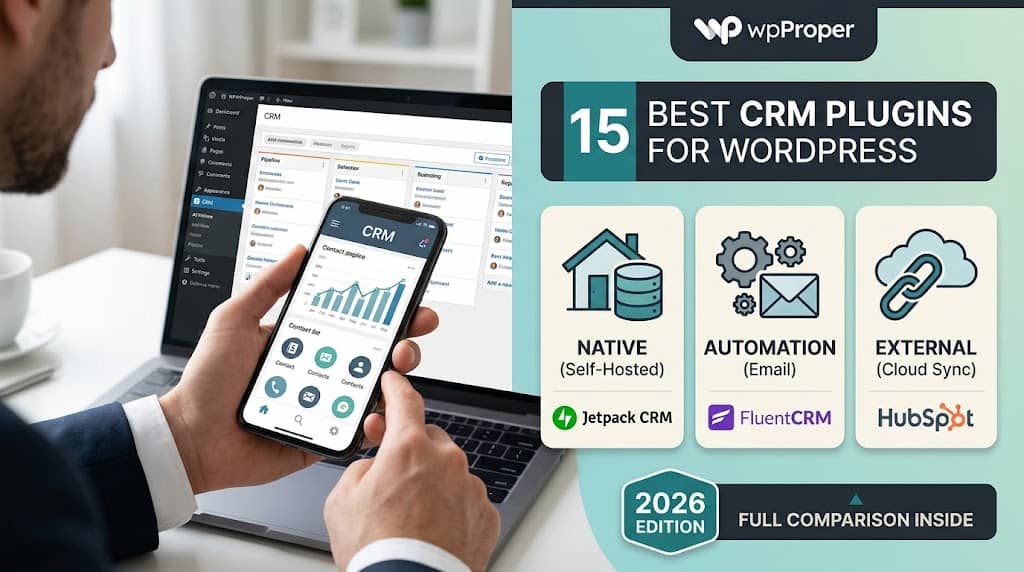
Why Your WordPress Site Needs a CRM Strategy
Most websites collect contact information. A contact form here, a checkout record there, an email subscription from a blog post. Without a structured system to organise, qualify, and act on that data, the information sits in disconnected silos — a spreadsheet, an email inbox, a WooCommerce order list — while potential revenue quietly evaporates.
A dedicated CRM for WordPress solves this by centralising your customer and lead data, creating a clear picture of each relationship and where it stands in your sales or service process. Whether you run a B2B consulting firm chasing proposals, an e-commerce store tracking repeat buyers, or a service agency managing client projects, the right customer relationship management system transforms scattered contact data into actionable business intelligence.
The challenge is choosing from a genuinely crowded market. The best WordPress CRM plugins range from lightweight contact managers designed to live entirely within WordPress, to full marketing automation suites with visual pipelines and behavioural email sequences, to integration connectors that sync WordPress data with external enterprise platforms like Salesforce or Zoho. These tools serve fundamentally different audiences and budgets — and choosing the wrong one early means either outgrowing it quickly or paying for capability you’ll never use.
This guide evaluates fifteen of the most capable and widely used solutions available in 2026. For each one, we’ve focused on what it genuinely does well, where it falls short, and the specific use case it fits best — so you can make an informed decision rather than relying on feature lists alone.
Three Types of WordPress CRM: Which Architecture Suits You?
Native WordPress CRM
Stores all CRM data within your WordPress database. Maximum privacy, no third-party accounts required. Best for businesses that want to keep data fully self-hosted.
Examples: Jetpack CRM, WP-CRM System, UpiCRM
CRM + Marketing Automation
Combines contact management with email sequences, pipeline tracking, and automation triggers. Ideal for businesses running active lead nurture campaigns from inside WordPress.
Examples: FluentCRM, Groundhogg, HubSpot
External CRM Integration
Syncs WordPress data with an existing external CRM platform. Best for businesses already invested in Salesforce, Zoho, or HubSpot who want to bridge WordPress activity with their CRM.
Examples: WP Fusion, Salesforce WP, Zoho integration
📋 8 Questions to Ask Before You Choose
📥 How do leads enter your system (forms, WooCommerce, manual)?
📊 Do you need a visual sales pipeline?
📧 Will you run automated email sequences?
👥 How many team members will access the CRM?
🛒 Does it need to integrate with WooCommerce?
📍 Do you need to keep data on your own server?
🔗 Do you already use an external CRM to sync with?
💲 What is your monthly budget per active contact?
Jump to a Plugin
The 15 Best CRM Plugins for WordPress in 2026
Each plugin below has been evaluated on contact management depth, pipeline and automation capability, integration breadth, ease of use, and long-term viability of the development team behind it.
Plugin #1 — Editor’s Choice
HubSpot for WordPress
Best Free CRM Overall
HubSpot for WordPress is the most capable free CRM plugin for WordPress on the market, connecting your site to HubSpot’s industry-leading free CRM platform without requiring any coding. The WordPress plugin adds a live chat widget, pop-up forms, and an embeddable meeting scheduler to your site, while every contact interaction — form submission, chat conversation, page view — is automatically recorded in HubSpot’s CRM timeline.
The free HubSpot CRM includes unlimited contacts, a deal pipeline with drag-and-drop stages, email tracking, contact property management, and basic email marketing. This is a genuine, production-capable CRM — not a stripped-down free trial. Small businesses running their entire sales operation from HubSpot Free will find it sufficient for years of growth without paying anything.
HubSpot’s paid tiers (Starter, Professional, Enterprise) add marketing automation, A/B testing, predictive lead scoring, custom reporting, and revenue attribution. The ecosystem depth — including sales, service, operations, and CMS hubs — means you can build an entire customer operations platform around a single vendor as your business scales.
Free Tier Highlights
- Unlimited contact storage with full activity timeline
- Live chat and chatbot builder embedded in WordPress
- Form builder with automatic contact capture to CRM
- Deal pipelines with customisable stages
- Email tracking and basic sequences (free tier limits apply)
- Meeting scheduling link embedded via WordPress widget
- WooCommerce integration for purchase history tracking
Free Version
✅ Full CRM
Contacts (Free)
Unlimited
Pipeline
✅ Visual
Paid From
$20/mo
Consideration: HubSpot’s free tier branding appears on chat widgets and forms. Data is stored on HubSpot’s servers, which matters for businesses with strict data residency requirements. For fully self-hosted CRM data, Jetpack CRM or FluentCRM are better alternatives.
Plugin #2
WP ERP
Best Complete ERP Solution
WP ERP is the most ambitious plugin in this entire category: a full wordpress erp software platform that combines CRM, Human Resources management, and Accounting into a single, unified WordPress plugin. For small and medium-sized businesses that want to run their entire operations through their WordPress backend — managing customers, employees, and finances without switching between separate systems — WP ERP is genuinely remarkable in what it achieves.
The CRM module handles contact groups, lead stages, activity scheduling, meeting notes, call logs, and email history. The HR module covers employee records, attendance, leave management, and payroll. The accounting module manages invoices, expenses, income tracking, tax configuration, and financial reports. As a wordpress erp system, this depth of functionality in a single plugin has few direct competitors in the self-hosted space.
The free version from WordPress.org includes the CRM and HR modules with reasonable functionality limits. The paid WP ERP Pro tier adds the accounting module, WooCommerce integration, Gravity Forms connector, Zapier support, and extended HR features including payroll. For businesses growing into operational complexity, WP ERP scales with them through a modular add-on ecosystem.
What Makes WP ERP Stand Out
- Unified platform: CRM + HR + Accounting in one WordPress plugin
- Contact life-stages (lead, opportunity, customer, subscriber) with transition tracking
- Activity scheduling — calls, meetings, and tasks linked to each contact
- Multi-company support for agencies managing multiple client businesses
- Financial reporting: balance sheet, profit & loss, cash flow
- REST API for custom integrations and third-party data sync
Free Version
✅ CRM + HR
Accounting
✅ (Pro)
WooCommerce
✅ (Pro)
Pro From
$112/yr
Plugin #3
Jetpack CRM
Best Self-Hosted CRM
Jetpack CRM (formerly Zero BS CRM, now part of the Automattic family) is the most fully-featured native WordPress CRM available. Every piece of data — contacts, companies, transactions, quotes, invoices, and activity logs — is stored directly in your WordPress database with no third-party cloud dependency. For businesses where data sovereignty is a non-negotiable requirement, Jetpack CRM is the definitive choice for customer management for WordPress.
The core contact management is impressively detailed: each contact record holds custom fields, tags, segments, transaction history, quote and invoice records, activity timeline, and a notes log. The B2B module adds company entities linked to individual contacts, enabling proper organisation management for B2B sales teams tracking accounts alongside individual leads.
Jetpack CRM integrates natively with WooCommerce — purchasing activity automatically creates or updates contact records, and purchase history is visible directly in the contact timeline. The invoicing module allows you to create, send, and mark paid invoices from within WordPress, and a client portal gives customers a front-end view of their quotes and invoice history.
- 100% data stored in your WordPress database — zero cloud dependency
- Quote and invoice generation within WordPress admin
- Client portal for customer-facing document access
- WooCommerce purchase history synced to contact records
- Email marketing module with segment-based sending
- Extensive API for custom integration with other business tools
Data Hosting
Self-Hosted ✅
Free Core
✅ Yes
Invoicing
✅ Native
Entrepreneur Plan
$11/mo
Plugin #4
FluentCRM
Best Email Marketing CRM
FluentCRM is the standout choice for businesses that need a CRM and email marketing automation platform operating entirely from within WordPress. While most email marketing tools require a monthly per-subscriber SaaS subscription, FluentCRM sends emails through your own sending infrastructure (Amazon SES, SendGrid, Mailgun, or your hosting SMTP) — which dramatically reduces the cost per email at scale and keeps all subscriber data within your WordPress installation.
The automation engine is genuinely powerful: visual workflow builder with triggers based on WooCommerce purchases, form submissions, link clicks, course completions (LearnDash, Tutor LMS), membership changes (MemberPress, Restrict Content Pro), and tag assignments. Each automation can branch on conditions, wait for time intervals, send personalised emails, and update contact properties — covering the full lifecycle nurture sequence for most businesses.
Contact management includes unlimited tags, custom fields, dynamic segments based on contact properties and behaviour, engagement scoring, and a clean activity timeline. Email campaigns support A/B testing across subject lines, advanced link tracking, and open/click analytics — all stored locally, not in a third-party platform.
- Self-hosted email marketing — no per-subscriber fee beyond sending costs
- Visual automation builder with 20+ trigger types
- Deep WooCommerce integration: purchase-triggered sequences, abandoned cart recovery
- LMS integrations: LearnDash, Tutor LMS, LifterLMS course completion triggers
- Membership plugin integration: MemberPress, Restrict Content Pro, Paid Memberships Pro
- Dynamic email personalisation using contact tags and custom field values
Free Version
✅ Core CRM
Email Sending
Self-Hosted
Automation
✅ Visual Builder
Pro From
$129/yr
Cost Advantage: A business sending 50,000 emails per month would pay roughly $3–5/month via Amazon SES using FluentCRM, compared to $200–600/month on a per-subscriber SaaS email marketing platform at similar list sizes. The savings compound significantly as your list grows.
Plugin #5
Groundhogg
Best for Agencies
Groundhogg is a marketing automation and CRM platform built for WordPress agencies and freelancers who manage multiple client sites. Its white-label capability allows agencies to present the CRM to clients under their own branding — a feature that has no equivalent among the other plugins in this list. Agency licences cover unlimited client site installations, making the per-site cost negligible at scale.
The funnel builder uses a visual block-based editor where you define sequences of steps — send email, wait, check condition, apply tag, create task — with a clarity that makes complex automations readable without technical knowledge. Groundhogg’s approach to contact management includes full activity history, tags, custom meta, and pipeline-style deal tracking, covering the core CRM workflow effectively.
Groundhogg integrates with Gravity Forms, WooCommerce, LearnDash, BuddyBoss, Ninja Forms, and Fluent Forms. Its developer-first philosophy is reflected in clean hooks and a well-documented API, making custom integrations straightforward for technical users. Like FluentCRM, it self-hosts all contact data and sends email through your own infrastructure.
Agency Licence
✅ White-Label
Free Version
✅ Yes
Email Sending
Self-Hosted
Pro From
$20/mo
Plugin #6
WP-CRM System
Best for Simple Teams
WP-CRM System is a lightweight, straightforward contact and project management tool designed for small teams that need basic CRM functionality without the complexity of a full marketing automation suite. It manages contacts, organisations, projects, and tasks — with each element linked to the others to give a complete view of what’s happening with each client relationship.
The plugin integrates with Gravity Forms, Contact Form 7, and Ninja Forms to automatically create contact records from form submissions. Task management allows team members to assign and track tasks linked to specific contacts or projects, with due dates and completion status visible in the WordPress dashboard. Custom fields extend the contact record to capture any data your business needs to track.
WP-CRM System’s free version provides functional contact and company management for unlimited records. Add-ons cover invoicing, email notifications, campaign management, and payment processing. Its simplicity is its strength — for teams that don’t need complex automation but do need an organised, shared contact database accessible through WordPress, it delivers without overwhelming users with features they won’t use.
Free Version
✅ Core CRM
Complexity
🟢 Low
Task Mgmt
✅ Built-in
Add-ons From
$39/yr each
Plugin #7
UpiCRM
Best 100% Free CRM
UpiCRM is one of the rare examples of a genuinely capable CRM that is completely free — no paid tiers, no premium add-ons, no “upgrade to unlock” limitations on the core functionality. It connects directly to Contact Form 7, Gravity Forms, and WPForms to capture lead data automatically, and presents those leads in a Kanban-style pipeline board where your team can move deals through stages with drag-and-drop simplicity.
The pipeline view is UpiCRM’s signature feature — visually clear, fast to use, and well-suited to sales teams that process a moderate volume of leads from website contact forms. Each lead card holds the contact details, source form, submission date, and any notes added by team members. Team member assignment allows you to distribute leads across your sales team directly from the pipeline view.
For small businesses, consultants, and solo operators who need a visual lead management system connected to their WordPress contact forms without any subscription cost, UpiCRM delivers a clean solution. Its scope is deliberately limited — it doesn’t handle email automation, complex custom fields, or enterprise workflows — but within its intended scope, it performs reliably.
Price
100% Free
Pipeline View
✅ Kanban
CF7 / GF
✅ Native
Best For
Solo / Small Teams
Plugin #8
WP Fusion
Best CRM Bridge
WP Fusion is not itself a CRM — it is the most capable connector between WordPress and virtually any external CRM platform. If your business already operates a CRM like ActiveCampaign, HubSpot, Infusionsoft/Keap, Ontraport, Salesforce, or 60+ other platforms, WP Fusion bridges the gap between your WordPress site’s user activity and that external CRM.
Every meaningful WordPress event — user registration, WooCommerce purchase, form submission, membership access change, course progress update, post view — can be pushed to your CRM as a tag, field update, or automation trigger. Conversely, CRM tags can control content access on your WordPress site, allowing your CRM’s marketing logic to determine what a logged-in user can see or access.
For businesses that have outgrown native WordPress CRM solutions but want to leverage the rich behavioural data generated by their WordPress site — member portal activity, course completions, WooCommerce purchase patterns — WP Fusion provides the synchronisation layer that makes this data meaningful in their external CRM’s automation workflows.
CRMs Supported
60+
Data Flow
Bidirectional
WP Integrations
100+
From
$247/yr
Plugin #9
Salesforce for WordPress
Best Enterprise Integration
Several WordPress plugins provide Salesforce integration, with the most established being the Salesforce Web-to-Lead plugin and the more capable Gravity Forms Salesforce add-on. For enterprise organisations running Salesforce as their primary CRM, these connectors allow WordPress form submissions to flow directly into Salesforce as new leads, contacts, or custom object records — without manual data entry or Zap-based workarounds.
The Gravity Forms + Salesforce integration is particularly sophisticated: it maps individual form fields to Salesforce object fields, handles both standard and custom Salesforce objects, and supports conditional logic that determines which Salesforce object a submission creates based on form values. This level of precision is essential for enterprises with complex Salesforce data models.
WooCommerce Salesforce integrations exist via third-party connectors and middleware tools (Zapier, Make/Integromat), syncing purchase data, customer records, and order status updates to Salesforce in near real-time. For any business whose sales and marketing operations live primarily in Salesforce, these WordPress connectors are the bridge that ensures site-generated leads don’t disappear into an inbox.
Requires Salesforce
✅ External CRM
Best Connector
Gravity Forms Add-on
Complexity
⚠️ High
Best For
Enterprise
Plugin #10
Zoho CRM for WordPress
Best Mid-Market Integration
Zoho CRM has an official WordPress plugin that embeds Zoho’s web forms into WordPress pages and syncs submissions directly to Zoho CRM as leads or contacts. For businesses already using Zoho’s broader suite — Zoho Campaigns, Zoho Desk, Zoho Books, or Zoho One — connecting their WordPress site to the Zoho ecosystem via this plugin ensures lead data flows into the same platform handling their sales, support, and billing operations.
Beyond the official plugin, several third-party tools (WP Fusion, Zapier, Pabbly Connect) provide deeper Zoho integrations — syncing WooCommerce orders, user registrations, and custom post type data to Zoho CRM fields beyond what the native plugin covers. For businesses with custom Zoho CRM modules or complex workflows, these extended connectors are worth evaluating.
Zoho CRM’s free tier supports up to three users with basic CRM functionality — sufficient for solo operators and micro-teams to begin CRM adoption before committing to a paid plan. This makes the Zoho + WordPress combination accessible as a starting point for small businesses that anticipate growing into the full Zoho suite over time.
Zoho Free
3 Users
Official WP Plugin
✅ Free
Zoho Suite
Extensive
Paid From
$14/user/mo
Plugin #11
Presspoint CRM
Best for Membership + CRM
Presspoint CRM occupies a unique position by combining CRM functionality with a powerful user profile and membership management system. It extends the WordPress user record with rich CRM data — notes, activities, custom fields, tags, relationships, and purchase history — while also managing membership levels, subscriptions, and content access control in a single plugin.
This integration between CRM and membership is particularly valuable for associations, nonprofits, and professional organisations where the relationship between member status and contact data is central to operations. Tracking when a member last renewed, their committee participation, event attendance history, and communication log — all within a single WordPress-based record — eliminates the need to cross-reference multiple tools.
Presspoint supports ecommerce-style product sales for events, directories, and content, with purchase records linked to contact profiles. Its search and filtering capabilities across the entire contact database are more advanced than most plugins in this category, enabling detailed segmentation for targeted communications or reporting.
Free Version
❌ Premium Only
Membership
✅ Integrated
Best For
Associations
Pricing
From $499/yr
Plugin #12
CRM Perks
Best Form-to-CRM Connector
CRM Perks is a family of WordPress plugins focused specifically on connecting popular form builders (Gravity Forms, Contact Form 7, WPForms, Ninja Forms) to external CRM platforms. Rather than being a CRM itself, CRM Perks provides dedicated integration plugins for HubSpot, Salesforce, Zoho, Pipedrive, Freshdesk, Agile CRM, and other platforms — each built and maintained independently for reliability.
For businesses using a non-HubSpot external CRM that doesn’t have a first-party WordPress plugin, CRM Perks often fills the gap with more reliable field mapping, better error handling, and more frequent updates than generic Zapier workarounds. The Gravity Forms + HubSpot add-on, for instance, supports custom HubSpot properties, deal creation on form submission, and contact association to companies — features that most middleware solutions handle poorly.
Type
Form Connectors
CRMs Supported
8+
Form Builders
GF, CF7, WPForms
Per Plugin
~$49–99/yr
Plugin #13
Agile CRM for WordPress
Best Free Automation Platform
Agile CRM has an official WordPress plugin that syncs form submissions, user registrations, and WooCommerce purchases to the Agile CRM platform. Agile CRM’s free plan supports up to 10 users and 1,000 contacts with sales, marketing, and service features included — making it one of the most generous free CRM offerings in the external platform category.
The Agile CRM platform includes a visual deal pipeline, email marketing with campaigns and automations, helpdesk ticketing, telephony integration, and appointment scheduling — all available at the free tier with limits. For growing SMBs that need both CRM and marketing automation without an immediate budget for paid tools, connecting their WordPress site to Agile CRM provides a functional starting point.
Free Users
10
Free Contacts
1,000
Helpdesk
✅ Included
Paid From
$9.99/user/mo
Plugin #14
vCita CRM
Best for Service Businesses
vCita combines CRM with client portal, scheduling, invoicing, and payments into a platform specifically designed for service-based small businesses — coaches, consultants, therapists, personal trainers, and freelancers. Its WordPress plugin embeds a live widget on your site that allows clients to book appointments, pay invoices, and send documents directly from your website — all syncing to vCita’s CRM automatically.
Every client interaction — booking, payment, form submission, email — is logged to their CRM record automatically. The client portal gives customers a dedicated space to view appointment history, outstanding invoices, shared files, and upcoming sessions. Automated reminders for appointments and overdue invoices reduce no-shows and chasing payments without requiring manual follow-up from the business owner.
Client Portal
✅ Included
Scheduling
✅ Built-in
Invoicing
✅ Built-in
From
$29/mo
Plugin #15
Bitrix24 for WordPress
Best Free Team CRM
Bitrix24 offers one of the most generous free business platform tiers available: unlimited users, unlimited contacts, a CRM with deals and pipelines, project management, internal communication tools (chat, video calls), and a website builder — all free with no contact or user limits. The WordPress integration connects your site’s contact forms to Bitrix24’s CRM, and a live chat widget can be embedded in WordPress directly from the Bitrix24 dashboard.
For growing teams that need more than just a CRM — project tracking, task management, team collaboration, and internal communication alongside contact management — Bitrix24 provides a unified platform that reduces the number of separate tools in the stack. The free plan’s unlimited user count is particularly notable, as most CRM platforms charge per seat even at basic tiers.
The WordPress integration is functional rather than deep — form submissions flow to CRM, chat is embeddable, and some automation is possible — but the platform’s breadth across CRM, project management, and communication makes it the most complete free option for teams that want a comprehensive business platform connected to their WordPress site.
Free Users
Unlimited
Free Contacts
Unlimited
Project Mgmt
✅ Included
Paid From
$61/mo (5 users)
Full Comparison: All 15 CRM Plugins at a Glance
| Plugin | Free Tier | Self-Hosted | Automation | WooCommerce | Pipeline | Best For |
|---|---|---|---|---|---|---|
| HubSpot | ✅ Full | ❌ | ✅ (Paid) | ✅ | ✅ | Free CRM start |
| WP ERP | ✅ CRM+HR | ✅ | Limited | ✅ (Pro) | ✅ | ERP / SMB ops |
| Jetpack CRM | ✅ Core | ✅ | ✅ (Paid) | ✅ | ✅ | Data sovereignty |
| FluentCRM | ✅ Core | ✅ | ✅ Advanced | ✅ | Limited | Email automation |
| Groundhogg | ✅ Core | ✅ | ✅ Visual | ✅ | ✅ | Agencies |
| WP-CRM System | ✅ Core | ✅ | ❌ | ❌ | ❌ | Small teams |
| UpiCRM | ✅ Full Free | ✅ | ❌ | ❌ | ✅ Kanban | Solo / leads |
| WP Fusion | ❌ | Via ext. CRM | ✅ Bridge | ✅ | Via ext. | CRM bridge |
| Salesforce WP | Requires SF | ❌ | Via SF | ✅ (via API) | Via SF | Enterprise |
| Zoho CRM | ✅ 3 users | ❌ | ✅ (Paid) | ✅ (via API) | ✅ | Zoho users |
| Presspoint | ❌ | ✅ | Limited | ✅ | ✅ | Associations |
| CRM Perks | ❌ | Via ext. CRM | Via ext. | ❌ | Via ext. | Form connectors |
| Agile CRM | ✅ 10 users | ❌ | ✅ (Free) | ✅ | ✅ | Teams, free auto |
| vCita | ❌ (trial) | ❌ | ✅ Reminders | ❌ | Limited | Service biz |
| Bitrix24 | ✅ Unlimited | ❌ | ✅ (Paid) | ❌ (via API) | ✅ | Teams, free tier |
Frequently Asked Questions
Finding the Best CRM for WordPress: Our Final Verdict
After reviewing all fifteen options, the right CRM for WordPress depends entirely on your business model, team size, data requirements, and the role that email automation plays in your growth strategy. No single plugin wins every category — but every use case has a clear best match.
Best Free Option
HubSpot for WordPress
Unlimited contacts, visual pipeline, and chat — genuinely zero cost for core CRM needs.
Best Email Automation
FluentCRM
Self-hosted automation at a fraction of SaaS email platform costs — the best value in the category.
Best Self-Hosted
Jetpack CRM
All data on your server, native WooCommerce integration, invoicing, and client portal included.
Best Full ERP
WP ERP
CRM + HR + Accounting in one WordPress plugin — the most complete operational platform available.
Best External Bridge
WP Fusion
Connects WordPress user behaviour to 60+ external CRM platforms with deep bidirectional sync.
Best for Agencies
Groundhogg
White-label capability and unlimited client site licences make it the agency’s CRM-automation choice.
Among the best wordpress crm plugins reviewed in this guide, the clearest recommendation for most small and medium businesses is to start with HubSpot (free, fast setup, no data architecture decisions required) and migrate to FluentCRM or Jetpack CRM once you have clarity on your email automation needs and data sovereignty requirements. For businesses running WooCommerce as their primary revenue channel, FluentCRM’s purchase-triggered automation and self-hosted data model justify its modest annual cost almost immediately.
Whichever tool you choose, the most important step is implementation — a properly configured best crm wordpress plugin that your team uses consistently will outperform a sophisticated system that sits unconfigured. Start simple, track your leads reliably, and add automation complexity only when the basic workflow is running smoothly.
All pricing, feature details, and product information are based on publicly available data at the time of writing. Features and pricing change frequently — always verify on each plugin’s official website before purchasing.
