

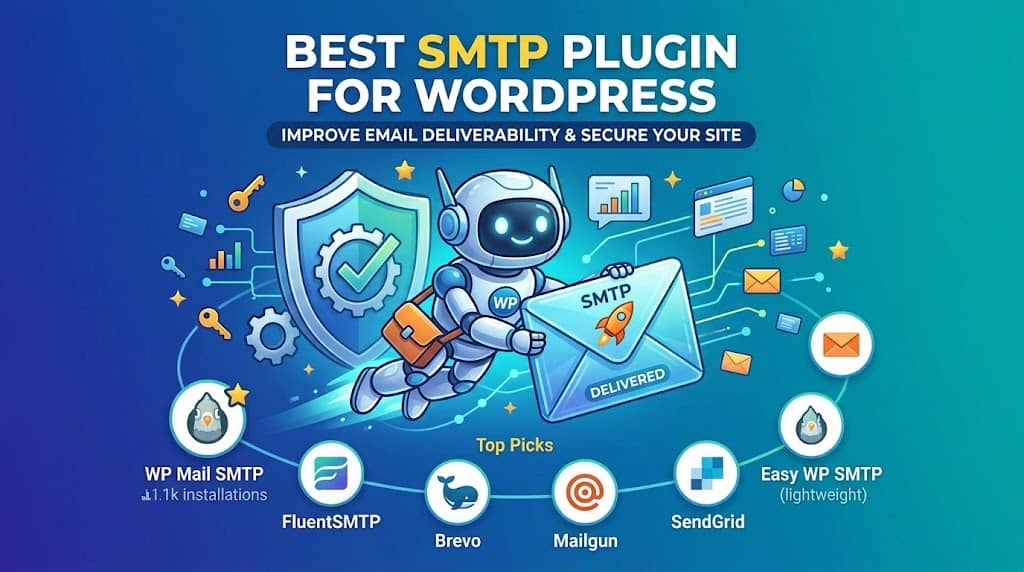
If you have ever wondered why your WordPress contact form confirmations, WooCommerce order emails, or user registration notices go missing, the answer almost always comes back to the same root cause: WordPress’s default mail function is fundamentally unreliable. The right SMTP plugin for WordPress fixes this permanently by routing all outgoing email through a proper mail server, with authentication, which dramatically reduces spam folder placement and undelivered messages.
WordPress uses the PHP wp_mail() function to send emails by default. This function relies on the sendmail binary or PHP’s mail() function on your web server. The problem is that shared hosting servers are not configured as proper mail servers, they lack valid SPF and DKIM records for your domain, and receiving mail servers (Gmail, Outlook, Yahoo) treat this outgoing mail with justified suspicion.
An SMTP mailer plugin bypasses this entirely by handing off mail delivery to a dedicated email service provider: Gmail, Microsoft 365, SendGrid, Amazon SES, Mailgun, or any other SMTP-capable service. In this guide, we cover the 10 best SMTP plugins for WordPress in 2026, plus a complete setup walkthrough for the most popular option.
What is WP Mail SMTP?
WP Mail SMTP is a WordPress plugin that reconfigures the wp_mail() function to send emails using proper SMTP authentication rather than the server’s default PHP mail. It supports dozens of third-party mailers and is the most installed wp smtp wordpress plugin in the WordPress repository. What is WP Mail SMTP in practical terms? It is the bridge between your WordPress site and a trusted email delivery service.
Why WordPress Email Deliverability Fails (And How SMTP Fixes It)
Understanding the problem makes it easier to evaluate solutions. Here is what happens without an SMTP plugin:
- WordPress calls PHP’s
mail()function, which depends on the server’s sendmail configuration - Shared hosting servers often have no reverse DNS, no SPF record, and no DKIM signing
- Receiving mail servers flag the message as suspicious or route it to spam
- On some hosting environments, PHP mail is disabled entirely for abuse prevention
A wordpress smtp email plugin solves this by authenticating your WordPress site with a legitimate email provider using SMTP credentials (hostname, port, username, password). The email then travels via a trusted relay with proper authentication records, and receiving servers treat it as legitimate.
10 Best SMTP Plugins for WordPress in 2026
Compared by features, mailer support, and ease of setup.
Editor’s Pick
#1. WP Mail SMTP by WPForms
Best Overall SMTP Plugin for WordPress, 4M+ Active Installs
The wp mail smtp plugin developed by the WPForms team is the dominant solution in this category for good reason. It supports more mailers than any competitor (Gmail, Outlook/Office 365, SendGrid, Mailgun, Amazon SES, Postmark, SparkPost, and custom SMTP), it features an email log and deliverability testing tool built in, and its setup wizard walks non-technical users through the entire configuration process without requiring them to touch any code.
The free version handles Gmail, Outlook, and generic SMTP configurations. The Pro tier unlocks Amazon SES, SendGrid, Mailgun, Postmark, and the email log with failure alerts — a feature set that is genuinely useful for WooCommerce stores and membership sites where undelivered emails directly cost money.
Supported Mailers
- Gmail and Google Workspace (OAuth)
- Microsoft 365 / Outlook (wordpress office365 support via OAuth)
- Amazon SES (Pro)
- SendGrid (Pro)
- Mailgun (Pro)
- Postmark (Pro)
- Custom SMTP (any provider with SMTP credentials)
Pros
- Widest mailer support in the category
- Setup wizard for non-technical users
- Email log with failure alerts (Pro)
- Excellent documentation
Cons
- Email log requires Pro license
- SES/SendGrid require Pro
Price: Free / Pro from $49/year. Best for: Most WordPress sites that need reliable email delivery.
#2. Post SMTP Mailer
Best Free SMTP Plugin with Email Logging
Post SMTP Mailer is the strongest free alternative to WP Mail SMTP and offers something its competitor reserves for paid users: a built-in email log, available at no cost. Every outgoing email is recorded with its delivery status, recipient, subject, and body, making it invaluable for diagnosing deliverability issues on a WooCommerce or LMS site.
As a smtp mailer plugin it supports Gmail (OAuth2), Microsoft 365, SendGrid, Mailgun, Amazon SES, and generic SMTP. The setup wizard is nearly as user-friendly as WP Mail SMTP, and the email tester lets you validate configuration before going live. Failure notifications via Slack, mobile push, or email keep you informed when something breaks.
Key Features
- Email log with delivery status (free)
- Failure alerts via Slack, Twilio, push notification
- Gmail OAuth2, Microsoft 365 OAuth2
- SendGrid, Mailgun, Amazon SES support
- Email resend from log
Pros
- Free email log is a standout feature
- Excellent failure notification options
- Broad mailer support at no cost
Cons
- UI is less polished than WP Mail SMTP
- Log can grow large without management
Price: Free. Best for: Sites that need email logging without paying for a Pro plan.
#3. FluentSMTP
Best Free SMTP Plugin with Multi-Connection Routing
FluentSMTP from the WPManageNinja team is entirely free and packs in a feature that most paid plugins do not offer: multiple SMTP connection routing. You can configure multiple email services simultaneously and route different email types through different connections, for example, transactional emails via Amazon SES and marketing emails via SendGrid. This level of sophistication is unheard of in free tools.
Key Features
- Multiple simultaneous SMTP connections
- Route email types to different providers
- Email log with search and filter
- Supports Gmail, SES, SendGrid, Mailgun, and more
- 100% free, no premium tier
Price: Free. Best for: High-volume sites needing multi-provider email routing at no cost.
#4. Easy WP SMTP
Best Lightweight SMTP Plugin for Simple Setups
Easy WP SMTP has been a staple recommendation for years because of one primary virtue: simplicity. If you just need to point WordPress at a specific SMTP server using a hostname, port, username, and password, Easy WP SMTP does exactly that without any frills. There is no wizard, no mailer-specific integrations — just a clean settings screen where you enter your credentials and you are done. For sites on a specific company mail server or using a hosting provider’s SMTP relay, this no-nonsense approach is exactly what is needed.
Key Features
- Simple SMTP credential configuration
- SSL and TLS support
- Test email functionality
- Minimal footprint, no unnecessary assets
Price: Free. Best for: Simple setups where you have SMTP credentials and just need to enter them.
#5. Brevo (Sendinblue) for WooCommerce & WordPress
Best SMTP Plugin Bundled with a Marketing Platform
Brevo (formerly Sendinblue) offers an official WordPress plugin that handles SMTP delivery and doubles as an integration point for their broader marketing platform. If you are already using Brevo for newsletter campaigns or CRM functionality, using their plugin for SMTP delivery unifies your email infrastructure under one provider with a single deliverability reputation to manage. Free accounts include up to 300 emails per day, which is sufficient for many small business sites.
Key Features
- Free plan: 300 emails/day
- WooCommerce transactional email integration
- Email statistics and delivery reports
- Contact sync with Brevo CRM lists
Price: Free (300 emails/day) / Paid from $25/month. Best for: Sites already using Brevo for email marketing.
#6. Mailgun for WordPress
Best for High-Volume Transactional Email
Mailgun is a developer-oriented email delivery service with a dedicated WordPress plugin. The free tier allows up to 1,000 emails per month with a 3-month trial, making it viable for low-to-medium traffic sites before costs kick in. Mailgun’s real advantage is deliverability infrastructure: dedicated IPs, real-time analytics, bounce and complaint tracking, and the ability to configure DKIM and SPF directly from their dashboard.
Key Features
- Domain verification with DKIM/SPF setup guide
- Email tracking: opens, clicks, bounces, complaints
- Dedicated sending IPs available
- Webhook support for real-time event data
Price: Free trial / Paid from $15/month. Best for: Developer teams needing high-volume transactional email with analytics.
#7. WP Offload SES
Best for AWS-Hosted WordPress Sites Using Amazon SES
WP Offload SES by Delicious Brains is a premium-focused plugin designed specifically for Amazon SES users. While WP Mail SMTP and others support SES as one option among many, WP Offload SES treats it as the primary integration and goes deeper: email logging with search and resend, open and click tracking, bounce and complaint processing, and an elegant interface designed for ongoing email monitoring rather than just configuration.
Key Features
- Dedicated Amazon SES integration
- Email log with resend capability
- Open and click tracking
- Bounce and complaint handling
Price: From $99/year. Best for: AWS-hosted sites or teams committed to Amazon SES for email delivery.
#8. Gravity SMTP
Best for Gravity Forms Users Needing Deep SMTP Integration
Gravity SMTP is a newer entrant from the Gravity Forms team, designed to be a comprehensive SMTP solution for WordPress sites using Gravity Forms. It handles all outgoing WordPress email, not just Gravity Forms notifications, and includes a clean email log, test email tool, and multiple mailer integrations. The polished interface feels more modern than most competitors, and the deep integration with Gravity Forms entry data adds context to email logs that form-heavy sites will appreciate.
Key Features
- Modern, clean dashboard UI
- Email log with contextual form entry data
- Multiple mailer integrations
- Free to use
Price: Free. Best for: Sites running Gravity Forms who want native SMTP integration.
#9. SendGrid for WordPress
Best for SendGrid Users with High Volume Sending
SendGrid’s official WordPress plugin integrates your site directly with SendGrid’s deliverability infrastructure. SendGrid is one of the most respected transactional email platforms available, used by many large-scale WordPress hosts and platforms. The plugin supports both the API method (more reliable, no firewall issues) and SMTP relay, and gives you access to SendGrid’s detailed sending statistics dashboard. If your site sends thousands of emails per month and deliverability consistency is critical, SendGrid is among the most reliable long-term choices.
Price: Free plugin / SendGrid free plan includes 100 emails/day. Best for: High-volume sites needing enterprise-grade email infrastructure.
#10. SMTP Mailer by BestWebSoft
Best Simple Legacy Option for Shared Hosting Sites
SMTP Mailer by BestWebSoft is a no-frills, highly compatible plugin that has been keeping WordPress email delivery functional on shared hosting environments for years. If you are on a host with restrictive PHP configurations and need a lightweight option that simply works, this plugin delivers. It is not the most feature-rich option on this list, but its simplicity and broad hosting compatibility make it a reliable fallback when other plugins cause conflicts.
Price: Free. Best for: Shared hosting sites needing a simple, reliable SMTP option.
How to Set Up WP Mail SMTP: Step-by-Step
Here is a practical walkthrough for configuring the most popular smtp mail plugin for wordpress using Gmail as the mailer:
- Install WP Mail SMTP: Go to Plugins > Add New, search for “WP Mail SMTP”, install and activate the plugin by WPForms.
- Run the Setup Wizard: After activation, the setup wizard launches automatically. Click “Let’s Get Started.”
- Choose Your Mailer: Select Gmail (or your preferred provider). For Gmail, the plugin will walk you through creating a Google Cloud project and OAuth credentials.
- Enter From Name and Email: Set a From Name (e.g., your site name) and a From Email that matches your authenticated domain.
- Authorize with Google: Click the authorization button, sign in with your Google account, and grant the required permissions.
- Send a Test Email: Navigate to WP Mail SMTP > Tools > Email Test and send a test message to confirm delivery.
- Check Your Inbox: Verify the test email arrived in your inbox (not spam). If it went to spam, verify your domain’s SPF and DKIM records via your DNS provider.
Office 365 Users: WP Mail SMTP’s Microsoft 365 mailer (wordpress office365) uses OAuth2 rather than storing your password in the database. This is significantly more secure than entering your Microsoft account password into a WordPress settings screen, and it is the recommended configuration for any Microsoft environment.
SMTP vs API-Based Email Delivery: Which Is Better?
Several plugins on this list (WP Mail SMTP Pro, FluentSMTP, Post SMTP) offer both SMTP relay and native API integration for services like SendGrid and Mailgun. Understanding the difference matters for reliability:
SMTP Relay
- Works through server’s outbound port 25, 465, or 587
- Can be blocked by some hosting providers or firewalls
- Universal compatibility across providers
API-Based Delivery
- Uses HTTPS (port 443), never blocked
- Faster and more reliable on restricted hosting
- Provider-specific, cannot use with arbitrary SMTP servers
In practice, API-based delivery is the recommended choice whenever your provider supports it. It is more reliable, faster, and not subject to firewall restrictions on outbound SMTP ports.
Final Verdict: Best SMTP Plugin for WordPress in 2026
The best smtp plugin for wordpress for most sites is WP Mail SMTP. Its combination of the widest mailer support, the most beginner-friendly setup process, and the most thorough documentation makes it the safest choice for the widest range of WordPress sites.
OVERALL
WP Mail SMTP — Best all-around wp mail smtp plugin for setup simplicity, mailer breadth, and documentation quality.
FREE
Post SMTP Mailer — Best free option, specifically because its email log comes at no cost, a feature most plugins reserve for paid tiers.
ADVANCED
FluentSMTP — Best for teams needing multi-provider routing and advanced configuration, all completely free.
Whatever your hosting environment or email provider preference, installing a proper wordpress smtp email plugin should be one of the first things you do on any new WordPress site. Email deliverability is invisible when it works and catastrophic when it does not. The five minutes spent configuring SMTP correctly will save hours of troubleshooting later.
