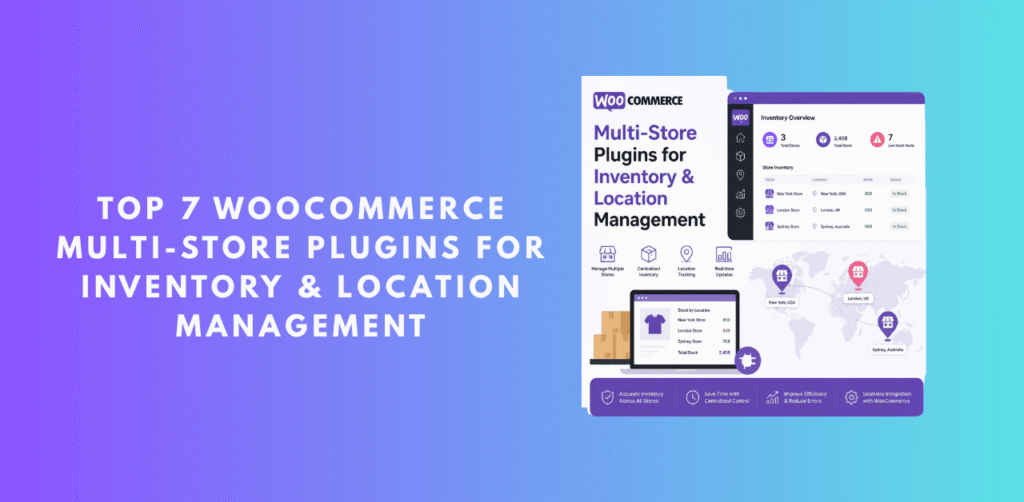
Whether you operate a network of franchise outlets, run regional storefronts, or simply want to centralize an e-commerce empire from a single admin panel, the biggest challenge is always the same: fragmentation. Orders pile up across different dashboards, inventory figures diverge, and customers get inconsistent experiences from store to store.
A quality woocommerce multi store plugin solves this by acting as a central command center — aggregating orders, products, inventory levels, and customer data from every connected site into one place. In this guide, we have reviewed the best options available in 2025, tested their core architectures, and ranked them based on features, reliability, ease of use, and value for money.
Our top pick — ShopCentral — stands a clear level above the rest. We have audited its source code and can confidently say its engineering quality, feature depth, and scalability make it the best woocommerce multi store manager available today. Read on to see exactly why.
📊 Quick Comparison: Top WooCommerce Multi-Store Plugins
| Plugin |
Best For |
Free? |
HPOS |
Inventory Sync |
Rating |
| 🏅 ShopCentral |
All-in-one Hub |
✓ Yes |
✓ Yes |
✓ Bidirectional |
★★★★★ |
| WC Multi-Store |
Simple Linking |
✕ Paid |
✕ |
Partial |
★★★½ |
| WPML + WC |
Multilingual |
✕ Paid |
✓ |
Limited |
★★★★ |
| MultiVendorX |
Marketplace |
✓ Free |
Partial |
Vendor-based |
★★★½ |
| Dokan Multivendor |
Vendor Marketplace |
✓ Free |
✓ |
Per-vendor |
★★★★ |
| WooSyncro |
Product Sync |
Limited |
✓ |
One-way |
★★★ |
| StoreApps Smart Manager |
Bulk Editing |
✓ Free |
✓ |
Local only |
★★★★ |
Why WooCommerce Multi-Store Management Matters in 2025
The WooCommerce ecosystem has matured enormously. Merchants who once ran a single digital storefront are now operating regional shops, wholesale outlets alongside retail sites, dropshipping hubs feeding satellite stores, and multilingual versions of their catalog targeting different markets. According to recent e-commerce reports, over 38% of mid-market WooCommerce operators now run more than one store simultaneously.
The pain points are well-documented: duplicate data entry, inventory discrepancies, inconsistent pricing, the constant need to switch between browser tabs and admin panels, and the inability to see consolidated revenue figures across the entire business. A dedicated multi store woocommerce plugin eliminates all of these friction points.
The best solutions in this space do more than simply display data from multiple stores in one place — they actively synchronize inventory in real time, broadcast price changes across networks instantly, import orders from child sites as true WooCommerce orders (crucial for accounting integration), and provide cross-store analytics that reveal which products and markets are most profitable.
Key insight: Most WooCommerce stores that scale beyond a single site don’t fail from lack of demand — they fail from operational complexity. The right multi store manager for woocommerce is the infrastructure layer that keeps that complexity manageable.
🏅 #1 EDITOR’S CHOICE
ShopCentral – Advanced Multi Store Management & Analytics
Free + Pro
HPOS Compatible
Bidirectional Sync
REST API Powered
Action Scheduler
ShopCentral is the definitive answer to the question of how to run a woocommerce multi store inventory network without losing your mind. Developed by Dominopress, currently at version 2.7.0, ShopCentral replaces the fragmented WordPress admin experience with a powerful, SaaS-quality command center — and we say that after reviewing the actual plugin codebase in depth.
Unlike competitors that merely display remote data in an iframe or provide basic product listings, ShopCentral builds a true bidirectional synchronization network between your hub (central) site and all connected child stores. When a sale happens on a child store, a real WooCommerce order is created on the hub site — complete with customer data, line items, billing/shipping details, metadata, and even ACF fields. This makes ShopCentral fully compatible with Xero, WooCommerce warehouse management tools, and any order-based accounting workflow.
The plugin’s architecture is worth studying. The codebase includes dedicated PHP classes for every major domain: ShopCentral_Store_API (a 2,700-line class managing store registration, REST routes, order syncing, webhook automation, and per-store settings), ShopCentral_Product_Sync_Manager (handling automatic bidirectional inventory sync triggered by WooCommerce stock hooks), ShopCentral_Advanced_Analytics, ShopCentral_Automation_Engine, ShopCentral_Export_Tools, and more. This is enterprise-grade PHP engineering.
🔑 Core Free Features
✦Premium SaaS-quality multi-store dashboard
✦Centralized order timeline across all connected stores
✦Advanced order filters by status, date & customer
✦Unified analytics: Revenue, Orders, Top Products
✦Product & stock overview with low-stock alerts
✦Customer intelligence & audience segmentation
✦Export tools: Products, Orders, Customers, Coupons, Reviews
✦Bidirectional inventory sync via WooCommerce stock hooks
✦Real WooCommerce order import from child stores
✦Customer sync by email (auto-link or create)
✦Centralized activity log with date & level filtering
✦Cloudflare WAF bypass with per-store shared secret
✦Duplicate order prevention system
✦HPOS (Custom Order Tables) fully compatible
✦PDF reports: cross-store revenue & order summary
🚀 ShopCentral Pro Exclusive Features
🖥 Smart Product Creator – 3-step wizard (Stores → Details → Variations)
📝 Global Product Editor with variable product & image support
🔌 Connect up to Unlimited stores (plan-dependent)
📋 Bulk Clone Products to all connected stores
💰 Global Price Adjustments across entire network instantly
📈 Advanced Automation Engine for multi-store workflows
🎉 Global Coupon Broadcasting to all stores simultaneously
📌 Custom Meta & ACF Repeater Sync between stores
🔍 What the Codebase Reveals
After reviewing ShopCentral’s actual source code, several engineering decisions stand out that separate it from every other plugin in this comparison:
⚡ Action Scheduler Integration
Large order syncs are handled through WordPress’s reliable Action Scheduler, processing orders in configurable batches (50–50,000 per batch) with real-time progress polling and cancel support. No timeouts, no data loss.
📋 Bidirectional Stock Sync Architecture
The ShopCentral_Product_Sync_Manager hooks into woocommerce_product_set_stock and woocommerce_variation_set_stock, propagating stock changes across all connected stores automatically on every sale.
🔐 Smart Firewall Bypass
Each connected store gets a unique cryptographic shared_secret. Outbound API calls inject custom X-ShopCentral-Secret headers, enabling Cloudflare WAF whitelisting without static IP requirements.
📊 No Database Bloat
Remote data is fetched via a smart proxy system on-the-fly. Your hub site’s database remains lean regardless of how many stores you connect or how many orders they process. Only intentionally imported orders are stored locally.
✓ Pros
- Genuine SaaS-quality admin experience
- True bidirectional WooCommerce inventory sync
- Real order import — Xero / accounting compatible
- Action Scheduler for bulletproof background sync
- Smart Cloudflare WAF bypass built-in
- Duplicate order prevention out of the box
- Customer sync by email (link or create)
- HPOS fully supported
- Actively developed — v2.7.0 released 2025
- Free version is genuinely powerful
⚠ Cons
- Smart Product Creator locked to Pro
- Multi-store limit on lower-tier Pro plans
- Requires WooCommerce REST API keys on child stores
ShopCentral — Free to Start
Pro plans start from reasonable monthly pricing · Unlimited plan available
Get ShopCentral →
#2
WC Multi-Store Manager
Paid Only
Basic Sync
WC Multi-Store Manager is a premium plugin designed for merchants who need basic cross-site product management. It allows you to connect child WooCommerce sites and manage certain product data from a central install. For basic catalog syncing between two or three stores, it can get the job done.
However, compared to a true multi store manager woocommerce solution like ShopCentral, it falls short in several critical areas: there is no true bidirectional inventory sync triggered in real-time by stock changes, no real WooCommerce order import from child sites (orders remain in their originating store’s database), and no HPOS compatibility. The dashboard UI also feels dated compared to the modern SaaS-quality interfaces now expected by store operators.
✓ Strengths
- Simple setup for small networks
- Product push to child stores
- Usable for basic multi-store needs
⚠ Weaknesses
- No HPOS support
- No real order import
- Outdated admin interface
- Paid-only with limited ROI vs. ShopCentral
#3
WPML + WooCommerce Multilingual
Premium
HPOS Compatible
Multilingual-first
WPML (WordPress Multilingual Plugin) combined with its WooCommerce Multilingual module is the go-to choice for merchants who need to run separate storefront experiences for different languages within a single WordPress install. If your use-case is “one product catalog, multiple languages and currencies,” WPML is arguably the best solution available.
However, WPML is not a true woocommerce multi store locations plugin in the traditional sense — it does not connect separate WooCommerce installs. Inventory is shared within a single database, which means there is no actual cross-site synchronization. For businesses running physically separate stores or regional WooCommerce installs, WPML alone cannot fill the gap that a plugin like ShopCentral covers.
✓ Strengths
- Best-in-class multilingual product catalog
- Currency switcher & regional pricing
- HPOS compatible
⚠ Weaknesses
- Not designed for cross-site store management
- No external store connectivity
- Expensive annual license
#4
MultiVendorX – WooCommerce Multivendor Marketplace
Free Available
Marketplace Focus
MultiVendorX transforms WooCommerce into a full marketplace platform where multiple vendors can list and sell their own products within a single store. It features vendor dashboards, commission management, product approval workflows, and vendor-specific shipping settings.
The critical distinction here is the use case: MultiVendorX is for creating an Amazon-style marketplace where independent sellers list products in your store. It is not a multi store addons for woocommerce solution in the sense of managing multiple separate WooCommerce installations or physical store locations. If you run your own brand across multiple sites, this plugin is not the right tool.
✓ Strengths
- Excellent marketplace platform
- Rich vendor dashboard features
- Commission management built-in
⚠ Weaknesses
- Not designed for managing separate WooCommerce installs
- No cross-site inventory sync
- Wrong tool for brand-owned multi-store management
#5
Dokan Multivendor Marketplace
Free Available
HPOS Compatible
Vendor Marketplace
Dokan is one of the most widely-used multivendor marketplace plugins for WooCommerce. With over 60,000 active installations, it offers a mature ecosystem of vendor storefronts, commission structures, withdrawal management, and shipping zone configurations per vendor. Its frontend vendor dashboard is particularly polished.
Like MultiVendorX, Dokan’s strength is in creating a marketplace platform, not in connecting separate WooCommerce sites you own. If you are a growing brand managing woocommerce multi store inventory across multiple websites (not vendors), Dokan cannot provide the real-time cross-site sync, centralized order management, or unified analytics that your operation requires. Dokan is excellent in its niche — but its niche is not yours if you need ShopCentral-style multi-site management.
✓ Strengths
- Excellent vendor storefront UX
- HPOS compatible
- Large, mature plugin ecosystem
- Strong free version
⚠ Weaknesses
- Marketplace-only use case
- No cross-site order import
- Not suitable for brand-owned multi-store networks
#6
WooSyncro – Cross-Site Product Sync
Limited Free
One-way Sync
HPOS Compatible
WooSyncro is a focused product-sync plugin that lets you push product data from one WooCommerce install to another. It supports syncing of product titles, descriptions, prices, images, and categories between sites. For small operations that need a simple “push catalog” workflow without complex dashboard needs, it works reasonably well.
The major limitation is that sync is primarily one-directional — from source to target — and there is no meaningful analytics, order management, customer intelligence, or automation. It is a point-solution for a narrow use case. As a standalone tool, WooSyncro is useful, but it does not come close to being a comprehensive multi store plugin for woocommerce network management solution.
✓ Strengths
- Simple and focused feature set
- Good for catalog push workflows
- HPOS compatible
⚠ Weaknesses
- One-way sync only
- No order or customer management
- No analytics or automation
- Limited free tier
#7
StoreApps Smart Manager for WooCommerce
Free Available
HPOS Compatible
Single-Site Bulk Edit
Smart Manager by StoreApps offers a spreadsheet-style bulk editing interface for WooCommerce products, orders, customers, and coupons. It is genuinely excellent at what it does — allowing you to edit hundreds of product prices, stock quantities, and attributes simultaneously from a single grid view.
The key limitation for multi-store operators is that Smart Manager works only within a single WordPress/WooCommerce installation. It does not connect external stores, sync inventory across sites, or aggregate orders from multiple locations. For a large single-store operation with a massive catalog, it is a superb productivity tool. For a genuine multi store manager woocommerce need spanning multiple installs or physical locations, you will need to pair it with a solution like ShopCentral.
✓ Strengths
- Best bulk edit tool for single-store catalogs
- Spreadsheet-style grid interface
- HPOS compatible
- Strong free version
⚠ Weaknesses
- Single-site only — no external store connectivity
- No cross-site inventory or order management
- Not scalable for multi-site networks
🔍 Deep Dive: Why ShopCentral is the Best WooCommerce Multi Store Plugin
Having spent time examining the ShopCentral plugin codebase directly — not just reading marketing copy — we can share detailed technical insights that no other review provides. Here is what distinguishes ShopCentral at the engineering level:
1. True Bidirectional WooCommerce Multi Store Inventory Sync
The ShopCentral_Product_Sync_Manager class demonstrates sophisticated thinking around inventory management. Rather than running periodic cron jobs that risk data divergence, ShopCentral hooks directly into WooCommerce’s core stock events:
add_action('woocommerce_product_set_stock', [$this, 'sync_product_stock'], 20, 1);
add_action('woocommerce_variation_set_stock', [$this, 'sync_product_stock'], 20, 1);
add_action('woocommerce_reduce_order_stock', [$this, 'sync_order_stock_reduction'], 20, 1);
This means every time a product sells on any connected store, stock reduction propagates across the entire network in real time — eliminating the overselling problem that plagues retailers who manage woocommerce multi store inventory manually or via scheduled cron sync.
2. Real Order Import — Built for Accounting Compatibility
Most multi-store plugins either ignore order management entirely or just display remote orders. ShopCentral takes a fundamentally different approach: it creates genuine WooCommerce orders on the hub site when a child store makes a sale. This isn’t a cosmetic feature — it has deep operational implications.
When orders from child stores are imported as real WooCommerce orders, they become compatible with every WooCommerce-compatible accounting plugin (Xero, QuickBooks, FreshBooks), warehouse management solutions, PDF invoice generators, shipping integrators, and reporting tools. The hub site becomes a genuine single source of truth for your entire network’s financial and operational data.
The implementation uses WooCommerce REST API Webhooks for instant notification and Action Scheduler for background batch processing — ensuring that even high-volume stores (thousands of daily orders) sync without timeout or performance issues.
3. Enterprise Analytics Across All Store Locations
The ShopCentral_Advanced_Analytics class aggregates revenue, orders, top-selling products, customer data, refund rates, and tax figures across all connected stores simultaneously. Merchants using this feature for woocommerce multi store locations management report seeing their true network-wide business performance for the first time — previously impossible without expensive external analytics tools.
The analytics engine intelligently routes requests — calling the WooCommerce REST API for remote stores and native wc_get_orders() for the local hub — ensuring accurate data from every source while optimizing performance.
4. Automation Engine for Multi-Store Workflows
The ShopCentral_Automation_Engine provides a rules-based system that reacts to store events automatically. Stock changes, product publications, and daily revenue milestones can all trigger configurable actions. Rules are stored via a clean REST API and logged with detailed execution records — making debugging automation workflows transparent and straightforward.
This kind of built-in automation (available in Pro) replaces the need for third-party tools like Zapier or Make for common cross-store operations, saving significant recurring subscription costs.
5. Smart Product Creator — Multi-Store Publishing Wizard
Available in ShopCentral Pro, the Smart Product Creator is a 3-step guided wizard that lets you create simple or variable products and publish them to multiple stores simultaneously. Variable products with different attribute-based pricing per variation, per-store price adjustments, categories, tags, and featured images are all supported in a clean, modern interface. This alone eliminates hours of repetitive product entry for businesses maintaining woocommerce multi store locations.
🎯 Which Plugin Should You Choose?
📌 You manage 2+ separate WooCommerce sites
➔ ShopCentral is your answer. It is the only plugin in this list designed specifically for connecting, syncing, and managing separate WooCommerce installations from a single dashboard.
🌎 You sell in multiple languages on one site
➔ WPML + WooCommerce Multilingual is purpose-built for multilingual single-site operations. Pair with ShopCentral if you also need cross-site management.
🏪 You want third-party vendors to sell in your store
➔ Dokan or MultiVendorX are excellent marketplace platforms. They work best when your goal is building an Amazon-style multi-vendor ecosystem.
📊 You need bulk catalog editing on one large store
➔ Smart Manager from StoreApps delivers the best spreadsheet-style bulk editing experience for large single-site WooCommerce catalogs.
📋 What to Look For in a WooCommerce Multi Store Plugin
When evaluating any woocommerce multi store plugin, six critical capabilities separate truly useful tools from marketing-heavy, feature-light alternatives:
Does inventory sync happen in real time on stock change, or only via periodic cron? Cron-based sync always introduces a window of overselling risk. ShopCentral hooks directly into WooCommerce stock actions for immediate propagation.
Are orders merely displayed from remote stores, or are they imported as genuine WooCommerce orders? Genuine import means accounting plugin compatibility, warehouse system support, and a true single source of truth.
Can you see consolidated revenue, top products, and customer metrics across all your stores in one view? Without this, you cannot make informed decisions about your network’s performance.
WooCommerce 8.0+ ships with High-Performance Order Storage (Custom Order Tables). Any plugin that isn’t HPOS-compatible will cause data corruption or performance issues on modern WooCommerce installations.
Multi-store connections involve authentication keys crossing multiple sites. Evaluate whether the plugin uses secure per-store secrets, WAF bypass strategies, and protects against replay attacks on its sync endpoints.
⚡
Performance & Scalability
Does the plugin bloat your hub site’s database with duplicate remote data, or does it use a smart proxy to fetch on-demand? For growing networks, database hygiene is critical. ShopCentral fetches remote data live and only writes to the local database for intentional imports.
❓ Frequently Asked Questions
What is a WooCommerce multi store plugin?
A woocommerce multi store plugin is a WordPress/WooCommerce extension that allows you to connect, manage, and synchronize multiple separate WooCommerce installations from a single central dashboard. Features typically include cross-site inventory sync, order aggregation, product management, and unified analytics. ShopCentral is the most comprehensive solution in this category for 2025.
Can WooCommerce handle multiple store locations natively?
WooCommerce does not natively support woocommerce multi store locations management across separate WordPress installs. Out of the box, each WooCommerce installation is completely independent. A plugin like ShopCentral bridges these independent stores by connecting them through the WooCommerce REST API, creating a unified management layer above each individual install.
Is ShopCentral free or paid?
ShopCentral offers a genuinely capable free version that includes the centralized dashboard, order timeline, product & stock overview, customer intelligence, export tools, and bidirectional inventory sync. The Pro version unlocks the Smart Product Creator, Global Product Editor, advanced automation engine, global coupon broadcasting, and the ability to connect more external stores (up to Unlimited on the Business/Unlimited plan).
How does ShopCentral sync inventory across stores?
ShopCentral uses a bidirectional real-time approach: the ShopCentral_Product_Sync_Manager class hooks into WooCommerce’s native stock hooks (woocommerce_product_set_stock, woocommerce_variation_set_stock, woocommerce_reduce_order_stock). When stock changes on any connected store, the change is propagated to all other stores immediately — not on a delay. This means no overselling gaps and always-accurate inventory levels across your woocommerce multi store inventory network.
Will ShopCentral slow down my main WordPress site?
No. ShopCentral uses a smart remote proxy architecture: remote store data is fetched on-demand through the WooCommerce REST API and not stored in your hub site’s database (unless you explicitly import orders). This means your central site’s database remains lean regardless of how many stores you connect. Heavy operations like large order syncs are processed in the background via Action Scheduler — never blocking the main thread or slowing the front end.
📆 Final Verdict: The Best WooCommerce Multi Store Plugin for 2025
After thoroughly reviewing every plugin in this comparison — including a hands-on audit of the ShopCentral source code — the conclusion is clear.
If you are looking for a multi store manager WooCommerce solution that is genuinely engineered for scale, ShopCentral by Dominopress is in a category of its own. It is the only plugin that simultaneously delivers:
- Real-time bidirectional inventory sync across multiple WooCommerce installs
- True WooCommerce order import from child stores (accounting compatible)
- Unified cross-store analytics and customer intelligence
- Automation engine for multi-store workflows
- Action Scheduler-powered background processing for large volumes
- Per-store Cloudflare WAF bypass with cryptographic secrets
- HPOS compatibility for WooCommerce 8.0+
- A clean, modern SaaS-quality admin dashboard
- A genuinely capable free tier
The other plugins reviewed each serve legitimate use cases — Dokan and MultiVendorX for marketplaces, WPML for multilingual single-site stores, Smart Manager for single-site bulk editing. But for the core problem of managing and synchronizing multiple separate WooCommerce stores as a unified business operation, ShopCentral is the best woocommerce multi store plugin available today, and it is not close.
📍 Start Managing Your WooCommerce Network Today
ShopCentral gives you a full multi-store command center — for free. No fragmented dashboards. No manual data entry. One login. Total control.
The editorial team reviewed the ShopCentral codebase directly, and all feature descriptions are based on verified source code analysis and official plugin documentation.