

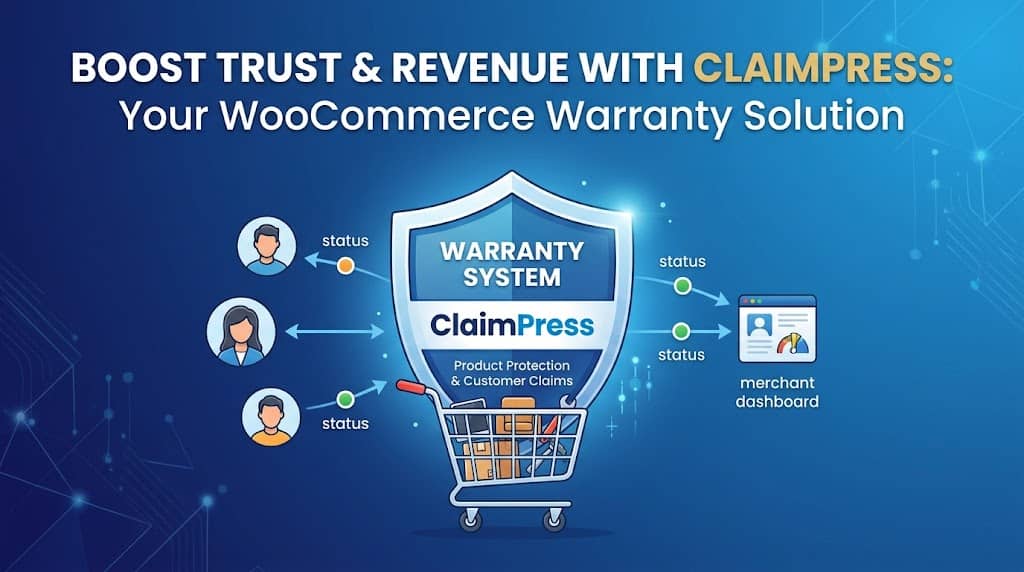
Product warranties are one of the most powerful purchase decision influencers in eCommerce — customers consistently choose products with clear warranty coverage over identical products without it, even when the price is higher. Yet most WooCommerce stores either offer no warranty information at all or rely on a vague line in the product description with no system behind it. When a customer actually tries to make a warranty claim, the process breaks down into email chains, manual refunds, and frustrating delays.
ClaimPress’s Advanced Warranty System is the product warranty and guarantee for WooCommerce solution that closes this gap — providing per-product warranty configuration, professional display on product pages, a customer claims portal, and (in Pro) paid warranty tier upsells at checkout with PDF certificate delivery. This article covers every warranty-specific feature in ClaimPress.
Why WooCommerce Stores Need a Warranty System
WooCommerce has no built-in warranty management system. Stores offering warranties typically communicate them as text in product descriptions or attribute fields — with no mechanism for customers to actually file a warranty claim, and no admin system to manage, track, or communicate about warranty issues. This creates:
- No warranty visibility: Customers don’t know if a product has a warranty or what it covers without reading fine print
- No claim process: When a product is defective, customers must email support, starting an unstructured conversation
- No status tracking: Neither the customer nor the admin can track warranty claim progress in a structured way
- No revenue opportunity: Extended warranty upsells — a major revenue stream for electronics retailers — are completely inaccessible without a dedicated system
ClaimPress’s Warranty System addresses all of these gaps by integrating warranty management directly into the WooCommerce product and order lifecycle.
Included (Free) Warranties
The Included warranty type allows store owners to bundle a warranty with any product at no extra charge to the customer — the warranty comes with the product as a standard benefit. This is the most common warranty configuration for physical goods stores. Setting up an included warranty on a product:
- Edit a WooCommerce product
- Click the ClaimPress tab in Product Data
- Under Warranty, check Enable
- Set Warranty Type to Included
- Set the duration: number + period (e.g., “12” + “Months” = 12-Month Warranty)
- Update the product
Once saved, the warranty details appear on the product page as a professional badge, reassuring customers of the coverage they receive with their purchase. Duration options include days, weeks, months, and years — covering everything from a 30-day guarantee to a lifetime warranty.
Duration Flexibility: ClaimPress allows setting warranty durations in days, weeks, months, or years. A 90-day warranty, 6-month warranty, 2-year warranty, or lifetime warranty can all be configured with the same interface on different products — each with its own independent claim eligibility window.
Paid Warranty Tiers (Pro)
ClaimPress Pro unlocks the paid warranty system — one of the most revenue-generating features for electronics, appliance, and high-ticket product stores. Paid warranties allow offering multiple coverage tiers at checkout, turning the warranty from a cost center into a profit center.
Basic Coverage — $5
1-Year Standard Coverage. Covers manufacturing defects only.
Enhanced Coverage — $12
3-Year Extended Coverage. Includes parts and labor.
Lifetime Protection — $25
Lifetime Accidental Damage Protection. No-questions-asked replacement.
All paid warranty tiers configured in ClaimPress Pro appear as selectable options on the product page, allowing customers to choose the level of coverage that suits their needs and budget. The selected warranty price is added to the WooCommerce cart as a line item and processed through the standard checkout — no custom payment handling required.
Unlimited tiers per product: ClaimPress Pro places no limit on the number of warranty tiers per product. A product could have 5 warranty options at different price points — from a basic 30-day guarantee to a premium lifetime plan — each independently configured with its own duration and price.
Warranty Display on Product Pages
ClaimPress automatically displays warranty information on product pages in a professional format that communicates coverage clearly to shoppers. The display varies by warranty type:
- Included warranty: A policy badge showing the coverage period (e.g., “Includes 12-Month Warranty”) displayed prominently near the Add to Cart button
- Paid warranty tiers: A dropdown or option selector allowing customers to choose their preferred coverage level before adding to cart, with prices displayed per tier
- Exchange policy: A separate badge showing the exchange period (e.g., “30-Day Exchange”)
- Return policy: A return period badge (e.g., “14-Day Money-Back Guarantee”)
All three policy badges can display simultaneously on the same product page if all three features (warranty, exchange, return) are enabled for that product. The frontend display uses specialized CSS decoupled from WooCommerce core styles for maximum theme compatibility — the warranty badges adapt to custom themes and page builders without layout breakage.
Paid Warranty at Checkout: Cart Integration
When a customer selects a paid warranty tier on a product page, the warranty appears as a separate line item in the WooCommerce cart with the warranty name and price. ClaimPress’s frontend cart class (class-claimpress-frontend-cart.php) handles the correct price calculation and display across all cart contexts:
- Main cart page — warranty shown as a separate line item with label
- Mini-cart / cart widget — correctly displays total (base price + warranty)
- Custom theme cart layouts — JS synchronization ensures warranty options display correctly even in non-standard cart implementations
- Page builder cart integrations — specialized frontend styles maintain layout integrity
Serialized PDF Warranty Certificates (Pro)
ClaimPress Pro includes a specialized engine that automatically generates serialized Warranty Certificate PDFs for customers who purchase paid warranty plans. These certificates are:
- Automatically generated as soon as the order is completed — no manual certificate creation required
- Downloadable from My Account: Customers access and download their certificate directly from the “Claimable Products” section of their WooCommerce My Account page
- Serialized: Each certificate has a unique serial number for professional record-keeping and fraud prevention
- High perceived value: A professional PDF certificate significantly increases the perceived value of the warranty product, justifying higher price points for premium tiers
For high-ticket product stores — electronics, appliances, jewelry, furniture — PDF warranty certificates transform a digital feature into a tangible, professional deliverable that builds substantial brand trust and customer confidence in the purchase.
Custom Marketing Labels (Pro)
ClaimPress Pro allows replacing the default technical warranty duration labels with custom marketing names that convert better. Instead of displaying “12 Months” in a dropdown, you can display:
Custom labels are a conversion optimization feature — benefit-focused names outperform duration-only labels because they communicate value rather than time periods. A customer presented with “Gold Protection Plan” at $12 is more likely to select it than when presented with “36 Months” at $12, even though they describe the same thing.
Custom Order Status Support
By default, ClaimPress determines warranty eligibility based on WooCommerce’s standard “Completed” order status — a warranty can only be claimed after an order reaches Completed status. However, many stores use plugins like Trackship or custom workflows that add statuses like “Delivered” that are functionally equivalent to Completed but aren’t recognized by default systems.
ClaimPress (v2.8.2+) includes native detection of custom order statuses. The plugin automatically identifies custom statuses registered in WooCommerce so merchants can select them as warranty-eligible statuses in settings — without requiring manual text inputs or code modifications. This ensures stores using third-party fulfillment tracking plugins don’t block customers from making legitimate warranty claims due to status mismatches.
Frequently Asked Questions
Can I offer different warranty periods on different products?
Yes. Warranty settings in ClaimPress are configured per product. You can set a 1-year warranty on electronics, a 5-year warranty on furniture, and a 30-day warranty on accessories — each independently configured in the ClaimPress tab of the respective product’s edit screen.
Do paid warranty tiers require custom checkout coding?
No. ClaimPress Pro’s paid warranty tiers integrate with WooCommerce’s standard checkout natively. The warranty price is added as a line item in the cart and processed through the existing checkout flow — no custom payment handling, gateway configuration, or code required.
When does the warranty period start — from purchase or delivery?
Warranty eligibility in ClaimPress is triggered by the WooCommerce order reaching “Completed” status (or your configured equivalent status). The warranty period timer starts from the order completion date. For stores using delivery confirmation (Trackship, etc.) as their “completed” equivalent, ClaimPress’s custom order status support ensures the timer starts from actual delivery rather than shipment.
Add Professional Warranty Coverage to Your WooCommerce Products
ClaimPress makes product warranty and guarantee for WooCommerce effortless — from included warranties to paid tier upsells with PDF certificates.
