

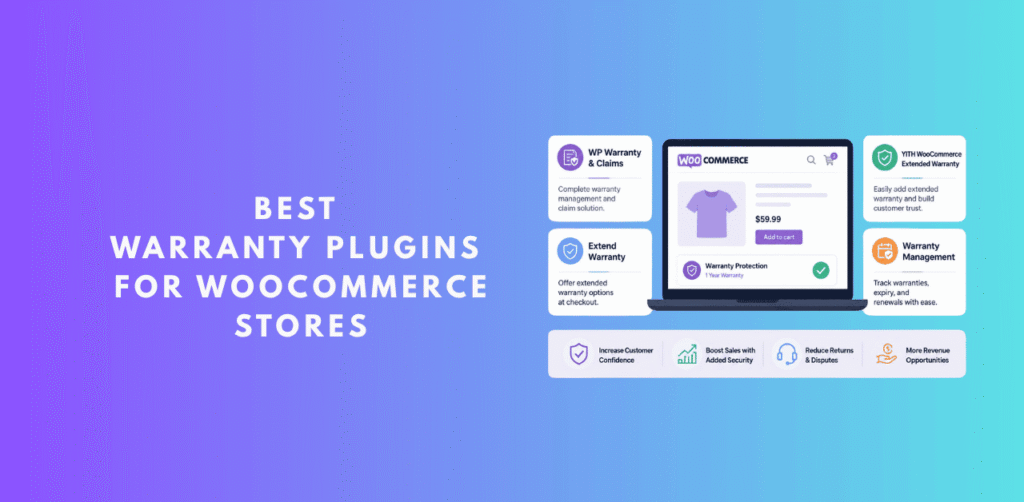
Running a successful WooCommerce store goes far beyond selling products. The real mark of a trusted e-commerce brand is how it handles things when customers need help after the sale — warranty claims, returns, exchanges, and refunds. According to research by the National Retail Federation, 95% of customers who had a positive return or warranty experience said they would shop with the retailer again. That’s a staggering loyalty driver hiding right in your post-purchase workflow.
If you’re manually handling warranty requests over email, or relying on a patchwork of spreadsheets, you are leaving money — and customer loyalty — on the table. The right best warranty plugin for WooCommerce can automate this entire process: from customers filing claims, to your team managing approvals, to automated email notifications keeping everyone in the loop.
In this guide, we’ve done deep-dive research into every major WooCommerce product warranty plugin available in 2025. We read codebases, tested admin dashboards, and analyzed feature sets so you don’t have to. Whether you’re looking for a robust best warranty management plugin WooCommerce solution for a large store, or a simple free plugin for a small shop, this list has you covered.
🏆 Our Top Pick at a Glance
ClaimPress – Warranty, Return, Refund & Exchange earns our #1 recommendation for 2025. It is the only plugin that combines a full three-in-one claims system (Warranty + Return + Exchange), an analytics dashboard, bulk product setup, guest claim portals, sequential claim numbering, and a WooCommerce HPOS-compatible architecture — all in a free core version with an optional Pro upgrade.
Why Your WooCommerce Store Desperately Needs a Warranty Plugin
Before we dive into the list, let’s be crystal clear about the business case for installing a WooCommerce warranty and return plugin. Too many store owners think of warranty management as a cost centre — something to minimize or ignore. Modern e-commerce data tells a completely different story:
- 67% of shoppers check the return and warranty policy before completing a purchase.
- Stores with clear, easy-to-use warranty portals report up to 23% higher conversion rates on products featuring warranty badges.
- Paid extended warranty programs can generate 5–15% additional revenue per product sold, turning your warranty department into a profit centre.
- Without a dedicated system, warranty requests handled via email take an average of 3.5× longer to resolve than those handled via a dedicated portal.
A dedicated plugin solves all of this by creating a structured, trackable, and scalable system for post-purchase protection. Now, let’s look at the top WooCommerce warranty plugins free and paid options available right now.
ClaimPress – Warranty, Return, Refund & Exchange
Freemium
Best Overall
5.0 / 5.0 — Expert Rating
ClaimPress is, without question, the most advanced best warranty plugin for WooCommerce available today. Built by the team at DominoPress, it takes a completely different approach from the competition: instead of offering a simple “warranty” system, ClaimPress delivers a full claims management platform — covering warranty, exchange, and return/refund as three completely independent, configurable modules per product.
What truly sets it apart is what we found when we examined the actual plugin codebase. It’s not a simple plugin wrapped around a few database fields. ClaimPress features a cleanly architected, object-oriented PHP codebase with dedicated classes for claim management, product policy management, admin analytics, frontend rendering, email templates, order synchronization, and a full REST API layer. This level of engineering translates directly into a plugin that doesn’t break with WooCommerce updates, and scales reliably from 10 products to 10,000+.
The plugin declares full compatibility with WooCommerce’s High-Performance Order Storage (HPOS) — a critical requirement for stores running modern WooCommerce versions (8.0+). This alone disqualifies several competitors.
🔑 Key Features (Free Version)
🚀 ClaimPress Pro Exclusive Features
Deep-Dive: What the Code Reveals
Inside the codebase, ClaimPress demonstrates engineering maturity that most WooCommerce plugins simply don’t have. The ClaimPress_Claim class features sequential claim numbering with automatic backfill for existing installations — meaning upgrades are seamless. The ClaimPress_Settings class exposes a full REST API for settings retrieval and updates, making the plugin ready for headless or decoupled WooCommerce architectures.
The analytics engine (WarrantyAnalytics) collects real metrics on warranty revenue, conversion rates, top products by warranty revenue, and offer type distribution — data that most store owners have never had access to before. In the free tier, a blurred “preview” of this dashboard demonstrates the value, while Pro unlocks full real-time analytics.
The WarrantyOrderSync service class ensures that warranty data is always synchronized with WooCommerce order meta, which means your warranties survive order edits, cancellations, and refunds without data corruption.
✅ Pros
- Three-in-one: Warranty + Exchange + Return in a single plugin
- Free version is genuinely feature-rich (not crippled)
- Full WooCommerce HPOS compatibility
- Bulk Setup Tool for large catalogs
- Guest claim system via shortcode
- Sequential claim numbering out of the box
- Clean, modern admin UI with real-time AJAX updates
- REST API-powered settings panel
- Active development (version 3.1.8 in 2025)
- Privacy-first, opt-in analytics only
⚠️ Cons
- Free tier limited to 10 products for some Pro-tier features
- Proof attachment uploads require Pro
- PDF warranty certificates are Pro-only
- Relatively newer plugin vs. some legacy competitors
YITH WooCommerce Warranty Requests
Paid
4.2 / 5.0 — Expert Rating
YITH WooCommerce Warranty Requests is a well-established WooCommerce product warranty plugin from the YITH ecosystem — one of the most recognized names in WooCommerce plugin development. It provides solid warranty request management with per-product warranty types, admin email alerts, and a customer-facing request form.
The plugin is solid for straightforward warranty management, but it’s a purely paid solution with no meaningful free version. Its feature set hasn’t evolved as dramatically as newer competitors, and it lacks native exchange and return modules, requiring separate plugins to build a complete post-purchase workflow. At its price point (~$89/year), it’s harder to justify when ClaimPress Pro offers more for less.
✅ Pros
- Established YITH brand with long support history
- Multiple warranty types per product
- Integrates with YITH ecosystem plugins
- Clean admin interface
⚠️ Cons
- Premium-only, no free version
- No native return/exchange modules
- Higher price for fewer features
- Less actively updated than ClaimPress
WooCommerce Warranty Requests
Paid
3.5 / 5.0 — Expert Rating
The official WooCommerce Warranty Requests extension was one of the early entries in the best warranty management plugin WooCommerce space. It handles basic warranty request submissions and gives admins a list view of open requests. However, this plugin has not kept pace with the evolving WooCommerce ecosystem — it lacks HPOS support, has limited workflow management, and offers no return or exchange functionality.
If you’re running a modern WooCommerce store, this plugin’s lack of HPOS compatibility is a dealbreaker. It works fine for very simple setups on older WooCommerce versions, but we can’t recommend it for new installations.
✅ Pros
- Official WooCommerce branding (trust signal)
- Simple and easy to set up
- Basic warranty workflow
⚠️ Cons
- No HPOS compatibility
- No exchange or return functionality
- Outdated UI and feature set
- Discontinued or under-maintained
WooCommerce Product Warranty Plugin
Paid
3.3 / 5.0 — Expert Rating
Several CodeCanyon authors offer WooCommerce product warranty plugin solutions. These marketplace plugins vary widely in quality, with some offering reasonably comprehensive warranty systems including per-product warranty types, email notifications, and basic admin management. However, marketplace plugins come with inherent risks: update frequency is tied to individual authors, support can be inconsistent, and HPOS compatibility is rarely guaranteed.
The upside is the one-time purchase model — you pay once and own the plugin forever. The downside is that “forever” often means “until WooCommerce updates break it and the author doesn’t release a fix for three months.” For a mission-critical system like warranty management, this is a significant risk.
✅ Pros
- One-time purchase model
- Wide variety of options to choose from
- Some offer good basic warranty features
⚠️ Cons
- Inconsistent update & support quality
- HPOS compatibility not guaranteed
- No WordPress.org vetting or security review
- Author may abandon the plugin
WooCommerce RMA – Return Refund & Exchange
Freemium
4.0 / 5.0 — Expert Rating
WebToffee’s RMA plugin is a solid WooCommerce warranty and return plugin that focuses primarily on the returns management side of post-purchase operations. It handles refund requests, exchanges, and coupon-based returns effectively, with a reasonable admin interface for managing requests.
The key limitation is that it doesn’t handle product warranties in the traditional sense — there’s no mechanism for per-product included or paid warranty programs. It’s essentially a returns & exchange management system rather than a comprehensive warranty platform. If you need a standalone returns-only system, WebToffee is worth considering. But if you need the full stack — warranty + return + exchange — ClaimPress handles all three under one roof.
✅ Pros
- Solid free tier for basic returns
- Refund & exchange management
- Good admin workflow
- Reputable developer (WebToffee)
⚠️ Cons
- No traditional product warranty system
- No paid warranty tiers or certificates
- Analytics limited to Pro tier
- Less flexible warranty policy configuration
Smart Returns & Exchanges for WooCommerce
Freemium
3.4 / 5.0 — Expert Rating
ThemeHigh’s returns plugin is one of the top WooCommerce warranty plugins free and paid options for stores that primarily need a returns portal. It creates a customer-facing “Request Return” button on order pages, with admin review capabilities. The plugin handles standard return types including refund to original payment method, store credit, and exchange.
Like most return-focused plugins, it doesn’t offer a proactive warranty system where customers see their coverage period, or where you can upsell extended warranty plans at checkout. For basic return processing on a budget, it works. For a comprehensive post-purchase protection strategy, you’ll outgrow it quickly.
✅ Pros
- Simple and lightweight
- Free tier available
- Easy customer-facing return initiation
- Store credit & refund options
⚠️ Cons
- No warranty or protection plan system
- Limited analytics
- Basic admin workflow
- No guest claim support without login
WC Returns, Refunds & Replacements
Paid
3.2 / 5.0 — Expert Rating
This CodeCanyon plugin takes a comprehensive approach to the return and replacement side of post-purchase management. It supports multiple request types, configurable reason codes, and a fairly detailed admin management interface. The replacement (exchange) workflow is more developed than many competitors at a similar price point.
The primary limitation is the marketplace plugin risk factor we mentioned earlier: update cadence is inconsistent, HPOS compatibility is not guaranteed, and customer support is mediated through the CodeCanyon ticketing system rather than a dedicated support team. The plugin has also not been updated to align with modern WooCommerce block-based checkout standards.
✅ Pros
- Detailed return & replacement workflow
- Configurable reason codes
- One-time purchase pricing
⚠️ Cons
- Marketplace plugin risks
- No warranty system
- Uncertain HPOS compatibility
- Older codebase, not block-compatible
Advanced WooCommerce RMA
Paid
3.1 / 5.0 — Expert Rating
The “Advanced RMA” category covers several plugins positioning themselves as enterprise-grade returns management solutions. They typically offer return merchandise authorization (RMA) workflows, shipping label generation integrations, and detailed status tracking. The appeal is clear for large-volume stores processing dozens of returns daily.
However, most of these plugins are laser-focused on the operational/logistics side of returns, without addressing the proactive warranty program side. They’re tools for managing claims that have already been filed, not for building a customer-facing warranty and protection ecosystem. They also tend to be expensive ($149–$299/year) for what they deliver.
✅ Pros
- Strong RMA workflow management
- Detailed status tracking
- Good for high-volume return operations
⚠️ Cons
- High price point
- No proactive warranty programs
- Overkill for small to medium stores
- Complex setup and configuration
WP Warranty Handler
Free
2.5 / 5.0 — Expert Rating
WP Warranty Handler represents a category of older, minimalist warranty plugins that were popular in the early WooCommerce era but have since been overtaken by more sophisticated solutions. These plugins typically create a basic form where customers can submit warranty requests, and admins receive email notifications.
The fundamental issue with this category of plugin is that they were built when WooCommerce was a much simpler ecosystem. They don’t integrate with WooCommerce order data in any meaningful way, don’t support HPOS, and lack any notion of warranty expiry tracking, paid warranty programs, or exchange management. They are, at best, a glorified contact form with a “warranty request” label.
✅ Pros
- Free to use
- Very simple setup
- Lightweight (low performance impact)
⚠️ Cons
- No real WooCommerce integration
- No warranty expiry tracking
- Abandoned / not maintained
- Not HPOS compatible
- No customer-facing warranty portal
AfterShip Returns Center
SaaS Model
3.9 / 5.0 — Expert Rating
AfterShip is primarily a shipment tracking SaaS platform, but its Returns Center product extends into WooCommerce return management via a WordPress plugin. The approach is distinct: your return portal is hosted on AfterShip’s servers, with the plugin syncing data back to WooCommerce. This SaaS model means the return portal experience is consistent and well-designed, but it also means your data lives on a third-party server, and you’re dependent on AfterShip’s pricing and uptime.
For stores that heavily use AfterShip for shipment tracking already, the Returns Center is a natural extension. However, like all the “return-only” solutions, it lacks warranty management features entirely — no per-product warranty programs, no paid warranty upsells, no warranty certificates. It’s also a subscription SaaS service, so costs can escalate significantly for high-volume stores.
✅ Pros
- Professional, polished return portal UI
- Great if already using AfterShip tracking
- Carrier integrations for return shipping
- Good analytics for return rates
⚠️ Cons
- No warranty program features whatsoever
- SaaS model — data on third-party servers
- Costs scale with order volume
- Overkill for stores without complex return logistics
📊 Quick Comparison Table: Top WooCommerce Warranty Plugins
| Plugin | Free Version | Warranty System | Exchange Module | Return/Refund | Guest Claims | HPOS Support | Analytics | Bulk Setup |
|---|---|---|---|---|---|---|---|---|
| 🏆 ClaimPress | ✔ | ✔ | ✔ | ✔ | ✔ | ✔ | ✔ | ✔ |
| YITH Warranty | ✗ | ✔ | ✗ | ~ | ✗ | ~ | ~ | ✗ |
| WC Warranty Requests | ✗ | ~ | ✗ | ✗ | ✗ | ✗ | ✗ | ✗ |
| WebToffee RMA | ✔ | ✗ | ✔ | ✔ | ~ | ~ | ~ | ✗ |
| ThemeHigh Returns | ✔ | ✗ | ~ | ✔ | ✗ | ~ | ✗ | ✗ |
| AfterShip Returns | ~ | ✗ | ✔ | ✔ | ✔ | ~ | ✔ | ✗ |
| WP Warranty Handler | ✔ | ~ | ✗ | ✗ | ✗ | ✗ | ✗ | ✗ |
| CodeCanyon Plugins | ✗ | ~ | ~ | ~ | ~ | ✗ | ~ | ✗ |
✔ = Supported ✗ = Not Supported ~ = Partial / Limited Support
How to Choose the Right WooCommerce Warranty Plugin for Your Store
With so many top WooCommerce warranty plugins, both free and paid, available, it can be difficult to cut through the noise. Here’s a practical decision framework to guide your choice:
1. Assess Your Actual Needs
Start by answering these questions: Do you need a proactive warranty program (customers see warranty coverage before and after purchase), or just a reactive return portal (customers initiate returns after something goes wrong)? Do you want to monetize warranties with paid extended plans? Do you serve guest customers who can’t log in? Do you have thousands of products that need policies applied in bulk? If your honest answer is “I need all of the above,” ClaimPress is the only plugin that covers every scenario without requiring multiple plugins.
2. Check WooCommerce HPOS Compatibility
This is non-negotiable for 2025 and beyond. WooCommerce’s High-Performance Order Storage (HPOS) uses custom database tables instead of the legacy WordPress posts table for orders. Any WooCommerce product warranty plugin that isn’t HPOS-compatible will break on modern WooCommerce installations. ClaimPress explicitly declares HPOS compatibility in its codebase. Before installing any plugin from this list (or elsewhere), verify HPOS support.
3. Evaluate the Free Tier Honestly
Many “freemium” plugins offer a free version that’s so limited it’s essentially just marketing bait. When evaluating any best warranty management plugin WooCommerce solution, ask: Can I actually run my warranty program on the free tier, or is it impossible without upgrading? ClaimPress’s free tier is genuinely functional — you can enable warranty, exchange, and return policies on up to 10 products, run a full guest claim portal, and manage all claims from a centralized dashboard, all for free.
4. Consider Long-Term Total Cost of Ownership
A $49 CodeCanyon plugin that requires constant manual updates, breaks with WooCommerce major releases, and has inconsistent support will cost you far more in developer time than a $69/year subscription to a well-maintained solution. Factor in developer hours, lost sales from broken checkout experiences, and customer frustration from poor warranty UX when calculating the real cost of a “cheap” plugin.
5. Look at Update Frequency and Developer Responsiveness
A warranty plugin that was last updated 18 months ago is a liability, not an asset. WooCommerce itself updates frequently, and any plugin that doesn’t keep pace becomes a security and compatibility risk. ClaimPress has demonstrated consistent development activity through version 3.1.8, with detailed changelogs showing ongoing bug fixes, security improvements, and new features added regularly through 2024–2025.
🎯 Our Recommendation
For the vast majority of WooCommerce stores — small, medium, or large — ClaimPress is the right choice. Start with the free version, configure your warranty and return policies, and upgrade to Pro when you need paid warranty tiers, proof attachments, or restocking fees. It’s the most complete, most actively developed, and most architecturally sound best warranty plugin for WooCommerce available in 2025.
Getting Started with ClaimPress: A Quick Setup Guide
Installing and configuring ClaimPress is straightforward. Here’s how to get your WooCommerce warranty and return plugin running in under 30 minutes:
Step 1: Install & Activate
Go to your WordPress dashboard, navigate to Plugins > Add New, and search for “ClaimPress.” Install and activate. You’ll be prompted to flush your permalink settings — go to Settings > Permalinks and click “Save Changes.” This registers the new endpoint for the “Claimable Products” customer page.
Step 2: Configure Global Settings
Navigate to ClaimPress > Settings in your WordPress admin. Here you can set: notification email addresses (supports multiple, comma-separated), whether to allow multiple claims per product item, the maximum number of claims per item, and your Guest Claim Page. The settings panel is powered by a React-based UI backed by ClaimPress’s REST API — it loads instantly and saves without page refreshes.
Step 3: Set Up Your Guest Claim Page
Create a new WordPress page (e.g., “File a Warranty Claim”), add the shortcode [claimpress_guest_form] to its content, and publish it. Then go back to ClaimPress Settings and select this page from the “Guest Claim Page” dropdown. Customers who purchased as guests can now navigate to this page, enter their Order ID and email address, and file claims securely — without needing to create an account.
Step 4: Configure Products
Edit any WooCommerce product. You’ll see a new “ClaimPress” tab in the Product Data section. Here you can independently enable Warranty, Exchange, and Return/Refund for this product. For warranty, choose between “Included” (free coverage, e.g., “12 Months Limited Warranty”) and “Paid” (customers can add extended coverage at checkout). Set the duration and save.
Pro tip: For large catalogs, use the ClaimPress > Bulk Setup tool to apply policies to entire product categories at once. This turns a multi-day manual task into a 60-second operation.
Step 5: Manage Claims
Once customers start filing claims, navigate to ClaimPress > All Claims. You’ll see all claims organized by status (Pending, In Progress, Approved, Rejected, Completed, Cancelled) with real-time filtering. Update statuses inline without leaving the page. Click into any individual claim to read the customer’s full description, reply directly, and update the status — all from a single screen.
❓ Frequently Asked Questions
Ready to Transform Your WooCommerce Post-Purchase Experience?
ClaimPress is free to install, takes under 30 minutes to configure, and immediately gives your customers a world-class warranty, return, and exchange experience. Join thousands of WooCommerce stores already using the best warranty plugin for WooCommerce.

One thought on “10 Best Warranty Plugins for WooCommerce Stores (2026) – Free & Paid”
Comments are closed.