

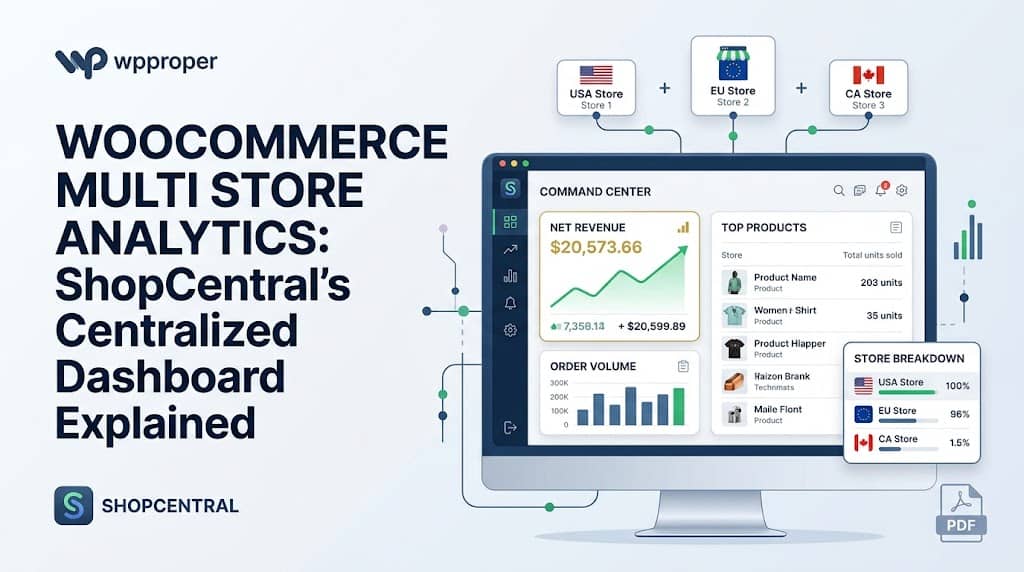
The standard WooCommerce analytics dashboard provides useful data for a single store — but the moment you manage two or more stores, you face a fundamental limitation: there is no way to see your combined revenue, combined order volume, or combined top-performing products across all stores without logging into each site separately and manually adding the numbers together. For agencies, brand operators, and high-volume merchants running a multi store WooCommerce network, this fragmentation costs hours every week and makes data-driven decisions nearly impossible.
ShopCentral’s centralized analytics dashboard is the solution — a unified, real-time analytics interface that aggregates revenue, orders, product performance, and customer metrics across every connected WooCommerce store into a single, beautiful command center view. This article covers every analytics and reporting feature in ShopCentral for multi store manager WooCommerce users.
The Problem with Default WooCommerce Analytics for Multi-Store Operators
WooCommerce’s built-in analytics (and WooCommerce Admin Reports) are scoped to the single site they are installed on. This creates several operational pain points for multi-store operators:
- No cross-store revenue view: You cannot see combined revenue from Store A and Store B in the same chart
- No network-wide top products: Which product is best-selling across your entire catalogue? Default WooCommerce cannot answer this
- Multiple logins required: Checking yesterday’s performance means logging into every admin separately
- No trend comparison: Identifying whether one store is growing while another declines requires manual data collection
- No PDF reporting: Generating a consolidated revenue summary for stakeholders or accountants requires custom development
ShopCentral’s analytics layer is the multi store plugin for WooCommerce answer to all of these limitations.
What the ShopCentral Dashboard Shows
The main ShopCentral dashboard provides an immediate, scannable overview of business health. Key metrics displayed on the overview dashboard include:
The dashboard uses a standardized date picker — allowing filtering by Today, Yesterday, This Month, This Year, or All Time — consistent across all dashboard sections. This means switching between analytics views maintains the same time filter, avoiding confusion when comparing metrics.
Advanced Store Analytics
The dedicated Store Analytics section in ShopCentral provides deeper revenue and order performance data for the selected store. This section is powered by the ShopCentral_Advanced_Analytics API class and provides:
- Revenue over time chart: Visual revenue trajectory showing daily, weekly, or monthly trends for the selected period
- Order volume trends: Order count over time in the same period view
- Average order value (AOV): Net revenue divided by order count — a key metric for optimizing upsell and cross-sell strategies
- Revenue comparison: Compare the current period against the prior period to identify growth or decline
- Per-store or network-wide view: Switch between analyzing a single connected store or viewing aggregated metrics across all connected stores simultaneously
The advanced analytics module is designed to replace expensive third-party analytics SaaS subscriptions for multi-store WooCommerce operators — providing the bird’s-eye revenue view that ordinarily requires connecting multiple stores to tools like Google Analytics 4 with custom event tracking or purchasing reporting tools.
Product Analytics
The dedicated Product Analytics section surfaces product performance data that is actionable for inventory, pricing, and marketing decisions. Key data surfaces include:
- Top-selling products by revenue and units: Identify which products generate the most income and which have the highest sales volume (the two lists are often different)
- Low stock and out-of-stock identification: Products approaching zero stock are surfaced prominently so restocking action can be taken before sales are lost
- Product type filtering: Filter the product list by type (simple, variable) to quickly locate specific product categories
- Per-store product context: Switch store context to compare which products perform best in each store individually
- Comprehensive product catalog overview: Monitor the full product catalogue including pricing, stock status, and SKU
Low Stock Alert Use Case: For a multi-store operator selling the same product across three regional stores, ShopCentral’s product view can immediately reveal that one store is at 3 units remaining while the other two have 50+. This insight enables stock transfer decisions before a stockout causes lost sales — a visibility that would require three separate admin logins without ShopCentral.
Central Order Timeline
The Order Timeline is one of ShopCentral’s most operationally valuable analytics features — a chronological feed of orders across all connected stores, showing new sales in real time. Instead of checking each store’s order screen separately, the timeline presents a unified, chronological view of all incoming orders across the network.
The order management section includes:
- Chronological order feed: All orders from all stores in a single reverse-chronological list with store attribution
- Order status filtering: Filter by processing, completed, on-hold, refunded, or any WooCommerce status
- Date range filtering: View orders within any custom date range using the standardized date picker
- Customer search: Find orders by customer name or email across all connected stores
- Pagination with per-page selector: Choose 10, 25, 50, or 100 orders per page with first/previous/next/last navigation for efficient browsing of high-volume order histories
Centralized PDF Reports
ShopCentral includes a PDF report generation feature designed for accounting and stakeholder communication. The PDF reports are invoice-style summaries of cross-store performance, containing:
- Combined revenue across all connected stores for the selected period
- Total order count and average order value network-wide
- Store-by-store revenue breakdown
- Clean, professional formatting appropriate for sharing with accountants, investors, or business partners
This removes the need to manually compile data from multiple WooCommerce exports into spreadsheets — a time-consuming monthly task for multi-store operators without a centralized reporting tool. Combined with the Export Tools suite (covered in a separate article), ShopCentral provides a complete reporting and data extraction pipeline for woocommerce multi store manager users.
Frequently Asked Questions
Does ShopCentral show combined revenue from all stores in one number?
Yes. The main dashboard shows aggregated revenue, total orders, and top products across all connected stores. You can also drill into individual store analytics using the store selector to see per-store performance. This is the core value proposition of ShopCentral as a multi store WooCommerce plugin — the unified view that WooCommerce itself cannot provide.
Is analytics data stored in the hub site’s database?
No. ShopCentral uses a remote proxy architecture — analytics data is fetched on-demand from each connected store’s WooCommerce REST API when you view the dashboard. This means no database bloat on the hub site. The data displayed is always live and current. The exception is order import — when you use the optional order sync feature, imported orders are written to the hub’s WooCommerce order tables, but this is opt-in per store.
See All Your WooCommerce Revenue in One Dashboard
ShopCentral gives you the unified analytics view your multi-store business needs — free to install today.
