

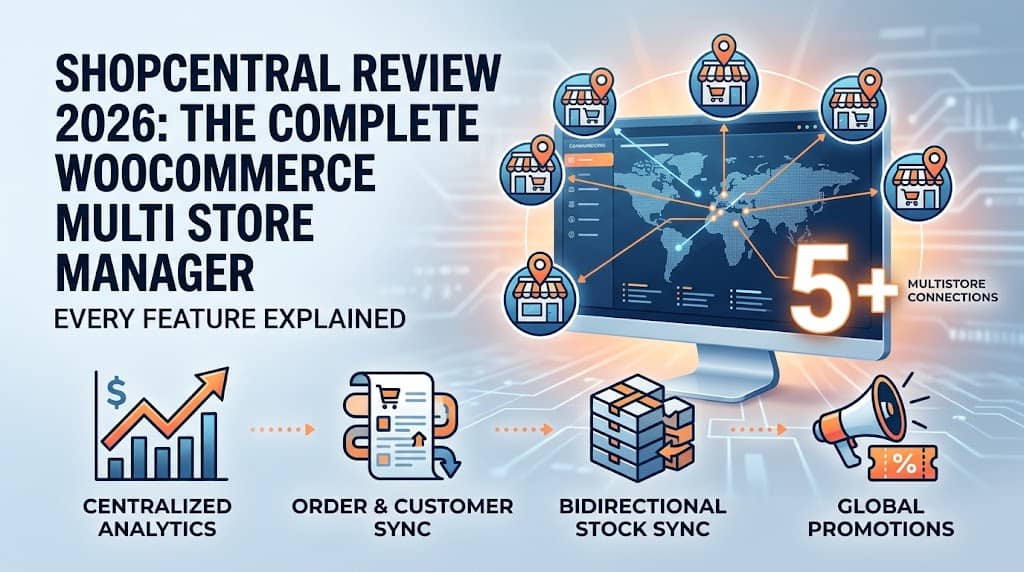
Running multiple WooCommerce stores and logging into each one separately every single day — checking orders, managing stock, running promotions, exporting data — is one of the most time-draining operational realities in eCommerce. ShopCentral is the plugin built specifically to end that fragmentation. It is the most complete multi-store WooCommerce plugin available in 2026, and this guide covers every single feature in comprehensive detail so you can make an informed decision about whether it fits your business.
1. What Is ShopCentral? The Best Multi Store Plugin for WooCommerce
ShopCentral is an advanced multi store manager for WooCommerce and analytics suite created by Dominopress. At its core, it solves a problem WooCommerce has never natively addressed: there is no built-in way to manage, monitor, or synchronize multiple WooCommerce stores from one place. Every store is an isolated WordPress installation with its own admin panel, its own orders database, its own product catalogue, and its own customer records.
ShopCentral installs on a single WordPress “hub” site and transforms it into a Command Center — a unified operational interface where every connected WooCommerce store’s orders, products, customers, analytics, and automation rules are accessible and manageable without switching tabs, re-entering credentials, or opening another browser. It is the best multi store plugin for WooCommerce for store owners, agencies, and high-volume merchants who manage more than one store and are tired of the fragmented workflow.
✓ Who ShopCentral Is For
- Multi-brand eCommerce operators
- Agencies managing client WooCommerce stores
- Merchants with regional/market-specific stores
- High-volume sellers needing centralized operations
- Businesses needing Xero/warehouse integration
✗ When You Don’t Need It
- Single WooCommerce store with no plans to expand
- Stores that share a single WordPress installation
- Businesses that only need basic per-store analytics
Version 2.7.1 Highlights: ShopCentral v2.7.1 requires WordPress 6.8+, supports WooCommerce HPOS (High-Performance Order Storage), and is built and maintained by Dominopress. The changelog shows consistent, high-cadence development with major feature additions in every version since 2.1.0.
2. How the Hub-and-Spoke Architecture Works
ShopCentral’s technical design philosophy is summarized in one principle: add operational power without adding database burden. This is achieved through a hub-and-spoke architecture with two distinct data modes.
👤 Hub Site (Command Center)
ShopCentral is installed on one WordPress site — your Command Center. All management happens here. No plugin required on child stores. The hub connects outward to every child via the WooCommerce REST API.
🏢 Child Stores
External WooCommerce sites connected via REST API Consumer Key & Secret. No plugin installation required. Up to 3, 5, or unlimited stores depending on the Pro plan tier.
⚡ On-Demand Proxy Fetching
Data is fetched live from child stores’ APIs when you view the dashboard. Nothing is permanently written to the hub database during browsing — no database bloat regardless of network size.
📦 Optional Order Import
When enabled per store, orders are imported as real WooCommerce orders on the hub. This enables full plugin compatibility (Xero, warehouse tools) at the cost of hub database growth.
Setup in 5 steps: (1) Install ShopCentral on your hub site. (2) Your hub site is auto-added as Store 1. (3) On each child site, create a WooCommerce REST API key with Read/Write permissions. (4) In ShopCentral → Stores, click Add Store and paste the URL + API keys. (5) Use the store selector in the top nav to switch between stores and manage everything from one dashboard.
3. Centralized Dashboard & Analytics
The first thing you see when you open ShopCentral is the centralized analytics dashboard — a real-time aggregated view of your entire store network’s performance. WooCommerce has no native cross-site analytics; every metric you see here is data that would otherwise require separate logins to collect and manual addition to combine.
A standardized label-based date picker (Today, Yesterday, This Month, This Year, All Time) is consistent across every section of the dashboard — switching time period on one section doesn’t break the filter context elsewhere. The Advanced Store Analytics module provides revenue and order volume charts by period, period-over-period comparison, and per-store revenue breakdown. The Product Analytics module surfaces top sellers by revenue and units, low-stock alerts (products approaching zero), and out-of-stock identifiers — the multi-store stock visibility that would otherwise require checking each store independently.
Centralized PDF Reports generate invoice-style summaries of cross-store revenue, total order count, and average order value — formatted for accounting and stakeholder presentations without requiring access to individual store admins. This eliminates the monthly task of manually compiling data from multiple WooCommerce export screens.
4. Multi-Store Order Management & Order Sync
Order management is the highest-frequency daily operation for any eCommerce business. ShopCentral’s order system operates in two modes: live proxy view (default, no database impact) and full order import & sync (optional, creates real WooCommerce orders on the hub for accounting integrations).
Central Order Timeline & Filters
The Order Timeline is a chronological, real-time feed of orders across every connected store in one view. Every order shows its originating store. Filtering capabilities include:
- Status filters: Processing, Completed, On-Hold, Refunded, Cancelled — any WooCommerce status
- Date range: Today through All Time via the standardized date picker
- Customer search: Name or email search across all connected stores simultaneously
- Pagination: 10 / 25 / 50 / 100 orders per page with First / Previous / Next / Last navigation for high-volume browsing
Background Order Import & Sync (v2.6.0+)
This is ShopCentral’s most technically significant feature for businesses needing accounting or warehouse integration. When enabled per child store via a toggle in Connected Stores settings, child site orders are created as real WooCommerce orders on the hub — including all line items, billing/shipping addresses, coupons, fees, metadata, and ACF fields.
| Order Sync Feature | Technical Detail |
|---|---|
| Real WooCommerce Orders | Orders created via WC CRUD methods — fully compatible with any WooCommerce hook or plugin |
| Action Scheduler | Background queue processing in 50-order batches — no PHP timeouts, reliable for 50,000+ order imports |
| Webhook Real-Time Push | WooCommerce webhooks on child sites push new orders to hub in near real-time without manual sync |
| Duplicate Prevention | Intelligent deduplication prevents re-importing the same order if sync is triggered multiple times |
| Retry System | Failed orders automatically retried every 5 minutes via WP Cron — no manual intervention needed |
| Progress Bar & Cancel | Real-time progress display during manual batch sync with cancel button support |
| HPOS Compatibility | All operations use WC CRUD methods — fully compatible with HPOS (Custom Order Tables) |
Accounting & Warehouse Integration: Because imported orders are genuine WooCommerce orders, Xero for WooCommerce, warehouse management plugins, shipping label generators, and any plugin hooking into woocommerce_new_order or woocommerce_order_status_changed works automatically for all child store orders — no custom integration work required. This makes ShopCentral the most integration-friendly multi store manager WooCommerce solution available.
5. Product & Inventory Sync System (Pro)
ShopCentral’s Pro-tier product sync system automates the most painful manual workflows in multi-store product management: keeping stock levels accurate across stores selling shared inventory, cloning products to new stores, and applying network-wide pricing changes.
Bidirectional Inventory Sync
When a sale occurs on any connected store, ShopCentral automatically reduces stock on all other connected stores carrying the same SKU. This bidirectional approach — stock reductions propagate from any node in the network outward — prevents the overselling that occurs when shared physical inventory is displayed as full stock on multiple stores simultaneously.
Recursive Variable Product Sync
Variable products (size/colour variants) are synced in full: parent product, all variations, per-variation stock, per-variation pricing, and product attributes — including automatic creation of attribute terms on destination stores if they don’t exist yet. A 30-variation product pushed to 5 stores is a single operation in ShopCentral, not 150 manual entries.
Bulk Clone Products
Select products from any connected store and push them to one or more child stores in a single operation. Categories and tags are created on the destination stores if they don’t exist. Transforms new store launch from hours of manual data entry into a single-click population operation — especially valuable for agencies setting up stores for new clients.
Global Price Adjustments
Apply percentage-based price adjustments across all selected stores simultaneously — run a 20% Black Friday sale, reverse it after, or respond to a supplier cost change across the entire network in one operation. A redesigned modal with warning info ensures operators review the scope before confirming.
Custom Meta & ACF Repeater Sync
Product custom metadata and ACF (Advanced Custom Fields) repeater fields are included in sync operations. ACF field groups are auto-detected when ACF is active, and both field names and field keys are included in the sync payload — preserving complex nested custom field structures across all stores in the network.
Key safeguard: Products are matched across stores by SKU. A deployment warning is shown if the target store does not have a product with a matching SKU, preventing accidental pushes to incorrect products. Detailed API error messages are displayed on deploy failure for immediate diagnosis.
6. Smart Product Creator: 3-Step Wizard (Pro)
The Smart Product Creator (introduced in v2.7.0) allows creating simple and variable products across multiple stores simultaneously via a guided 3-step wizard — eliminating repetitive data entry across separate store admins.
Select Stores
Choose the hub store, specific child stores, or all connected stores to receive the new product.
Product Details
Title, description, type (Simple/Variable), price, SKU, stock, categories & tags. Categories and tags sync to destination stores automatically.
Variations & Store Pricing
Configure attribute-wise variations with per-variation pricing & stock. Apply per-store percentage price adjustments for market-specific pricing.
Per-store price adjustments mean Store A can receive the product at the base $100 price, Store B (UK) at +10% → $110, and Store C (Outlet) at −15% → $85 — all configured in one wizard session. Featured image upload is supported directly in the wizard; images are pushed to each destination store’s media library via the REST API without separate media library access.
7. Global Product Editor (Pro)
The Global Product Editor allows editing any existing product on any connected store from the ShopCentral dashboard — not just products originally created via ShopCentral. The editor is organized in logical tabs:
| Tab | Editable Fields |
|---|---|
| General | Title, description, short description, product status |
| Pricing | Regular & sale price; variation pricing table for variable products |
| Inventory | SKU, stock quantity, stock status, backorders |
| Categories & Tags | Assign product categories and tags for the target store |
| Media | Featured image upload + product gallery image management |
The hub’s main store is auto-selected by default in the Product Editor for the most common editing workflow. An editor queue system (class-editor-queue.php) handles concurrent edits without race conditions.
8. Customer Intelligence & Customer Sync
In a multi store WooCommerce network, the same customer buying from multiple stores appears as separate, unrelated customers in each store’s database. ShopCentral’s Customer Intelligence module centralizes customer data and Customer Sync by Email unifies those records on the hub.
Unified Customer View
The Customers section shows for each customer: name, email, total spend, order count, and last order date — filterable by date range. Sorting by total spend identifies VIP customers who deserve priority treatment. Filtering by recent activity surfaces at-risk customers who haven’t purchased in a while.
Customer Sync by Email (v2.6.0+)
When Order Import is enabled, ShopCentral handles customer accounts on the hub automatically:
- Existing user found by email: Imported order is linked to the existing WordPress user account
- No existing user: A new WordPress customer account is created from the order’s billing information
- Same customer on multiple child stores: All their orders consolidate under one hub account — true cross-store customer unification
- Cache-optimized for batch imports: Static caching of email lookups prevents excessive DB queries during 10,000+ order imports
- Per-store toggle: Customer Sync is configurable independently per child store (purple toggle in Connected Stores)
The outcome: the hub’s WooCommerce customer database becomes a complete, consolidated customer record for the entire store network — enabling CRM plugins, email marketing integrations, and loyalty tools installed on the hub to work with the full customer relationship picture.
9. Global Coupon Broadcasting & Marketing Controller (Pro)
Creating a promotional coupon across 6 stores traditionally means logging into 6 WooCommerce admins and filling in the same coupon form 6 times. ShopCentral’s Global Coupon Broadcasting collapses this into one form submission that deploys the coupon to all selected stores simultaneously via the WooCommerce REST API.
What You Can Broadcast
- Percentage discount (e.g., SUMMER20 — 20% off)
- Fixed cart discount (e.g., SAVE10 — $10 off orders over $50)
- Fixed product discount (e.g., $5 off a specific item)
- Minimum order amount, expiry date, usage limits per coupon and per user
- Select all stores or specific stores as broadcast targets
🎁 Seasonal Sales
CHRISTMAS20 broadcast to 8 stores simultaneously in one operation vs. 8 separate admin sessions.
🌟 VIP Loyalty
VIP10 (10% off, 1 use per customer) broadcast so VIPs can redeem on any store in the network.
📨 Email Campaigns
Broadcast the code before sending the email blast so it’s active everywhere before recipients click through.
⚡ Flash Sales
24-hour flash sale coupons broadcast and expired simultaneously across all stores — impossible to time manually.
The Marketing Controller module provides additional campaign coordination tools — a centralized interface for planning and tracking promotional activity across the store network, preventing the uncoordinated per-store marketing chaos that results in inconsistent customer experiences. The Coupons export in Export Tools records coupon code, discount type, amount, and usage count per store for ROI analysis.
10. Advanced Automation Engine (Pro)
ShopCentral’s Automation Engine is a rule-based system that creates triggered marketing and operational workflows across the entire connected store network. Instead of configuring cart abandonment, post-purchase, and VIP automation independently on each site, one ShopCentral automation rule covers all stores.
🚥 Cart Abandonment Recovery
Trigger: Customer adds to cart, doesn’t checkout within defined time. Action: Follow-up with optional discount incentive. 70%+ of carts are abandoned — recovery automation recaptures a meaningful portion as pure additional revenue.
🛍 Post-Purchase Follow-Up
Trigger: Order Completed. Timed actions: review request at 7 days, upsell recommendation at 14 days, repeat purchase incentive at 30 days. Drives reviews and repeat revenue with zero ongoing effort.
⭐ VIP Customer Tagging
Trigger: Customer lifetime spend exceeds threshold (e.g., $1,000) or order count exceeds limit (e.g., 5 orders). Action: Apply VIP tag, trigger welcome communication and exclusive offer.
🕑 Re-Engagement Rules
Trigger: Time elapsed since last purchase without a new order. Action: Win-back offer or segment migration. Catches churning customers before the relationship fully cools.
Each automation rule specifies its store scope — all connected stores, or specific stores. VIP tags assigned through automation are visible in the Customer Intelligence section for targeted Global Coupon Broadcasting, creating a closed-loop between intelligence, automation, and promotion across the entire multi store WooCommerce plugin ecosystem.
11. Data Export Tools Suite (Free)
ShopCentral’s Export Tools are one of the most valuable free features of the plugin — providing comprehensive data export from any connected store across 7 data types with time-period filtering, all without accessing individual store admins.
| Export Type | Fields Included | Primary Use |
|---|---|---|
| Orders | Order ID, customer, email, billing, line items, total, status, date | Accounting, Xero/QuickBooks reconciliation |
| Products | Name, SKU, price, stock quantity, status, type | Inventory audit, catalogue migration |
| Product Reviews | Rating (1–5), reviewer name, review content | Social proof analysis, NPS tracking |
| Product Categories | Name, slug, parent category | Taxonomy audit, SEO review, store migration |
| Product Tags | Name, slug, description | SEO keyword analysis, taxonomy migration |
| Customers | Name, email, order count, total spend | CRM import, email list, VIP identification |
| Coupons | Code, discount type, amount, usage count | Campaign ROI analysis, accounting |
All exports support time-period filters: This Month, This Year, or All Time — making monthly accounting exports and annual reporting a matter of two clicks. PDF Reports generate professional invoice-style summaries of cross-store revenue, order count, and AOV for stakeholder presentations.
12. Smart Firewall Bypass & Activity Logs
API communication between the hub and child stores is the backbone of every ShopCentral feature. Modern hosting environments — particularly those using Cloudflare WAF, Bluehost’s built-in security, or Sucuri — can block these automated server-to-server API calls as suspected bot traffic, causing sync operations to silently fail even when API keys are correctly configured.
Smart Firewall Bypass Mechanisms
- Unique Shared Secret per store: ShopCentral cryptographically generates a unique
shared_secretper child store. All outbound API calls to that store include a customX-ShopCentral-Secretheader signed with this secret. - Browser-mimicking headers: API requests include modern browser-style headers to pass Cloudflare Bot Fight Mode and similar automated traffic detection systems.
- Branded User-Agent: A
ShopCentral-CoreUser-Agent is injected into all calls — identifiable in server logs and usable as a Cloudflare WAF allowlist rule identifier. - No static IP needed: The secret header approach works regardless of whether the hub site has a static IP — practical for shared hosting environments.
Interactive Cloudflare WAF Setup UI
A “Firewall Setup” modal in the Connected Stores management page provides ready-to-copy Cloudflare WAF expression rules pre-populated with each store’s unique shared secret and step-by-step instructions for pasting them into the Cloudflare dashboard — no WAF expertise required. Example auto-generated expression:
Centralized Activity Logs
ShopCentral Logs (accessible via ShopCentral → ShopCentral Logs) is a complete audit trail of all plugin operations with:
- Date filter, feature filter (Order Sync, Product Sync, Firewall, Automation, Export, etc.), and level filter (Info / Warning / Error)
- Expandable context details per log entry — full API response, error message, or data payload for deep debugging
- Copy to clipboard for support tickets, bulk delete, and Clear All
- Auto-cleanup: A daily WP Cron job automatically purges log entries older than 30 days — keeping the log database footprint self-regulating
13. Free vs Pro: Complete Feature Comparison
| Feature | Free | Personal (3 stores) | Professional (5) | Business (Unlimited) |
|---|---|---|---|---|
| Centralized Dashboard & Analytics | ✔ | ✔ | ✔ | ✔ |
| Order Timeline & Advanced Filters | ✔ | ✔ | ✔ | ✔ |
| Background Order Import & Sync | ✔ | ✔ | ✔ | ✔ |
| Customer Intelligence | ✔ | ✔ | ✔ | ✔ |
| Export Tools (All 7 Types) | ✔ | ✔ | ✔ | ✔ |
| PDF Reports | ✔ | ✔ | ✔ | ✔ |
| Firewall Bypass & Activity Logs | ✔ | ✔ | ✔ | ✔ |
| Connected Stores | 1 (hub only) | 3 | 5 | Unlimited |
| Smart Product Creator (3-Step Wizard) | ✗ | ✔ | ✔ | ✔ |
| Global Product Editor | ✗ | ✔ | ✔ | ✔ |
| Product & Inventory Sync (Bidirectional) | ✗ | ✔ | ✔ | ✔ |
| Bulk Clone Products | ✗ | ✔ | ✔ | ✔ |
| Global Price Adjustments | ✗ | ✔ | ✔ | ✔ |
| Global Coupon Broadcasting | ✗ | ✔ | ✔ | ✔ |
| Advanced Automation Engine | ✗ | ✔ | ✔ | ✔ |
✔ = Included ✗ = Pro only Store limits apply per plan tier
ShopCentral Overall: Pros & Cons
✓ STRENGTHS
- No plugin required on child stores — only REST API keys
- Proxy architecture prevents hub database bloat
- HPOS-compatible — ready for the latest WooCommerce
- Real WooCommerce orders on import — Xero/warehouse-ready
- Action Scheduler for reliable high-volume background processing
- Firewall bypass works with Cloudflare WAF without static IPs
- Export Tools (all 7 types) are free
- Smart Product Creator covers variable products + per-store pricing
- Bidirectional inventory sync prevents multi-store overselling
- ACF Repeater sync for agencies with custom field-heavy stores
✗ LIMITATIONS
- Core sync and product management features require Pro
- Free tier limited to 1 store (hub only)
- Order import increases hub database size (expected trade-off)
- Bidirectional sync depends on REST API rate limits of child hosts
- Automation Engine complements — doesn’t fully replace — dedicated email tools for complex sequences
- Global coupon broadcast applies identical settings to all stores (no per-store amount variation)
14. Frequently Asked Questions
Is ShopCentral the best multi store plugin for WooCommerce in 2026?
ShopCentral is the most comprehensive multi store WooCommerce plugin available in 2026. No other single plugin combines centralized analytics, background order import with Xero compatibility, bidirectional inventory sync, a smart product creator for variable products, cross-store customer intelligence, global coupon broadcasting, a full automation engine, 7-type data exports, and a smart Cloudflare WAF bypass system in one package. For most multi-store WooCommerce operators — agencies, brand networks, and high-volume merchants — ShopCentral covers every operational requirement that WooCommerce’s native tooling cannot address.
Does ShopCentral need to be installed on every child store?
No. ShopCentral installs on the hub (Command Center) site only. Child stores are connected via their WooCommerce REST API Consumer Key and Consumer Secret — standard WooCommerce credentials available in WooCommerce → Settings → Advanced → REST API on any WooCommerce site. This makes ShopCentral practical for agencies managing client stores without requiring plugin installation access on the client’s WordPress installation.
How many WooCommerce stores can ShopCentral manage?
The free version manages the hub site (1 store). The Pro Personal plan connects up to 3 stores, Professional up to 5, and the Business/Unlimited plan connects an unlimited number of WooCommerce sites. All plans use the same feature set — the only difference between tiers is the number of stores you can connect simultaneously.
Is my store data sent to third-party servers?
No. ShopCentral connects your hub site directly to your child stores using the WooCommerce REST API. Data flows only between your own servers — hub to child and child to hub. It is not routed through Dominopress’s servers or any third-party service. The optional usage telemetry (basic anonymous plugin usage data) can be disabled in settings if you prefer zero outbound data collection.
Does ShopCentral work with WooCommerce HPOS (High-Performance Order Storage)?
Yes. ShopCentral v2.7.1 is fully compatible with WooCommerce HPOS (Custom Order Tables). All order management, import, and sync operations use WooCommerce’s CRUD methods rather than direct database queries — ensuring correct operation whether HPOS is enabled or disabled on both hub and child stores. This makes ShopCentral future-proof as HPOS becomes the default in WooCommerce.
Will importing orders from child stores bloat my hub site’s database?
Yes — and this is intentional. Importing orders as real WooCommerce orders on the hub means they are written to the hub’s WooCommerce order tables, increasing database size proportional to import volume. This is the necessary cost of enabling Xero, warehouse, and WooCommerce plugin compatibility for all child store orders. If accounting integration is not required, the default live proxy mode (no import) keeps the hub database completely unchanged regardless of how many orders exist on child stores.
Are the Export Tools free in ShopCentral?
Yes. All 7 export types (Products, Orders, Product Reviews, Categories, Tags, Customers, and Coupons) with time-period filtering (This Month, This Year, All Time) are available in the free version of ShopCentral. This is one of the most generous inclusions in a free eCommerce management plugin — most competing tools gate data export behind paid tiers.
Why do my sync operations fail even though the connection test passes?
This is typically a firewall issue. The initial API connection test is a simple single authenticated request that many firewalls allow through. Repeated automated API calls (during sync, import, or bulk operations) can be blocked by Cloudflare Bot Fight Mode, Bluehost’s server firewall, or similar security systems because they look like bot traffic. Use ShopCentral’s Firewall Setup modal (in Connected Stores → click the shield icon on the child store) to generate the Cloudflare WAF allowlist rule for that store and follow the step-by-step instructions to whitelist ShopCentral’s traffic.
✅ Final Verdict: Should You Use ShopCentral?
If you manage more than one WooCommerce store and are currently logging into each separately, ShopCentral will save you time every single day. The free version’s analytics, order management, customer intelligence, and 7-type export tools alone justify the install. If you sell shared inventory across stores, the bidirectional sync in Pro directly prevents overselling and lost revenue. If you need Xero or warehouse tool compatibility across all your stores, the background order import is the most technically sound solution available. If you launch products across a store network regularly, the Smart Product Creator and Bulk Clone tools eliminate hours of repetitive data entry per product launch.
ShopCentral is not just the best multi store plugin for WooCommerce — it is the only plugin that covers every operational layer of multi-store management in a single, coherent, performance-first package.
