

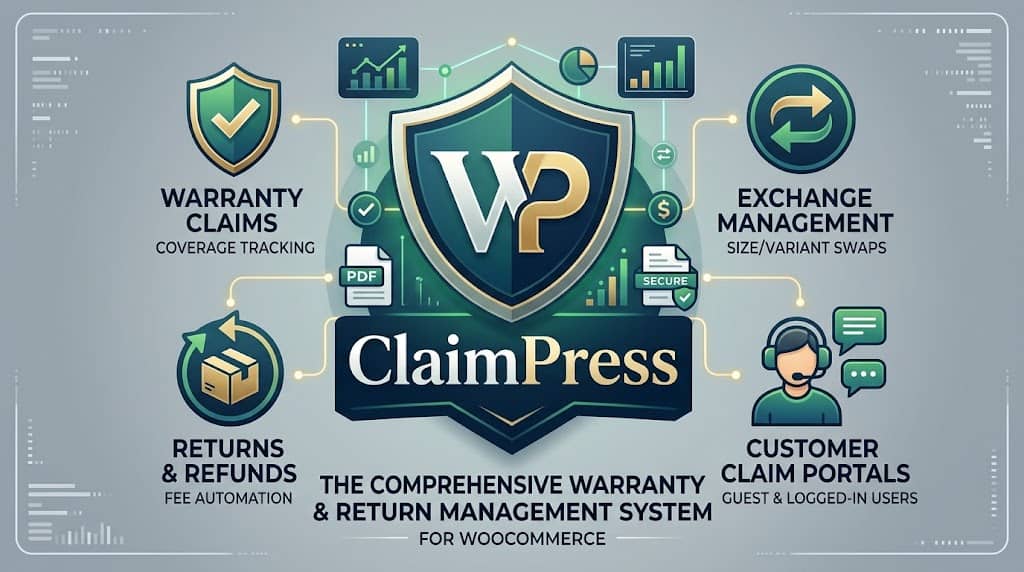
ClaimPress is a professional WooCommerce warranty, return, refund, and exchange plugin built by Dominopress. It is the most comprehensive warranty plugin for WooCommerce that handles all three dimensions of post-purchase customer claims — warranty claims for defective products, product exchange requests when customers receive the wrong item or want a different variant, and return/refund requests — in a single unified system.
Unlike generic WooCommerce return plugins that handle refunds only, ClaimPress operates as a true return and warranty management system for WooCommerce: it tracks claim status through a configurable pipeline, maintains customer-facing claim portals (both for registered users and guests), sends automated email notifications, supports admin-to-customer messaging, and in its Pro version, generates PDF warranty certificates, automates fee collection, and tracks claim analytics.
The plugin uses a custom post type architecture for claims, integrates natively into WooCommerce order flow and the My Account page, and is declared compatible with WooCommerce’s High-Performance Order Storage (HPOS). It supports a limit of 10 products in the free version, with unlimited product coverage in ClaimPress Pro.
At a Glance: ClaimPress is the most complete best warranty plugin for woocommerce available in 2026. Three claim types (Warranty, Exchange, Return), dedicated customer portals, admin claims dashboard, email notifications, bulk product setup, analytics, and an extensive Pro feature set covering paid warranty tiers, PDF certificates, fee automation, and fraud prevention.
Why Your WooCommerce Store Needs a Warranty & Returns Plugin
Most WooCommerce stores handle warranty claims and return requests through email, spreadsheets, or order notes — an ad-hoc system that creates significant operational problems as transaction volume grows. Without a structured return and warranty management system for WooCommerce plugin, stores face:
Lost or Forgotten Claims
Email-based warranty claims get buried in inboxes. Without a tracking system, legitimate customer claims fall through the cracks — destroying trust and generating chargebacks.
No Data & No Patterns
Without structured claim tracking, stores cannot identify which products generate the most returns, which suppliers have quality issues, or which claim types dominate volume.
Fraudulent Claims
Without proof requirements and structured workflows, fraudulent warranty claims and manufactured “defects” are easy to submit and hard to challenge.
Uncaptured Revenue
Stores with no paid warranty tier or extended warranty upsell are leaving revenue on the table that electronics retailers, appliance stores, and fitness equipment shops routinely capture.
Poor Customer Experience
Customers who have a smooth, transparent warranty or return experience become loyal repeat buyers. Those who face opacity, delays, and confusion become negative reviewers.
Legal Compliance Risk
Many jurisdictions mandate minimum statutory return and warranty periods. A plugin that enforces these periods at the product level reduces compliance risk compared to manual tracking.
ClaimPress addresses all of these problems with a structured, automated, and auditable claims management system that scales from a 10-product boutique store to a high-volume enterprise operation.
Module 1: WooCommerce Warranty System
The Warranty module is ClaimPress’s core feature — and the one that defines its primary identity as a warranty for WooCommerce solution. It handles the configuration of product warranty terms, the customer-facing warranty claim submission process, and the admin workflow for processing warranty claims.
Warranty Types
ClaimPress supports two distinct warranty types at the product level:
✓ Included Warranty
Warranty is included with the product at no extra charge. The warranty badge displays on the product page and in My Account once an order is completed. Customers can submit warranty claims within the configured warranty period.
💰 Paid Warranty (Pro)
Customers can purchase a warranty plan at checkout as an add-on. Unlimited paid tiers supported in Pro (1yr/2yr/3yr at different price points). Appears as a selectable option on the product page, processed through standard WooCommerce checkout.
Warranty Duration Configuration
Warranty periods are configured per-product with full granularity — a numeric duration plus a unit (Days, Weeks, Months, or Years). This handles everything from short 30-day warranties to lifetime guarantees. The warranty period is calculated from the order completion date — enforced at the claim submission stage so that out-of-warranty claims are automatically rejected.
Product Page Warranty Display
When a product has a warranty configured, ClaimPress displays a warranty badge on the product page — “12 Months Warranty Included” or a custom label. For paid warranty tiers (Pro), a selection widget appears on the product page allowing customers to choose their coverage level before adding to cart. Custom marketing labels replace duration-based text in Pro — “Gold Protection Plan” instead of “36 Months.”
PDF Warranty Certificates (Pro)
ClaimPress Pro automatically generates a professional, serialized PDF warranty certificate when an order containing a warranty product reaches Completed status. Certificates are available for download in the customer’s My Account area. Each certificate has a unique serial number for record-keeping and fraud prevention. This significantly increases the perceived value of paid warranty tiers.
Custom Order Statuses
ClaimPress registers custom WooCommerce order statuses specifically for warranty and claims workflows, providing granular pipeline visibility beyond WooCommerce’s default Processing/Completed statuses.
Module 2: Exchange Management System
The Exchange module handles return refund and exchange for WooCommerce scenarios where a customer wants to swap a product for a different variant, size, color, or model — rather than returning it for a refund. This is distinct from a return/refund and is often the preferred resolution for both the customer (who still wants the product) and the store (which keeps the revenue).
Exchange Period Configuration
Each product can have its own exchange period (e.g., 30 Days, 60 Days) configured in the ClaimPress tab of the WooCommerce product editor. Exchange eligibility is enforced at claim submission — products outside the exchange window are not eligible.
Exchange Processing Fees (Pro)
Real exchange logistics have costs — return shipping labels, re-inspection, re-packaging, outbound reshipping. ClaimPress Pro automates fee collection with a complete workflow:
- Admin sets a default Exchange Processing Fee in settings
- Customer files an exchange claim
- System auto-creates a “Processing Fee” WooCommerce order
- Claim locks in “Pending Payment” status until paid
- Customer pays through standard WooCommerce checkout
- Payment confirmed → claim auto-advances → admin notified to process exchange
Fee Waiver System (Pro)
When an exchange is the store’s fault (wrong item shipped, DOA product), charging a processing fee is unfair. ClaimPress Pro’s Fee Waiver system allows customers to request a waiver with evidence. Admins can approve (waive fee, process exchange immediately) or decline (one-click sends the customer a payment link for the standard fee). Proof upload automatically becomes mandatory for fee waiver requests — preventing unsubstantiated waiver abuse.
Module 3: Return & Refund System
The Return module handles the full return plugin WooCommerce workflow — from customer-initiated return request through admin review to refund processing. This is the return refund and exchange for WooCommerce plugin functionality most stores urgently need as they scale beyond ad-hoc email-based returns.
Return Period Configuration
Like exchange periods, return periods are configured per-product (or via the Bulk Setup Tool for entire categories). Return eligibility is enforced at submission — out-of-window claims are blocked automatically. Common configurations: 14-day statutory minimum, 30-day standard, 60-day extended return policy.
Restocking Fees (Pro)
Restocking fees serve a dual purpose in ClaimPress Pro:
- Cost recovery: Partially offsets the operational cost of processing a return (inspection, repackaging, restocking)
- Deterrence: Even a small restocking fee significantly reduces speculative returns (“try at home and return” behavior) while remaining defensible to genuine return customers as a stated policy
The restocking fee workflow mirrors exchange fees — auto-generated WooCommerce order, claim holds until paid, auto-advance on payment. Fee waivers with mandatory proof are available for returns that are the store’s fault.
How Returns Flow Through ClaimPress
→
Fee Created (if Pro)
→
Admin Reviews Claim
→
Approved / Rejected
→
Refund Issued
Module 4: Claim Portals — Logged-In & Guest
ClaimPress provides two distinct customer-facing claim interfaces — one for registered WooCommerce customers and one for guest purchasers — ensuring returns and warranty requests for WooCommerce are accessible to all customer types.
My Account: Claimable Products Tab
For logged-in WooCommerce customers, ClaimPress adds a “Claimable Products” tab to the WooCommerce My Account page. This tab shows all eligible products from completed orders — products that have an active warranty period, exchange eligibility, or return eligibility based on their current purchase date.
The interface shows, for each eligible product:
- Product image, name, and order reference
- Which claim types are available (Warranty / Exchange / Return)
- Time remaining in each eligible window (e.g., “Warranty: 287 days remaining”)
- A “Make a Claim” or “Submit Claim” button that opens the appropriate claim form
Once submitted, customers can track their claim status directly from this tab — seeing “Pending,” “In Progress,” “Approved,” “Rejected,” or “Completed” alongside any admin notes or messages sent during the review process.
Sequential Order Compatibility
For stores using sequential order numbering plugins (which assign custom, non-WooCommerce order IDs), ClaimPress’s customer portal correctly identifies orders and products using the custom order number rather than the internal WordPress post ID. This is a significant compatibility feature for stores that present custom invoice numbers to customers.
Guest Claim Portal: [claimpress_guest_form] Shortcode
Guest customers — those who completed checkout without creating a WooCommerce account — can submit claims through the Guest Claim Form, deployed with the [claimpress_guest_form] shortcode on any page. The guest form requires:
- Order number (shown on the guest’s order confirmation email)
- Email address used at checkout (for order verification)
- The claim type they want to submit
- Description of the issue
- Proof upload (optional or mandatory depending on settings)
The guest portal verifies the order/email combination against WooCommerce records before allowing claim submission — ensuring only customers with genuine purchase records can file claims. This is a critical design decision: many stores lose warranty and return claims from guest purchasers (who represent a significant percentage of WooCommerce transactions) simply because they have no accessible submission mechanism.
Module 5: Admin Claims Dashboard
The admin Claims Dashboard (accessible from the WordPress admin sidebar) is the operational center of ClaimPress — where all incoming warranty, exchange, and return claims are received, reviewed, and processed. It is designed for efficiency at scale, minimizing the number of clicks required to manage claim volume.
Claims List View
The main Claims List shows all pending and active claims in a filterable table:
- Filter by Type: View only Warranty claims, only Exchange claims, or only Return claims
- Filter by Status: Pending / In Progress / Approved / Rejected / Completed
- Pending badge: A prominent counter on the admin menu shows the number of pending unreviewed claims — ensuring claims don’t sit unnoticed
- Inline status dropdowns: Change claim status directly from the list view without navigating to individual claim pages (AJAX-powered, no page reload)
- Create Claim: Admins can manually create claims on behalf of customers — for phone/chat support scenarios where the customer needs help submitting
Claim Detail View
Each individual claim has a detailed view showing:
- Customer name, email, order reference, purchase date
- Product name and the claim type requested
- Claim description written by the customer
- Proof attachments (photos/documents uploaded by customer — Pro)
- Fee waiver request details and evidence (Pro)
- Complete status history and timeline
- Admin notes section (internal, not visible to customer)
- Admin-to-customer messaging thread
Admin-to-Customer Messaging
The claim detail view includes a messaging interface for admin-to-customer communication directly within ClaimPress. Admins can send messages requesting additional information (e.g., “Please provide a photo of the damage”) without leaving the claims dashboard and without relying on external email. The customer receives the message via email notification and can reply through their My Account portal. This creates a complete, auditable communication thread attached to the specific claim record.
Fast-Action Admin Shortcuts (Pro)
ClaimPress Pro adds purpose-built admin shortcuts that reduce multi-step operations to a single click — most notably the “Decline Waiver & Send Payment Link” action, which simultaneously declines a fee waiver request and sends the customer an automated payment link for the standard fee. This eliminates what would otherwise require manually editing the waiver, sending a separate email, and creating a payment order — all in one click.
Module 6: Email Notifications & Custom Templates
ClaimPress includes a complete email notification system that keeps both customers and admins informed throughout the claims lifecycle. Automated notifications are triggered for:
- Claim Received: Confirmation to the customer that their claim was received and is being reviewed
- Status Updates: Customer notified when their claim moves from Pending → In Progress → Approved/Rejected → Completed
- Admin Notification: Store admin alerted when a new claim is submitted and requires review
- Fee Payment Required: Customer notified when a processing fee or restocking fee order is created (Pro)
- Admin Message Received: Customer notified when the admin sends a message on their claim
- Waiver Declined → Payment Link: Auto-email with payment link sent when waiver is declined (Pro)
Custom Email Templates
All ClaimPress email notifications use WooCommerce-compatible HTML email templates. Store owners can customize the email content, branding, and messaging to match their brand voice — the template files are located in the plugin’s templates directory and can be overridden via a child theme following standard WooCommerce template override conventions. This means ClaimPress emails can be fully branded to look like all other WooCommerce transactional emails from the store.
Module 7: Bulk Setup Tool & Product Coverage View
For stores with large product catalogues, configuring warranty, exchange, and return settings product-by-product is impractical. ClaimPress’s Bulk Setup Tool (introduced in v3.0.0) solves this at scale — applying complete policy configurations to all products in a WooCommerce category in a single operation.
How Bulk Setup Works
- Navigate to ClaimPress → Bulk Setup
- Select a WooCommerce product category
- Configure Warranty settings: enable/disable, type (Included or Paid), duration (number + unit)
- Configure Exchange settings: enable/disable, exchange period
- Configure Return settings: enable/disable, return period
- Apply — ClaimPress writes the settings to every product in the category instantly
A store with 500 products in the “Electronics” category can have a 2-year warranty and 30-day return policy applied to all 500 products in under 30 seconds — work that would otherwise take 8+ hours of per-product editing.
Products Coverage View
The Products Coverage View (ClaimPress → Products) provides a store-wide audit of which products have which ClaimPress policies active. Filterable by feature type (All / Warranty / Exchange / Return), this view answers questions like:
- “Which of my 300 electronics products don’t have a warranty policy yet?”
- “How many products have both exchange and return enabled?”
- “Are there any products in my active catalogue with no ClaimPress coverage at all?”
Per-Product ClaimPress Tab
Individual products can be configured with custom settings via the ClaimPress tab added to the WooCommerce Product Data metabox. Per-product settings override any bulk-applied category settings for that specific product. This allows a base layer of bulk-applied category policy with precise individual-product exceptions — a flagship product might have a 3-year warranty while the rest of the category has a standard 1-year.
Module 8: Analytics Dashboard
ClaimPress includes an Analytics section that provides operational overview data for the claims department. Key metrics tracked:
Total Claims
All-time and period claim volume
Claims by Type
Warranty vs Exchange vs Return breakdown
Claims by Status
Pipeline health and resolution rates
Products with Coverage
How many products have active ClaimPress policies
Analytics data is most useful at scale — a high volume of Exchange claims for a specific product may indicate a sizing or description issue. A spike in Warranty claims after a supplier change may signal a quality problem to investigate. These insights enable proactive store management rather than reactive firefighting.
Pro Features: The Enterprise RMA System
ClaimPress Pro transforms the plugin from a capable claims manager into an enterprise-grade return and warranty management system for WooCommerce. The Pro feature set is particularly important for high-volume stores where manual processes and unautomated workflows create operational bottlenecks:
💰 Unlimited Paid Warranty Tiers
Multiple warranty plans per product (1yr/2yr/3yr) with custom pricing. Added to cart at checkout as a WooCommerce line item — direct revenue from warranty upsells.
📄 PDF Warranty Certificates
Auto-generated on order completion. Serialized for record-keeping. Available for download in My Account. Elevates paid warranty tier perceived value significantly.
⚡ Automated Exchange & Restocking Fees
Auto-creates WooCommerce fee orders. Claims lock until paid. Payment auto-advances claim. Zero manual invoicing required for any volume of exchange or return claims.
📷 Mandatory Proof Attachments
Configurable enforcement: optional, globally mandatory, or mandatory only for fee waiver requests. Blocks fraudulent or unsubstantiated claims at submission.
🚫 Fee Waiver System
Customers can request fee waivers with evidence when the exchange/return is the store’s fault. Mandatory proof for all waiver requests. Admin approve or decline with one click.
🏭 Custom Marketing Labels
Replace duration-based labels (“36 Months”) with branded names (“Gold Protection Plan”). Benefit-focused labels convert better for paid warranty upsells.
🛒 Related Protected Products
Link a “Protected Version” (product with warranty included in price) to its standard counterpart. Shows an upsell widget on the standard product page driving customers toward the premium version.
🕑 Fast-Action Admin Shortcuts
Single-click waiver decline + payment link send. AJAX status updates. Inline dropdowns in claims list. Designed for high-volume claim processing efficiency.
Free vs Pro: Full Feature Comparison
| Feature | Free | Pro |
|---|---|---|
| Included Warranty (on-product) | ✔ | ✔ |
| Product Exchange Management | ✔ | ✔ |
| Return & Refund System | ✔ | ✔ |
| My Account Claimable Products Tab | ✔ | ✔ |
| Guest Claim Portal Shortcode | ✔ | ✔ |
| Admin Claims Dashboard | ✔ | ✔ |
| Admin-to-Customer Messaging | ✔ | ✔ |
| Email Notifications (all statuses) | ✔ | ✔ |
| Custom Email Templates | ✔ | ✔ |
| Bulk Setup Tool (category-wide policies) | ✔ | ✔ |
| Products Coverage View | ✔ | ✔ |
| Sequential order number compatibility | ✔ | ✔ |
| WooCommerce HPOS compatibility | ✔ | ✔ |
| Max products with ClaimPress coverage | 10 products | Unlimited |
| Unlimited Paid Warranty Tiers | ✗ | ✔ |
| PDF Warranty Certificates (serialized) | ✗ | ✔ |
| Automated Exchange Processing Fees | ✗ | ✔ |
| Automated Restocking Fees for Returns | ✗ | ✔ |
| Customer Proof Attachments (mandatory enforcement) | ✗ | ✔ |
| Fee Waiver Request System | ✗ | ✔ |
| Custom Marketing Labels for Warranty Tiers | ✗ | ✔ |
| Related Protected Products (upsell) | ✗ | ✔ |
| Fast-Action Admin Shortcuts (one-click) | ✗ | ✔ |
Is the Free Version Worth It?
The ClaimPress free version is a meaningful offering for small stores. Access to all three claim types (Warranty, Exchange, Return), both customer portals (My Account + Guest shortcode), the admin claims dashboard with messaging, email notifications, bulk setup, and HPOS compatibility — all free, for up to 10 products. For a boutique store with fewer than 10 products, or for a store testing the ClaimPress workflow before committing, the free version is a genuine starting point.
The 10-product limit is the primary constraint in the free version. Any store with a catalogue larger than 10 products will need Pro to cover their entire range. For stores where the paid warranty upsell revenue, fee automation, fraud prevention, or PDF certificates are important — Pro is where ClaimPress becomes a revenue tool rather than just a cost management tool.
How to Set Up ClaimPress in WooCommerce
- Install & Activate: Search for ClaimPress in your WordPress plugin repository or upload the plugin file. Activate through the Plugins menu. WooCommerce must be installed and active.
- Configure Global Settings: Navigate to ClaimPress → Settings. Configure global defaults: which claim types are enabled store-wide, default warranty duration, default exchange and return periods, and (Pro) fee amounts and PDF certificate settings.
- Apply Policies via Bulk Setup: If you have multiple products, go to ClaimPress → Bulk Setup. Select a product category, configure the warranty/exchange/return settings for that category, and apply. Repeat for each category.
- Configure Individual Products: For products needing custom policy settings different from the category defaults, open the product in WooCommerce and use the ClaimPress tab to set product-specific durations and options.
- Set Up the Guest Claim Page: Create a WordPress page titled “Warranty Claim” or “Return Request,” add the
[claimpress_guest_form]shortcode, and link this page from your store footer and order confirmation emails. - Review Email Templates: Check that ClaimPress email notifications are correctly configured and test-send a claim to verify the customer experience from end to end.
- Audit Coverage: Use the Products Coverage View (ClaimPress → Products) to confirm all intended products have the correct policies active.
Who Is ClaimPress Best For?
Electronics & Appliances
Stores where product warranties are a commercial expectation — and where paid extended warranty upsells (Pro) represent a significant incremental revenue opportunity.
Fashion & Apparel
High return rates make a structured return plugin WooCommerce essential. ClaimPress exchange management is particularly valuable for size-swap scenarios.
Furniture & Home Goods
Large-ticket items where warranty documentation (PDF certificates) provides customer confidence and warranty claim tracking is operationally essential.
Health & Beauty
Satisfaction-guarantee and return policies that differentiate competitive positioning. Guest claim portal is particularly important for guest-checkout-heavy beauty stores.
WordPress Agencies
Agencies deploying WooCommerce for clients in product verticals that require warranty or return management as part of the store build.
High-Volume Retailers
Stores processing 100+ orders/month where unstructured email-based claim management has become operationally unsustainable and claim tracking failures are causing customer service issues.
Final Verdict
Claim Types
3
Free Products
10
Customer Portals
2
HPOS Compatible
✔
ClaimPress is the most complete best warranty plugin for WooCommerce available in 2026. No other free or paid plugin combines all three claim types (Warranty, Exchange, Return/Refund) with dedicated customer portals for both logged-in and guest users, an admin claims dashboard with messaging, email automation, bulk setup for large catalogues, analytics, HPOS compatibility, and an extensive Pro feature set that converts the plugin from a cost management tool into a revenue generator.
The free version genuinely handles the full warranty and returns workflow for stores with up to 10 products — not a crippled preview but a real operational tool. The Pro version unlocks the revenue side: paid warranty tiers, PDF certificates, fee automation, and fraud prevention tools that justify the upgrade for any store processing meaningful warranty and return volume.
👍 Overall Strengths
- All 3 claim types in one plugin
- Guest + logged-in customer portals
- Bulk policy setup for large catalogues
- Admin-to-customer messaging in-dashboard
- WooCommerce HPOS compatible
- Sequential order number support
- Revenue-generating Pro features (paid warranty)
- Fraud prevention (proof attachments, fee waivers)
👎 Limitations to Know
- Free version capped at 10 products
- Paid warranty tiers are Pro-only
- PDF certificates are Pro-only
- Fee automation requires Pro
- Mandatory proof enforcement is Pro-only
Frequently Asked Questions
Is ClaimPress the best warranty plugin for WooCommerce?
ClaimPress is the most comprehensive warranty for WooCommerce solution available, combining warranty management, exchange management, and return/refund management in a single plugin. Other plugins handle one or two of these dimensions; ClaimPress handles all three with dedicated customer portals, admin dashboard, email automation, and a Pro feature set that adds revenue-generating paid warranty tiers. For stores that need a complete return and warranty management system for WooCommerce, ClaimPress is the strongest option available.
How does ClaimPress differ from other WooCommerce return plugins?
Most return plugin WooCommerce solutions handle refund requests only — they provide a form for customers to request a return and a basic admin interface to approve or reject it. ClaimPress extends this with warranty management (product warranties with duration enforcement), exchange management (separate from returns), a dedicated Guest Claim Portal for non-registered customers, admin-to-customer messaging within the claims dashboard, the Bulk Setup Tool for catalogue-wide policy deployment, and a Pro feature set including paid warranty tiers and fee automation that converts the returns department from a cost center into a revenue opportunity.
Can guest customers (non-registered) submit warranty and return claims?
Yes. ClaimPress includes a Guest Claim Portal deployed via the [claimpress_guest_form] shortcode. Guest customers enter their order number and email address to verify their purchase, then can submit Warranty, Exchange, or Return claims. This is critical because a significant proportion of WooCommerce customers checkout as guests — without a guest portal, these customers have no accessible self-service claims path.
Does ClaimPress work with WooCommerce HPOS?
Yes. ClaimPress declares full compatibility with WooCommerce High-Performance Order Storage (HPOS) at plugin initialization. It works correctly whether HPOS is enabled or disabled on your WooCommerce installation — meaning stores migrating to HPOS or running new high-performance WooCommerce setups can use ClaimPress without compatibility concerns.
How do paid warranty tiers work for customers at checkout?
With ClaimPress Pro, paid warranty tiers (e.g., 1-Year / 2-Year / 3-Year at different prices) appear as a selection option on the product page. Customers pick their preferred tier, which is added to the cart as a line item and processed through standard WooCommerce checkout with any payment gateway. Once the order is completed, ClaimPress automatically generates a serialized PDF warranty certificate for download in My Account.
Can I apply warranty and return policies to hundreds of products at once?
Yes. The ClaimPress Bulk Setup Tool (available in both free and Pro) applies warranty, exchange, and return policies to all products in a selected WooCommerce category simultaneously. A category of 500 products can have a complete policy applied in seconds — compared to hours of per-product editing. The Products Coverage View provides post-setup audit visibility to confirm all products have the correct policies active.
Add Professional Warranty & Returns to Your WooCommerce Store
ClaimPress — the best warranty plugin for WooCommerce. Warranty management, exchange system, return & refund handling, guest & customer portals, admin dashboard, and Pro revenue features in one plugin.
