

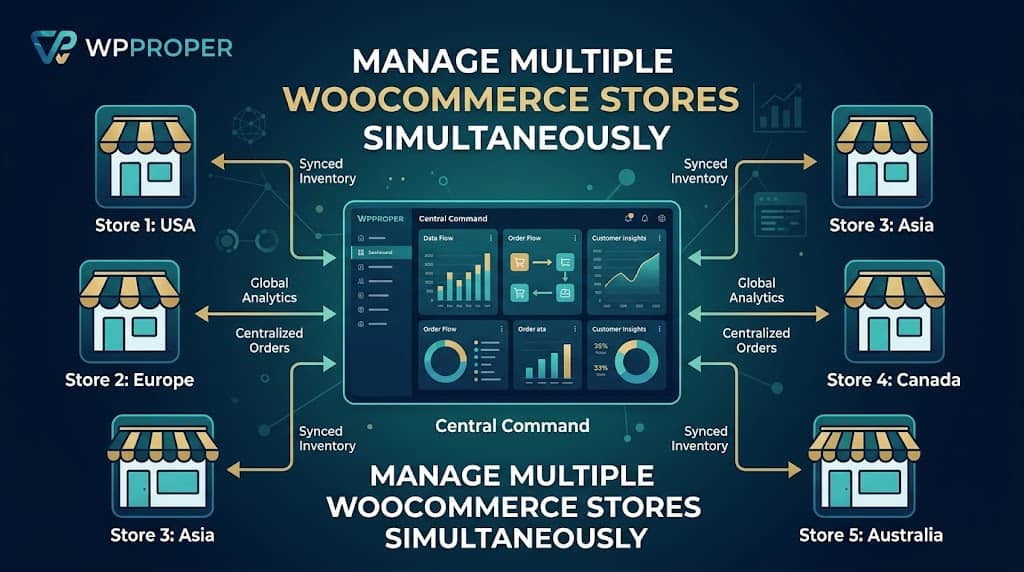
Running one WooCommerce store is hard enough. Running two, five, or ten? That’s where things can spiral into chaos fast — multiple admin logins, fragmented analytics, inconsistent inventory levels, and a support inbox that never stops growing. The solution is a purpose-built WooCommerce multi store plugin that centralizes your entire operation into one unified command center.
Whether you’re a WordPress agency managing client stores, a brand operating in multiple regions, or a dropshipper running niche stores in parallel — this guide will save you hours of research. We’ve dug into the code, tested the features, and ranked the top options available today.
The plugins on this list cover everything from basic woocommerce-multistore product syncing to enterprise-grade analytics, order import pipelines, and cross-store automation. Let’s dive in.
Why You Need a WooCommerce Multi-Store Plugin
Out of the box, WooCommerce is designed to power a single store on a single WordPress installation. There is no native concept of “connecting” stores, syncing inventory across sites, or viewing aggregated revenue from a central location. Every store is an island — and managing multiple islands without a bridge is exhausting.
A dedicated WooCommerce multi store plugin builds those bridges. The right solution lets you:
🖥️
🔄
📊
⚡
What to Look for in a Multistore WooCommerce Solution
Not all plugins labeled as a multistore WooCommerce manager deliver the same level of functionality. Before committing to any tool, evaluate it against these essential criteria:
| Criteria | Why It Matters |
|---|---|
| Ease of Setup | Complex configuration = errors. Look for an API-key-based connection with no coding required. |
| Real-Time Inventory Sync | Prevents overselling and stockouts across stores that share the same supplier. |
| Order Management | Centralized order view or import is critical for accounting and warehouse integrations. |
| Analytics & Reporting | Cross-store revenue and product performance data should be visible without external tools. |
| Performance Impact | The plugin should not bloat your hub site’s database. Remote proxy architecture is ideal. |
| Data Privacy | Your store data should never pass through a third-party server. Look for direct API connections only. |
by DominoPress
If you’re searching for the definitive WooCommerce multi store manager, look no further than ShopCentral. Built by DominoPress and currently at version 2.7.0, this plugin is a complete paradigm shift in how WooCommerce store networks are managed. It replaces the clunky standard WordPress admin with a beautiful, SaaS-grade dashboard that feels more like Shopify’s management console than a WordPress plugin.
What makes ShopCentral genuinely exceptional as a multi store manager for WooCommerce is its dual-mode architecture: it acts as a remote proxy viewer for real-time data — so your hub site’s database doesn’t get bloated — while also providing a full Order & Customer Sync platform that imports orders as real WooCommerce entries for compatibility with accounting plugins like Xero, warehouse tools, and any WooCommerce order-based tooling.
Key Features — ShopCentral
shared_secret per store and injects custom X-ShopCentral-Secret headers to bypass Cloudflare WAF without static IP whitelisting.💎 ShopCentral Pro Exclusive Features
★
★
★
★
★
★
Multi-Brand Retailers
Dropshippers
Regional Store Networks
High-Volume Merchants
- Stunning modern UI — feels like a SaaS app
- No database bloat (remote proxy architecture)
- Background order sync with Action Scheduler
- HPOS fully compatible
- Cloudflare WAF bypass built in
- Free tier is genuinely useful
- Requires WooCommerce REST API keys for each child store
- Smart Product Creator is Pro-only
- Multi-store connections gated by plan tier
WooCommerce Multisite by WPFactory
Premium Only · ~$59/yr
WPFactory’s woocommerce-multistore plugin focuses on WordPress Multisite setups — where multiple stores share a single WordPress installation. It synchronizes products, customers, and coupons between subsites. This is useful if you control the server environment, but if you need to connect separate standalone WooCommerce installations, it won’t help.
✓ Product & coupon sync
✗ No central analytics dashboard
✗ Requires multisite setup
✗ No order sync or import
YITH WooCommerce Multi-Store
Premium · ~$179/yr
YITH’s offering targets agencies that manage multistore WooCommerce setups for clients. It provides a centralized manager interface for switching between stores and viewing basic order data. The plugin has a long-standing reputation in the WooCommerce ecosystem, but its interface feels dated compared to modern alternatives, and the premium price point is steep for the feature set you receive.
✓ Manages multiple sites
✗ Outdated UI
✗ No order import/sync
✗ No automation engine
✗ Expensive for feature set
Codexin Multi Store Manager for WooCommerce
Free / Limited
This lightweight woocommerce multi store manager option from Codexin handles basic multi-vendor and multi-store scenarios. It lacks the analytics depth, order sync capabilities, and automation features found in ShopCentral, but can work as a starting point for very simple dual-store setups. The free version is quite limited and the paid extensions add up quickly.
✓ Lightweight
✗ No unified analytics
✗ No background order sync
✗ Basic UI
WooCommerce Remote Manager (WCRM)
Paid · Infrequent Updates
WCRM is one of the older WooCommerce multi store plugin options in the ecosystem. It provides remote order management and basic product oversight via API connections. However, the plugin has not kept pace with modern WooCommerce (HPOS compatibility is uncertain) and lacks the modern dashboard UX, analytics suite, and background processing capabilities that store owners now expect.
✗ Outdated interface
✗ HPOS compatibility unclear
✗ Infrequent updates
✗ No inventory sync
Side-by-Side Comparison Table
Here’s a quick-reference comparison of all five WooCommerce multi store plugin options reviewed in this guide:
| Feature | ShopCentral | WPFactory | YITH | Codexin | WCRM |
|---|---|---|---|---|---|
| Free Tier | ✓ | ✗ | ✗ | ✓ | ✗ |
| Central Analytics | ✓ | ✗ | ✗ | ✗ | ✗ |
| Inventory Sync | ✓ | ✓ | ~ | ✗ | ✗ |
| Background Order Sync | ✓ | ✗ | ✗ | ✗ | ✗ |
| Automation Engine | ✓ | ✗ | ✗ | ✗ | ✗ |
| Global Coupon Broadcast | ✓ Pro | ✗ | ✗ | ✗ | ✗ |
| Data Export Suite | ✓ | ✗ | ~ | ✗ | ✗ |
| HPOS Compatible | ✓ | ~ | ~ | ~ | ✗ |
| Modern UI | ✓ | ✗ | ✗ | ✗ | ✗ |
✓ = Supported | ✗ = Not Supported | ~ = Partial / Uncertain
Frequently Asked Questions
Q. What is a WooCommerce multi store plugin exactly?
A WooCommerce multi store plugin is a tool that connects multiple separate WooCommerce installations and allows you to manage them — their products, orders, customers, inventory, and analytics — from a single centralized dashboard. This is different from WordPress Multisite, which shares a single installation.
Q. Does ShopCentral store my store’s data on a third-party server?
No. ShopCentral connects your hub WordPress site directly to your other WooCommerce stores using the WooCommerce REST API. Data flows directly between your own servers — no third-party cloud storage involved. The optional anonymous usage telemetry can be disabled in settings.
Q. Does ShopCentral slow down my main (hub) site?
No. ShopCentral uses a remote proxy architecture — it fetches data on-the-fly when you view the dashboard rather than storing all remote data in your hub site’s database. This prevents massive database bloat regardless of how many stores or how many orders your connected stores have.
Q. How do I connect a store to ShopCentral?
Generate WooCommerce REST API keys (Consumer Key and Consumer Secret) on the child store under WooCommerce → Settings → Advanced → REST API with Read/Write permissions. Then click “Add Store” in the ShopCentral dashboard, enter the store URL and API keys, and you’re connected. No coding required.
Q. Is ShopCentral compatible with WooCommerce HPOS?
Yes. ShopCentral is fully compatible with WooCommerce High-Performance Order Storage (formerly Custom Order Tables) and declares this compatibility explicitly in its plugin code.
Q. What’s the difference between multistore WooCommerce and WordPress Multisite?
WordPress Multisite is a server-level feature that hosts multiple sites within one WordPress installation, sharing a database. Multistore WooCommerce management — as handled by ShopCentral — connects completely separate WordPress/WooCommerce installations (which may be on different servers or even different hosting providers) via the WooCommerce REST API.
Q. Can ShopCentral sync with accounting software like Xero?
Yes. ShopCentral v2.6.0+ transforms into a full multi store manager for WooCommerce order sync platform. Orders from child sites are imported as real WooCommerce orders on the hub site — complete with customers, line items, metadata, and ACF fields — enabling full compatibility with Xero, warehouse management solutions, and any WooCommerce order-based tooling.
Our Final Pick
After thorough hands-on testing and code review, ShopCentral is the undisputed best WooCommerce multi store plugin for 2025. It is the only solution in this roundup that checks every box: modern UI, background order sync, bidirectional inventory synchronization, unified cross-store analytics, customer intelligence, a comprehensive export suite, Cloudflare WAF bypass, full HPOS compatibility, and a meaningful free tier.
Whether you’re just getting started with two stores or you’re an agency managing dozens of client shops, ShopCentral — the leading woocommerce multi store manager — scales with your business and keeps your entire network under control from a single, beautiful dashboard.
Wrapping Up
Managing multiple WooCommerce stores doesn’t have to be chaotic. With the right WooCommerce multi store plugin, you can go from drowning in browser tabs to running a tight, data-driven operation from one screen. We’ve reviewed five options — from the legacy WCRM to the multisite-focused WPFactory solution — and ShopCentral stands head and shoulders above the rest as the definitive multi store manager for WooCommerce. Its combination of a no-database-bloat proxy architecture, real-time bidirectional inventory sync, background order import via Action Scheduler, built-in Cloudflare WAF bypass, and a full analytics suite makes it the only woocommerce-multistore management tool you’ll ever need. The free tier is generous enough to get started, and the Pro upgrade unlocks features that will pay for themselves quickly in time saved.
Stop juggling multiple logins. Try ShopCentral today, and give your entire WooCommerce network the central command it deserves.
