

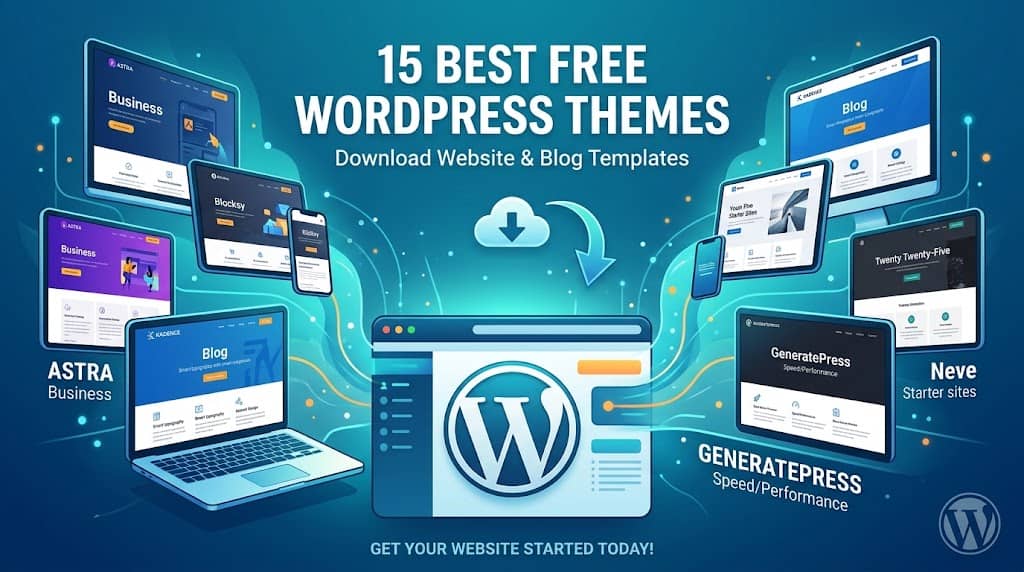
Why the Right Theme Matters More Than You Think
Your website’s theme is its first handshake with every visitor. It determines how your content looks, how quickly pages load, whether readers stay or bounce, and ultimately whether Google rewards you with organic traffic. Yet thousands of site owners are paying for premium designs when genuinely excellent themes for WordPress for free are sitting right inside the official WordPress.org repository, waiting to be discovered.
This guide cuts through the noise. Instead of listing every theme in existence, we’ve evaluated hundreds based on real-world performance, design quality, block editor compatibility, SEO-friendliness, accessibility, and ongoing developer support. The fifteen themes below represent the absolute best you can download today without spending a single dollar.
Whether you’re building a professional blog, a small business landing page, an e-commerce storefront, or a creative portfolio, there is a free option here that matches — and in many cases outperforms — themes that cost $60 or more.
📋 Quick Navigation
What Makes a Great Free WordPress Theme?
Not every free theme deserves your trust. Many are abandoned by developers, riddled with unnecessary code, or designed to upsell you so aggressively that the “free” version barely functions. Here’s what separates the genuinely good ones from the rest.
Core Quality Indicators
Performance
Lightweight code, minimal JavaScript, and clean HTML structure keep Core Web Vitals in the green.
Responsiveness
Mobile-first design that adapts fluidly across phones, tablets, and desktops without horizontal scrolling.
Customizability
Deep Customizer or Full Site Editing (FSE) support so you can adjust colors, fonts, and layouts without code.
SEO-Readiness
Semantic HTML5 markup, schema-friendly structure, and fast load times that search engines reward.
Accessibility
WCAG-compliant designs that include proper focus states, alt text support, and keyboard navigation.
Active Development
Regular updates that keep pace with WordPress core releases and PHP version requirements.
The 15 Best Themes for WordPress for Free in 2026
Every theme below is hosted on the official WordPress.org repository, has been manually tested, and scores well on Google PageSpeed Insights out of the box.
Theme #1 — Editor’s Top Pick
Astra
Astra is the most widely installed free WordPress theme in the world — and deservedly so. It ships at under 50KB, meaning it doesn’t add measurable page weight, and it integrates seamlessly with every major page builder including Elementor, Beaver Builder, and the native block editor.
Its Customizer is exceptionally thorough, offering granular control over typography, header layouts, footer widgets, sidebar positions, and colour palettes without writing a single line of CSS. For businesses that need a polished website theme for WordPress without a design budget, Astra remains the default starting point for good reason.
The free tier also ships with over 240 pre-built starter template designs. Many of these one-click imports are completely usable in their free form — a rarity among competitive themes.
Active Installs
2M+
Rating
5 / 5 ⭐
Best For
Business, Blogs
WooCommerce
✅ Yes
💡 Pro Tip: Pair Astra with the free Starter Templates plugin to import a complete demo site in minutes.
Theme #2
Kadence
Kadence has rapidly grown into one of the most respected free themes in the WordPress ecosystem, particularly among developers who live and breathe the block editor. Its header and footer builder — available entirely free — allows drag-and-drop layout construction that rivals paid solutions.
What sets Kadence apart is how it handles global design settings. You define your colour palette and typography once, and every element updates consistently across the entire site. This design-token approach saves hours of repetitive customization.
For anyone looking for a solid template for wordpress blog that doesn’t require a developer, Kadence’s free starter template library delivers polished, blog-specific layouts with clean typography and smart reading-width constraints.
Active Installs
500K+
Rating
5 / 5 ⭐
Best For
Blogs, Business
FSE Ready
✅ Yes
Theme #3
GeneratePress
If raw speed is your primary concern, GeneratePress is the theme to beat. It consistently scores 95–100 on Google PageSpeed Insights even on modest hosting plans, primarily because it generates less than 10KB of CSS and almost no JavaScript by default.
The theme uses a modular architecture — you enable only the components you need (navigation, widgets, footer, etc.), which keeps the code footprint tiny regardless of how complex your layout becomes. It’s the preferred choice for performance-focused SEO professionals and developers who want a blank-canvas base without fighting against opinionated default styles.
Active Installs
400K+
Rating
5 / 5 ⭐
Best For
SEO, Performance
Size
< 30KB
💡 Note: The free version lacks the Elements module for advanced hooks and custom layouts, but it’s more than capable for most standard sites.
Theme #4
Neve
Neve by ThemeIsle ships with one of the largest free starter template libraries available — over 100 designs spanning industries from restaurants and yoga studios to law firms and SaaS dashboards. Each template is fully importable with a single click.
Beyond aesthetics, Neve’s performance credentials are solid. It’s AMP-compatible, scores well on Core Web Vitals, and has deep WooCommerce integration built right into the free version including cart navigation and checkout page styling. For small business owners looking for a complete template for wordpress that covers everything from landing page to checkout, this is a compelling choice.
Active Installs
300K+
Rating
4.8 / 5 ⭐
Best For
E-Commerce, Agency
AMP Ready
✅ Yes
Theme #5 — Official Default
Twenty Twenty-Five
Shipped as the official WordPress default theme, Twenty Twenty-Five is a Full Site Editing (FSE) theme built entirely around the block editor. It draws design inspiration from natural forms and textures, resulting in an elegant, timeless look that suits portfolios, personal sites, and editorial publications.
As a native Automattic theme, it receives priority updates with every WordPress release. It comes with over a dozen block patterns and style variations built in, letting you switch the entire visual identity of the site with a single click — no plugins, no code.
For anyone who wants to experience WordPress’s direction as a platform and get comfortable with FSE, this is the definitive starting point.
FSE Advantage: You can edit headers, footers, and page templates directly in the block editor — no theme file editing required.
Theme #6
Blocksy
Blocksy earns its place among the elite free themes by offering a level of Customizer depth that most premium themes charge handsomely for. Header builder, footer builder, advanced typography controls, per-post-type layout settings, and smooth scroll behaviour are all included at no cost.
The theme is built with performance in mind, using vanilla JavaScript and a CSS architecture that avoids bloat. Its free extension library adds functionality like cookie notice, social sharing, and custom sidebar widgets without requiring separate plugins for each.
Blocksy also offers one of the most attractive free WooCommerce integrations on the market, including product card hover effects, off-canvas cart, and a polished checkout layout — all without upgrading to the Pro version.
Active Installs
100K+
Rating
5 / 5 ⭐
Best For
Shops, Portfolios
Dark Mode
✅ Built-in
Theme #7
Zakra
Zakra punches well above its weight as a free theme, providing 65+ pre-built starter sites with a distinctly professional, corporate-leaning design sensibility. It’s particularly well-suited for agencies, consultancies, medical practices, and any business that needs to project credibility from the first page load.
The theme’s Customizer covers site identity, layout widths, header and footer configurations, typography, and colour palettes in a well-organised, intuitive panel hierarchy. RTL language support and translation-readiness make Zakra a genuine global option.
Notable: Zakra is one of the few free themes with built-in Google Maps and testimonial styling that doesn’t require a separate plugin.
Theme #8
Hestia
Hestia is built around Material Design principles, giving it a clean, modern aesthetic that feels current without being trendy. Its hero section, feature blocks, team grids, and testimonials carousel come pre-styled in the free version — making it one of the quickest routes to a complete landing page without any additional plugins.
The one-page scrolling layout is particularly effective for startups, apps, and service businesses where the goal is to capture attention and convert visitors on a single focused page. Hestia also integrates cleanly with WooCommerce if you want to add a shop section further down the page.
Theme #9
OceanWP
OceanWP holds a loyal community following for its extensibility. The core theme is free, but its real strength is a mature ecosystem of free and premium extensions that snap in without compatibility headaches. Need a floating header? A sticky sidebar? A popup builder? There’s an OceanWP extension for it.
The free version alone gives you responsive layouts, sticky navigation, mega menu support, and WooCommerce product customization. It integrates with every major page builder and ships with numerous demo sites spanning e-commerce, portfolio, and business niches.
Active Installs
700K+
Rating
4.8 / 5 ⭐
Extensions
14 Free
Theme #10
ColorMag
ColorMag is the go-to free option for anyone running a news site, online magazine, or multi-category blog. Its widget-based homepage builder lets you arrange article feeds, featured post grids, ad slots, and breaking news tickers into a dense, information-rich layout that mirrors professional editorial sites.
The theme includes colour-coded category labels — a subtle but effective feature that helps readers navigate multi-topic publications. It handles large content archives gracefully with paginated archives, sticky headers, and a search-prominent navigation structure.
For a publication-style template for wordpress blog that doesn’t require a dedicated news theme framework, ColorMag remains one of the most complete free solutions available.
Theme #11
Sydney
Sydney, by aThemes, is built with creative professionals in mind. Freelancers, design agencies, and consultants will appreciate its full-screen hero section, smooth scrolling between sections, and the refined typography pairings that give portfolio content room to breathe.
It integrates natively with Elementor, which means you can drag-and-drop an entirely custom homepage without touching a line of PHP. The free version includes business-specific sections like a client logo showcase, team member grid, and a skills progress bar — features that typically require a premium theme.
Theme #12
Hello Elementor
Hello Elementor is the official lightweight theme created by the Elementor team. It’s intentionally minimal — essentially a blank canvas that offloads every design decision to Elementor’s page builder. This approach eliminates CSS conflicts that frustrate users of more opinionated themes.
If you’re committed to building your site entirely within Elementor and want zero friction between the theme and the builder, Hello is the cleanest foundation. It loads in milliseconds and doesn’t impose any header, footer, or sidebar styling unless you define it yourself in Elementor’s Theme Builder.
Ideal Use Case: Any site built exclusively with Elementor Free or Elementor Pro where you want the page builder to control 100% of the visual output.
Theme #13
Storefront
Storefront is the official WooCommerce theme maintained by Automattic. Because it’s developed by the same team that builds WooCommerce, it receives updates the moment any WooCommerce change could affect theme compatibility — you’ll never encounter the version-mismatch bugs that plague third-party shop themes.
The design is clean and commerce-focused, with product grids, category navigation, cart flyouts, and checkout pages that prioritise conversion over decoration. For a new online store owner who wants a reliable, always-compatible free theme for wordpress download, Storefront is the safest long-term bet.
Storefront also has a rich ecosystem of official child themes — Deli, Galleria, Homestore, and more — available for free on WordPress.org, each giving a distinct visual style while retaining the solid WooCommerce foundation.
Active Installs
500K+
WooCommerce
✅ Official
Child Themes
Free Available
Theme #14
Blossom Coach
Blossom Coach is a niche-focused free theme designed specifically for life coaches, fitness instructors, nutritionists, and personal development bloggers. Its warm, welcoming design language builds trust immediately — using generous whitespace, elegant serif typography, and a soft colour palette that feels professional without being corporate.
The homepage includes pre-styled sections for a personal bio, service offerings, testimonials, an opt-in email form, and recent blog posts. This complete feature set makes it possible to launch a fully functional coaching website using only the free theme with no page builder required.
Theme #15
Portfolio X
Portfolio X is a dark, moody portfolio theme designed for photographers, videographers, graphic designers, and artists who want their work to take center stage. Its dark background palette makes images and video thumbnails pop with contrast, while the minimal navigation keeps the visitor’s eye on the content.
The theme includes a filterable portfolio grid, a lightbox gallery, and smooth CSS transitions throughout. For creative professionals who want a striking, gallery-first website theme for WordPress that communicates artistic intent without any custom development, Portfolio X is the clear winner.
Side-by-Side Comparison: All 15 Themes at a Glance
| Theme | Best For | WooCommerce | FSE | Page Builder | Speed |
|---|---|---|---|---|---|
| Astra | All-Purpose | ✅ | ✅ | All Builders | ⚡⚡⚡ |
| Kadence | Blogs, Business | ✅ | ✅ | Block Editor | ⚡⚡⚡ |
| GeneratePress | SEO / Performance | ✅ | Partial | All Builders | ⚡⚡⚡ |
| Neve | E-Commerce, Agency | ✅ | ✅ | All Builders | ⚡⚡⚡ |
| Twenty Twenty-Five | FSE Exploration | ✅ | ✅✅ | Block Only | ⚡⚡⚡ |
| Blocksy | Shops, Portfolios | ✅ | ✅ | Elementor | ⚡⚡ |
| Zakra | Corporate Sites | ✅ | ❌ | Elementor | ⚡⚡ |
| Hestia | One-Page Sites | ✅ | ❌ | Elementor | ⚡⚡ |
| OceanWP | Extension Ecosystem | ✅ | ❌ | All Builders | ⚡⚡ |
| ColorMag | News, Magazines | ✅ | ❌ | Gutenberg | ⚡ |
| Sydney | Agencies, Freelancers | ✅ | ❌ | Elementor | ⚡⚡ |
| Hello Elementor | Elementor Users | ✅ | ❌ | Elementor Only | ⚡⚡⚡ |
| Storefront | WooCommerce Stores | ✅✅ | Partial | Gutenberg | ⚡⚡ |
| Blossom Coach | Coaches, Creators | ✅ | ❌ | Gutenberg | ⚡⚡ |
| Portfolio X | Photographers, Artists | ❌ | ❌ | Gutenberg | ⚡⚡ |
How to Install a Free Theme for WordPress Download
Installing any of these themes takes less than two minutes. Every theme in the WordPress.org repository can be installed directly from inside your dashboard — no file uploading or FTP required.
Log into your WordPress Admin
Navigate to yoursite.com/wp-admin and log in with your credentials.
Go to Appearance → Themes
In the left sidebar, hover over Appearance and click Themes from the flyout menu.
Click “Add New Theme”
At the top of the Themes page, click the Add New Theme button to open the theme browser.
Search for Your Theme
Type the name of your chosen theme (e.g., “Astra” or “Kadence”) in the search box. Click Install when it appears.
Activate and Customize
Once installed, click Activate. Then use Appearance → Customize to personalise colors, fonts, and layout to match your brand.
Frequently Asked Questions
Tips for Getting the Most from a Free WordPress Theme
Choosing the right theme is only the beginning. How you customize and configure it determines whether your site looks generic or genuinely professional.
Use Custom Brand Colors
Import your exact HEX brand colors into the Customizer instead of sticking with default palettes. Consistent color usage alone dramatically elevates a free theme’s visual impact.
Choose One Google Font Pairing
Pick one heading font and one body font. A strong pairing like Inter + Merriweather or Outfit + Open Sans instantly communicates professionalism and reduces visual noise.
Use High-Quality Photography
Free sites like Unsplash and Pexels offer professional-grade photography. Replacing placeholder images with relevant, high-resolution visuals is the single fastest upgrade to a theme’s perceived quality.
Optimize Whitespace
Increase padding and margins around sections to give content breathing room. Cramped layouts feel cheap regardless of theme quality. Most Customizers let you adjust these values without coding.
Install a Caching Plugin
Pair your free theme with WP Rocket (paid) or the free W3 Total Cache or LiteSpeed Cache plugin. Even the fastest theme benefits from server-side caching to improve TTFB and Largest Contentful Paint scores.
Add an SEO Plugin
No theme handles SEO alone. Install Rank Math or Yoast SEO (both free) to add meta titles, descriptions, schema markup, sitemaps, and breadcrumb navigation to any free WordPress theme.
Final Recommendation: Which Theme Should You Choose?
After reviewing all fifteen options, here are our top picks for specific use cases — all available as themes for WordPress for free, with zero compromise on quality.
Best Overall
Astra
For any site type, any builder, any skill level.
Best for Speed
GeneratePress
When Core Web Vitals and SEO performance are the priority.
Best for Stores
Storefront
The safest, most compatible choice for WooCommerce.
Best for Blogs
Kadence
Beautiful typography and a genuinely powerful free header builder.
The good news is that every theme in this list is a genuine free theme for wordpress download — available directly from your WordPress dashboard under Appearance → Themes → Add New. You can test any of them using the live preview function without affecting your live site.
The era of “you get what you pay for” no longer applies to WordPress themes. The options above prove that world-class design, performance, and flexibility are genuinely accessible without a budget. Start with a theme that fits your use case, customize it with your brand identity, and focus your energy on creating content that earns the traffic your new design deserves.
All theme install counts and ratings are approximate figures based on publicly available WordPress.org data. Theme features may be updated by developers after publication. Always verify current feature availability on the respective theme’s WordPress.org listing page.
