

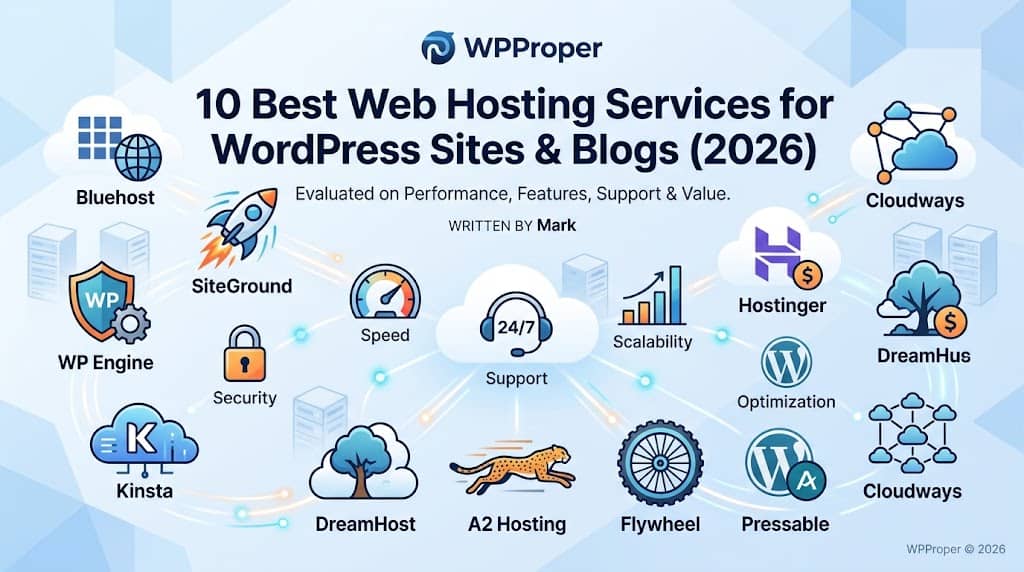
Finding the right web hosting service for WordPress is one of the most consequential decisions you will make for your site. It determines how fast your pages load, how reliably your content stays online, how securely your data is protected, and — often overlooked — how much you pay as your traffic grows. With dozens of hosts competing loudly for your attention, separating genuine quality from clever marketing is harder than it looks.
This guide cuts through the noise. Whether you are launching your first blog, migrating an established e-commerce store, or scaling a high-traffic media site, you need a host that aligns with your technical requirements, budget, and long-term ambitions. Each provider on this list has been evaluated against real performance benchmarks, support quality, feature completeness, and value for money — not sponsored rankings.
We have organized the list from best overall to best for specific use cases, so you can scan directly to what matters most to you.
Quick Navigation
- Bluehost — Best Overall for Beginners
- SiteGround — Best for Performance & Support
- WP Engine — Best Managed WordPress Hosting
- Kinsta — Best for Scalable Cloud Hosting
- DreamHost — Best for Value & Privacy
- Hostinger — Best Budget-Friendly Option
- A2 Hosting — Best for Speed-Focused Sites
- Flywheel — Best for Agencies & Designers
- Pressable — Best Mid-Range Managed Host
- Cloudways — Best for Developers & Cloud Flexibility
What Makes a Great Web Hosting Service for WordPress?
Before diving into the individual providers, it is worth establishing the criteria that separate truly good WordPress hosts from mediocre ones. Not all shared hosting plans are equal, and not all managed WordPress platforms justify their price premium.
Here are the key factors evaluated in this guide:
- Server performance: Average Time to First Byte (TTFB), uptime percentage, and how the host handles traffic spikes.
- WordPress-specific optimizations: Server-level caching, PHP version flexibility, staging environments, and one-click installs.
- Security infrastructure: Web Application Firewall (WAF), malware scanning, SSL management, and automated backups.
- Support quality: Response times, technical depth of support agents, and availability of WordPress expertise.
- Pricing transparency: Renewal rates versus introductory rates, what’s included versus what requires add-ons.
- Scalability path: Whether you can upgrade from shared to VPS, cloud, or dedicated without migrating your entire site.
With these benchmarks in mind, let’s examine the ten best options available in 2026.
Officially Recommended by WordPress.org
1. Bluehost — Best Overall Host for WordPress Beginners
Bluehost has been on WordPress.org’s official recommended hosts list for nearly two decades, and it has maintained that position by consistently delivering a polished experience for users who are setting up WordPress for the first time. The onboarding flow is exceptional — from purchasing a plan to having a live WordPress site takes under ten minutes.
Its shared hosting plans include automatic WordPress installation, a customized control panel that simplifies common tasks, and a free domain for the first year. The Basic plan is sufficient for a new blog or small business site, while the Choice Plus plan adds domain privacy, automated backups, and unlimited websites — making it more competitive for growing projects.
Key Features
- Free domain name for year one
- Free SSL certificate (Let’s Encrypt)
- 1-click WordPress auto-install
- 99.9% uptime guarantee
- 24/7 customer support via live chat and phone
- Staging environments on higher-tier plans
- WooCommerce-ready plans for online stores
Where it falls short: Renewal pricing is noticeably higher than the introductory rate, which is a common industry practice but worth budgeting for. Advanced developers may find the cPanel customizations limiting compared to pure VPS or cloud solutions.
Best for: Bloggers, small business owners, and anyone launching their first WordPress site who values simplicity and guided setup over raw technical control.
Officially Recommended by WordPress.org
2. SiteGround — Best for Performance and Expert Support
SiteGround earns its place near the top of almost every serious WordPress hosting comparison, and the reason is consistent: it delivers measurably fast page load times alongside support staff who genuinely understand WordPress at a technical level. That combination is rarer than it should be.
SiteGround runs on Google Cloud infrastructure and uses its proprietary SuperCacher technology — a multi-layer caching system that includes dynamic caching, Memcached, and a CDN — to accelerate WordPress sites well above what typical shared hosts offer. PHP 8.x is supported across all plans, and the team actively patches server-level vulnerabilities ahead of public disclosure.
Key Features
- Google Cloud-powered infrastructure
- Proprietary SuperCacher (multi-layer caching)
- Free CDN and SSL
- Daily automatic backups with 30-day retention
- Free site migration tool
- Staging environment on all plans
- AI-powered anti-bot WAF
Where it falls short: Storage limits on entry-level plans are restrictive (10 GB on StartUp), and the renewal pricing increase is substantial. For very high-traffic sites, the GrowBig plan can become expensive relative to managed WordPress alternatives.
Best for: Bloggers, freelancers, and small agencies who want premium performance and responsive support without the cost of a fully managed WordPress platform.
3. WP Engine — Best Fully Managed WordPress Hosting
WP Engine is the benchmark against which most managed WordPress hosts are compared. Since its founding in 2010, it has built an infrastructure specifically engineered for WordPress — not adapted from generic hosting, but built from the ground up for the platform’s architecture. Every feature on the platform exists to optimize a WordPress environment.
The Genesis Framework (acquired from StudioPress) is included free with all WP Engine plans, giving access to a library of premium, performance-optimized themes. The platform handles core WordPress updates, security patches, and daily backups automatically. Their proprietary EverCache technology and global CDN via Cloudflare ensure fast delivery regardless of visitor geography.
Key Features
- Automated WordPress core and plugin updates
- EverCache technology + Cloudflare CDN
- Free StudioPress Genesis themes included
- One-click staging environments
- Automated daily backups with point-in-time restore
- 24/7 WordPress-expert support
- Global Anycast DNS
Where it falls short: WP Engine is one of the pricier options, and it prohibits certain plugins (caching and backup plugins that conflict with their managed environment). It is not the right fit if you need budget hosting or granular server control.
Best for: Businesses, agencies, and media publishers who want enterprise-grade reliability with a fully hands-off management experience.
4. Kinsta — Best Scalable Cloud Hosting for WordPress
Kinsta entered the managed WordPress market in 2013 and rapidly distinguished itself by building exclusively on Google Cloud Platform (GCP) and letting customers choose from 37 global data center locations. For businesses with geographically diverse audiences, this flexibility is a tangible advantage over hosts locked into a single infrastructure provider.
Kinsta’s MyKinsta dashboard is among the most polished control panels in the managed WordPress space — clean, intuitive, and packed with actionable analytics. The platform uses LXC containers to isolate each WordPress installation, meaning no noisy-neighbour effect from other customers sharing the same server.
Key Features
- Google Cloud Platform C3D machines
- 37 data center locations globally
- LXC container isolation per site
- Cloudflare-powered CDN with DDoS protection
- Free automated migrations
- Automatic daily backups (up to 30 days)
- Advanced APM tool for performance debugging
Where it falls short: Kinsta is expensive relative to traditional shared hosting, and their visitor-based pricing model means unexpected traffic spikes can increase your monthly bill. It is not the right fit for hobby bloggers or very low-traffic sites.
Best for: Fast-growing sites, SaaS products built on WordPress, and international businesses that need globally distributed infrastructure with professional-level tooling.
Officially Recommended by WordPress.org
5. DreamHost — Best for Value, Privacy, and Long-Term Reliability
DreamHost is one of the oldest independent web hosting companies still operating, having been founded in 1997. Unlike many competitors that have been acquired by large conglomerates, DreamHost remains independently owned — a distinction that resonates with privacy-conscious site owners.
The platform is officially recommended by WordPress.org and offers a genuinely competitive shared hosting plan for WordPress blogs: unlimited bandwidth, free SSL, a custom control panel that’s easier to navigate than traditional cPanel for WordPress tasks, and a 97-day money-back guarantee that far exceeds the industry standard.
Key Features
- 97-day money-back guarantee
- Free domain and free SSL on all plans
- Unlimited bandwidth on shared plans
- Pre-installed WordPress with auto-updates
- Domain privacy protection included
- WP-CLI and SSH access
- DreamPress (managed WordPress) option available
Where it falls short: Phone support is not available on standard plans. The shared hosting environment can show performance inconsistencies during high-traffic periods, though DreamPress resolves this for sites requiring reliable speed.
Best for: Content creators, personal blogs, non-profits, and privacy-focused site owners who want a trustworthy, independently owned host with flexible pricing.
6. Hostinger — Best Budget-Friendly WordPress Hosting
If price is your primary constraint, Hostinger offers a level of value that is difficult to match. Based in Lithuania and operating global data centers, Hostinger has built a large customer base by providing solid WordPress hosting at introductory prices well below the market average — often under $3/month on multi-year plans.
Despite its low pricing, Hostinger does not skimp on foundational features. The hPanel control panel is clean and purpose-built for ease of use. Their WordPress-optimized servers use LiteSpeed technology, which provides better performance than standard Apache or Nginx setups for typical WordPress workloads.
Key Features
- LiteSpeed servers with LSCache plugin
- AI website builder included
- Free SSL on all plans
- Weekly backups (daily on Business plan)
- WordPress acceleration tools built-in
- Malware scanner included
- Data centers across Americas, Europe, and Asia
Where it falls short: Customer support is live-chat only (no phone). Free domain is available only on select plans, and renewal pricing is higher than the introductory rate. Shared resources can limit performance for CPU-intensive WordPress setups.
Best for: New bloggers, students, and small side-project sites where keeping costs minimal during the growth phase is the priority.
7. A2 Hosting — Best for Speed-Focused WordPress Sites
A2 Hosting has built its brand around speed, and their Turbo plans deliver on that promise through a combination of LiteSpeed servers, NVMe SSD storage, and their proprietary A2 Optimized configuration for WordPress — a tuned set of server settings, caching rules, and security configurations applied automatically.
The Turbo Boost and Turbo Max plans claim up to 20x faster page loads compared to standard Apache configurations, which is a marketing figure — but independent benchmarks consistently show A2 Turbo plans performing above average in the shared hosting tier. The anytime money-back guarantee (not just the first 30 days) reflects genuine confidence in their service.
Key Features
- LiteSpeed + NVMe SSD on Turbo plans
- A2 Optimized WordPress auto-configuration
- Free Cloudflare CDN integration
- Anytime money-back guarantee
- Free site migrations
- Perpetual security monitoring
- SSH access and WP-CLI support
Where it falls short: The base Startup plan uses standard Apache and standard SSDs, so the speed advantage only applies to Turbo-tier plans, which cost more. Customer support quality can vary.
Best for: Developers and site owners who prioritize raw server speed on shared hosting and are comfortable configuring WordPress for performance.
8. Flywheel — Best Managed Host for Agencies and Web Designers
Flywheel (now part of the WP Engine group) was built with one specific user in mind: the web designer or digital agency managing multiple WordPress sites for clients. Its workflow features reflect that focus more clearly than almost any other host on this list.
The platform includes free site demos (you can build and showcase a site to a client before they pay for hosting), easy client billing transfer, team collaboration tools, and a Local by Flywheel desktop application that creates a local WordPress development environment matching your production server configuration. For agencies, this dramatically reduces “works on my machine” debugging issues.
Key Features
- Free WordPress demo sites for client presentations
- Easy billing transfer to clients
- Local by Flywheel development app
- Team collaboration and user role management
- One-click staging and Git-friendly deployment
- Nightly backups with one-click restore
- Free SSL and CDN on all plans
Where it falls short: Flywheel plans are priced per site, which can become expensive for agencies managing large portfolios. Storage limits are modest on entry-level plans. It is exclusively WordPress — no other CMS or custom PHP is supported.
Best for: Freelance web designers and agencies who build WordPress sites for clients and need seamless collaboration, client handoff, and a local development workflow.
9. Pressable — Best Mid-Range Managed WordPress Platform
Pressable occupies the space between shared hosting and premium managed platforms like Kinsta or WP Engine. Owned by Automattic (the company behind WordPress.com), Pressable benefits from close integration with the WordPress ecosystem and a level of WordPress-specific expertise that general hosting companies cannot easily replicate.
The platform provides a clean managed environment with automatic WordPress updates, a built-in CDN, daily backups, malware scanning, and site cloning tools — all at a price point that sits between Kinsta and SiteGround’s managed options. Pressable also offers a free Jetpack Security plan with each WordPress site, adding additional backup and security monitoring without extra charge.
Key Features
- Automattic-owned with deep WordPress expertise
- Free Jetpack Security included
- Global CDN via Cloudflare
- Automatic WordPress and plugin updates
- Daily backups and one-click restores
- Site cloning and staging environments
- 24/7 WordPress-specific support
Where it falls short: Pressable does not provide as granular a control panel or as many developer-focused tools as Kinsta or Cloudways. Pricing transparency could be clearer around overage charges.
Best for: Growing blogs and business sites that want reliable managed WordPress hosting at a mid-market price, with the reassurance of Automattic backing.
10. Cloudways — Best for Developers and Cloud Infrastructure Flexibility
Cloudways takes a fundamentally different approach to the hosting question. Rather than running proprietary servers, it acts as a managed layer over major cloud infrastructure providers — DigitalOcean, AWS, Google Cloud, Linode, and Vultr. You choose your cloud provider and server size, and Cloudways handles WordPress deployment, security hardening, server-level caching, and ongoing management.
This model gives developers meaningful control over infrastructure decisions — choosing the region, server specs, and provider ecosystem that best fits their application — without the overhead of managing a raw cloud server. The pay-as-you-go pricing model also means you only pay for the resources you actually use, which is particularly useful for sites with variable or seasonal traffic.
Key Features
- Choice of 5 cloud infrastructure providers
- Pay-as-you-go pricing (no long-term contracts)
- Breeze caching plugin (built specifically for Cloudways)
- Built-in Cloudflare CDN integration
- Automated daily backups
- Team collaboration tools and SSH access
- One-click WordPress cloning and staging
Where it falls short: The management layer adds a premium over raw cloud pricing, so technically adept users who can manage their own cloud server may find Cloudways over-priced for what it offers. Support response times can vary under high demand.
Best for: Developers, technical marketers, and SaaS builders who want cloud infrastructure flexibility with WordPress-optimized server management, without the complexity of raw cloud administration.
Side-by-Side Comparison: Top 10 WordPress Hosts at a Glance
The table below summarizes the key differentiators of each host to help you make a quick side-by-side comparison before committing to a plan.
| Host | Type | Best For | Free SSL | Free Migration | Staging |
|---|---|---|---|---|---|
| Bluehost | Shared | Beginners | ✓ | ✓ | Higher plans |
| SiteGround | Cloud Shared | Performance | ✓ | ✓ | All plans |
| WP Engine | Managed WP | Businesses | ✓ | ✓ | All plans |
| Kinsta | Managed Cloud | Scale / Global | ✓ | ✓ (Free) | All plans |
| DreamHost | Shared | Value / Privacy | ✓ | Paid add-on | DreamPress |
| Hostinger | Shared | Budget | ✓ | ✓ | Business plan |
| A2 Hosting | Shared / VPS | Speed-focused | ✓ | ✓ | All plans |
| Flywheel | Managed WP | Agencies | ✓ | ✓ | All plans |
| Pressable | Managed WP | Growing blogs | ✓ | ✓ | All plans |
| Cloudways | Managed Cloud | Developers | ✓ | Paid add-on | All plans |
Shared Hosting vs. Managed WordPress Hosting: Which Do You Need?
The most common decision point for anyone evaluating a web hosting service for WordPress is the split between shared hosting and managed WordPress hosting. Both are legitimate options — the right choice depends on your technical confidence, traffic level, and how much time you want to spend on server management.
Shared Hosting
On shared hosting, your WordPress site shares server resources (CPU, RAM, disk I/O) with other websites on the same physical machine. This keeps costs low but introduces performance variability — if a neighboring site receives a surge of traffic, your site can feel the impact.
Shared hosting is appropriate for new websites, low-traffic blogs, portfolio sites, and test environments. Bluehost, DreamHost, and Hostinger are excellent examples of shared hosts that have optimized their WordPress experience without the premium price tag of managed platforms.
Managed WordPress Hosting
Managed WordPress hosting dedicates server resources specifically to your site and offloads routine maintenance tasks — core updates, security patches, automated backups, performance tuning — to the hosting company. You focus on content and business; they handle the infrastructure.
WP Engine, Kinsta, and Pressable operate in this category. The premium is real — plans typically start at $25–$35/month versus $3–$10/month for shared hosting — but for revenue-generating sites, the reduction in downtime risk and maintenance overhead often justifies the cost.
How to Choose the Right Hosting for Your WordPress Blog
When selecting hosting for your WordPress blog specifically, the calculus is a bit different from an e-commerce or enterprise site. Blog-specific considerations include how well the host handles media-heavy content, how easily it integrates with newsletter tools and analytics, and whether the storage allocation grows with your archive of posts and images.
Here are the practical questions to ask before making a decision:
Questions to Ask Before Choosing a Host for WordPress
- What is my expected monthly traffic volume for the next 12 months?
- How much storage will my media library realistically require?
- Do I need multiple staging environments or just one?
- How important is phone support versus live chat?
- Am I comfortable managing server-level optimizations myself?
- What is my actual monthly hosting budget (including renewal rates)?
- Do I need multi-site support or WooCommerce compatibility?
A useful rule of thumb: if your site generates revenue — whether through ads, affiliate links, products, or client work — invest in a host with at least a 99.9% uptime SLA and dedicated WordPress-knowledgeable support. Downtime on a monetized site has a direct, calculable cost.
If you are running a personal or hobbyist blog where occasional slowdowns are acceptable, a quality shared host paired with a good caching plugin (W3 Total Cache, WP Rocket, or LiteSpeed Cache) will handle typical blog traffic without issue.
How to Get the Best Performance from Any WordPress Host
Even the best web hosting plan underperforms when WordPress itself is not configured for efficiency. The following optimizations apply regardless of which host you choose:
Use a Lightweight Theme
Bloated page builder themes add dozens of CSS files and JavaScript libraries to every page load. Themes like Astra, GeneratePress, and Kadence are designed from the ground up for performance, loading under 50kb out of the box. Your theme is the single biggest influence on frontend load time after your hosting environment.
Configure Server-Level Caching
If your host provides server-level caching (SiteGround’s SuperCacher, WP Engine’s EverCache, Kinsta’s full-page cache), enable and configure it first before adding a caching plugin. Stacking multiple caching layers without coordination can cause cache conflicts and display stale content to logged-in users.
Optimize Images Before Uploading
Images are consistently the largest contributor to page weight on WordPress blogs. Compress images before uploading (using Squoosh, TinyPNG, or similar tools), serve them in modern formats (WebP is supported by all major browsers), and implement lazy loading — WordPress includes native lazy loading from version 5.5 onward.
Audit and Reduce Plugins
Every active plugin adds PHP execution overhead to your WordPress requests. A focused set of 10–15 well-coded plugins performs significantly better than 40 mediocre ones. Audit your plugin list quarterly: deactivate what you are not actively using, and replace multi-feature bloatware with leaner single-purpose alternatives where possible.
WordPress Hosting Security: What Your Host Should Provide
Security is not a feature you should have to think about configuring from scratch. A quality host handles the foundational layer, while you manage application-level security. Here is what should be included — not sold as an add-on — in any hosting for your WordPress blog:
- Web Application Firewall (WAF): Filters malicious HTTP requests before they reach WordPress. Cloudflare-integrated WAFs are the current industry standard.
- Automated malware scanning: Regular scans of your filesystem for modified core files, injected scripts, and known malware signatures.
- SSL certificate management: Free SSL (via Let’s Encrypt or similar), auto-renewed without manual intervention.
- Automated offsite backups: Daily backups stored separately from your main server. Manual backups alone are not sufficient protection.
- DDoS protection: Network-level protection against volumetric attacks, typically provided through Cloudflare integration at the infrastructure level.
- Two-factor authentication: For your hosting control panel — a basic hygiene requirement that protects administrative access.
If any of these are listed as premium add-ons rather than standard inclusions, factor that into your true cost comparison. A $5/month plan that requires a $10/month security add-on is not actually a budget plan.
Final Recommendation: Which Web Hosting Service for WordPress Is Right for You?
Choosing the right web hosting service for WordPress comes down to matching a provider’s strengths to your specific situation — not to what the loudest advertisement promises. Here is a clear decision framework:
- Just starting out or on a tight budget? → Bluehost or Hostinger.
- Need reliable performance + excellent support? → SiteGround.
- Running a business site that cannot afford downtime? → WP Engine.
- Growing fast with a global audience? → Kinsta.
- Value independence and privacy? → DreamHost.
- Speed is your highest priority on shared hosting? → A2 Hosting (Turbo plan).
- Building sites for clients as a designer or agency? → Flywheel.
- Want managed WordPress backed by Automattic? → Pressable.
- Developer who wants cloud flexibility with managed convenience? → Cloudways.
Whatever path you choose, the key principle holds: the best host for WordPress is the one that reliably keeps your site fast, secure, and available — at a price you can sustain as your project grows. Invest a little time upfront comparing your real requirements against these providers, and you will avoid the costly and frustrating process of migrating hosts six months from now.
Frequently Asked Questions
Do I need to buy WordPress separately from my hosting plan?
No. WordPress.org software is free and open source. Every host on this list installs WordPress for free, either automatically during signup or via a one-click installer in the control panel. You pay only for the hosting environment that runs it.
What is the difference between WordPress.com and WordPress.org?
WordPress.com is a hosted service with predefined plans and restrictions. WordPress.org is the open-source software you install on your own hosting — giving you full control over your site, plugins, and monetization. All hosts on this list support self-hosted WordPress.org installations.
How much does WordPress hosting typically cost per month?
Shared hosting for WordPress starts around $2–$5/month on introductory pricing (renewing at $7–$15/month). Managed WordPress hosting starts at roughly $25–$35/month for entry-level plans and scales to several hundred dollars for high-traffic enterprise environments. Always check the renewal rate, not just the promotional rate, when budgeting.
Can I switch WordPress hosts if I am unhappy with my current provider?
Yes. WordPress sites are fully portable. Most hosts on this list offer free migration tools or services that handle the technical transfer process. It is advisable to test your new host with a staging copy of your site before pointing your domain’s DNS to the new server.
Is a dedicated server necessary for a WordPress blog?
Almost certainly not. Dedicated servers are designed for very high-traffic sites (hundreds of thousands of monthly visitors or more) or applications with specific compliance requirements. For the vast majority of WordPress blogs — even successful ones with tens of thousands of monthly readers — a quality managed WordPress plan or a VPS is more than sufficient and dramatically less expensive.
Editorial Note: This article reflects independent editorial research and assessment. Hosting plans, pricing, and features change regularly — always verify current details directly with the provider before making a purchasing decision. This article does not constitute an endorsement of any specific commercial product.
