

Data export is a critical operational capability for any WooCommerce business — providing the raw material for accounting, inventory analysis, customer segmentation, marketing list building, product performance review, and regulatory compliance. For a single store, WooCommerce’s built-in export tools provide basic CSV downloads. For a multi-store network, extracting consolidated data from multiple stores requires either manual export from each store separately or a centralized export tool.
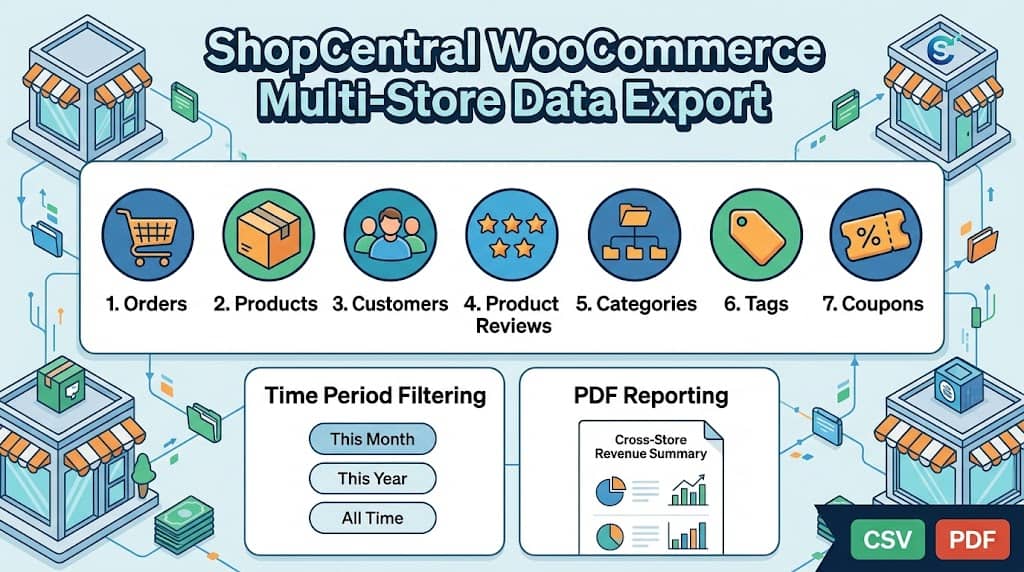
ShopCentral’s Export Tools suite provides comprehensive data export capabilities for multi store WooCommerce networks — allowing data extraction from any connected store across 7 data types with time period filtering, all from the central ShopCentral dashboard without accessing individual store admins. This article covers every export capability in ShopCentral version 2.7.x.
Why Multi-Store Data Export Is Complex
A standard WooCommerce installation provides export functionality within the WooCommerce admin (orders export) and through the WordPress native export tool (posts, products). However, these exports are:
- Per-store only: Each store’s data must be exported separately from its own admin
- Format-limited: WooCommerce’s native export produces a fixed CSV format not always suitable for accounting tools
- Scope-limited: Native exports do not include product reviews, coupon usage data, or customer spend analytics in a single unified export
- No time filtering for some types: Some WooCommerce data types have limited time-period filtering in native export tools
For a business using ShopCentral as its woocommerce multi store manager, the Export Tools solve all of these limitations by providing standardized, filtered exports across all supported data types from any connected store.
ShopCentral’s Export Tools Suite
ShopCentral’s Export Tools (powered by ShopCentral_Export_Tools, a 23KB API class indicating its breadth) are accessible via ShopCentral → Export Tools in the dashboard. The export interface provides:
- Store selector: Choose which connected store’s data to export (main store or any child store)
- Data type selector: Select from the 7 supported export types
- Time period filter: This Month, This Year, or All Time
- Export generation: ShopCentral fetches the data from the selected store’s REST API and packages it for download
All Supported Export Types
ShopCentral version 2.7.x supports exporting 7 distinct data types from connected WooCommerce stores:
📦 Orders Export
Complete order records including order ID, customer name, email, billing address, items, total, status, and date.
Use: Accounting, fulfilment reconciliation, revenue reporting
📦 Products Export
Full product catalogue including name, SKU, price, stock quantity, status, and product type.
Use: Inventory audits, catalogue migration, price comparison
⭐ Product Reviews Export
All product reviews including rating (1–5 stars), reviewer name, and review content.
Use: Social proof analysis, review moderation, NPS tracking
📉 Product Categories Export
Category structure including category name, slug, and parent category for hierarchical taxonomy mapping.
Use: Store migration, taxonomy audit, SEO review
🏷 Product Tags Export
All product tags including tag name, slug, and description.
Use: SEO keyword analysis, taxonomy migration
👤 Customers Export
Customer data including name, email, order count, and total spend for each customer.
Use: CRM import, email list building, VIP identification
🆕 Coupons Export
All coupon records including coupon code, discount type, amount, and usage count.
Use: Campaign performance analysis, accounting, ROI calculation
Time Period Filters
All ShopCentral exports support time-period filtering, limiting the export to data within a specific window. Available filters:
| Filter | Data Range | Primary Use Case |
|---|---|---|
| This Month | From the 1st of the current calendar month to today | Monthly accounting reconciliation, MoM performance review |
| This Year | From January 1st of the current year to today | Annual reporting, YTD revenue summaries for stakeholders |
| All Time | Complete historical data from store inception | Full data migration, historical analysis, complete CRM import |
PDF Report Generation
Beyond CSV/data exports, ShopCentral includes PDF report generation for professional stakeholder and accounting presentations. The centralized PDF reports summarize:
- Cross-store revenue total for the selected period
- Total order count across all connected stores
- Average order value (AOV) calculated network-wide
- Store-by-store breakdown showing individual store contributions to the network total
- Invoice-style formatting suitable for sharing with accountants, business partners, or investors without requiring access to the WordPress admin
The PDF report removes the need to manually compile revenue figures from multiple WooCommerce exports into a presentation-ready document — a recurring monthly task eliminated for finance teams managing a multi store WooCommerce network.
Use Cases by Role
📈 Finance / Accounting
Monthly Orders export (This Month) from each store for Xero/QuickBooks reconciliation. PDF report for shareholder review. Annual revenue summary for tax preparation.
📦 Operations / Inventory
Products export to audit stock levels across all stores. Categories/Tags export when migrating to a new store structure or auditing taxonomy consistency across the network.
📨 Marketing
Customers export to build targeted email lists segmented by purchase frequency and spend. Coupons export to measure campaign ROI by comparing usage counts against revenue impact.
🏢 Agency
Generate monthly PDF performance reports for each client store. Export order data from client stores without requiring full admin access to each client’s WooCommerce installation.
Frequently Asked Questions
Are the Export Tools available in the free version of ShopCentral?
Yes. The Export Tools suite (all 7 data types: Products, Orders, Reviews, Categories, Tags, Customers, Coupons) is available in the free version of ShopCentral. This makes ShopCentral one of the few free multi store plugin for WooCommerce solutions that includes comprehensive data export capabilities without requiring a paid upgrade.
In what format are exports downloaded?
ShopCentral exports data in CSV format for all data types (Products, Orders, Customers, Reviews, Categories, Tags, Coupons) — the universally compatible spreadsheet format accepted by accounting tools, CRM platforms, email marketing services, and data analysis tools. PDF reports are generated as PDF documents for presentation and accounting purposes.
Export All Your WooCommerce Store Data in One Place
ShopCentral’s Export Tools let you extract orders, customers, products, reviews, and more from any connected store — free.
