

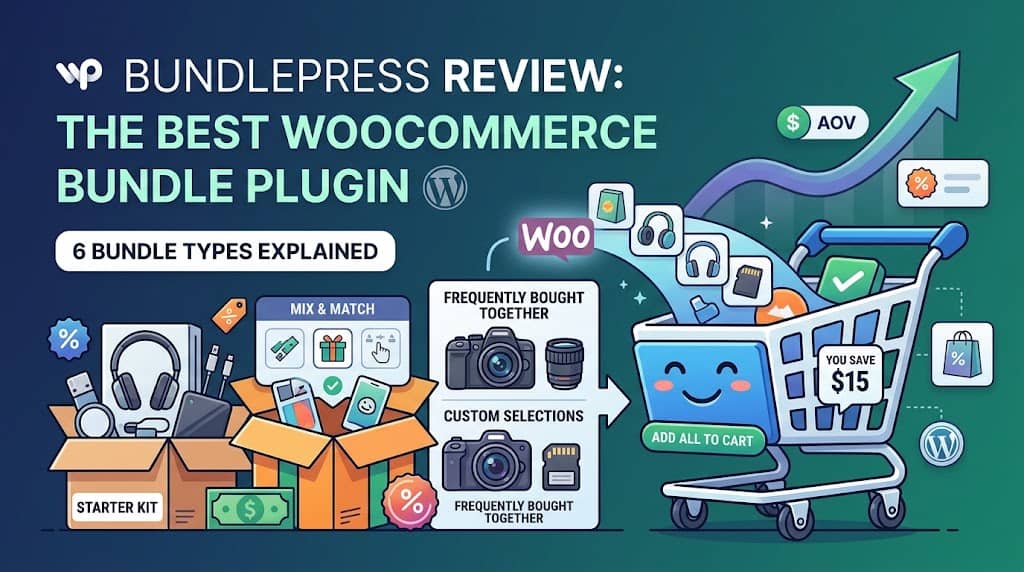
BundlePress is a professional WooCommerce bundle plugin built by Dominopress — the same team behind ClaimPress (warranty management), ShopCentral (multi-store manager), InsightPress (analytics), and several other WooCommerce-focused plugins. It is one of the very few product bundle WooCommerce plugins that combines all major bundle strategies — Fixed Bundles, Volume Pricing, Buy X Get Y, Mix & Match, Frequently Bought Together, and Product Add-ons — into a single, unified plugin with one coherent admin interface.
The plugin launched with a strong technical foundation: a React-powered admin builder, a dedicated custom database table for bundle storage (instead of relying on WordPress post meta), WooCommerce HPOS compatibility, and a fully server-side-rendered frontend (no JavaScript-dependent loading skeletons). By version 1.4.3, BundlePress had evolved into a mature, polished product with live preview customization, grid/list layout support, database-persisted layout preferences, and full frontend text localization.
Whether you are a store owner trying to understand how to create a bundle product in WooCommerce for the first time, or an agency managing client stores that needs a comprehensive bundle plugin for WooCommerce that handles every bundle scenario, BundlePress is worth evaluating. This review covers every bundle type in depth — including pros, cons, real-world use cases, and exactly when to use each one.
At a Glance: BundlePress v1.4.3 — 6 bundle types, React admin builder, server-side PHP frontend widgets, global customization suite, analytics dashboard, WooCommerce HPOS compatible, tested up to WooCommerce 10.8 and WordPress 7.1.
Why Product Bundling Matters for WooCommerce Stores
Before evaluating the plugin itself, it’s worth understanding why product bundles in WooCommerce are one of the most impactful revenue strategies available to online retailers. Bundling works through several proven mechanisms:
Higher Average Order Value
Bundles encourage customers to purchase more items per transaction than they would otherwise — directly increasing revenue per visitor without increasing acquisition costs.
Discount Perception
Even small bundle discounts (5-10%) significantly increase conversion rates because customers perceive they are getting a deal that individual purchases don’t offer.
Stock Velocity
Bundling slow-moving items with popular products moves inventory that might otherwise sit unsold for months, freeing up capital and warehouse space.
Reduced Return Rates
Bundles that include everything a customer needs (starter kits, complete sets) reduce returns caused by missing accessories or incompatible companion products.
Customer Satisfaction
Curated bundles reduce purchase decision fatigue — customers who struggle to choose between accessories appreciate expert-curated combinations.
Competitive Differentiation
Bundles that competitors don’t offer create a unique value proposition that price comparison engines cannot commoditize.
WooCommerce has no native bundle builder capable of handling these strategies. Grouped Products — WooCommerce’s closest native equivalent — are a rudimentary product type with no discount logic, no quantity rules, and no visual bundle presentation. BundlePress fills this gap with a complete woocommerce bundle products plugin architecture.
Bundle Type 1: Fixed Bundle
✓ Pro
The Fixed Bundle is the classic, most universally recognized bundle type. A store owner selects a specific set of products, defines the bundle price or discount, and presents the entire set as a single purchasable unit. There is no customer selection — the products are fixed. Clicking “Add Bundle to Cart” adds all products simultaneously at the configured pricing.
This is ideal for how to bundle products in WooCommerce when you want to create gift boxes, starter kits, or curated product sets — situations where the expert curation itself is part of the value proposition. The store is essentially saying: “We know what works well together. Here it is as a ready-made set.”
How Fixed Bundles Work in BundlePress
In the BundlePress builder, you create a Fixed Bundle by selecting specific products from the Product Picker and configuring each product’s quantity and mandatory/optional status. Each product can be set as:
- Mandatory: Always in the bundle. Customer cannot deselect it. Shown with a locked/grayed checkbox.
- Optional: Included by default but customer can uncheck it. Price adjusts dynamically when deselected. Great for add-on accessories in a kit.
Pricing options: a fixed total price for the entire bundle, a percentage discount off the sum of individual product prices, or standard pricing (no discount — convenience grouping). When a percentage discount is set, the widget shows crossed-out individual prices and a “You Save $X” callout that communicates the deal clearly.
Fixed Bundle: Pros
- Zero customer friction: No selection required. One click adds everything to cart.
- Expert curation value: Pre-selected sets carry an implicit “this works together” endorsement.
- Gift-ready: Perfect for gift occasions where purchasers want a complete, thoughtfully assembled set.
- Stock control: You decide exactly what goes in the bundle, so you can manage inventory predictably.
- Versatile pricing: Fixed price, percentage discount, or no-discount convenience grouping.
- Mandatory/optional hybrid: Core products locked, accessories optional — flexible upsell structure.
Fixed Bundle: Cons
- No customer personalization: Customers who want most but not all items in the bundle may skip it entirely.
- Requires thoughtful curation: A poorly chosen bundle (products that don’t complement each other) will not convert regardless of discount.
- Variant selection needs Pro: Fixed bundles with variable products (color/size choices) require BundlePress Pro.
Best Use Cases for Fixed Bundles
🎁 Gift Boxes
Christmas, Valentine’s, Birthday curated sets
🚀 Starter Kits
Everything a beginner needs for a hobby or activity
👫 Complete Sets
Furniture sets, skincare routines, office supply packs
🆕 Clearance Bundles
Slow stock + bestseller combined at a discount
Bundle Type 2: Volume Pricing (Tiered Discounts)
✓ Pro
Volume Pricing (also called tiered pricing or quantity discounts) is one of the highest-converting bundle strategies for consumable and repurchasable products. Instead of bundling different products together, Volume Pricing presents multiple quantity tiers of the same product as selectable options on the product page — each tier offering a deeper per-unit discount for buying more. This directly answers the question how to create bundles in WooCommerce that encourage bulk purchasing.
For example: Buy 1 for $25 / Buy 2 for $22.50 each (10% off) / Buy 3 for $21.25 each (15% off, marked as “Most Popular”) / Buy 5 for $20 each (20% off). Each tier is a selectable card. The customer picks the quantity tier that fits their needs, and that quantity is added to the cart at the discounted price.
Volume Pricing Stand-Out Features in BundlePress
- Popular Badge: Mark any tier as “Most Popular” with customizable badge text, background color, and text color. This psychological anchor nudges customers toward the highlighted tier — typically a middle or high-value option.
- Default Selected Tier: Configure which tier is pre-selected when the page loads. Setting “Buy 3” as the default instead of “Buy 1” consistently increases the proportion of customers purchasing at higher quantities. The admin-set default always overrides any browser-stored session selection.
- Custom Badge Labels (Pro): Replace calculated “You Save X%” with custom marketing copy: “Best Value,” “Family Pack,” “Total Savings: $25.”
- Sale-aware pricing: BundlePress correctly detects existing WooCommerce sale prices and calculates “You Save” relative to the true regular price — not the already-discounted sale price. Crossed-out original prices appear even at the “Buy 1” tier when the product is on sale.
- Grid layout default: Volume bundles use Grid View by default (v1.3.9+) — tier cards displayed side-by-side like a pricing table, which is optimal for quantity comparison.
- Server-side rendering: Volume widgets render via PHP on page load (improved in v1.4.3) — zero loading skeleton or Flash of Unstyled Content.
Volume Pricing: Pros
- Direct AOV increase: Every percentage point of customers who upgrade from Buy 1 to Buy 3 directly compounds revenue without acquisition cost.
- Psychologically powerful: Showing “You Save $11.25 vs buying individually” creates strong incentive to purchase higher tiers.
- Simple customer experience: Just pick a tier — no complex selections or configurations required.
- Consumable product goldmine: Supplements, coffee, skincare, cleaning products all have high volume pricing uptake rates because customers know they’ll need more.
- Popular badge anchoring: The “Most Popular” badge on a mid-tier reliably nudges customers away from the minimum quantity option.
Volume Pricing: Cons
- Less effective for non-consumables: A customer buying a sofa or a camera doesn’t need 3 of them regardless of the discount. Volume pricing primarily works for consumable or repurchasable products.
- Margin management required: High-percentage volume discounts can erode margins if not calibrated to actual cost structure — requires careful pricing calculation.
- Variable products need Pro: Applying volume pricing to products with size/color variations (e.g., “Buy 3 of any color combination”) requires BundlePress Pro.
Best Use Cases for Volume Pricing
💉 Skincare & Beauty
Buy 2 get 10% off for replenishment routines
💘 Supplements
3-month supply tiers with escalating discounts
☕ Coffee & Food
Bulk bag discounts for frequent purchasers
👔 Office Supplies
Pack-of-10 / Pack-of-50 / Pack-of-100 pricing
Bundle Type 3: Buy X Get Y (BXGY / BOGO)
✓ Pro
Buy X Get Y (BXGY) is one of the most psychologically powerful promotional frameworks in retail. The word “FREE” triggers a disproportionate response in purchase decisions — customers who would resist a “33% discount” will enthusiastically accept “Buy 2 Get 1 Free” even though the effective discount is identical. BundlePress’s BXGY bundle type captures this effect and displays it as a prominent widget on the product page.
Unlike WooCommerce’s coupon-based BOGO system (which requires customers to know and apply a coupon code — a source of significant friction and missed conversions), BundlePress BXGY deals are displayed directly on the product page. Every visitor sees the deal automatically. No code required.
BXGY Deal Structures Supported
| Promotion | Buy (X) | Get (Y) | Effective Discount |
|---|---|---|---|
| BOGO (Buy 1 Get 1 Free) | 1 | 1 Free | 50% off total |
| Buy 2 Get 1 Free | 2 | 1 Free | 33% off total |
| Buy 3 Get 1 Free | 3 | 1 Free | 25% off total |
| Buy 2 Get 1 at 50% | 2 | 1 at 50% off | ~17% off total |
| Buy [A], Get [B] Free | 1 of A | 1 of B Free | Cross-product promotion |
BXGY: Pros
- “FREE” is the most powerful word in marketing: BOGO deals consistently outperform equivalent percentage discounts in conversion testing.
- No coupon friction: Displayed directly on product page — every visitor sees the deal without needing to know a code or find a promotion page.
- Cross-product BXGY: “Buy Product A, get Product B free” introduces customers to complementary products — a powerful product discovery driver.
- Stock clearance: BXGY deals are highly effective for moving specific SKUs without a sitewide discount event.
- Simple purchase journey: One button, all items added at correct prices. Zero checkout confusion.
BXGY: Cons
- High margin cost for BOGO: True Buy 1 Get 1 Free = 50% effective discount. Only sustainable if product margins are high or the BXGY drives significant volume uplift that compensates.
- Can devalue brand: Permanent BOGO deals (not seasonal) can anchor customer price expectations and make full-price purchases feel unfair later.
- Customer expects the free item: Once customers discover a BXGY deal, they may wait for it rather than buying at full price between promotions.
Bundle Type 4: Mix & Match (Custom Box Builder)
✓ Pro
The Mix & Match bundle is the most customer-empowering bundle type — instead of a fixed set, the store provides an eligible product pool and quantity rules, and the customer fills their own custom box. This is the “Build Your Own 6-Pack” model used effectively by craft beer retailers, chocolate shops, tea brands, and beauty companies worldwide. It combines the revenue benefits of bundling with the satisfaction benefits of personal choice.
BundlePress Mix & Match supports configuring the eligible product pool (any products or a filtered category/tag selection), box size rules (exact quantity, min/max range), per-product quantity limits, and multiple pricing models. The frontend widget is interactive — customers use quantity selectors to fill their box and see a real-time progress indicator and running total.
Mix & Match Configuration Options
- Fixed quantity box: Exactly 6, exactly 12 — customer must fill to this amount
- Min/Max range: Customer chooses any quantity between min and max (e.g., 2–8 products)
- Per-product max: Limit how many of any single product can be in the box (e.g., max 3 of the same flavor in a 6-pack)
- Fixed box price: Any 6 = $29.99 regardless of individual product prices
- Dynamic pricing: Box total = sum of individual product prices (different products can have different prices)
- Bundle discount: Percentage off the sum of selected products
Mix & Match: Pros
- Highest customer engagement: The interactive selection process creates the longest page dwell time of any bundle type — customers invest time in building their box and are highly committed to purchasing it.
- Lower return rate: Customers who chose exactly what they wanted are far less likely to return it.
- Natural upsell for assortments: Perfect for any store selling multiple variants of a category where personal preference matters (flavors, scents, designs).
- Drives product discovery: Building a box exposes customers to products they haven’t tried before — increasing the likelihood they discover new favorites and reorder.
- Flexible pricing models: Can be configured as a flat-rate box or dynamic pricing depending on product category.
Mix & Match: Cons
- Higher cognitive load: Customers must make multiple decisions. If the selection pool is too large and no guidance is provided, decision fatigue can reduce conversion.
- Free version limited to 3 products: A meaningful Mix & Match requires 6+ eligible products. The free version’s 3-product limit makes it less useful for this bundle type specifically.
- Fulfillment complexity: Each Mix & Match order may be different. If physical packaging is involved (e.g., actual custom beer cases), fulfillment requires more careful handling than fixed bundles.
Bundle Type 5: Frequently Bought Together (FBT)
The Frequently Bought Together bundle type replicates the most recognizable upsell pattern on the internet — Amazon’s “Frequently Bought Together” section. This widget appears on individual WooCommerce product pages and shows 2–4 complementary products alongside the main product with a single “Add All to Cart” button. Unlike Amazon’s algorithmically generated suggestions, BundlePress FBT bundles are manually curated — the store owner selects exactly which complementary products to show, based on expert knowledge of what works together.
FBT bundles are a BundlePress Pro exclusive feature. For stores that sell products with natural accessory ecosystems (electronics, photography, fitness, kitchen appliances), FBT is often the highest-converting bundle type because it presents the upsell at the exact moment of maximum purchase intent — when the customer has already decided to buy the main product and is actively engaged with its product page.
FBT Widget Features
- Displays main product + 1–4 complementary products with images, names, and prices
- Individual checkboxes allowing customers to deselect specific complementary products they don’t want (without abandoning the entire FBT offer)
- Bundle total price and “You Save” callout when a bundle discount is configured
- “Add All to Cart” button with fully customizable text
- All widget text fully configurable via Customization dashboard (including the section title)
FBT vs WooCommerce Related Products and Cross-Sells
| Feature | WooCommerce Related Products | BundlePress FBT |
|---|---|---|
| Selection method | Auto (category/tag) | Manual curation |
| One-click add all | ✗ | ✔ |
| Bundle discount option | ✗ | ✔ |
| Display position | Bottom of page | Prominent product-page widget |
| Customer deselection | N/A | ✔ Per-item checkboxes |
FBT: Pros
- Product page placement = highest intent moment: FBT appears when the customer is most receptive to additional product suggestions.
- Expert curation superiority: Hand-picked complementary products always outperform algorithmic “also viewed” suggestions in relevance.
- One-click conversion: The lowest-friction path to a multi-product purchase order available in WooCommerce.
- Partial selection option: Individual item checkboxes reduce abandonment — customers who don’t want one item can still take the rest.
- Measurable impact: Analytics tracking (Pro) makes FBT bundle revenue attribution clear.
FBT: Cons
- Pro only: FBT is not available in the free version of BundlePress.
- Manual curation at scale: For stores with hundreds of products, creating FBT bundles for every product page requires significant setup time. Best used for top-selling products first.
- Curation quality matters: Poorly chosen complementary products (low relevance) will not convert. The human curation advantage is also a curation responsibility.
Bundle Type 6: Product Add-ons (Composite Products)
Product Add-ons is fundamentally different from the other bundle types — rather than combining separate products into a group purchase, it extends a single product with optional or required extras. Think of it as the “Would you like to add…?” question built directly into the product page, with automatic pricing adjustments and order tracking.
BundlePress Add-ons support three input types — Checkbox (yes/no single option), Radio Buttons (pick one from multiple mutually exclusive options), and Dropdown (compact select for many options) — each with its own price modifier. Add-ons can be Optional (skippable) or Mandatory (required before cart add). Multiple add-on groups can be configured per product.
Real-World Product Add-ons Examples
🛡 Extended Warranty
Radio: 1yr +$10 / 2yr +$18 / 3yr +$25. Optional or required.
🎁 Gift Wrapping
Checkbox: Add Gift Wrapping +$5. Instant impulse upsell.
🔧 Installation
Dropdown: Basic / Standard / Premium install at different prices.
✏️ Personalization
Engraving, monogramming, custom text printing options.
Product Add-ons: Pros
- Revenue from every transaction: Even customers who don’t respond to product bundles often add small upgrades (gift wrapping, extended warranty) at checkout.
- Service business integration: Installation, setup, and customization services can be offered inline without a separate service product page.
- Required add-ons = no incomplete orders: Mandatory add-ons prevent customers from placing orders without required configuration (installation location, personalization text).
- Dynamic price display: Product page price updates in real-time as add-ons are selected — clear and transparent for customers.
Product Add-ons: Cons
- Pro only: Not available in the free version of BundlePress.
- Fulfillment coordination: Service add-ons (installation, customization) require fulfillment workflow coordination beyond standard product shipping.
- Can add form complexity: Too many mandatory add-on fields on a product page can add friction that slows purchase completion for simple-intent buyers.
Core Features: The Bundle Builder, Pricing Engine & Display
The React-Powered Bundle Builder
BundlePress’s admin interface is built in React, rendering inside a dedicated WordPress admin page (BundlePress → All Bundles / Create New Bundle). The builder provides:
- Type selector: Choose your bundle type first, which dynamically loads the appropriate configuration form for that type
- Product Picker: Full-featured product search with filter by category and filter by tag — allowing targeted product selection without scrolling through your entire catalogue. Fixed in v1.3.8 (category/tag filters previously failed by passing IDs instead of slugs)
- Drag-to-reorder: Products within a bundle can be reordered by dragging — controlling display order in the frontend widget
- Variation sorting: Attribute options within variable product dropdowns are sorted according to the order defined in WooCommerce Product Attributes — consistent with the individual product page (added v1.3.6–1.3.7)
- Live preview: Real-time widget preview within the builder — see layout, pricing, and badge changes before saving (v1.3.9+)
Pricing Engine
BundlePress includes a sophisticated pricing calculation engine that correctly handles:
- WooCommerce sale prices: Bundle discounts are calculated against the product’s true regular price — not the already-reduced sale price. This prevents misleading “You Save” calculations and is correct from both a legal and ethical marketing standpoint.
- Localized currency formatting: Thousand separators, decimal separators, decimal place counts, and currency symbol positioning all respect WooCommerce store settings — including non-English locales like German (period for thousands, comma for decimals) — fixed in v1.2.1.
- Dynamic price updates: For bundles with optional items or variable product selectors, the displayed bundle total updates in real-time as customers make selections — no page reload required.
- Multi-quantity calculation: For bundles where products have quantities >1, bundle pricing correctly calculates totals and discounts based on the actual quantities of each included product.
Frontend Widget Architecture
BundlePress v1.4.3 uses server-side PHP rendering for the Volume Pricing widget (and progressively more frontend widgets) to eliminate loading skeletons and Flash of Unstyled Content (FOUC). This is a significant UX improvement over pure JavaScript-rendered widgets that show a blank space or spinner before loading — particularly on slower connections.
All bundle widgets are injected into product pages via WordPress hooks, working correctly with most WooCommerce-compatible themes. The plugin includes specific CSS overrides to prevent WooCommerce’s own CSS from interfering with bundle widget styling (specifically the .woocommerce div.product div.summary p { margin: 1em 0; } rule that overrides inline styles).
Customization Dashboard & Layout Styles
BundlePress’s Customization dashboard (accessible from BundlePress → Customization) is a centralized visual settings control panel built with an accordion layout for clean navigation. It allows configuring:
- Colors: Button background/text/hover colors, badge colors, price colors, sale price colors
- Labels: All frontend text — button labels, section headings, “You Save” text, price labels, badge text — fully localizable for any language
- Layout: List vs Grid per bundle type; column count (2 free, 3–4 Pro)
- Volume-specific: Popular badge text/color/background, default selected tier, custom tier badge labels (Pro)
- BXGY-specific: Deal headline text, “FREE” badge text and color
Global customization settings apply to all bundles of a given type across the store. BundlePress Pro adds per-bundle style overrides — allowing individual bundles to use different colors or layouts without affecting the global settings for other bundles.
Layout preferences (List, Grid, column count) are persisted in the database per-bundle (introduced v1.3.9) — they survive page reloads and are respected consistently. The live preview system within the Customization dashboard and Bundle Builder shows how changes look in real-time, with CSS parity between the preview and the actual frontend widget (precisely matched in v1.4.3).
Analytics & Performance Tracking
The BundlePress Analytics dashboard (BundlePress → Analytics) tracks bundle performance metrics in a dedicated wp_bundlepress_analytics database table. Pro users get access to the full reporting interface showing:
- Revenue by bundle: Which specific bundles drive the most income
- Add-to-cart events: Widget click tracking per bundle
- Conversion rates: From bundle click to completed order
- Average Order Value impact: Bundle vs non-bundle transaction comparison
- Bundle type performance: Which bundle strategy (Fixed vs Volume vs BXGY etc.) is most effective for your store
Analytics data allows data-driven bundle strategy decisions — knowing which bundles are underperforming allows rapid iteration (adjust discount, change products, test different layout) rather than guessing at improvements.
Free vs Pro: Full Feature Comparison
| Feature | Free | Pro |
|---|---|---|
| Fixed Bundle | ✔ | ✔ |
| Volume Pricing (Tiered Discounts) | ✔ | ✔ |
| Buy X Get Y (BXGY) / BOGO | ✔ | ✔ |
| Mix & Match (Custom Box) | ✔ | ✔ |
| Frequently Bought Together (FBT) | ✗ | ✔ |
| Product Add-ons (Composite) | ✗ | ✔ |
| Products per bundle | 3 max | Unlimited |
| Variable product support in bundles | ✗ | ✔ |
| Grid Layout (multi-column) | 2 columns max | 2, 3, or 4 columns |
| Switch any bundle between List/Grid | ✗ | ✔ |
| Global Customization Suite (colors, labels) | ✗ | ✔ |
| Per-bundle style overrides | ✗ | ✔ |
| Analytics Dashboard (revenue, conversions) | ✗ | ✔ |
| Advanced Conditional Logic (role, geo, date, cart) | ✗ | ✔ |
| Custom Badge Labels (Volume tiers) | ✗ | ✔ |
| WooCommerce HPOS Compatibility | ✔ | ✔ |
| Priority Support | ✗ | ✔ |
Is the Free Version Worth Using?
Yes — but with clear limitations. The free version gives genuine access to four bundle types (Fixed, Volume, BXGY, Mix & Match) with a 3-product-per-bundle limit and simple products only. For a small store testing a first bundle strategy, this is a meaningful free offering. Fixed Bundles with 3 products (e.g., a 3-product gift set) and Volume Pricing for single-product tiers work well within the free limits.
Where the free version shows its limits: Mix & Match needs more than 3 eligible products to be a compelling “Build Your Own” experience, variable products are locked to Pro, and the most powerful strategies (FBT, Product Add-ons) are entirely Pro-only. Stores serious about a bundling revenue strategy will find the Pro upgrade worthwhile.
Who Is BundlePress Best For?
🛒 Retail Stores with Multiple Product Types
Stores that need different bundle strategies for different product categories — Fixed Bundles for gift sets, Volume for consumables, FBT for electronics — benefit from BundlePress’s multi-type architecture.
☕ FMCG & Consumable Products
Food, beverage, beauty, supplement stores benefit enormously from Volume Pricing, Mix & Match (build-your-own flavour packs), and BXGY promotions.
📷 Electronics & Accessories
Stores with strong accessory ecosystems (cameras, audio, fitness tech, computers) see high FBT and Fixed Bundle conversion rates for complementary accessory sets.
🏢 WordPress Agencies
Agencies building client WooCommerce stores who need one comprehensive bundle plugin to cover all client bundling scenarios without buying multiple specialized plugins.
🕑 Seasonal & Promotional Stores
Stores with frequent promotional cycles benefit from BundlePress Pro’s Conditional Logic — scheduling seasonal BXGY deals and sale bundles to activate/deactivate automatically.
🔧 Service & Custom Product Stores
Stores offering installation services, personalization, or warranty extensions benefit from Product Add-ons to present these services directly on product pages.
Final Verdict
Bundle Types
6
Free Bundle Types
4
WC Versions
8–10.8
HPOS Compatible
✔
BundlePress earns its position as the most complete woocommerce bundle plugin free option available in 2026. No other single plugin covers all six major WooCommerce bundle strategies with this level of polish, a React-powered builder, server-side frontend rendering, a global customization system, and WooCommerce HPOS compatibility.
The free version is genuinely useful — not a hobbled teaser. Four bundle types, a full-featured product picker, live preview, list/grid layouts, and correct pricing calculations including localized currency formatting. Small stores testing their first bundle strategy will find the free version sufficient for initial deployment.
The Pro version is where BundlePress becomes an enterprise-grade tool — Frequently Bought Together, Product Add-ons, unlimited products per bundle, variable product support, unlimited grid columns, global customization, analytics, advanced conditional logic, and priority support. For any store serious about maximizing revenue from bundling, Pro is the meaningful investment.
👍 Overall Strengths
- 6 bundle types in one plugin
- Professional admin builder (React)
- Server-side PHP rendering (no FOUC)
- Correct sale-price-aware discount calculation
- Full frontend text localization
- WooCommerce HPOS compatible
- Strong free version offering
👎 Areas to Improve
- 3-product free limit is tight for Mix & Match
- FBT and Add-ons are Pro-only
- Variable product support is Pro-only
- No native shortcode for embedding bundles in posts/pages (product page assignment only)
Frequently Asked Questions
Is BundlePress a good woocommerce bundle plugin free option?
Yes — BundlePress offers the most comprehensive free tier of any WooCommerce bundle plugin. Four bundle types (Fixed, Volume, BXGY, Mix & Match) are available for free with up to 3 simple products per bundle. Most competing plugins offer only one bundle type for free, or severely limit features. BundlePress’s free version is a genuine starting point for stores that want to woocommerce create bundle products without upfront cost.
How do I add bundle products to WooCommerce with BundlePress?
Install and activate BundlePress from WordPress.org. Go to BundlePress → Create New Bundle in your WordPress admin sidebar. Select a bundle type, use the Product Picker to add products, configure pricing, assign the bundle to a WooCommerce product page, and save. The bundle widget appears automatically on the assigned product page. No coding required.
Can I use multiple bundle types on the same WooCommerce product page?
Yes. Multiple bundles of different types can be assigned to the same product page. For example, a camera product page could have a Fixed Bundle (camera kit), a Frequently Bought Together widget (complementary accessories), and a Product Add-ons section (warranty extension). The display order depends on bundle configuration and your theme’s product page layout.
Does BundlePress work with variable products?
Variable product support in bundle configurations — where customers can select specific variations (size, color) of variable products within a bundle — is a BundlePress Pro exclusive feature. The free version supports simple products only. With Pro, variation attribute dropdowns appear within bundle widgets, sorted in the order defined in WooCommerce Product Attributes, with correct sale price detection for each variation.
Which bundle type should I start with if I’m new to bundling?
For most stores, Fixed Bundles are the lowest-risk, highest-readability starting point — straightforward to create, easy for customers to understand, and effective for gift and starter kit positioning. If your store sells consumable products (food, supplements, skincare), Volume Pricing is often the highest-converting first bundle type because it directly rewards the existing behavior of customers who buy the same product repeatedly. Start with whichever aligns most closely with your most popular product category.
Does BundlePress support WooCommerce HPOS?
Yes. BundlePress declares full compatibility with WooCommerce High-Performance Order Storage (HPOS) — the custom order tables system increasingly used in modern WooCommerce installations. This compatibility is declared at plugin initialization, ensuring BundlePress works correctly whether HPOS is enabled or disabled on your store.
Start Bundling Products in Your WooCommerce Store
BundlePress — the most complete product bundle WooCommerce plugin. Six bundle types, one builder, zero coding required. Free version available on WordPress.org.
